 ProMapRanker
Best Invoice Scanning Software in 2026


Accountants and small AP teams · Pricing starts at: $29 per month
Key takeaways
- DocuClipper is the most direct pick for accountants who want template-free scanning with QuickBooks and Xero sync at a clear monthly price.
- Nanonets and Veryfi suit teams that want to build their own workflow on an API, while BILL suits teams that also need to pay vendors.
- Rossum and ABBYY are the enterprise end of this list, with deeper automation but quote-based pricing and longer setup.
- Line-item capture and totals checking matter more than raw scan speed, since a fast scan with wrong totals still needs manual fixing.
- Always test a tool on your own supplier invoices before committing, because accuracy varies a lot by layout and scan quality.
Quick comparison
| Pick | Great for | Pricing starts at | Free tier | |
|---|---|---|---|---|
| DocuClipper | Accountants and small AP teams | $29 per month | Free trial | Visit |
 Nanonets | Pay-as-you-go extraction | $0.30 per page | Free trial | Visit |
 Docsumo | Extraction with a review workflow | $179 per month | Free trial | Visit |
 Veryfi | Real-time OCR API with a free tier | $500 per month | Yes | Visit |
 Rossum | Enterprise AP at scale | See website | Free trial | Visit |
 BILL | AP plus vendor payments | $49 per user per month | Free trial | Visit |
 Parseur | Fast setup for varied documents | See website | Free trial | Visit |
 Dext | Bookkeepers and Xero-first firms | See website | Free trial | Visit |
 ABBYY | Enterprise document capture | See website | No | Visit |
The best invoice scanning software
Invoice scanning is more than turning paper into a PDF. The tools below read the invoice, pull out vendor, date, totals and line items, check that the numbers add up, and send the result to your accounting system. The best pick depends on whether you need a simple scan-to-books tool, a developer API, or full accounts payable automation.
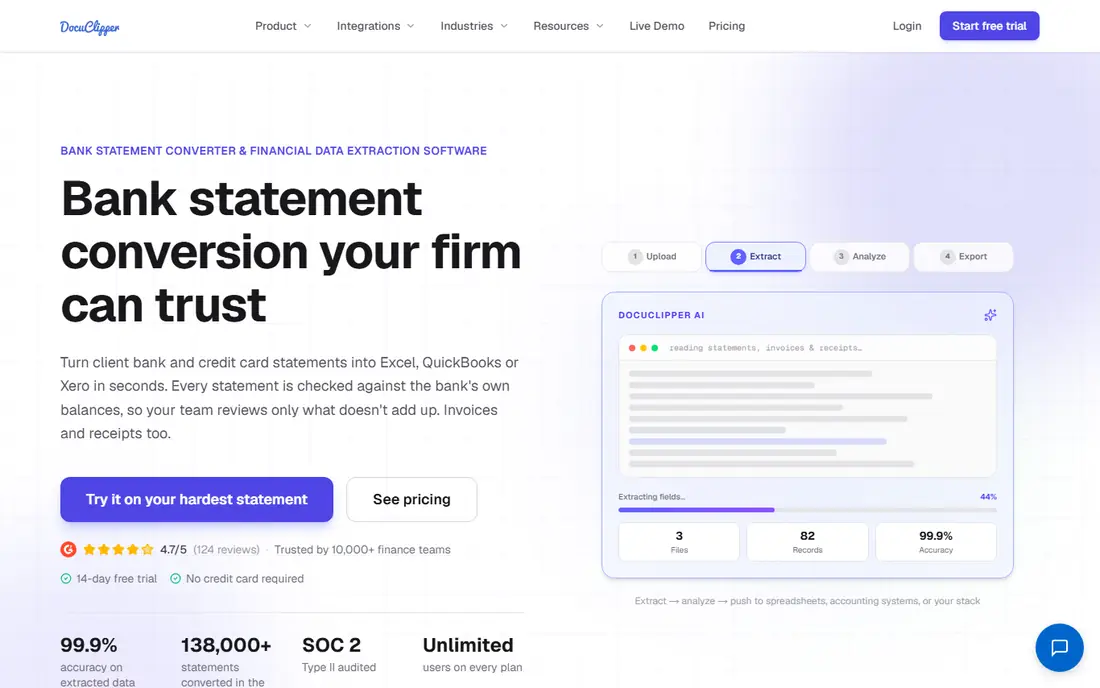
DocuClipper is built for the core job: get invoice data into the books without retyping. It reads varied vendor layouts without templates, captures header fields and line items, checks totals, and syncs to QuickBooks Online and Xero. For accountants handling many clients, that combination saves the most time per invoice.
The limit is that it is not a full payment system. If you also need to pay vendors, approve through complex chains and manage procurement, BILL or Rossum may fit better. For scan-to-books work, though, the clear price and focused feature set make DocuClipper easy to recommend.
- Template-free extraction with line items
- Totals checking
- QuickBooks and Xero sync
- Approval routing sits on higher plans
- Not a vendor payment platform

Nanonets is the most flexible entry point for teams with irregular volume. The entry tier charges per page with no monthly fee, and pre-trained models cover invoices, receipts and other common documents. You can start with free credits and test accuracy before spending much at all.
Pricing needs care. Nanonets has moved toward block-based billing on some paths, so a typical invoice can cost more than the headline per-page rate suggests. Run your real monthly volume through the current pricing page before you commit. For low and uneven volume, it remains a strong, low-risk start.
- No monthly commitment on the entry tier
- Pre-trained invoice models
- API-friendly design
- Newer block-based pricing can complicate estimates
- Higher tiers jump in price
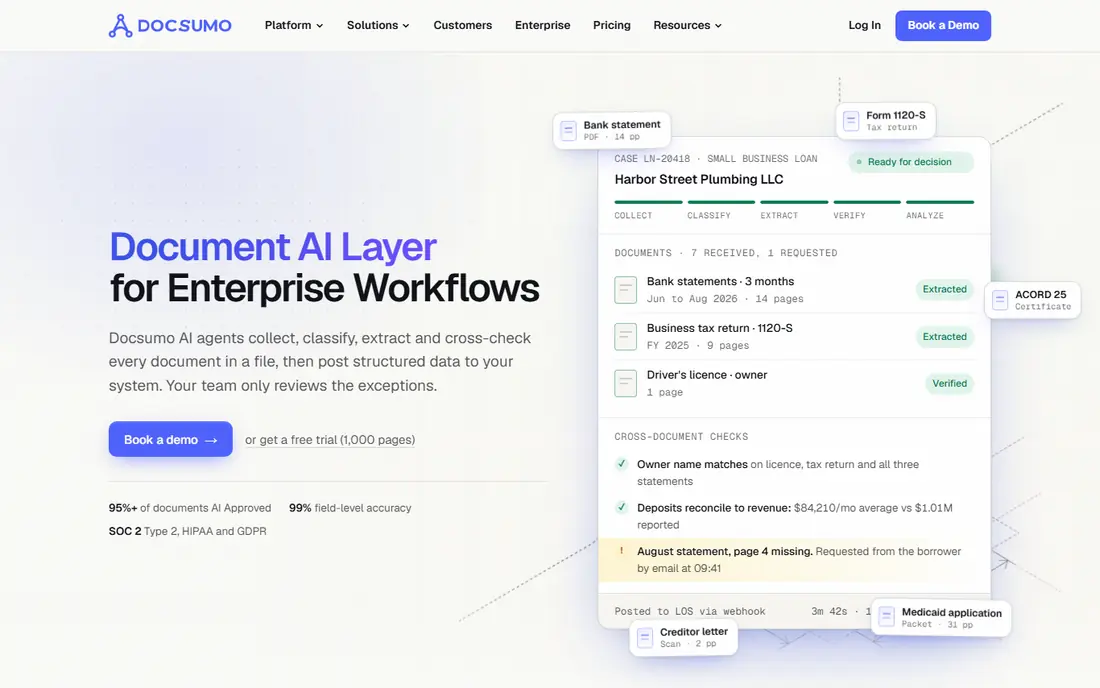
Docsumo pairs extraction with a review workflow, so finance staff can check, correct and approve extracted data before it posts. That matters when accuracy targets are strict and when several people touch an invoice before payment. Pre-trained models mean you do not need to build templates for each supplier from scratch.
The monthly starting price is higher than DocuClipper or Nanonets entry tiers, so it fits teams with steady volume better than occasional users. If your main pain is review and control rather than simple capture, the extra cost buys a more complete process.
- Pre-trained models with no custom setup
- Built-in review and correction workflow
- Good for finance teams
- Higher starting price than scan-only tools
- Best value at steady volume
Veryfi is a developer-first OCR API with a real free tier, which makes it easy to test and to build into your own product. It returns structured invoice data in real time, so apps that need instant capture can use it without waiting for batch processing. That speed is useful for expense apps and mobile capture flows.
The paid starting price is high for a small business that just wants to scan invoices into QuickBooks. Veryfi makes more sense for product teams and larger firms that will use the API at scale. If you want a ready-made AP workflow, look at DocuClipper or BILL first.
- Genuine free tier for low volume
- Real-time API response
- Strong for developers building apps
- Paid plans start high
- Less of an out-of-the-box AP workflow than BILL or Rossum
Rossum is built for companies with high document variety and volume. Its AI reads invoices without templates, which helps when suppliers change layouts often and when you process many document types beyond standard invoices. Enterprise AP features, approvals and integrations round out the platform.
Cost and setup are the barriers for small teams. Pricing is quoted, and the platform is designed for organizations that can invest in implementation. For a mid-size or large AP team drowning in varied supplier formats, Rossum is one of the strongest options here.
- Template-free AI processing for varied layouts
- Strong enterprise AP features
- Handles high document variety
- Quote-based pricing
- Setup and cost suit larger teams
BILL is the most complete AP choice for small and mid-size businesses that also need to pay vendors. Invoices are captured, coded, routed through approval policies and paid by ACH, check, card or international wire, with sync to QuickBooks, Xero, NetSuite and other systems. That end-to-end flow is why so many US businesses use it.
Pricing needs modeling. Every user is billed, and payments carry their own fees on top of the subscription. A small team paying many bills a month should add those fees to the headline price. If payments matter as much as scanning, BILL still earns its place.
- OCR capture plus approvals and payments
- Broad accounting integrations
- Mature AP workflows
- Per-user pricing adds up
- Payment fees sit on top of the subscription
Parseur is known for fast setup. You can point it at an inbox or upload documents and start extracting fields without a long project, which suits teams that receive invoices, orders and other documents in many formats. Volume-based plans let you scale with page count rather than seats.
It is more of an extraction tool than a full AP suite, so approvals, payments and procurement depth are thinner. Parseur fits teams that need reliable extraction quickly and already have an accounting or approval system to receive the data.
- Quick setup on varied document types
- Volume-based plans
- Good for teams with mixed mailboxes
- Pricing is volume-based and needs checking
- Less AP depth than BILL or Rossum
Dext, formerly Receipt Bank, is a familiar name for bookkeepers. Capture from mobile, email or upload is simple, and the tool is built around getting documents into bookkeeping software with minimal friction. Xero-first firms in particular have used it for years as part of a standard stack.
Line-item depth is the watch point. For firms that need full line-item capture and totals checking on every invoice, DocuClipper or Rossum may do more. Dext remains a good pick for light-volume bookkeeping where simple, reliable capture matters most.
- Simple capture for receipts and invoices
- Strong for bookkeeping workflows
- Mobile capture
- Header-level capture can be lighter on line items than specialist tools
- Pricing needs a current check
ABBYY brings decades of document capture experience to invoice work. Its tools handle complex layouts, varied languages and high volumes, and they integrate with enterprise systems that smaller tools cannot reach. For large organizations with strict accuracy and compliance needs, that pedigree counts.
Small businesses will likely find ABBYY too heavy and too opaque on price. Implementation for complex setups can take weeks, and pricing requires a sales conversation. Choose ABBYY when scale, complexity and enterprise integration outweigh simplicity and published pricing.
- Long track record in document capture
- Strong accuracy on complex documents
- Enterprise integrations
- Quote-based pricing
- Implementation can take weeks for complex setups
How we picked these
We compared official pricing pages, feature pages and public reviews for invoice scanning tools live in October 2026. We kept only tools that scan or extract invoice data and that send structured results somewhere useful, whether that is accounting software, a spreadsheet or an API. Where pricing was not published, we wrote See website instead of inventing a figure. We did not claim hands-on testing; our comparison rests on vendor documentation, pricing pages and public reviews.
What to check before you buy invoice scanning software
Test accuracy on your own invoices, not on vendor samples. Gather twenty invoices from your largest suppliers, including poor scans, phone photos, multi-page invoices and credit notes, and count how many fields need correction. A tool that scores well on clean PDFs can still struggle on faded scans or unusual layouts.
Next, check the full workflow. Does the tool capture line items, check totals, flag duplicates and route for approval, or does it only pull header fields? Also confirm the accounting sync: which fields map, whether it handles tax and multi-currency, and what happens when a sync fails. A broken sync turns a time saver into manual cleanup.
Finally, model total cost by volume. Per-page, per-user and per-document pricing behave very differently as volume grows. Add payment fees where they apply, and check what happens when you exceed a plan limit. A short trial on real volume is the cheapest way to avoid a costly mismatch.
Frequently asked questions
What is the best invoice scanning software for small businesses?
DocuClipper is a strong default for small businesses and accountants because it combines template-free scanning, line items and accounting sync at $29 per month. Nanonets suits irregular volume, while BILL suits teams that also pay vendors.
What is the top invoice scanning software for accountants?
Accountants tend to favor DocuClipper for client work and Dext for simple bookkeeping capture, with Docsumo and Rossum for larger finance teams that need review workflows. The right pick depends on client count, line-item needs and accounting software.
Can invoice scanning software integrate with QuickBooks?
Yes, most tools here sync with QuickBooks Online, including DocuClipper, BILL, Parseur and Dext, with varying depth on line items and tax. Confirm the exact sync fields and whether QuickBooks Desktop is supported if you still use it.
How accurate is invoice OCR?
Accuracy varies by scan quality, layout and tool, and no vendor figure replaces a test on your own invoices. Tools that check totals and flag low-confidence fields help catch errors before posting, which matters more than a headline accuracy claim.
Is there free invoice scanning software?
Veryfi offers a free tier for low volume, and several tools offer free trials or free credits. For ongoing business use, a paid plan usually pays for itself in saved retyping time, so treat free tiers as a way to test, not as a permanent plan for high volume.
What is the difference between invoice scanning and invoice processing?
Scanning and OCR turn an invoice image into structured data, while processing covers the wider workflow of approval, coding, matching and payment. Tools like BILL and Rossum cover more of that workflow, while DocuClipper and Nanonets focus on capture and extraction.
Sources
See where you really rank - block by block
ProMapRanker scans Google Maps across a grid of your service area. Simple monthly plans from $19, white-label on every plan.
Start freeKeep reading
 zscaler alternatives
Best Zscaler Alternatives in 2026
Looking for zscaler alternatives? We compare 9 SASE and zero trust platforms on architecture, data protection, pricing, and fit for your network and team.
Read → zapier alternatives free
Best Zapier Alternatives Free in 2026
Nine automation tools for zapier alternatives free in 2026, all with genuinely free tiers, plus free plan limits, starting prices and upgrade paths explained.
Read → which platform is best for online reputation
Which Platform Is Best for Online Reputation in 2026
Wondering which platform is best for online reputation? We compare 8 review, listing, and response tools for small and multi-location businesses and agencies.
Read →