 ProMapRanker
Best Investment App for Beginners Free in 2026

Key takeaways
- Fidelity is our top pick for beginners, with $0 stock and ETF commissions, fractional shares from $1, and strong retirement accounts.
- Charles Schwab is close behind, with $0 commissions, broad education, and paper trading through thinkorswim.
- Robinhood is the simplest first app, while Webull suits beginners who want charts and paper trading from the start.
- Free trading is not free of all costs, so check options fees, spreads, and cash terms before you fund an account.
Quick comparison
| Pick | Great for | Pricing starts at | Free tier | |
|---|---|---|---|---|
 Fidelity | Best overall for beginners | $0 commission | Yes | Visit |
 Charles Schwab | Education and practice trading | $0 commission | Yes | Visit |
 Robinhood | Simplest first trades | $0 commission | Yes | Visit |
 Webull | Charts and paper trading | $0 commission | Yes | Visit |
 SoFi Invest | Simple plus automated investing | $0 commission | Yes | Visit |
 Public | Simple multi-asset investing | $0 commission | Yes | Visit |
 E*TRADE | Research and balanced tools | $0 commission | Yes | Visit |
 Vanguard | Long-term index investing | $0 commission | Yes | Visit |
The best investment apps for beginners free
This is not financial advice. Investing carries risk, and you can lose money, including money you planned to keep for years. We compared official fee schedules, account types, and learning tools for apps that let a beginner start with $0 stock and ETF commissions and no account minimum in most cases.
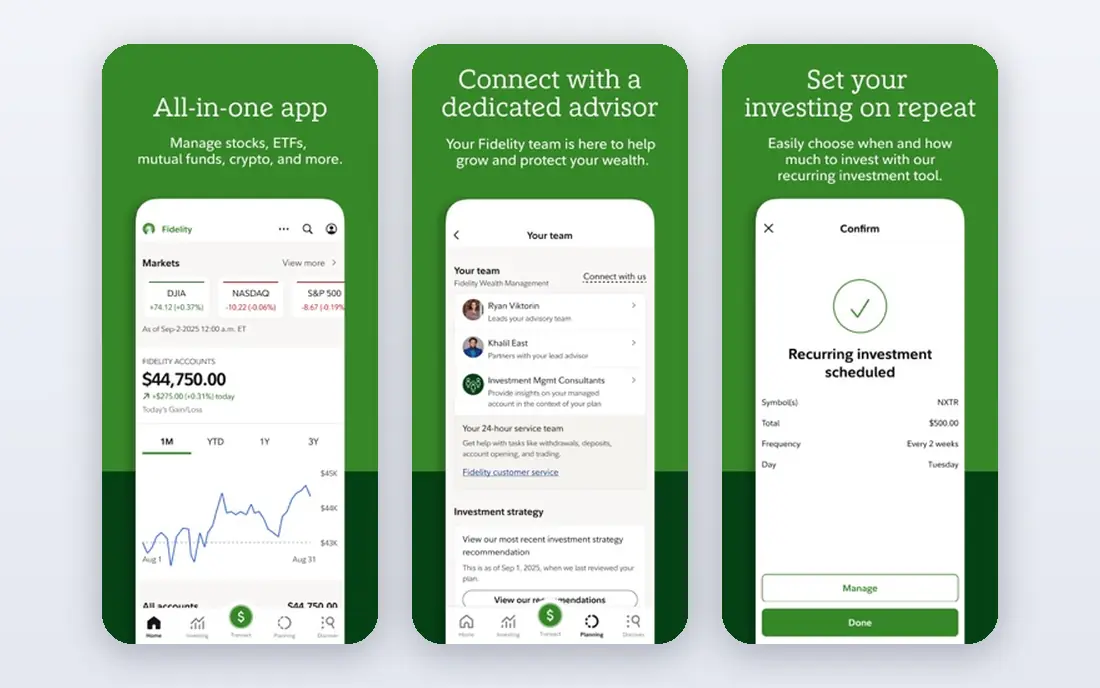
Fidelity earns the top spot because it covers the full beginner journey in one account. Stock and ETF trades carry $0 commission, fractional shares start from $1, and there is no account minimum for core brokerage accounts. Retirement accounts, including traditional and Roth IRAs, sit alongside the brokerage account, so a beginner can start investing and saving for retirement in the same app.
Education is another strength. Fidelity publishes guides, videos, and planning tools that explain index funds, diversification, and retirement basics in plain terms. The app can feel crowded because so much is packed into it, but a beginner who sticks to a simple plan will rarely need the advanced screens. For most people starting out, this is the safest default choice.
- $0 stock and ETF commissions
- Fractional shares from $1
- Strong retirement accounts and research
- App has many features, which can feel busy at first
- Advanced tools take time to learn
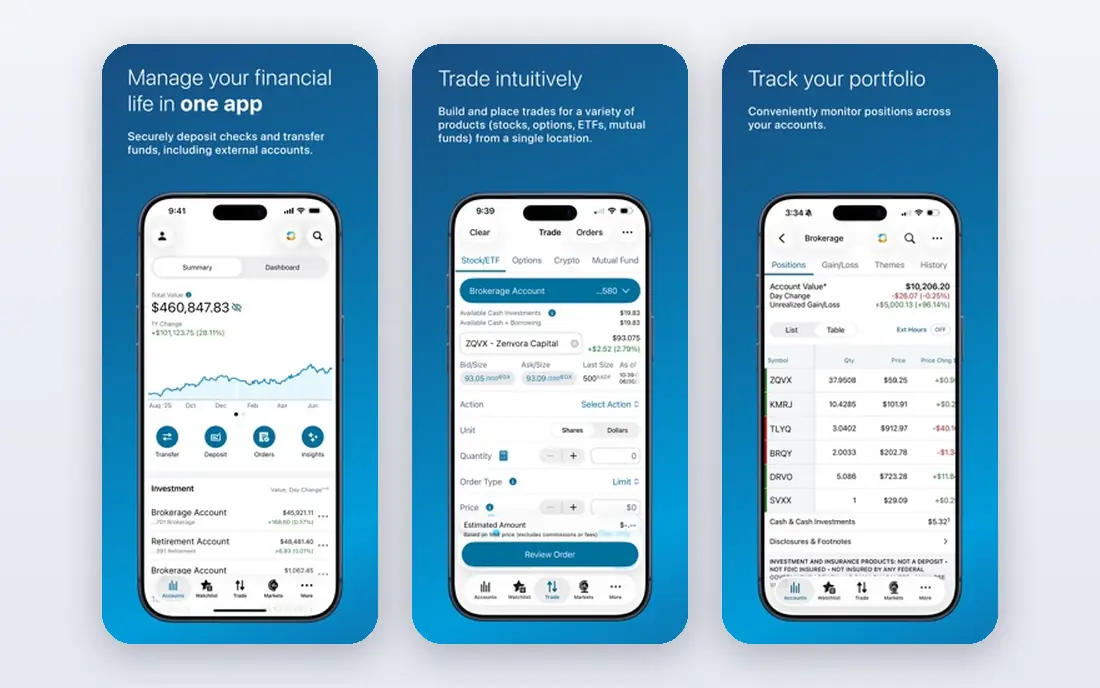
Charles Schwab pairs $0 commissions on online US stock and ETF trades with one of the strongest education libraries for new investors. Articles, courses, and market explainers walk a beginner through account types, order types, and risk without pushing frequent trading. Branch access in the US is a bonus for anyone who wants help in person.
Practice trading through thinkorswim lets a beginner test ideas with virtual money before risking real funds. That is a useful guardrail, especially for someone tempted by options or fast-moving stocks. Schwab is a close second to Fidelity overall, and a better pick if in-person help or practice trading matters most to you.
- $0 stock and ETF commissions
- Extensive education
- Thinkorswim paper trading
- Fractional share options are narrower than Fidelity in some cases
- App layout differs across platforms
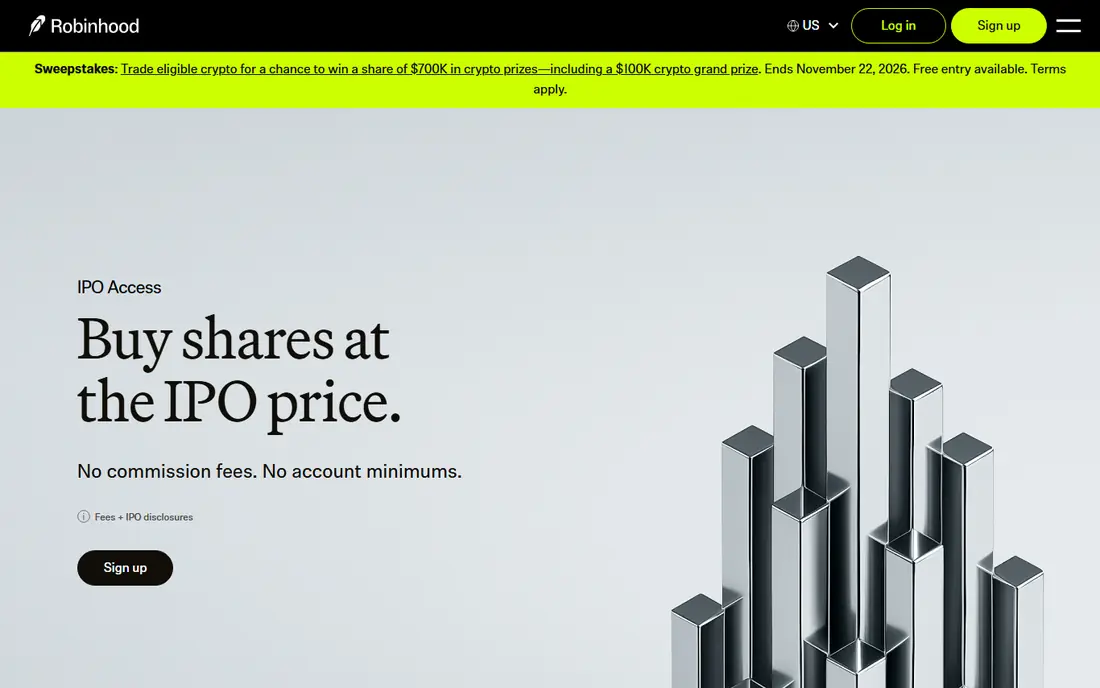
Robinhood remains the easiest app for a first trade. The mobile app is clean, opening an account takes minutes, and $0 commissions apply to stock and ETF trades. Fractional shares from $1 let a beginner buy a slice of an expensive stock or fund instead of waiting to afford a full share.
Simplicity has a downside. Research tools and education are lighter than at Fidelity or Schwab, and the fast, simple design can make trading feel like a game. That matters, because frequent trading usually hurts beginner returns. Use Robinhood if you want a simple start, and pair it with a written plan for what you will buy and how often.
- $0 stock and ETF commissions
- Fractional shares from $1
- Very simple mobile app
- Research and education are thinner than Fidelity or Schwab
- Easy design can encourage frequent trading
Webull suits a beginner who wants to learn how markets work with real data. Stock and ETF trades carry $0 commission, and paper trading lets you practice with virtual money. Charts, screeners, and market data are far deeper than at simpler apps, which helps a curious beginner learn to read price moves and company news.
The same depth can overwhelm someone on day one. The app shows many indicators, order types, and market feeds that a long-term investor does not need. Webull is best for a beginner who plans to learn actively and can resist trading often. If you want a calm, set-and-forget account, Fidelity or Schwab will serve you better.
- $0 stock and ETF commissions
- Free paper trading
- Detailed charts and data
- Interface can overwhelm a true beginner
- Advanced tools may tempt overtrading
SoFi Invest works well for a beginner who wants investing next to banking and other money tools. Active investing starts from $5, automated investing starts from $50, and stock and ETF trades carry $0 commission. The automated option builds a diversified portfolio for you, which suits someone who does not want to pick individual stocks.
That convenience comes with limits. Research and screening tools are thinner than at Fidelity or Schwab, and the automated portfolios lean on SoFi funds. SoFi is a good pick for a beginner who wants a simple, mostly hands-off start and already uses SoFi for banking or loans. It is less suited to someone who wants deep research.
- $0 stock and ETF commissions
- Automated investing from $50
- Active investing from $5
- Research tools are lighter than full brokers
- Automated portfolios use SoFi ETFs in many cases
Public brings stocks, ETFs, crypto, bonds, and other assets into one simple app, with $0 commissions on stock and ETF trades. The design is clean, fractional shares are available, and the app explains each asset in short, plain terms. That breadth appeals to a beginner who wants to explore different asset types without opening several accounts.
Keep the risk in perspective. Crypto is far more volatile than a diversified ETF, and holding many asset types does not by itself make a portfolio safer. Public is best for a beginner who wants a simple multi-asset account and will keep most money in broad, diversified funds. Check fees for each asset type, since they differ.
- $0 stock and ETF commissions
- Fractional shares
- Stocks, ETFs, crypto, and bonds in one app
- Smaller research library than large brokers
- Crypto carries added risk and volatility
E*TRADE, now part of Morgan Stanley, offers $0 commissions on online US stock and ETF trades with research that sits between simple apps and pro platforms. Screeners, analyst commentary, and charting tools help a beginner move from a first ETF purchase to studying individual companies. Educational webinars add structure for someone learning on a schedule.
The catch is that ETRADE runs two experiences, the main app and Power ETRADE, and a beginner may not know which one to use. Start with the main app and move to the pro tools only if you need them. E*TRADE is a solid middle ground for a beginner who wants room to grow without jumping to a separate broker later.
- $0 stock and ETF commissions
- Strong research and charting
- Power E*TRADE for active traders
- Two platforms can confuse beginners
- Some advanced features sit behind the pro platform
Vanguard is the classic home for long-term index investors. Most US stock and ETF trades carry $0 commission, and Vanguard index funds are known for low expense ratios. Retirement accounts are a strength, and the whole experience nudges a beginner toward broad funds held for years rather than frequent trades.
Active traders will find the app less polished than Robinhood or Webull, with fewer real-time tools and a slower feel. That is not a flaw for the audience Vanguard serves best. If your plan is to buy broad index funds regularly, reinvest dividends, and leave the money alone for years, Vanguard is one of the most sensible free starting points.
- $0 commissions on most US stocks and ETFs
- Low-cost index funds
- Strong for IRAs
- App trails rivals for active trading
- Fund-focused design suits patient investors best
How we picked these
We compared official fee schedules, account minimums, fractional share rules, and education tools for brokers that serve US beginners. We favored apps with $0 stock and ETF commissions, no account minimum for core accounts, and retirement account options. We did not rank apps on past returns, and we treated commission-free trading as a starting point, not a full measure of cost.
What to check before you open an account
Start with the account type, not the app design. A Roth IRA and a taxable brokerage account have different tax rules, and the right choice depends on your income, age, and goals. Many beginners do well starting with a broad index ETF in a retirement account, then adding a taxable account later if they have extra money to invest.
Costs beyond commission
Commission-free does not mean cost-free. Options contracts, margin interest, foreign stock fees, and cash sweep rates all vary, and spreads affect the price you get on each trade. Read the fee schedule for the trades you actually plan to make, and be wary of any app that pushes borrowed-money products, options, or crypto as a beginner default.
Habits that matter more than the app
Set a regular contribution you can afford, even if it is small, and write down what you will buy before you open the app. Avoid checking prices every hour, and avoid trading on headlines or social media tips. A simple plan held for years usually beats a clever plan changed every week, and no app can fix a plan that trades too often.
Frequently asked questions
What is the best free investment app for beginners?
For most beginners, Fidelity is the best free investment app, with $0 stock and ETF commissions, fractional shares from $1, and strong retirement accounts. Charles Schwab is a close alternative with strong education and practice trading. Robinhood is simpler, but its research is thinner.
Are there really free investment apps for beginners?
Yes, in the sense that major US brokers charge $0 commission on online stock and ETF trades and have no account minimum for core accounts. You still pay fund expense ratios, and options, margin, and some other services carry fees. Read the fee schedule before you fund an account.
How much money do I need to start investing?
Many apps on this list let you start with $1 through fractional shares, and SoFi active investing starts from $5. You do not need a large sum to begin, but you should only invest money you do not need for near-term bills or an emergency fund. Regular small contributions matter more than a large first deposit.
Is investing through a free app safe?
Reputable US brokers hold customer assets with protections that apply to brokerage accounts, but investing itself carries market risk. Your account value can fall, and no broker guarantees returns. Keep your login secure, use two-factor authentication, and avoid sharing account access with anyone.
Should a beginner pick stocks or index funds?
Most beginners do better starting with broad index funds or ETFs, which spread money across many companies at once. Individual stocks can rise or fall sharply on one company news item. This is general education, not financial advice, and a qualified advisor can help with a plan matched to your situation.
Sources
See where you really rank - block by block
ProMapRanker scans Google Maps across a grid of your service area. Simple monthly plans from $19, white-label on every plan.
Start freeKeep reading
 zoho inventory alternatives
6 Alternatives to Zoho Inventory, Compared on Price and Fit
Zoho Inventory alternatives: 6 tools compared on price, free plans and fit. Katana leads the list for manufacturers. Fit and flaws are laid out for each entry.
Read → zoho crm alternatives
Best Zoho CRM Alternatives (2026)
Need Zoho CRM alternatives? We compare 7 tools on cost, free access and who each suits. Every pick gets a straight assessment. Built for quick decisions.
Read → zelle alternatives
Best Zelle Alternatives in 2026
Compare the best Zelle alternatives for sending money to friends, paying sellers and moving funds abroad, with honest notes on fees, speed and safety in 2026.
Read →