 ProMapRanker
Best Investing Apps for Beginners in 2026

Key takeaways
- Fidelity and Charles Schwab are the strongest all-round starter brokers, with $0 stock and ETF commissions, fractional shares, and deep education.
- Robinhood, SoFi Invest, and Public suit beginners who want a simple mobile start, while Webull suits beginners who want charts and paper trading early.
- Betterment and Wealthfront suit hands-off beginners who prefer a managed portfolio over picking individual stocks.
- This guide is not financial advice. Investing involves risk, including possible loss, so check fees, account types, and cash terms before funding an account.
Quick comparison
| Pick | Great for | Pricing starts at | Free tier | |
|---|---|---|---|---|
 Fidelity Investments | Best overall for beginners | Free | Yes | Visit |
 Charles Schwab | Education and practice trading | Free | Yes | Visit |
 Robinhood | Simplest first trades | Free | Yes | Visit |
 Vanguard | Long-term index investing | Free | Yes | Visit |
 SoFi Invest | Simple plus automated investing | Free | Yes | Visit |
 Webull | Charts and paper trading | Free | Yes | Visit |
 Public | Simple multi-asset investing | Free | Yes | Visit |
 Betterment | Hands-off managed portfolios | $5 per month | No | Visit |
 Wealthfront | Automated investing plus planning | See website | No | Visit |
 E*TRADE | Balanced research and tools | Free | Yes | Visit |
The best investing apps for beginners
We compared these platforms on commissions, account minimums, fractional shares, education, retirement accounts, and ease of use. All prices below refer to online US stock and ETF commissions unless noted, and other fees such as options contract fees can still apply.
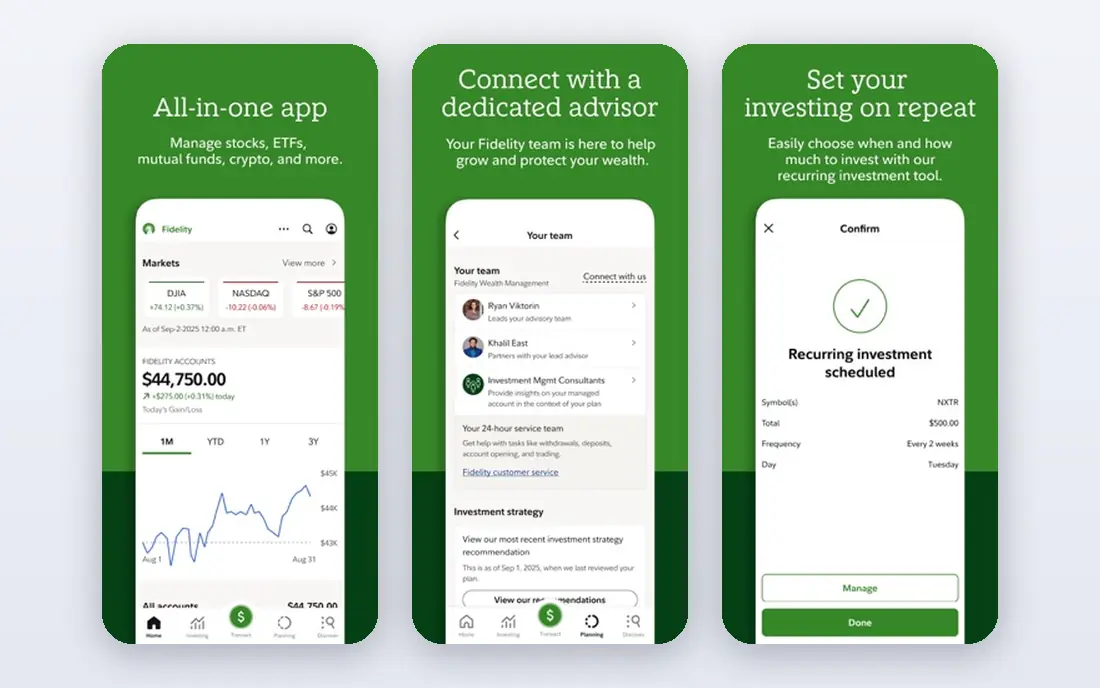
Fidelity is our pick for most beginners because it covers the full journey without forcing a trade-off. You can start with fractional shares from $1, build a diversified ETF portfolio, open a Roth IRA or traditional IRA, and later use deeper research as your confidence grows. Education articles, videos, and planning tools are extensive, and customer support is available around the clock by phone and chat in many cases.
The app is not the simplest in this list. Its depth means menus can feel crowded at first, especially for a user who only wants to buy one ETF. That depth becomes a strength over time, as you will not need to switch brokers to access bonds, mutual funds, or retirement planning. For a beginner who wants one account to grow with them, Fidelity is hard to beat.
- $0 commissions on online US stocks and ETFs
- Fractional shares from $1
- Strong research, education, and retirement accounts
- App menus can feel deep for a first-time user
- Options contracts cost $0.65 each
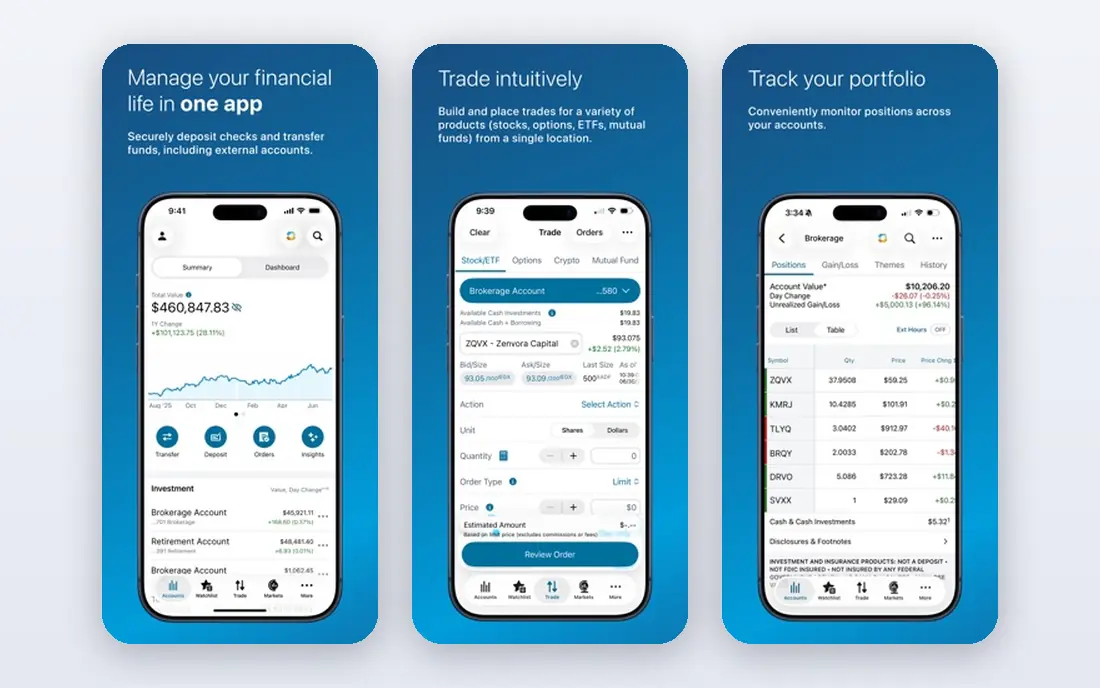
Charles Schwab pairs a full-service broker with a beginner-friendly education path. New investors can learn through articles, courses, and market commentary, then practice with paper trading on thinkorswim before risking real money. Fractional share investing through Stock Slices starts from $5 for eligible stocks in the S&P 500, which helps small starters diversify. Retirement accounts, including IRAs, are straightforward to open.
The two-app feel is the main drawback. The main Schwab app is clean, while thinkorswim is built for active traders and can overwhelm a beginner. Most new investors should start in the main app and treat thinkorswim as a later step. If education and practice matter most to you, Schwab is an excellent first broker.
- $0 commissions on online US stocks and ETFs
- Extensive education library
- Thinkorswim platform for practice and advanced charting
- Main app and thinkorswim can feel like two different products
- Options contracts cost $0.65 each
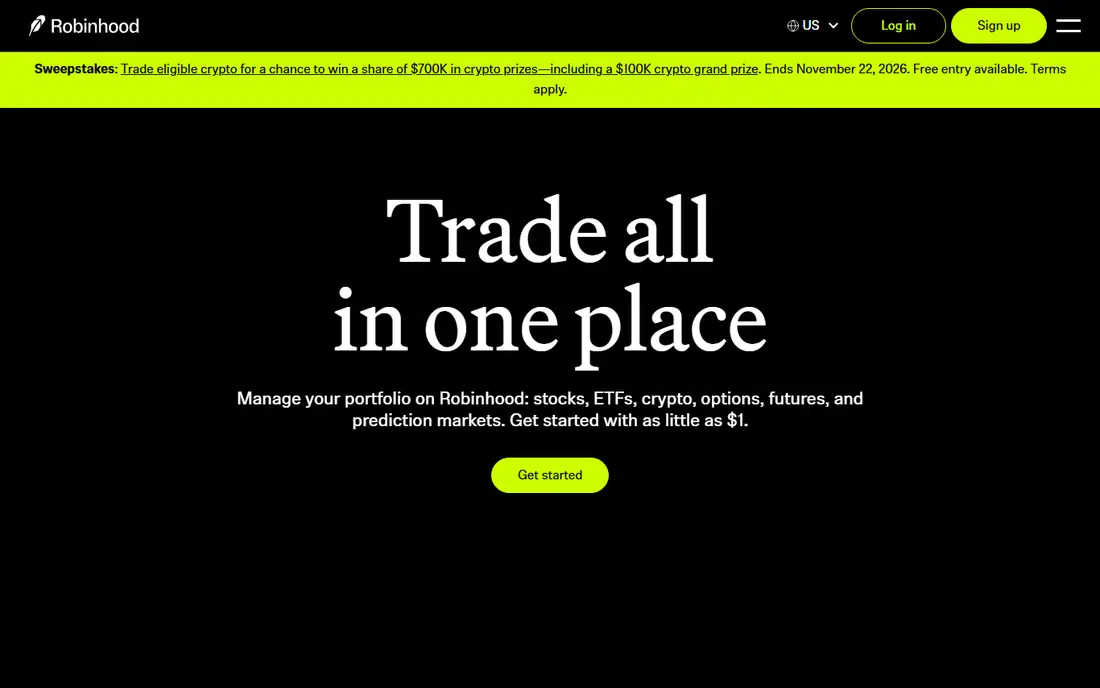
Robinhood remains the simplest way to go from download to first trade. The interface uses plain language, fractional shares start at $1, and IRA accounts offer a contribution match that varies by plan, including Gold membership terms. Crypto trading is also available in the same app, though crypto carries its own risks and is separate from stock investing. For a beginner who wants low friction, Robinhood removes many barriers.
The simplicity has limits. Robinhood does not offer mutual funds, and its research and education tools are thinner than those at Fidelity or Schwab. The app design also makes trading feel quick, which can encourage frequent trading that harms long-term returns. Use Robinhood for simple, planned investing, and set a regular contribution schedule rather than reacting to daily price moves.
- $0 commissions on stocks, ETFs, and options contracts
- Fractional shares from $1
- Very simple mobile interface
- No mutual funds
- Research tools are thinner than Fidelity or Schwab
- Gold subscription at $5 per month adds features some beginners may not need
Vanguard suits beginners who want to invest for decades, not trade for weeks. Its index funds and ETFs are known for low expense ratios, and its IRA setup is simple for retirement savers. Fractional investing is available for Vanguard ETFs from $1, which helps small starters build a diversified portfolio. The focus on long-term, low-cost investing aligns well with a set-and-forget plan.
The user experience is the trade-off. The app and website feel more functional than polished, and some mutual funds still carry minimums even though brokerage accounts have no minimum to open. Active traders will find fewer tools here than at Schwab or Webull. If your goal is steady, low-cost retirement investing, Vanguard's simplicity is a feature, not a flaw.
- $0 commissions on most online US stocks and ETFs
- Low-cost index funds and ETFs
- Straightforward IRA options
- App and website feel less modern than rivals
- Options contracts cost $1 each
- Mutual fund minimums can apply
SoFi Invest suits beginners who want investing alongside everyday banking. Active investing starts from $5, automated investing starts from $50, and fractional shares help small amounts spread across ETFs. The app is clean, the language is plain, and education content covers basics such as diversification and retirement accounts. For a user already using SoFi for banking or loans, keeping investing in the same app reduces friction.
Research depth is limited. SoFi does not match Fidelity or Schwab for analyst reports, screeners, or advanced charting. Automated portfolios are also simpler, with less control over individual holdings. That simplicity is fine for a first portfolio, but investors who later want detailed control may move to a full broker.
- $0 commissions on online stocks and ETFs
- Active investing from $5 and automated investing from $50
- Banking, loans, and investing in one app
- Research tools are basic compared with full brokers
- Automated portfolios have limited customization
Webull gives beginners professional-grade charts without a professional price. Paper trading lets you practice with virtual money, real-time quotes are included, and the charting tools rival those at brokers that charge for data. Fractional shares, extended hours trading, and IRA accounts round out a strong free package. Beginners who like data will enjoy learning from the same tools active traders use.
The interface is busy, and that can be a drawback for a first-time investor who only wants to buy an index fund. Webull also lacks mutual funds, so long-term fund investors should look elsewhere. Use Webull if you want to learn charting and practice trading, and pair it with a simple plan so data does not turn into overtrading.
- $0 commissions on US stocks, ETFs, and options
- Paper trading for practice
- Advanced charts and real-time data at no extra cost
- Interface can overwhelm a true beginner
- No mutual funds
- Customer support is mainly digital
Public aims to make multi-asset investing feel approachable. You can buy fractional shares of stocks and ETFs, explore crypto, bonds, and options, and read plain-language explainers for each asset type. The social features let you see what other investors are discussing, though you should treat that discussion as ideas to research, not as advice to follow. The app design is clean, and account setup is quick.
The depth is lighter than at Fidelity or Schwab, and some products involve spreads or fees that are not a simple commission. Beginners should read the fee schedule for each asset type before trading beyond stocks and ETFs. For a simple, diversified starter portfolio, Public is a friendly option, especially for users who want several asset types in one place.
- $0 commissions on stocks and ETFs
- Fractional shares
- Stocks, ETFs, crypto, bonds, and options in one app with plain explanations
- Research and advanced tools are lighter than full brokers
- Some asset types carry spreads or fees that need a close read
Betterment is for beginners who want to invest without picking stocks. You answer questions about goals, timeline, and risk tolerance, and Betterment builds a diversified ETF portfolio, rebalances it, and reinvests dividends. The digital plan costs $5 per month or 0.25% annually depending on balance and deposits, while the premium plan adds human advisor access at a higher fee. That fee buys time and discipline, which many beginners value.
The trade-off is control. You cannot pick individual stocks in a managed portfolio, and the fee, while modest, compounds over decades. Compare it with the cost of managing your own ETF portfolio at a $0-commission broker. If you know you will not rebalance on your own, Betterment's fee may be worth paying for consistency.
- Fully managed, goal-based portfolios
- Automatic rebalancing
- Tax-loss harvesting on higher tiers
- No minimum for the digital plan in many cases
- Management fee applies, at $5 per month or 0.25% annually depending on plan and balance
- You do not pick individual stocks
Wealthfront, like Betterment, builds and manages a diversified portfolio for you. Its planning tools help you model goals such as retirement, a home purchase, or college savings, and tax-loss harvesting is included for taxable accounts. The advisory fee is 0.25% annually, and automated investing generally requires a $500 minimum. A cash account with competitive interest features is also available, though rates change with market conditions.
The minimum and fee mean Wealthfront suits beginners with at least a few hundred dollars to start and a hands-off mindset. If you have only $50 and want to pick your own ETFs, a $0-commission broker is a better fit. If you want automation, planning, and tax-aware management in one place, Wealthfront is a strong contender.
- Automated diversified portfolios with tax-loss harvesting
- Financial planning tools
- Cash account and automated investing in one platform
- Advisory fee of 0.25% annually applies
- $500 minimum for automated investing in many cases
- Limited individual stock picking
ETRADE, now part of Morgan Stanley, offers a balanced package for beginners who may grow into active trading. Stock and ETF commissions are $0 online, research covers stocks, ETFs, and mutual funds, and education content explains options and retirement planning. The Power ETRADE platform gives options traders advanced charting and strategy tools when they are ready. IRA and taxable accounts are both straightforward.
The main app can feel less modern than Robinhood or Public, and the best options tools require learning a second platform. That is a minor issue for most beginners, who will use the main app for simple ETF and stock investing. E*TRADE is a solid middle path: more research than a simple app, less complexity than a professional terminal.
- $0 commissions on online US stocks and ETFs
- Solid research and education
- Power E*TRADE platform for options traders
- Now part of Morgan Stanley
- Interface can feel dated in places
- Options contracts cost $0.65 each
- Some advanced features sit behind the Power platform
How we picked these
We compared official fee schedules, account minimums, fractional share terms, retirement account options, and education resources for each platform. We favored platforms available to US beginners in October 2026, with $0 or low-cost stock and ETF trading, and with a clear path for small starters. Where fees vary by plan, balance, or asset type, we used the published headline terms and noted that other fees can apply.
How to choose your first investing app
Start with your goal. For retirement, open an IRA at Fidelity, Schwab, Vanguard, or another broker with strong IRA support. For a general taxable account with small amounts, fractional shares from $1 at Fidelity or Robinhood help you diversify early. For hands-off investing, compare Betterment and Wealthfront fees against the cost of managing your own ETF portfolio. For learning, use paper trading at Schwab or Webull before risking real money.
Next, check the full fee picture. Commission-free does not mean cost-free: options contract fees, spreads, cash sweep terms, and fund expense ratios all affect returns. Read the fee schedule, check how uninvested cash is handled, and confirm whether your account has any maintenance fees. Finally, set a simple plan: a regular contribution amount, a diversified ETF core, and a review schedule of once a quarter, not once a day. That discipline matters more than any single app feature.
A note on risk
This article is not financial advice. Investing involves risk, and the value of stocks, ETFs, and other assets can fall as well as rise. Past performance does not guarantee future results. Never invest money you need for near-term bills, and consider speaking with a qualified financial adviser if you are unsure about retirement accounts, taxes, or risk tolerance.
Frequently asked questions
Which investing app is best for beginners?
Fidelity is our overall pick for beginners, with $0 commissions, fractional shares from $1, strong education, and retirement accounts. Charles Schwab is close, especially for education and practice trading, while Robinhood is the simplest first app for mobile users.
What is the best investing app for beginners with little money?
Fidelity, Robinhood, and SoFi Invest all let you start with small amounts through fractional shares, with active investing from $1 or $5 depending on the platform. The amount matters less than regular contributions and a diversified portfolio.
Are investing apps free?
Many brokers charge $0 commissions on online US stock and ETF trades, but other costs can apply, including options contract fees, fund expense ratios, spreads, and advisory fees for managed portfolios. Always read the full fee schedule before funding an account.
Should beginners use a robo-advisor or pick their own investments?
A robo-advisor such as Betterment or Wealthfront suits beginners who want a managed, diversified portfolio without picking stocks. Picking your own ETFs at a $0-commission broker costs less and gives more control, but requires you to rebalance and stay disciplined on your own.
What is the difference between a brokerage account and an IRA?
A brokerage account is taxable, with no contribution limits and tax due on dividends and gains when you sell. An IRA is a retirement account with tax benefits and annual contribution limits, with traditional and Roth versions taxed differently. Many beginners open both over time, starting with whichever fits their goal.
Sources
See where you really rank - block by block
ProMapRanker scans Google Maps across a grid of your service area. Simple monthly plans from $19, white-label on every plan.
Start freeKeep reading
 zscaler alternatives
Best Zscaler Alternatives in 2026
Looking for zscaler alternatives? We compare 9 SASE and zero trust platforms on architecture, data protection, pricing, and fit for your network and team.
Read → zapier alternatives free
Best Zapier Alternatives Free in 2026
Nine automation tools for zapier alternatives free in 2026, all with genuinely free tiers, plus free plan limits, starting prices and upgrade paths explained.
Read → which platform is best for online reputation
Which Platform Is Best for Online Reputation in 2026
Wondering which platform is best for online reputation? We compare 8 review, listing, and response tools for small and multi-location businesses and agencies.
Read →