 ProMapRanker
Best Internet Speed Test Tools in 2026

Key takeaways
- Most people only need one free browser test, plus a second test to confirm a strange result.
- Download speed alone hides problems with calls and games, so check ping, jitter and loaded latency too.
- A wired test tells you what your plan delivers, while a Wi-Fi test tells you what your room receives.
- Mobile apps add coverage maps and signal detail that browser tests do not show.
- Run each test three times at different hours before you complain to your provider.
Quick comparison
| Pick | Great for | Pricing starts at | Free tier | |
|---|---|---|---|---|
 Speedtest by Ookla | Everyday checks with history | Free | Yes | Visit |
 Fast.com | Fast streaming checks | Free | Yes | Visit |
 Cloudflare Speed Test | Detailed latency and packet loss | Free | Yes | Visit |
 Measurement Lab | Open, research-grade results | Free | Yes | Visit |
 TestMy.net | Results that resist short bursts | Free | Yes | Visit |
 OpenSpeedTest | Self-hosted and private testing | Free | Yes | Visit |
 nPerf | Mobile quality plus browsing and video | Free | Yes | Visit |
 Opensignal | Carrier coverage and mobile signal | Free | Yes | Visit |
 SpeedSmart | Saved history with notes | Free | Yes | Visit |
The best internet speed test tools
These nine tools cover the main ways people check a connection, from a quick browser test to a mobile app that maps coverage. All of them are free to run for a basic test.
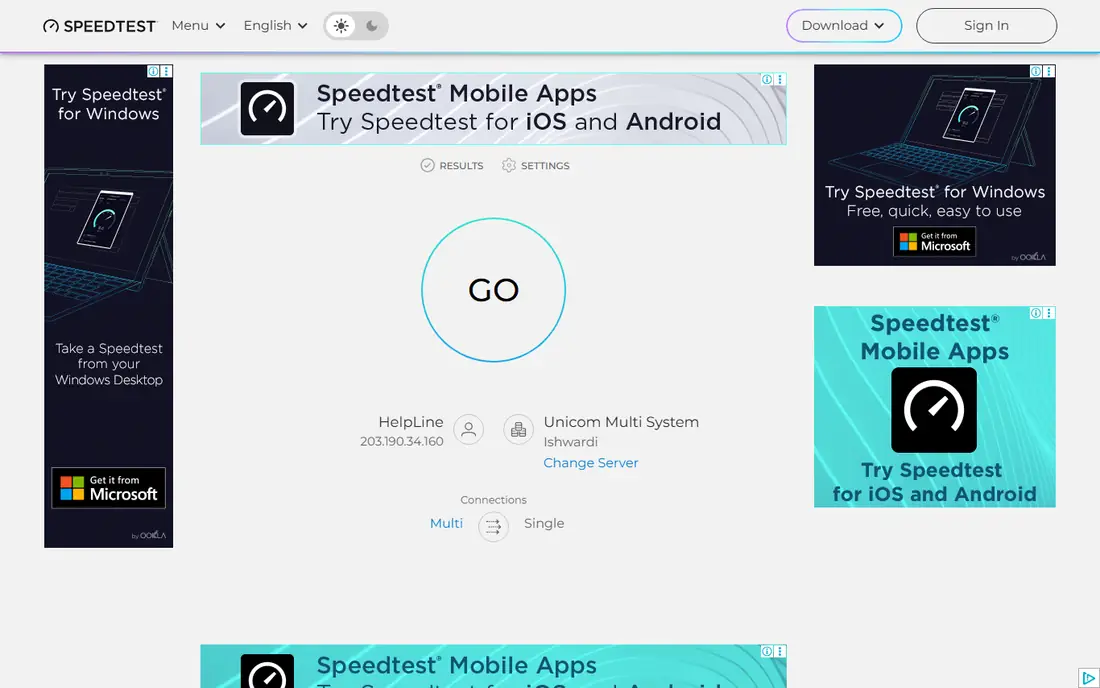
Speedtest is the default pick for most people because it is easy to find, easy to run and widely understood. It measures download speed, upload speed and ping, and it lets you pick a server when the automatic choice looks odd. The mobile app keeps a history, so you can compare a result from this week with one from last month.
The honest catch is the advertising in the free version and the way server choice can shift a result. If you want a clean comparison, use the same server for repeat tests and note the time of day. For a one-off check before a video call or a large download, it is still the fastest route to a usable answer.
- Large server network
- Mobile apps and saved history
- Clear download, upload and ping results
- Free version shows ads
- Results can vary by chosen server
Fast.com is the tool we suggest when someone just wants a number in seconds. The page starts testing on load, and the main figure is download speed. That makes it handy for a streaming question, such as why a show keeps dropping in quality. You can open more detail for upload speed and latency, but the core appeal stays simple.
That simplicity is also the limit. It does not give the full latency picture that a gamer or a remote worker needs, and because it uses Netflix servers, it can read differently from a general test. Use it as a quick check, then confirm with a fuller tool if the result looks wrong.
- No account and no clutter
- Runs at once on opening the page
- Uses Netflix servers
- Basic view shows download only
- Less detail for gaming or calls
Cloudflare is our pick when the complaint is choppy calls or laggy games rather than slow downloads. It reports download and upload speed alongside unloaded latency, loaded latency, jitter and packet loss. Loaded latency matters because it shows what happens when the connection is busy, which is when video calls tend to break up.
The trade-off is time and detail. A full run takes longer than Fast.com, and a new user may not know which number to act on. Focus on packet loss first, then loaded latency, then jitter. If those three look clean, the connection is probably fine even when the headline speed is modest.
- Shows jitter, packet loss and loaded latency
- No account needed
- Clean result page
- Takes longer than a one-number test
- Detail can overwhelm a first-time user
Measurement Lab, often shortened to M-Lab, is the open option behind the speed test built into Google search results. It measures download, upload and latency, and its data is used by researchers who study internet performance. That openness is a real point in its favor when you want a test with no commercial angle.
It is not the prettiest tool here, and it does not offer the saved history or coverage maps that app-based tools provide. Pick it when you want a second, independent result to set beside Speedtest or Cloudflare, or when you care that the method and the data are public.
- Open measurement method
- Results feed public research
- Simple browser test
- Plain interface
- Fewer consumer features such as history or maps
TestMy.net suits people who suspect their provider boosts short test bursts. Its tests run longer and use file transfers that are harder to game with a brief speed spike, so the result tends to sit closer to sustained performance. The graphs also make it easier to spot dips during a test rather than trusting a single average.
The downside is the look and the settings. New users may not know which test size to pick, and the site feels older than its rivals. Leave the defaults alone on a first run. If the result is much lower than another tool, that gap itself is useful evidence for a support call.
- Longer, multi-thread style tests
- Detailed graphs
- No account needed for basic tests
- Interface feels dated
- Manual test size choices can confuse new users
OpenSpeedTest is the pick for people who want control over where the test runs. The public site works as a plain browser test, and the open source code lets a school, office or home user host a test server on their own network. That is useful for checking internal Wi-Fi speed apart from internet speed.
For most households, the public version is enough, and the self-hosted option is extra work that only pays off when you test often or manage a network. The server list is smaller than Ookla, so pick the nearest server and run the test more than once before drawing a conclusion.
- Open source
- Can be self-hosted
- No account needed
- Public server choice is limited
- Setup effort for self-hosting
nPerf goes beyond raw speed by testing how a connection handles browsing and video streaming, which is closer to daily use than a download figure alone. The mobile app adds a coverage map and a history of past tests, so it works well as a second opinion on a phone. It also compares results by provider in your area.
Ads in the free app are the main annoyance, and some deeper features require a paid plan. For a free check, ignore the upsell and focus on the core speed, browsing and video scores. It is a strong choice when you want to compare carriers rather than just test one connection.
- Full quality test covers browsing and video
- Coverage maps
- Mobile apps for iOS and Android
- Free app shows ads
- Premium features sit behind a paid plan
Opensignal is the best app here for a mobile question, such as which carrier works best on your commute or at your home. It runs speed and video tests, shows signal detail and builds coverage maps from crowdsourced measurements. That makes it practical before switching carriers or buying a local SIM for travel.
It is less useful for a home broadband check, where a browser test on a wired computer gives a cleaner result. Crowdsourced maps also reflect where users have tested, so a quiet area may show thin data. Use it for mobile coverage, and use a browser tool for the home connection itself.
- Coverage maps and carrier comparisons
- Video and speed tests
- No ads noted in the app
- Less useful for home broadband
- Results depend on crowdsourced data
SpeedSmart earns its place through history. It saves past results, shows charts and averages, and lets you add notes to a test, such as "laptop in bedroom" or "after router restart". That turns a pile of one-off numbers into a record you can show a provider or use to judge a Wi-Fi change.
The server network is smaller than Ookla, so a distant server can skew a result, and the mobile app includes in-app purchases. Stick to the free test, choose a nearby server, and use the notes feature every time. For tracking a flaky connection over weeks, it is the most practical tool in this list.
- Saved results with charts and averages
- Notes on individual tests
- Ping and jitter detail
- Smaller server network than Ookla
- In-app purchases in the mobile app
How we picked these
We compared official feature pages, pricing pages and app store listings, plus public comparison guides that had checked these tools in 2026. We kept only tools that are free for a basic test, still maintained, and measure at least download speed with a clear result page. We favored a mix of browser tests, mobile apps and open tools so readers can match the tool to the question, and we left out tools that mainly promise to speed up a connection, since no test app can do that.
How to run a test that means something
A good result starts before you press start. Close large downloads, video streams and cloud backups, and test on a wired computer first when you can. That wired number is your baseline. Then test on Wi-Fi in the room where you actually work or watch, and compare the two. A large gap points to Wi-Fi, not to your plan.
Run it more than once
Run each test three times, a minute apart, and again at a different time of day. Internet speed moves with congestion, so one low result at 8 pm proves less than a pattern across a week. Write down the date, time, device, wired or Wi-Fi, and the main numbers. That note takes a minute and makes a support conversation far easier.
Read the right numbers
Download speed governs streaming and downloads, upload speed governs video calls and backups, and ping governs responsiveness. For calls and games, add jitter and packet loss to the list. A connection with modest speed but clean latency often feels better than a fast connection with high packet loss. If packet loss stays above 1 percent, check cables and router hardware before blaming the provider.
When to call your provider
Call when wired results sit well below your plan speed across several days, or when packet loss stays high on a wired test. Share your notes, the servers used and the times tested. If Wi-Fi is the problem but wired speed is fine, try moving the router, changing its position, or adding an access point before paying for a faster plan.
Frequently asked questions
What is the best internet speed test app?
For most people, Speedtest by Ookla is the best starting app because it is familiar, widely available and keeps a history. Fast.com is better for a ten-second streaming check, and Cloudflare is better when calls or games feel choppy. Try two tools and compare, rather than trusting a single number.
What is the best internet speed test app for mobile?
Opensignal and nPerf are the strongest mobile picks, since both add coverage maps and carrier detail to the basic speed numbers. Speedtest also works well on mobile and is easier for a simple check. Turn Wi-Fi off first when you want to test mobile data, or you will measure your router instead.
How accurate are free speed tests?
Free tests are accurate enough for most household decisions when you run them well, meaning wired where possible, repeated runs, and the same server for comparisons. Server distance, Wi-Fi, background downloads and time of day all shift results. Treat a single test as a hint and a pattern of tests as evidence.
What speed do I need for streaming and video calls?
Most streaming in high definition works well below the speeds many plans advertise, and video calls depend more on stable upload speed and low latency than on headline download speed. If calls freeze while downloads feel fine, check upload speed, jitter and packet loss rather than buying a faster download tier.
Why does my speed test differ from my plan speed?
Wi-Fi losses, an old device, a busy hour, server distance and background apps all lower a result below the plan figure. Test wired, close other apps, and repeat at off-peak hours before concluding the plan falls short. If wired tests stay low for days, the gap is worth raising with your provider.
Sources
- https://www.speedtest.net
- https://fast.com
- https://speed.cloudflare.com
- https://www.measurementlab.net
- https://testmy.net
- https://openspeedtest.com
- https://www.nperf.com
- https://www.opensignal.com
- https://speedsmart.net
- https://www.allconnect.com/blog/top-internet-speed-tests
- https://smackersnews.com/post/best-free-speed-test-apps-to-check-your-5g-speed/
See where you really rank - block by block
ProMapRanker scans Google Maps across a grid of your service area. Simple monthly plans from $19, white-label on every plan.
Start freeKeep reading
 zscaler alternatives
Best Zscaler Alternatives in 2026
Looking for zscaler alternatives? We compare 9 SASE and zero trust platforms on architecture, data protection, pricing, and fit for your network and team.
Read → zapier alternatives free
Best Zapier Alternatives Free in 2026
Nine automation tools for zapier alternatives free in 2026, all with genuinely free tiers, plus free plan limits, starting prices and upgrade paths explained.
Read → which platform is best for online reputation
Which Platform Is Best for Online Reputation in 2026
Wondering which platform is best for online reputation? We compare 8 review, listing, and response tools for small and multi-location businesses and agencies.
Read →