 ProMapRanker
Best Interior Design Rendering Software in 2026
Key takeaways
- V-Ray and Corona suit photoreal stills for marketing, while Enscape, Lumion, Twinmotion and D5 Render suit live client presentations.
- Twinmotion and Blender are the strongest free starting points, with Twinmotion free for smaller firms and Blender free for everyone.
- Desktop photoreal tools need a strong graphics card, while Homestyler runs in a browser and suits quick concepts.
- Published entry prices run from free to about $48 per month for real-time tools, with Lumion above $1,100 per year for a full seat.
- Match the tool to your model source first, since Revit, SketchUp and 3ds Max users get different plugin options.
Quick comparison
| Pick | Great for | Pricing starts at | Free tier | |
|---|---|---|---|---|
 V-Ray | Photorealistic interior stills | $45 per month | Free trial | Visit |
 Enscape | Real-time rendering inside Revit and SketchUp | $47.90 per month | Free trial | Visit |
 Lumion | Fast client presentations and animation | $1,149 per year | Free trial | Visit |
 Twinmotion | Free real-time visualization | Free | Yes | Visit |
 D5 Render | Real-time rendering on a budget | Free | Yes | Visit |
 Corona Renderer | Artist-friendly photoreal interiors | $34.50 per month | Free trial | Visit |
 Blender | Free modeling and photoreal rendering | Free | Yes | Visit |
 SketchUp | Modeling interiors with rendering add-ons | $129 per year | Yes | Visit |
 Homestyler | Browser-based home design | $6.80 per month | Yes | Visit |
The best interior design rendering software
We compared official pricing pages and 2026 vendor-linked comparisons, favoring tools that are live now, render interiors well and state their host software and hardware needs plainly.
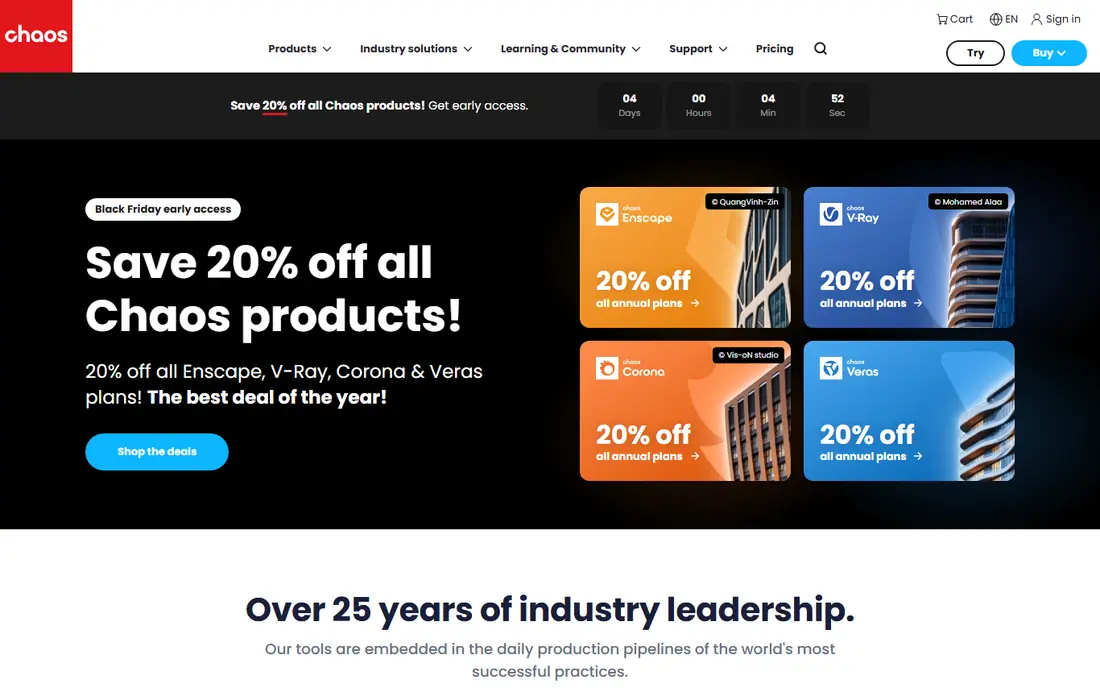
V-Ray is the tool studios reach for when a single hero image has to sell a room. Its lighting, materials and global illumination produce stills that clients mistake for photographs, and it handles tricky interior light such as sun through blinds and warm evening lamps with care. As a plugin, it stays close to the model you already built.
That quality costs time and skill. Beginners face many settings for sampling, light and materials, and a weak machine will make test renders slow. V-Ray suits designers who already model in a supported host app and who bill for presentation images. If you need a live walkthrough in a meeting, pair it with a real-time tool rather than forcing V-Ray to do that job.
- Highest realism ceiling for stills and marketing images
- Works as a plugin for SketchUp, Rhino, Revit and 3ds Max
- Large material and asset library
- Steep learning curve for lighting and materials
- Render times reward a strong graphics card and patience
Enscape wins on speed of feedback. You model in Revit, SketchUp, Rhino or Archicad, open the Enscape window, and walk through the room as you change a wall, a finish or a light. Clients can watch a design change live, which shortens the loop between a comment and a revised view. That live quality makes it a strong daily tool for practicing designers.
It is not the best choice for a final marketing still. Enscape images look clean and convincing, but V-Ray and Corona still lead for the last degree of realism. Published pricing puts Solo near $47.90 per month billed annually, with a 14-day trial. Choose Enscape when live review matters more than a single perfect image.
- Live view inside the modeling app
- Fast design changes during client meetings
- Simple material and lighting controls
- Windows-focused for full use, with Mac support limited by host
- Photoreal ceiling sits below V-Ray for hero stills

Lumion is built for presentation. Import a model, drop in furniture, planting and lighting from its library, and produce a polished still or a walkthrough video quickly. For firms that present often, that library and animation workflow save hours compared with building every asset from scratch.
The price is the honest catch. Published pricing puts Pro near $1,149 per year for a named user, with a 14-day trial and no permanent free plan. It also needs a capable Windows machine with a strong graphics card. Lumion suits firms that bill for presentation work regularly. Occasional users get better value from Twinmotion or D5 Render.
- Large built-in library of furniture, plants and people
- Strong animation and video output
- Fast results from imported models
- Highest price in this guide for a full seat
- Windows only and demanding on graphics hardware
Twinmotion is the best free starting point for real-time interior work. It is free for firms with annual revenue under $1 million, with a paid seat near $445 per year above that threshold, according to published 2026 comparisons. You can build walkthroughs, change seasons and lighting, and export images and video without paying for a seat.
The library and presentation polish sit a step below Lumion, and large complex scenes still need a decent graphics card. For small firms, students and designers testing real-time work, though, Twinmotion removes the price barrier entirely. It is also a sensible second tool for V-Ray users who want live client review without a second large subscription.
- Full application free for firms under a revenue threshold
- Real-time walkthroughs and weather effects
- Works on Windows and Mac
- Paid seat price applies above the revenue threshold
- Asset library is smaller than Lumion for some interior styles
D5 Render has earned a loyal following among interior designers who want real-time speed without Lumion pricing. The free tier covers individuals with solid output, and Pro adds higher resolution, more assets and team features at a published price near $38 per month. Lighting and materials look strong for the price, and the workflow suits imported SketchUp, Revit and 3ds Max models.
Windows-only support is the main limit, so Mac-based designers need another option. The free tier also carries output limits that matter for final marketing work. D5 Render is a strong pick for Windows designers who present often and want to keep subscription costs low.
- Genuinely free tier for individuals
- Fast real-time results with good lighting
- Growing asset library
- Windows only
- Pro features and higher-quality output sit behind a paid tier near $38 per month
Corona is the photoreal tool many interior artists prefer when they want V-Ray-level realism with fewer settings to manage. Its lighting feels forgiving, materials behave predictably, and a good interior still often needs less tuning than a comparable V-Ray scene. Published pricing puts Solo near $34.50 per month billed annually, with a 30-day trial.
Host support is the catch. Corona works with 3ds Max and Cinema 4D, so designers who model in SketchUp or Revit cannot simply add it as a plugin. It also serves stills first, not live walkthroughs. Choose Corona if your pipeline already runs through 3ds Max or Cinema 4D and your deliverable is a still image.
- Simpler setup than V-Ray for realistic interiors
- Strong light and material handling
- Popular with interior visualization artists
- Host support centers on 3ds Max and Cinema 4D, so SketchUp and Revit users need a different path
- No real-time walkthrough focus
Blender is the only tool here that is free, complete and unlimited, covering modeling, rendering and animation in one download. Its Cycles engine renders photoreal interiors, and the Eevee engine gives faster previews for client review. For freelancers, students and studios that want no subscription at all, Blender is unmatched on price.
The cost is time. The interface is dense, interior assets and materials need more manual work than a tool with a built-in furniture library, and client-ready output takes practice. Blender suits designers who enjoy learning a deep tool and who want full control. Designers who need a furnished room by tomorrow should start with Homestyler or D5 Render instead.
- Free and open source with no seat limits
- Cycles renderer produces photoreal stills
- Large community and free learning resources
- Steep learning curve for beginners
- Interior asset libraries need more manual setup than Lumion or D5 Render
SketchUp earns its place because most interior designers model here first. It is fast for rooms, furniture layouts and joinery, and it connects to V-Ray and Enscape for rendering. Published pricing puts Go near $129 per year and Pro near $399 per year, with a free web version for personal use.
Treat SketchUp as the modeling half of the stack, not the whole answer. A SketchUp model with no rendering extension looks flat, and the final image quality depends on the renderer you pair it with. If you already model in SketchUp, adding Enscape for live review or V-Ray for hero stills is the most direct upgrade path.
- Fast interior modeling that beginners learn quickly
- Rendering through V-Ray, Enscape and other extensions
- Free web version for personal use
- Not a renderer on its own, so final quality depends on the extension you add
- Pro pricing rises to $399 per year
Homestyler is the tool for quick concepts, homeowner ideas and early client discussions. It runs in a browser, so a modest laptop handles it, and its room planner and furniture catalog let a user lay out a room in minutes. Published pricing puts Pro+ near $6.80 per month, with a Basic plan offering unlimited 1K renders.
Do not expect Homestyler to replace V-Ray for a marketing campaign. Its renders are clean and useful for decisions, but they lack the light and material depth of a desktop photoreal engine. Use it to test layouts and styles fast, then move the winning concept into a desktop tool for final images.
- Runs in a browser with no powerful hardware needed
- Easy room layouts and furniture placement
- Cloud rendering for quick visuals
- Final quality sits below desktop renderers
- Catalog and export limits apply on lower tiers
How we picked these
We compared official pricing pages and 2026 comparisons that checked vendor sites directly, favoring tools that are live now, render interiors specifically and state host support and hardware needs. We left out general 3D tools with no interior workflow and AI image generators that do not work from a real room model. Where annual and monthly prices differed, we used the billed-annually figure and named it, or wrote See website when a figure could not be confirmed.
What to check before you choose
Start with your deliverable. Hero stills for marketing point to V-Ray or Corona, live client meetings point to Enscape, Twinmotion or D5 Render, and animations point to Lumion or Twinmotion. Next, check your host app, since a Revit team, a SketchUp team and a 3ds Max team get different plugin options.
Then check your hardware honestly. Desktop photoreal and real-time tools need a modern graphics card with plenty of video memory, while browser tools such as Homestyler need almost none. Finally, use trials on a real project, not a sample scene. Render one of your own rooms, time it, and show the result to a client. That test reveals more than any feature list.
Frequently asked questions
What is the best rendering software for interior design?
V-Ray leads for photoreal stills, Enscape leads for live review inside Revit or SketchUp, and Lumion leads for fast presentation animations. The best pick depends on whether your deliverable is a still, a live walkthrough or a video. Many studios pair a photoreal tool with a real-time tool.
What is the best 3D software for interior design?
SketchUp is the fastest modeling start for most interior designers, while Blender is the free full alternative for modeling and rendering. Pair SketchUp with V-Ray or Enscape for final images. For a browser-only start, Homestyler covers layouts and quick visuals.
What is the best software for interior design rendering on a budget?
Twinmotion and Blender are free, and D5 Render offers a free tier for individuals. Homestyler is the cheapest paid option in this guide at about $6.80 per month. Budget tools still need a capable machine for desktop rendering, except for browser-based Homestyler.
Is Lumion or Enscape better for interiors?
Lumion is better for polished animations and large presentation libraries, while Enscape is better for live design review inside the modeling app. Lumion costs more per year and needs Windows, while Enscape costs less per month and stays inside Revit or SketchUp. Choose by deliverable, not by brand alone.
Can I render interiors on a Mac?
Yes, Twinmotion, V-Ray for supported hosts, SketchUp and Homestyler work on Mac, while Lumion and D5 Render are Windows-focused. Check the host app and renderer combination before buying, since Mac support varies by plugin. Browser tools work on any system.
How much does interior design rendering software cost?
Entry prices in this guide run from free to about $48 per month for real-time tools, with Lumion near $1,149 per year for a full seat and SketchUp Pro near $399 per year. Hardware is a separate cost for desktop tools. Always confirm the live price on the vendor site before buying.
Sources
See where you really rank - block by block
ProMapRanker scans Google Maps across a grid of your service area. Simple monthly plans from $19, white-label on every plan.
Start freeKeep reading
 zscaler alternatives
Best Zscaler Alternatives in 2026
Looking for zscaler alternatives? We compare 9 SASE and zero trust platforms on architecture, data protection, pricing, and fit for your network and team.
Read → zapier alternatives free
Best Zapier Alternatives Free in 2026
Nine automation tools for zapier alternatives free in 2026, all with genuinely free tiers, plus free plan limits, starting prices and upgrade paths explained.
Read → which platform is best for online reputation
Which Platform Is Best for Online Reputation in 2026
Wondering which platform is best for online reputation? We compare 8 review, listing, and response tools for small and multi-location businesses and agencies.
Read →