 ProMapRanker
Best Integration Platform in 2026


Enterprise API-led integration · Pricing starts at: $2,000 per month
Key takeaways
- Enterprise integration platforms such as MuleSoft, Boomi and Workato suit complex, high-volume systems work, while Zapier, Make and n8n suit lighter app-to-app automation.
- We left Flowise off this list because its repository was archived and it reached end of life on 31 August 2026, so it is not a live product choice here.
- Published entry prices exist for Zapier, Make, n8n and MuleSoft packages, while most enterprise platforms price by quote.
- The right meter matters: task counts, credits, API calls and monthly platform fees punish different workloads, so test with your real volumes.
- Governance, error handling and monitoring separate a lasting integration from a workflow that breaks quietly.
Quick comparison
| Pick | Great for | Pricing starts at | Free tier | |
|---|---|---|---|---|
| MuleSoft Anypoint Platform | Enterprise API-led integration | $2,000 per month | Free trial | Visit |
 Boomi | Hybrid cloud and on-prem integration | See website | Free trial | Visit |
 Workato | Enterprise automation and recipes | See website | No | Visit |
 Zapier | Simple no-code app automation | $19.99 per month | Yes | Visit |
 Make | Visual automation with fine control | $9 per month | Yes | Visit |
 n8n | Self-hosted and developer-friendly automation | Free | Yes | Visit |
 SnapLogic | Low-code enterprise integration | See website | Free trial | Visit |
 Celigo | Mid-market SaaS integration | See website | Free trial | Visit |
 Jitterbit | Fast mid-market iPaaS deployment | See website | Free trial | Visit |
 Tray.ai | Flexible multi-step workflow automation | See website | Free trial | Visit |
The best integration platform
These tools connect apps, databases and APIs, but they range from enterprise platforms with governance controls to simple automation tools for small teams.
MuleSoft is the enterprise standard when integrations must be governed like products, not one-off scripts. Anypoint Platform covers API design, connectivity, runtime and monitoring, and it suits companies connecting Salesforce, SAP, Oracle and custom systems at scale. Its API-led approach helps teams reuse connections instead of rebuilding them for each project.
The cost and skill requirements are real. Packages start around $2,000 per month, and larger deployments need integration specialists. We would pick MuleSoft for large, regulated or API-heavy estates, and look at lighter tools when the need is a few dozen simple workflows.
- API-led design and governance
- Strong connector library
- Salesforce ecosystem fit
- Enterprise price and learning curve
- Overkill for a handful of simple automations
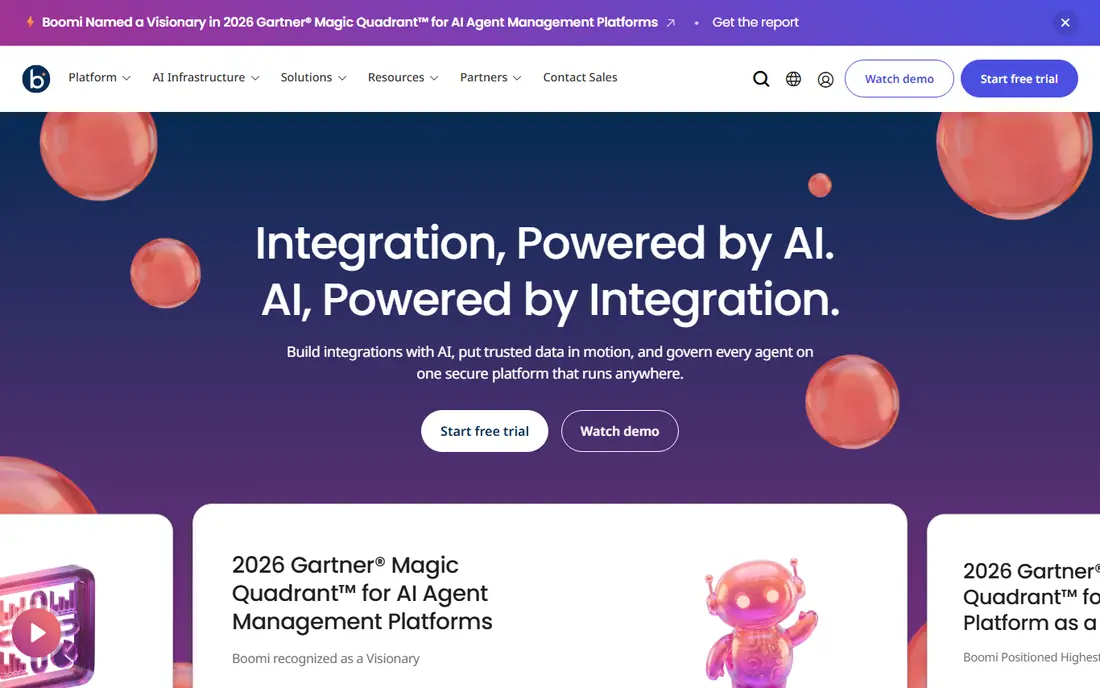
Boomi appeals to teams that need to connect cloud apps with on-prem systems without writing everything by hand. Its visual builder, connector library and runtime options let integration teams build, deploy and monitor flows across environments. It also covers API management and data hub needs, which helps companies standardize how data moves.
Pricing is by quote, so buyers should scope connections, volumes and environments before comparing costs. We would shortlist Boomi for mid-market and enterprise teams that need a proven iPaaS with hybrid reach, and confirm support and training in the proposal.
- Low-code visual builder
- Hybrid deployment options
- Broad connector and API management tools
- Quote-only pricing
- Enterprise scope needs planning and governance

Workato lets business and IT teams build automations called recipes that connect apps, move data and trigger actions across departments. It suits companies that want self-service automation with enterprise controls, audit trails and governance, rather than giving every team a separate point tool. Its newer AI and agent features extend that automation to more complex workflows.
The main limit is price and fit. Workato is priced for enterprise use, so a small team with a few automations will likely get better value from Zapier or Make. We would pick Workato when automation must scale across departments with central oversight.
- Business-friendly recipe builder
- Strong enterprise automation and AI features
- Broad app connector library
- Quote-only enterprise pricing
- Smaller teams may find it costly for simple needs
Zapier is the easiest starting point for connecting everyday apps. A team can link a form to a CRM, a spreadsheet to Slack, or an order system to email in minutes, without engineering help. Its free plan covers 100 tasks per month, and paid plans start at $19.99 per month billed yearly, which makes it easy to trial with real work.
Volume is the catch. Each successful action counts as a task, so busy workflows can become costly, and multi-step logic can get messy. We would pick Zapier for small and mid-size teams that need fast, no-code automation, and move to an iPaaS when data volumes or governance needs grow.
- Huge app directory and easy setup
- Free plan with 100 tasks per month
- No code needed for common workflows
- Task-based pricing can climb with volume
- Complex logic and data transforms are harder than on iPaaS tools
Make gives automation builders more control than Zapier at a lower entry price. Its visual canvas shows each step, filter, router and data mapping clearly, which helps when a workflow branches or transforms data between systems. The free plan includes 1,000 credits per month, and paid plans start at $9 per month, so testing is low risk.
New users may need time to learn routers, aggregators and error handling. We would pick Make for teams that want granular control and better value on multi-step workflows, and that are willing to learn a more powerful builder.
- Visual scenario builder with detailed control
- Free plan with 1,000 credits per month
- Good value for complex flows
- Learning curve is steeper than Zapier
- Credit model needs careful volume planning
n8n suits technical teams that want automation they can host, extend and inspect. Its workflow builder supports code steps, custom nodes and a wide app library, and the self-hosted version is free, which appeals to teams with strict data or cost requirements. Developers can also version and review workflows more like software than like a black-box automation.
Self-hosting is also the weakness. Updates, backups, security and uptime become your job, unless you pay for cloud hosting. We would pick n8n for engineering-led teams that value control and self-hosting, and choose its cloud plan when maintenance time is scarce.
- Free self-hosted option
- Code-friendly nodes and custom logic
- Source-available core for technical teams
- Self-hosting needs maintenance and security work
- Cloud pricing is separate and should be confirmed
SnapLogic helps enterprise teams build data and application integrations with visual pipelines, called Snaps, plus AI assistance for mapping and building flows. It suits companies moving data between cloud apps, databases and warehouses, as well as connecting business systems. Its low-code approach lets integration teams work faster than hand-coded pipelines.
As with other enterprise iPaaS tools, pricing is by quote and the total effort depends on data complexity. We would shortlist SnapLogic for enterprise teams that need self-service integration with strong data handling, and test it on a real data pipeline before committing.
- Low-code visual pipelines with AI assistance
- Strong for data and app integration at enterprise scale
- Broad connector set
- Quote-only pricing
- Enterprise implementation needs data and governance planning
Celigo is a practical middle ground for SaaS-heavy mid-market companies. Its prebuilt integration flows for NetSuite, Salesforce, Shopify and other common systems cut setup time for standard processes such as order to cash and procure to pay. Teams can then customize flows without starting from a blank canvas.
The limit is scope. Companies with many custom systems and deep API governance needs may still prefer MuleSoft or Boomi. We would pick Celigo when standard SaaS integrations dominate the workload and time to value matters.
- Prebuilt flows for NetSuite, Salesforce and other SaaS apps
- AI-assisted building
- Good mid-market balance of power and usability
- Quote-only pricing
- Very large enterprise estates may need a broader iPaaS
Jitterbit combines integration, API management and app building tools, which helps mid-market teams standardize without buying several platforms. Its visual builder and prebuilt connectors support common CRM, ERP and ecommerce integrations, and its API tools help teams expose and manage their own services. Deployment is often faster than a full enterprise iPaaS project.
Buyers should still scope endpoints, volumes and support needs, since quotes vary. We would shortlist Jitterbit for mid-market companies that want one integration platform with API management, and compare it with Celigo on prebuilt flows for their specific systems.
- IPaaS plus API management in one platform
- Visual builder for faster deployment
- Good for mid-market teams
- Pricing is quote based and varies by scope
- Smaller teams should confirm entry cost
Tray.ai, formerly Tray.io, builds flexible workflows that connect apps, APIs and data across business processes. It suits teams that need custom multi-step logic, approvals and data transforms that simple trigger-and-action tools handle poorly. Its newer AI orchestration positioning also appeals to teams building agent-assisted workflows.
The honest limit is that flexibility needs design discipline, or workflows become hard to maintain. We would pick Tray.ai for teams with custom automation needs and technical builders, and require naming, documentation and error-handling standards from the start.
- Flexible visual workflow builder
- Strong for custom multi-step processes
- AI orchestration features for newer use cases
- Pricing is quote based for many plans
- Enterprise governance needs careful scoping
How we picked these
We compared official product pages, pricing pages and recent independent iPaaS comparisons, and we kept only platforms that are live and sold in October 2026. We excluded Flowise because its repository was archived and it reached end of life on 31 August 2026, as noted in the task brief, so listing it as a live option would mislead buyers. Where a vendor does not publish a price, we wrote See website rather than estimating an enterprise deal.
How to choose an integration platform
Start by listing the systems you must connect and the volume each connection will carry in a normal week. That list separates simple automation tools from true iPaaS platforms quickly. If you have five SaaS apps and a few hundred actions per week, Zapier or Make may be enough. If you have ERP, CRM, databases and custom APIs with thousands of records daily, shortlist MuleSoft, Boomi, SnapLogic or a similar platform.
Next, test error handling. Break a test connection on purpose and see how each platform reports the failure, retries and alerts your team. Finally, check who will own integrations after launch. A platform that only one engineer understands is a risk, so prefer tools your wider team can monitor, document and hand over.
Frequently asked questions
What is the best integration platform?
The best integration platform depends on scale. MuleSoft and Boomi lead for enterprise API-led and hybrid integration, Workato leads for enterprise automation, and Zapier, Make and n8n lead for lighter app automation. Shortlist by systems, volume and governance needs, not by brand size alone.
What is the best integration software for small businesses?
Zapier and Make are the strongest small-business picks here, because both offer free plans and paid plans from $19.99 and $9 per month respectively. n8n is also strong for technical teams that can self-host. Start with a free plan, measure task or credit use for a month, then upgrade only if volume requires it.
What are the best application integration platforms for enterprises?
MuleSoft Anypoint Platform, Boomi, Workato, SnapLogic, Celigo, Jitterbit and Tray.ai all serve enterprise integration, with different strengths in API management, data pipelines and automation. Compare them on your actual systems, governance controls and total implementation effort. A trial on one real pipeline tells you more than a feature checklist.
What is the best platform for integrations with Salesforce?
MuleSoft is the natural Salesforce-aligned choice, since Salesforce owns it, and Boomi, Workato, Celigo and Jitterbit also offer strong Salesforce connectors and prebuilt flows. The best fit depends on whether you need API governance, business automation or a standard Salesforce-to-ERP flow. Ask each vendor to show your Salesforce objects, not a generic demo.
What are the top software integration tools for data pipelines?
SnapLogic, Boomi, MuleSoft and Celigo suit data-heavy integration work, while Zapier and Make suit record-level app automation rather than large data pipelines. If you move large datasets to a warehouse, test throughput, transformation and error recovery on a real dataset before choosing.
Is Flowise still a live integration option?
No. Flowise reached end of life on 31 August 2026 and its repository was archived, so we did not list it as a live product. Teams that used Flowise should plan a migration to a live alternative such as n8n, Make, Workato or another platform on this list, depending on whether they need self-hosting, no-code automation or enterprise governance.
Sources
See where you really rank - block by block
ProMapRanker scans Google Maps across a grid of your service area. Simple monthly plans from $19, white-label on every plan.
Start freeKeep reading
 zoho inventory alternatives
6 Alternatives to Zoho Inventory, Compared on Price and Fit
Zoho Inventory alternatives: 6 tools compared on price, free plans and fit. Katana leads the list for manufacturers. Fit and flaws are laid out for each entry.
Read → zoho crm alternatives
Best Zoho CRM Alternatives (2026)
Need Zoho CRM alternatives? We compare 7 tools on cost, free access and who each suits. Every pick gets a straight assessment. Built for quick decisions.
Read → zelle alternatives
Best Zelle Alternatives in 2026
Compare the best Zelle alternatives for sending money to friends, paying sellers and moving funds abroad, with honest notes on fees, speed and safety in 2026.
Read →