 ProMapRanker
Best Integrated Development Environment Software in 2026

Most developers and most languages · Pricing starts at: Free
Key takeaways
- Visual Studio Code is our pick for most people because it is free, runs on Windows, Mac, and Linux, and covers almost every language through extensions.
- JetBrains IDEs cost more, but they give deeper code understanding, refactoring, and debugging for the language they are built around.
- Xcode and Android Studio are the right defaults when you build for Apple platforms or Android, since they ship the platform tools you need.
- Free tools cover a lot of ground, so pay for a full IDE only when its debugger, profiler, or framework support saves you real time each week.
Quick comparison
| Pick | Great for | Pricing starts at | Free tier | |
|---|---|---|---|---|
| Visual Studio Code | Most developers and most languages | Free | Yes | Visit |
 Visual Studio | Windows and .NET developers | Free | Yes | Visit |
 IntelliJ IDEA | Java and Kotlin developers | See website | Free trial | Visit |
 PyCharm | Python developers | See website | Free trial | Visit |
 WebStorm | JavaScript and TypeScript developers | See website | Free trial | Visit |
 Eclipse IDE | Java developers who want a free IDE | Free | Yes | Visit |
 Xcode | Apple platform developers | Free | Yes | Visit |
 Android Studio | Android developers | Free | Yes | Visit |
 Sublime Text | Fast, light editing on any machine | $80 one-time | Free trial | Visit |
 Zed | Developers who want a fast native editor | Free | Yes | Visit |
The best integrated development environment software
An IDE should help you write, run, and fix code without juggling five separate tools. The ten options below cover free editors, paid full IDEs, and platform tools, so you can match the pick to the language you use most.
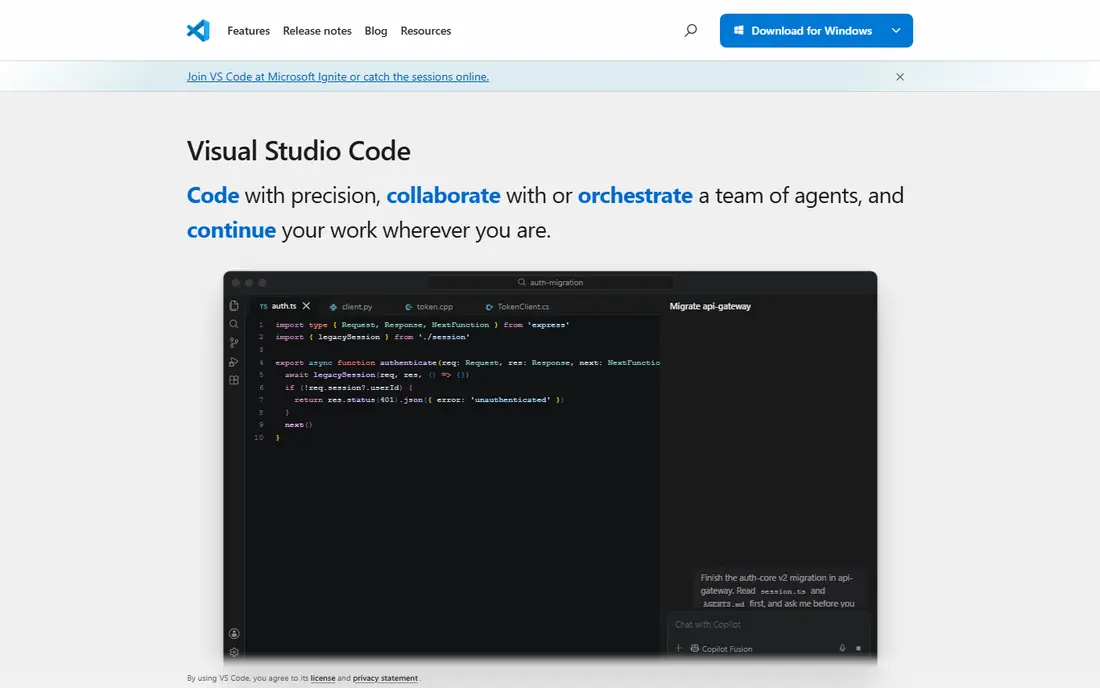
Visual Studio Code starts as a light editor and grows into a full work setup through extensions. You can add Python, JavaScript, Java, C++, Go, Rust, and many other languages, plus linters, formatters, and remote development tools. The built-in terminal, source control view, and debugger keep common tasks in one window.
The catch is that quality varies by extension. The core editor is steady and well kept, but a language pack from a small maintainer may lag behind a new language release. Still, for most people this is the best place to start, and it costs nothing to try. If you later move to a paid JetBrains IDE, the habits you build here carry over well.
- Free on Windows, Mac, and Linux
- Huge extension library
- Built-in Git, terminal, and debugging
- Heavy extension setups can slow it down
- Some language features depend on third-party extensions
Visual Studio is the full IDE from Microsoft for Windows development, and it shines for .NET, C++, and desktop apps. Its debugger, profiler, and test tools are built in rather than bolted on, which matters on large codebases where you step through code for hours. The Community edition is free for individuals and many small teams, so you can start without a purchase.
The trade-off is weight. A full install takes more disk space and memory than Visual Studio Code, and setup takes longer. If you mainly build web front ends or work on a Mac, Visual Studio Code or a JetBrains IDE may feel lighter. For .NET work on Windows, though, this remains the default many teams reach for first.
- Strong .NET, C++, and Azure tooling
- Powerful debugger
- Free Community edition for many users
- Windows focused, with a smaller Mac story
- Full install can be large

IntelliJ IDEA is built around understanding Java and Kotlin code, not just coloring it. It suggests completions that fit the surrounding code, finds usages across a project, and renames or restructures code with fewer broken references. That depth shows up most on large projects, where a simple editor starts to feel thin.
The free Community edition covers core Java and Kotlin work, while Ultimate adds framework, database, and web support. Check the current JetBrains pricing page before you buy, since individual, business, and yearly rates differ. If you write Java or Kotlin all day, the time saved on refactoring alone often pays for the license.
- Deep Java and Kotlin code understanding
- Strong refactoring tools
- Good Spring and Gradle support
- Paid Ultimate edition for full framework support
- Can use a lot of memory on large projects
PyCharm treats Python as a first-class language, with a debugger, test runner, and code checks that understand Python types and imports. The Professional edition adds web framework support, database tools, and notebook support that data teams use daily. A free core edition covers plain Python work for many users.
The downside is the same as with other JetBrains IDEs: it is heavier than Visual Studio Code, and the full feature set sits behind a paid plan. For a quick script, a lighter editor is faster to open. For a Python project you maintain for months, PyCharm keeps imports, tests, and refactoring in one place, which is worth the extra weight.
- Strong Python code insight and debugging
- Good Django, Flask, and data science support
- Built-in test runner
- Paid Professional edition for web and database tools
- Heavier than a light editor
WebStorm is the JetBrains IDE for JavaScript and TypeScript, and it covers the modern web stack in one install. It understands frameworks such as React, Vue, and Angular, checks types across files, and runs tests and debuggers without a long extension hunt. That matters when a project mixes TypeScript, CSS, and build tools.
WebStorm is free for non-commercial use, with paid plans for commercial work, so check the JetBrains page for your case. If you only edit a small site now and then, Visual Studio Code is enough. If JavaScript is your day job, WebStorm removes a lot of setup friction and keeps framework updates in step with the IDE.
- Strong JavaScript and TypeScript support
- Good React, Vue, and Angular tooling
- Built-in testing and debugging
- Paid license with no free core edition for commercial use
- Overkill for a single static page
Eclipse IDE has served Java developers for many years, and it remains a solid free choice. It covers Java development, debugging, and testing, with plugins for other languages and tools. Teams that already use Eclipse, or that need a free IDE with no license questions, can keep using it with confidence.
The interface is less polished than newer rivals, and some plugins feel old or lightly kept. New developers may prefer the cleaner setup of Visual Studio Code or IntelliJ IDEA Community. Eclipse still earns its place here because it is free, proven, and genuinely useful for Java work, especially in schools and large organizations that already standardize on it.
- Free and open source
- Long history with Java
- Large plugin ecosystem
- Interface feels dated next to newer IDEs
- Plugin quality varies
Xcode is the tool Apple provides for building apps for iPhone, iPad, Mac, Apple Watch, and Apple TV. It includes the Swift and Objective-C compilers, simulators, and interface tools, so you cannot really ship an iOS app without it. It is free from the Mac App Store, which keeps the entry cost low.
Xcode only runs on a Mac, and the download is large, so Windows and Linux developers need other tools for shared code and a Mac for the final Apple build. The interface can also feel slow on older Macs. If you build for Apple platforms, though, Xcode is not optional in practice, and it pairs well with Visual Studio Code for shared or server code.
- Free from Apple
- Required tools for iOS, macOS, watchOS, and tvOS apps
- Built-in simulators and Interface Builder
- Mac only
- Large download
- App Store submission still needs care and testing on real devices
Android Studio is the official IDE for Android, built on IntelliJ IDEA and provided free by Google. It ships the Android SDK, an emulator, and layout tools, plus Kotlin support that matches how most new Android apps are written. For Android work, it removes guesswork about which plugins and SDK versions to install.
The emulator and Gradle builds demand memory and disk space, so a modest laptop will feel the strain. That is the main cost, since the software itself is free. If you build Android apps, start here. If you build cross-platform apps with a shared codebase, you may still use Android Studio for the Android build and testing, even when most code lives elsewhere.
- Free from Google
- Official Android emulator and build tools
- Strong Kotlin support
- Needs a capable machine for the emulator
- Gradle builds can be slow on large projects
Sublime Text is an editor, not a full IDE, and that is its appeal. It opens fast, handles large files well, and stays out of your way when you just need to read or change code. A one-time license covers the editor, with an evaluation version you can try before buying.
You will need packages for debugging, build tasks, and deeper language support, and that setup takes more manual work than Visual Studio Code. Sublime Text fits developers who value speed above all, or who work on older machines where a heavy IDE drags. It also works well as a second editor beside a full IDE.
- Very fast startup and file handling
- Runs on Windows, Mac, and Linux
- One-time license
- Not a full IDE out of the box
- Package setup is manual compared with Visual Studio Code
Zed is a newer editor built for speed, with a native interface and collaboration tools built in. It opens quickly, handles large files well, and supports common languages through extensions and language servers. The free editor covers a lot of daily coding without a subscription.
The trade-off is maturity. Its extension library is smaller than that of Visual Studio Code, and some platform support is newer, so check that your language and workflow are covered before switching. Zed is a good pick if you want a fast, modern editor and you do not depend on a rare extension. It is also a sensible second editor to try beside your main IDE.
- Fast native performance
- Built-in collaboration features
- Clean, modern interface
- Smaller extension library than Visual Studio Code
- Linux and Windows support is newer than Mac support
How we picked these
We compared official feature pages, pricing pages, and app store listings for current IDEs, and we left out tools that are retired or that no longer receive updates. We favored tools that are still maintained in October 2026, that truly fit general software development, and that cover the main languages readers use: Python, JavaScript and TypeScript, Java and Kotlin, C++, Swift, and C#. We did not claim hands-on testing that did not happen. Instead we weighed language support, debugging, refactoring, platform coverage, and price, and we kept a mix of free and paid options.
What to check before you pick an IDE
Start with the language you use most, then check the debugger and the build tools. A good IDE should run your project, stop at breakpoints, show variable values, and run tests without a long manual setup. If you spend your day in one framework, such as Spring, Django, React, or .NET, pick the IDE with the strongest support for that framework, even if a general editor looks cheaper.
Price and team size
Free tools cover most solo work. Paid IDEs make sense when a team shares a stack and the refactoring, profiling, or framework tools save hours each week. Check education, open source, and non-commercial terms too, since JetBrains and Microsoft both offer free options for some users. Count the full cost, including any AI add-ons, before you compare monthly prices.
Machine and platform fit
Heavy IDEs need memory, disk space, and a modern processor, especially with an Android emulator or a large Java project open. Light editors suit older machines and quick edits. Platform matters as well: Xcode needs a Mac, Android Studio is the natural home for Android, and Visual Studio is strongest on Windows. Pick the tool that matches the machines your team already uses.
Extensions and staying power
Check that the extensions you need are still maintained, and that the vendor still ships updates for your operating system. A large extension library helps, but a smaller set of well kept extensions often works better than dozens of stale ones. If you switch IDEs later, plain project files, standard build tools, and Git history make the move far easier than a setup tied to one vendor.
Frequently asked questions
What is the best IDE software for beginners?
Visual Studio Code is a good starting point for most beginners because it is free, well documented, and covers many languages through extensions. Pick Xcode if you only build for Apple platforms, or Android Studio if you only build for Android. A beginner guide for your language will usually name one of these as the default.
What is the best coding software for Python?
PyCharm is the strongest Python-focused IDE on this list, with a debugger and test tools built for Python. Visual Studio Code with the Python extension is a strong free alternative, and it suits people who also work in other languages. Choose PyCharm for a large Python project, and Visual Studio Code for mixed-language work.
Is Visual Studio Code a full IDE?
Visual Studio Code starts as an editor and becomes IDE-like through extensions for debugging, testing, and language support. That setup covers most development work, but a dedicated IDE such as IntelliJ IDEA or PyCharm still offers deeper code understanding for its own language. The right label matters less than whether your debugger and refactoring tools work well.
Do I need to pay for a good IDE?
No. Visual Studio Code, Eclipse IDE, Xcode, Android Studio, and Zed are free, and JetBrains offers free core or non-commercial options for some IDEs. Pay when a paid IDE saves you time on debugging, refactoring, or framework work that free tools handle poorly. Try the free tier or trial first, and measure the time it saves.
Which IDE is best for Java?
IntelliJ IDEA is our pick for most Java developers, thanks to its code understanding, refactoring, and build tool support. Eclipse IDE is a solid free alternative with a long track record. Android Studio, which is built on IntelliJ IDEA, is the right pick when the Java or Kotlin code targets Android.
Can one IDE cover every language?
One IDE can cover many languages, and Visual Studio Code comes closest for general work. In practice, most developers keep one main IDE and one or two platform tools, such as Xcode or Android Studio, for specific targets. That mix gives you depth where it matters and breadth everywhere else.
Sources
See where you really rank - block by block
ProMapRanker scans Google Maps across a grid of your service area. Simple monthly plans from $19, white-label on every plan.
Start freeKeep reading
 zoro.to alternatives
Best Zoro.to Alternatives in 2026
We compare the best zoro.to alternatives in 2026, listing only legal licensed anime streaming services, from Crunchyroll to free options for fans today.
Read → zip alternatives
Best Zip Alternatives in 2026
We compare the best zip alternatives for buy now, pay later in 2026, covering pay-in-4 plans, fees, spending limits, and credit reporting options today.
Read → yesware alternatives
Best Yesware Alternatives in 2026
Compare the best yesware alternatives for sales email tracking, templates, and sequences, with current pricing and honest tradeoffs for small sales teams.
Read →