 ProMapRanker
HR Software for Hourly Workforces in 2026


Restaurant teams · Pricing starts at: $39.99 per location/month (billed yearly)
Direct answer
For restaurant teams, 7shifts is where this list starts. Connecteam is the stronger choice for mobile-first deskless teams, while Sling suits budget scheduling with a solid free level. Details, prices and limits for the rest of the 7 tools are below.
Key takeaways
- 7shifts takes the first slot, best suited to restaurant teams.
- Only 5 of the 7 tools have a free plan (7shifts, Connecteam, Sling, ZoomShift, Homebase), so check the caps.
- Before buying ZoomShift, weigh this: smaller vendor with a thinner integration library.
- Homebase is the one to check for all-in-one hourly team management.
- Sling has the lowest monthly starting price in this list: $1.70 per user/month.
Quick comparison
| Pick | Great for | Pricing starts at | Free tier | |
|---|---|---|---|---|
| 7shifts | Restaurant teams | $39.99 per location/month (billed yearly) | Yes | Visit |
 Connecteam | Mobile-first deskless teams | $29 a month for first 30 users (billed yearly) | Yes | Visit |
 Sling | Budget scheduling with a capable free level | $1.70 per user/month (billed yearly) | Yes | Visit |
 ZoomShift | Small teams wanting a free schedule maker | $2 per user/month | Yes | Visit |
 When I Work | Straightforward scheduling for small teams | $2.50 per user/month | Free trial (14 days) | Visit |
 Deputy | Compliance-heavy hourly teams | $5 per user/month (billed yearly) | Free trial | Visit |
 Homebase | All-in-one hourly team management | $24 per location/month (billed annually) | Yes | Visit |
The best HR software for hourly workforces
If you are comparing HR software for hourly workforces, this page covers 7 tools in one place: what each is best for, what it costs to start, whether it has a free plan, and the main limit to know about.
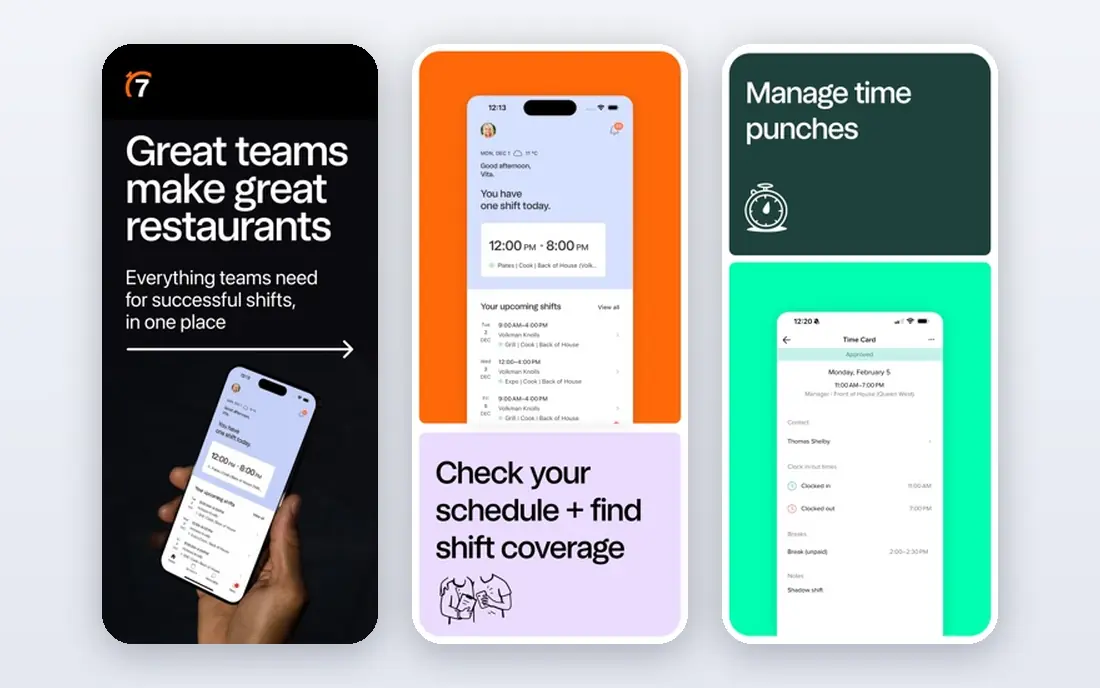
Choose 7shifts for restaurant teams. Tip management and restaurant-specific communication tools speak the language of front-of-house and back-of-house teams. In practice, if your business is not a restaurant, the whole design assumes workflows you do not have, so look elsewhere.
The main drawbacks: Payroll is a premium add-on instead of included.
No contracts and a 14-day trial on the Pro plan lower the barrier to trying it. More specifically, the vendor claims more than 55,000 restaurants and 1.5 million restaurant professionals use the product. 7shifts starts at: $39.99 per location/month. 7shifts includes a free tier.
- Built only for restaurants, with POS integrations and tip management
- Free Comp plan handles entry-level scheduling and communication
- Per-location pricing punishes multi-site growth
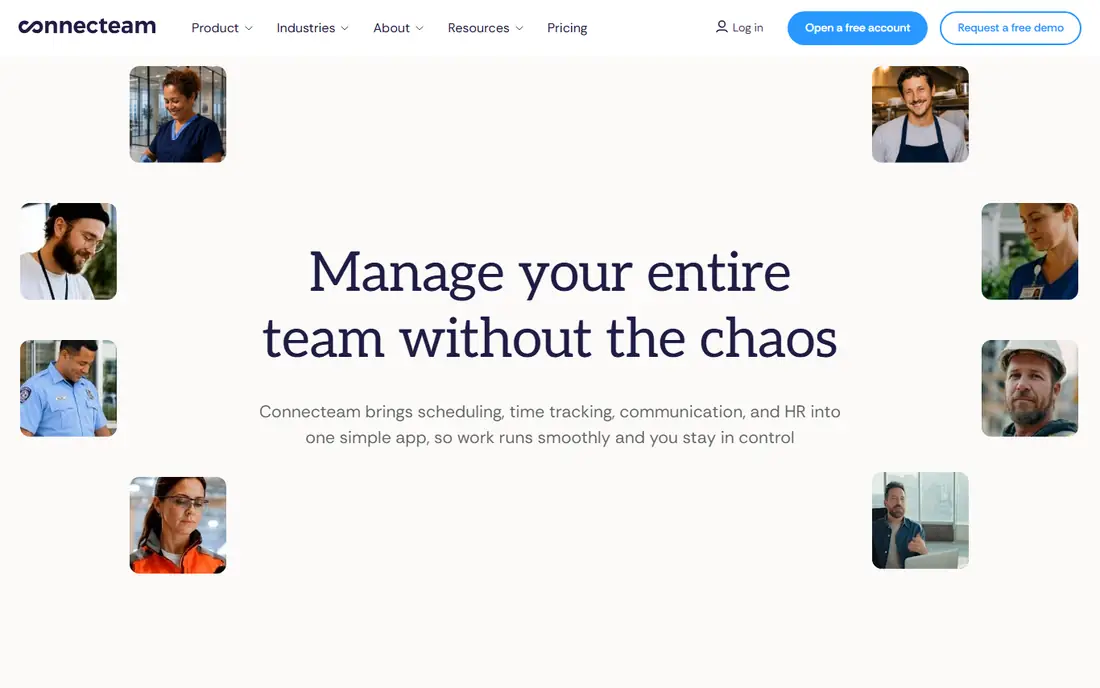
Where Connecteam fits: mobile-first deskless teams. Restaurants with complicated POS needs or businesses with heavy compliance requirements will find Deputy or 7shifts more solid.
Points against: Per-hub pricing model takes time to understand.
In daily use, Connecteam wins when you need one mobile app that handles the entire employee experience for deskless workers. What you pay to start with Connecteam: $29 per month for first 30 users. Connecteam offers a free plan.
- Fully free for teams under 10
- Scheduling
- Scheduling depth trails dedicated schedulers like Deputy
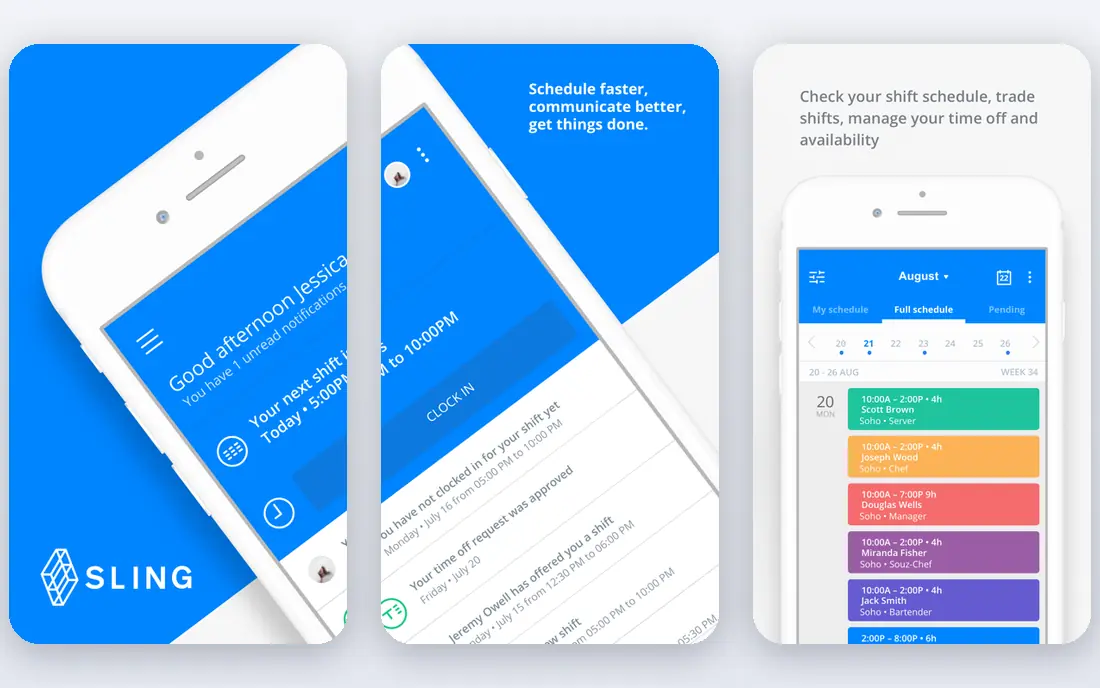
Sling serves budget scheduling with a capable free level. A team of up to 30 gets scheduling, messaging and task management without paying anything, which makes it the natural first stop for a cash-strapped small business. In daily use, teams that require full HR features like document storage or onboarding will outgrow it.
Points against: Time tracking needs the Premium plan.
premium plans are also cheap at $1.70 per user a month on annual billing, adding time tracking, geofencing and deeper reporting. As a scheduler and communicator on a budget, though, it is hard to beat. The app calculates labor costs in live as you build the schedule and warns about overtime before it happens. As for the details, Sling will never run your payroll for you, and time tracking is only included on the Premium plan. On cost, Sling starts like this: $1.70 per user/month. A free plan is available with Sling.
- Free scheduling for up to 30 users with no credit card
- Task management and labor cost forecasting
- Some advanced reporting sits behind premium levels
Think of ZoomShift for small teams wanting a free schedule maker. ZoomShift keeps things deliberately straightforward. Also, for a single restaurant or retail store that just wants to stop building schedules in Excel, that is commonly enough.
Where it is weaker: Smaller vendor with a thinner integration library.
premium plans at $2 per user a month add features like PTO accrual tracking and automatic time-off approvals. In practice, the free level includes up to 20 employees with scheduling, time tracking, time-off management and team communication. What you pay to start with ZoomShift: $2 per user/month. ZoomShift offers a free plan.
- Free for teams up to 20 employees with no credit card
- Straightforward drag-and-drop scheduling with templates
- Company has a lower public profile than its rivals
When I Work is built with simple scheduling for small teams in mind. At $2.50 per user a month, it is one of the cheapest premium choices in this category. The vendor says setup takes minutes with no IT help.
Where it is weaker: No native payroll, only integrations.
Main advantages: GPS clock-ins and geofencing verify staff locations.
You link it to your payroll provider, which performs well if you already have one but layers on a step if you do not. In practice, the main limit is that payroll never happens inside the product. From a buyer's view, the auto-scheduler matches shifts to employees based on availability and eligibility, which cuts the back-and-forth that eats up a manager's week. Entry price for When I Work: $2.50 per user/month. As for free access: Free trial (14 days).
- Time tracking and team messaging in one mobile-first app
- QuickBooks and Gusto
- Mobile app provides less than the web version
Choose Deputy for compliance-heavy hourly teams. Deputy is the tool managers pick when labor rules keep them up at night. It automates break compliance, overtime calculations and Fair Workweek requirements, which matters in states and cities with predictive scheduling laws.
On top of that, the audit trail makes it easier to answer questions from regulators or employees about how a schedule was built. If compliance risk is low for your business, the less expensive choices handle the basics. Worth adding: the system has grown into scheduling, HR and payroll tools with AI models that match staffing to demand. At $5 per user a month it costs roughly twice When I Work. There is a monthly minimum, so very small teams pay more than the headline rate suggests. Deputy cost at the entry level: $5 per user/month. Trial and free access: Free trial.
Watch-outs: Overlap warnings still need a manager's review.
- AI-assisted scheduling with demand forecasting
- Keeps an audit-ready record of scheduling decisions
- Per-user pricing gets pricey as headcount grows
Where Homebase fits: all-in-one hourly team management. The free plan is genuinely usable for teams up to 10, which is rare in this category.
What works well: time tracking, payroll; hiring and HR in one app.
Limits to weigh: Multiple advanced features are extras; premium plans bill per location, which adds up for multi-location firms. Per-location pricing is the tradeoff. On cost, Homebase starts like this: $24 per location/month. Free access exists with Homebase.
- Free plan spans teams up to 10
- 4.8 rating across 94,000 App Store reviews
- Payroll costs additional on top of the plan
What went into this list
ProMapRanker used vendor pricing pages and product documentation as the base, then compared plans, free access and documented limits for 7 tools. Plan names, prices and limits change often. Treat the figures here as a starting point and verify them with the vendor. The ranking is editorial: typical fit first, then clear pricing, then free access. If your needs are unusual, read the profiles rather than relying on position.
What to check before you buy
- Check the vendor page for the current price: Sling starts at $1.70 per user/month here, and seats or billing terms can move it.
- Check what the free option really includes: 7shifts, Connecteam, Sling and others offer a free plan, and usage caps differ.
- Use real work to test the free trial from When I Work and Deputy, rather than a demo project.
- Before choosing 7shifts, weigh its main limit: per-location pricing punishes multi-site growth.
- Check the integration list for 7shifts against the tools you run today, and note which ones need a higher plan.
- Pick one real project and run it in ZoomShift first; a small pilot shows fit faster than a checklist.
Frequently asked questions
How much does hourly workforce software cost?
Entry pricing runs from $1.70 to $5 per user a month for per-user tools, or $24 to $40 per location a month for per-location tools, on annual billing. Payroll extras usually cost $30 to $50 a month plus a per-employee fee.
Do these tools publish their prices?
Yes. Every tool from 7shifts to Homebase shows a starting price, though seats, add-ons and billing terms still change the final cost.
Can I try these tools before paying?
Often, yes. 7shifts, Connecteam, Sling and others have a free plan and When I Work and Deputy offer a free trial. Use your own data and a real task during the test, and check what the free tier or trial limits before you rely on it.
Which options for HR software for hourly workforces have a free plan?
On this list, 7shifts, Connecteam, Sling, ZoomShift and Homebase include a free plan. Caps on seats, usage or features are common, so test the free plan against your real workload. Several others offer a trial instead.
Is there free HR software for hourly teams?
7shifts has a free Comp plan with basic scheduling. None of the free plans contain full payroll, so expect to pay or integrate once you need that.
Is 7shifts the right pick for everyone comparing HR software for hourly workforces?
No single tool suits every team. 7shifts comes first because it fits restaurant teams, while Connecteam suits mobile-first deskless teams and Sling suits budget scheduling with a strong free tier. Match the tool to your own size, budget and workflow before deciding.
Sources
See where you really rank - block by block
ProMapRanker scans Google Maps across a grid of your service area. Simple monthly plans from $19, white-label on every plan.
Start freeKeep reading
 zscaler alternatives
Best Zscaler Alternatives in 2026
Looking for zscaler alternatives? We compare 9 SASE and zero trust platforms on architecture, data protection, pricing, and fit for your network and team.
Read → zapier alternatives free
Best Zapier Alternatives Free in 2026
Nine automation tools for zapier alternatives free in 2026, all with genuinely free tiers, plus free plan limits, starting prices and upgrade paths explained.
Read → which platform is best for online reputation
Which Platform Is Best for Online Reputation in 2026
Wondering which platform is best for online reputation? We compare 8 review, listing, and response tools for small and multi-location businesses and agencies.
Read →