 ProMapRanker
Best House Hunting Apps in 2026

Key takeaways
- Zillow offers the widest search, while Realtor.com focuses on MLS-sourced listings and fresh status updates.
- Redfin stands out for booking tours quickly and working with its own agents in covered areas.
- Trulia and Homes.com add neighborhood context, including resident reviews, videos, and local insights.
- No single app shows every home, so cross-checking two or three apps catches listings and price changes faster.
- Home value estimates are starting points only, and a local agent or appraisal gives a firmer price picture.
Quick comparison
| Pick | Great for | Pricing starts at | Free tier | |
|---|---|---|---|---|
 Zillow Zillow | Widest home search | Free | Yes | Visit |
 Redfin Redfin | Booking tours fast | Free | Yes | Visit |
 Realtor.com Realtor.com | Fresh MLS listings | Free | Yes | Visit |
 Homes.com Homes.com | Neighborhood videos and insights | Free | Yes | Visit |
 Trulia Trulia | Neighborhood lifestyle data | Free | Yes | Visit |
 Compass Compass | Polished listings and agent collaboration | Free | Yes | Visit |
 Rocket Homes Rocket Homes | Search plus mortgage help | Free | Yes | Visit |
 Movoto Movoto | Clean MLS-based search | Free | Yes | Visit |
 StreetEasy StreetEasy | New York City buying and renting | Free | Yes | Visit |
The best house hunting apps
House hunting now starts on a phone, but the app you choose shapes what you see. Some apps prioritize inventory, others prioritize tour booking, and others prioritize neighborhood detail. We compared official feature pages, app store listings, privacy policies, and public reviews, focusing on listing freshness, search filters, tour tools, and agent connections.
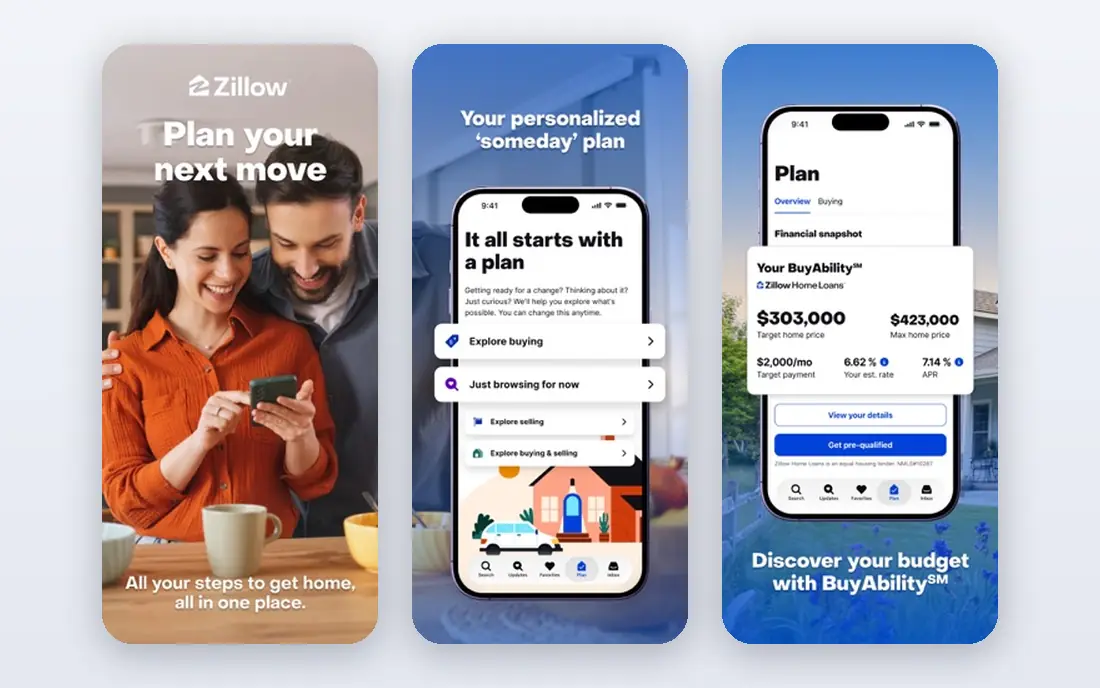
Zillow remains the broadest starting point for most buyers. Its map search, filters for price, beds, baths, and home type, and saved alerts make it easy to watch a whole city at once. Photos, 3D tours, and school and commute data help narrow a long list before you visit in person.
Freshness is the weakness to manage. A home can appear available after it goes under contract, and value estimates should never replace a comparative market analysis. Use Zillow for discovery and alerts, then confirm status on Realtor.com or with an agent before scheduling a tour.
- Very large listing inventory
- Draw-your-own-boundary map search
- Saved searches and price alerts
- Some listings may be outdated
- Zestimate values can differ from sale prices
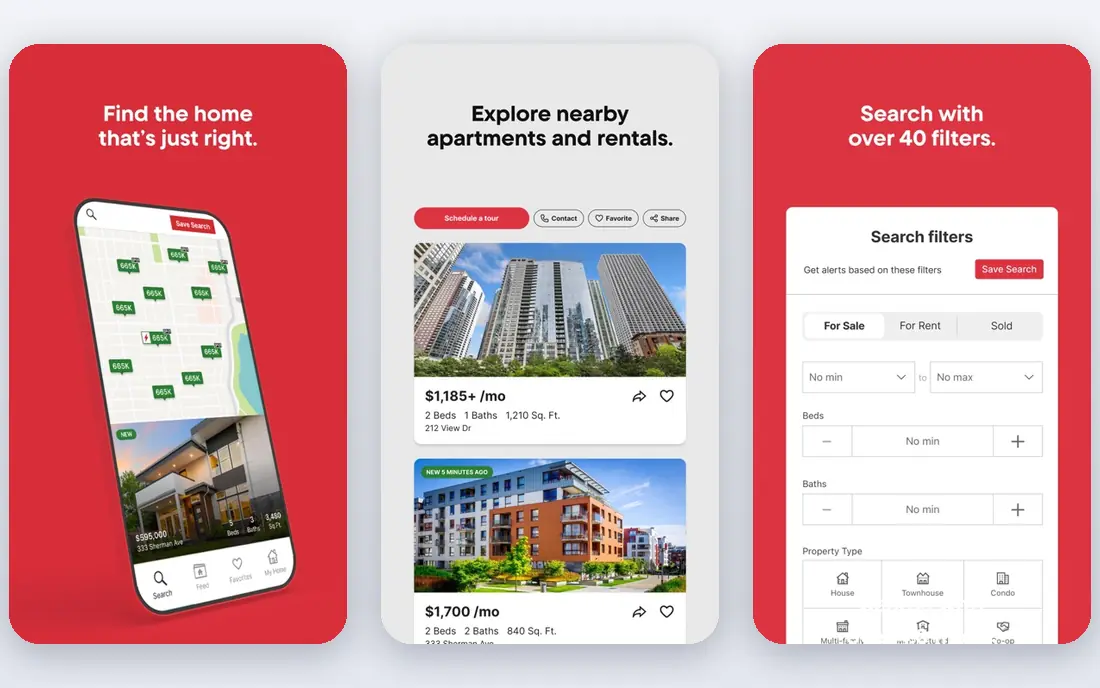
Redfin combines a listing portal with a brokerage, which changes how tours work. In areas where Redfin operates, you can request a tour from a listing page and connect with an agent without separate calls or emails. Price history, sale history, and market stats are presented clearly, which helps buyers spot overpriced or stale listings.
Outside Redfin markets, the app still works as a search tool, but the tour advantage fades. Buyers in those areas will need a local agent for showings. Redfin also offers rebates or savings in some transactions, subject to local rules, so ask how that works in your state before assuming a discount.
- Fast tour booking in covered areas
- Clear days-on-market and price history
- Agent tools built into listings
- Brokerage services are limited to covered markets
- Inventory is smaller than Zillow in some areas
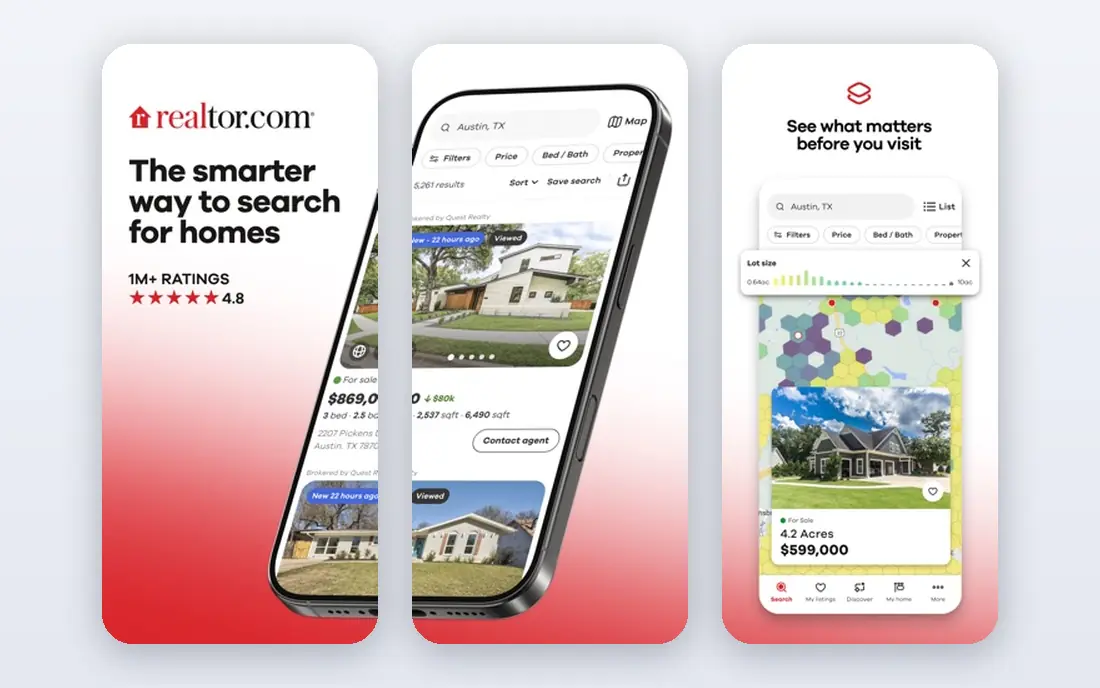
Realtor.com is the app to check when status matters. Because many listings come from MLS feeds, new homes, price changes, and pending statuses often appear sooner than on broader portals. School ratings, commute estimates, and neighborhood data add context that helps families compare areas, not just houses.
The app leans toward connecting you with the listing agent, which suits buyers who want help but may feel pushy for independent searchers. For accuracy, though, it is a strong second source alongside Zillow. Set alerts here for your target neighborhoods and use it to confirm any home you plan to tour.
- MLS-sourced listings with frequent updates
- Detailed school, crime, and commute data
- Affordability tools
- Interface can feel busy
- Some features favor agent contact over independent browsing
Homes.com has rebuilt its search around neighborhoods rather than just listings. Video tours, local guides, and area insights help buyers understand a street before they visit. The site also emphasizes connecting buyers with the listing agent, which can speed up questions about a specific home.
Coverage varies. In major metros, Homes.com is a useful second source, while in smaller markets it may show fewer listings than Zillow or Realtor.com. Use it as a cross-check and a neighborhood research tool, especially when you are comparing two areas that look similar on price alone.
- Neighborhood video tours and local insights
- Listing agent contact model
- Clean listing pages
- Smaller audience than Zillow
- Some markets have thinner coverage
Trulia helps answer the question that listing photos cannot: what is it like to live here. Resident reviews, commute data, school information, and lifestyle filters help buyers weigh noise, walkability, and community feel. The map search makes it easy to compare neighborhoods side by side.
Because Trulia shares ownership and much of its feed with Zillow, it works best as a complement rather than a sole source. Pair Trulia neighborhood research with Realtor.com status checks and Redfin tour booking for a fuller picture. Treat resident reviews as opinions, not facts, and visit at different times of day when possible.
- Resident reviews and local insights
- Lifestyle filters
- Map-based search
- Shares much of its inventory with Zillow
- Some data can be dated
Compass presents homes with polished photos, floor plans, and market data, and its app is built for working closely with an agent. Saved homes, notes, and messages stay in one place, which reduces the back-and-forth of email and text during a busy search. In Compass-heavy cities, the app feels tailored to serious buyers.
The limit is coverage. If your market has few Compass agents, the collaboration features matter less, and inventory may be thinner than on national portals. Compass works best when you already plan to work with a Compass agent or are buying in a city where the brokerage is strong.
- High-quality listing presentations
- In-app collaboration with Compass agents
- Strong presence in many major metros
- Best experience requires a Compass agent
- Weaker in markets with few Compass listings
Rocket Homes suits buyers who want search and financing in one place. You can browse listings, check affordability, and move toward mortgage pre-approval without switching platforms. Agent matching also helps first-time buyers who do not yet have representation.
That integration is also the caution. A convenient mortgage path is not always the cheapest loan, so compare lenders before committing. Use Rocket Homes for search and early affordability checks, then shop mortgage offers independently and confirm rates, fees, and closing timelines in writing.
- Nationwide listings
- Integrated mortgage pre-approval path
- Agent matching
- Financing tie-ins may feel promotional
- Listing depth varies by market
Movoto offers a quieter alternative to the largest portals. Its search is clean, filters are straightforward, and MLS-based listings help with freshness in covered markets. Buyers who find Zillow busy or overwhelming may prefer Movoto for daily browsing and alerts.
The trade-off is scale. Movoto does not match Zillow for total inventory or brand presence, and agent support varies by market. Treat it as a second or third source for cross-checking, especially for price changes and new listings in your target area.
- Clean interface
- MLS-based search in many markets
- Straightforward filters and alerts
- Smaller brand recognition
- Some markets have limited agent support
StreetEasy is essential for New York City and of little use elsewhere, and that focus is its strength. Building pages, floor plans, amenity details, and neighborhood filters reflect how New Yorkers actually search, from co-op rules to elevator buildings. Buyers and renters can compare units within the same building, which national portals handle poorly.
If you are not buying in New York City, skip StreetEasy and use Zillow, Redfin, or Realtor.com instead. If you are, make StreetEasy your first stop and cross-check prices and availability with an agent, since New York listings move quickly and building details matter.
- Deep New York City building data
- Floor plans and building pages
- NYC-specific filters
- Focused almost entirely on New York City
- Limited use elsewhere
How we picked these
We compared official feature pages, app store listings, privacy policies, and public reviews for apps that offer a free home search on iOS and Android. We favored apps with current listings, useful filters, tour or agent tools, and neighborhood data, and we included a city specialist where it clearly outperforms national apps. We did not claim hands-on testing, and we noted where inventory, status, and value estimates differ across portals. Real estate rules, commissions, and agent representation vary by state, so confirm local requirements before touring or making an offer.
A practical way to search without missing homes
Use two or three apps, not ten. One app for broad discovery, one for status checks, and one for tours or neighborhood research covers most needs without duplicate alerts. Set the same filters in each app so you can compare results fairly.
Set alerts before you fall behind
New listings in competitive markets can draw offers within days. Save your target neighborhoods, set price and bed and bath filters, and turn on alerts for new listings and price drops. Check alerts daily during an active search, and pause or narrow them when the volume becomes unmanageable.
Visit with a checklist
Photos and virtual tours hide noise, light, parking, and street activity. Visit shortlisted homes at different times when possible, and note commute routes, school zones, and nearby construction. A short checklist for layout, storage, natural light, and repair needs keeps tours comparable.
Confirm price and status independently
Value estimates, list prices, and portal statuses are starting points. Ask your agent for recent comparable sales, days on market, and price history before offering. In competitive markets, also confirm financing, inspection, and closing timelines early, so a strong offer is also a complete offer.
Frequently asked questions
What is the best app for house hunting?
Zillow is the best starting point for broad search, Redfin is best for booking tours quickly, and Realtor.com is best for checking fresh MLS status. The best house hunting app for you depends on your market and whether you already have an agent. Most buyers benefit from using two apps together rather than relying on one.
What is the best home buying app for first-time buyers?
Zillow and Realtor.com suit first-time buyers because they combine broad listings with affordability calculators, school data, and saved alerts. Rocket Homes can help first-time buyers who want search and mortgage pre-approval in one place. A local agent remains valuable for first-time buyers, especially for offers, inspections, and closing steps.
Which app has the best real estate listings?
Realtor.com often has fresher MLS-sourced listings, while Zillow has the largest overall audience and inventory. No app shows every home, and for-sale-by-owner listings, off-market homes, and new listings can appear on one portal before another. Cross-checking two apps is the simplest way to avoid missing a home.
Are house hunting apps free?
Yes, searching, saving homes, and setting alerts is free on Zillow, Redfin, Realtor.com, Homes.com, Trulia, and the other apps listed here. Costs appear later through agent commissions, mortgage fees, and closing costs, which vary by transaction and state. Be cautious about any app that charges buyers simply to browse listings.
What is the best app for real estate in New York City?
StreetEasy is the best app for real estate in New York City, thanks to building pages, floor plans, and NYC-specific filters. National apps still help for comparison, but StreetEasy reflects local search habits and building details better. For other cities, Zillow, Redfin, or Realtor.com are stronger choices.
How accurate are home value estimates on these apps?
Home value estimates are automated models based on public records, nearby sales, and listing data, and they can be off by a meaningful amount. They are useful for rough comparisons and tracking trends, but not for pricing an offer. Ask an agent for a comparative market analysis, and rely on an appraisal for lender purposes.
Sources
See where you really rank - block by block
ProMapRanker scans Google Maps across a grid of your service area. Simple monthly plans from $19, white-label on every plan.
Start freeKeep reading
 youtube alternatives
Best YouTube Alternatives in 2026
Looking for youtube alternatives in 2026? We compare Vimeo, Dailymotion, Twitch, Rumble, and more on price, audience, monetization, control and privacy.
Read → what's the best ai tool for photo editing
What Is the Best AI Tool for Photo Editing in 2026
What is the best AI tool for photo editing? We compare ten tools for 2026, from Photoshop and Lightroom to Luminar, Topaz, Canva and mobile editors today.
Read → twitter alternatives
Best Twitter Alternatives in 2026
Compare the best twitter alternatives for 2026, from Bluesky, Threads, and Mastodon to Reddit, Tumblr, and Micro.blog, with free plans and audience notes.
Read →