 ProMapRanker
Best Hour Tracking App in 2026

Key takeaways
- Clockify and Toggl Track offer the most usable free plans for small teams, with Clockify allowing more users on free.
- Harvest is the strongest pick when tracked hours must become client invoices without extra tools.
- Hubstaff and Time Doctor add monitoring and payroll features that suit remote teams, but they need clear team policies.
- Timely and Everhour reduce manual entry, with Timely capturing time automatically and Everhour working inside project tools.
Quick comparison
| Pick | Great for | Pricing starts at | Free tier | |
|---|---|---|---|---|
 Toggl Track | Simple timers and reports | $9 per user per month | Yes | Visit |
 Clockify | Free tracking for larger teams | $3.99 per user per month | Yes | Visit |
 Harvest | Hours to invoices | $9 per seat per month | Yes | Visit |
 Hubstaff | Remote teams and payroll | $4.99 per seat per month | Free trial | Visit |
 Time Doctor | Accountability and analytics | $6.67 per user per month | Free trial | Visit |
 Everhour | Tracking inside project tools | $8.50 per user per month | Yes | Visit |
 Timely | Automatic time capture | $9 per user per month | Free trial | Visit |
 ClockShark | Field and hourly crews | See website | Free trial | Visit |
 TimeCamp | Free tracking with invoicing | See website | Yes | Visit |
The best hour tracking apps
The best hour tracking app is the one your team actually uses. A simple timer beats a complex system that staff avoid. These picks cover solo freelancers, small teams, agencies and field crews, with a clear note on where each one fits.

Toggl Track wins on ease of use. Start a timer, type what you are doing, tag a project and stop when done. Reports then show hours by project, client or team member without heavy setup. The free plan covers small teams, which makes it a low-risk first choice for freelancers and small studios.
The limit is billing depth. If you need timesheet approvals, labour costs or profitability views, paid plans add them at a higher price than some rivals. For many small teams, though, simplicity drives adoption, and adoption is what makes time data useful.
- One-click timer on web, desktop and mobile
- Clear reports by project and client
- Browser extension inside many work tools
- Billable rates and approvals need paid plans
- No screenshots or monitoring features
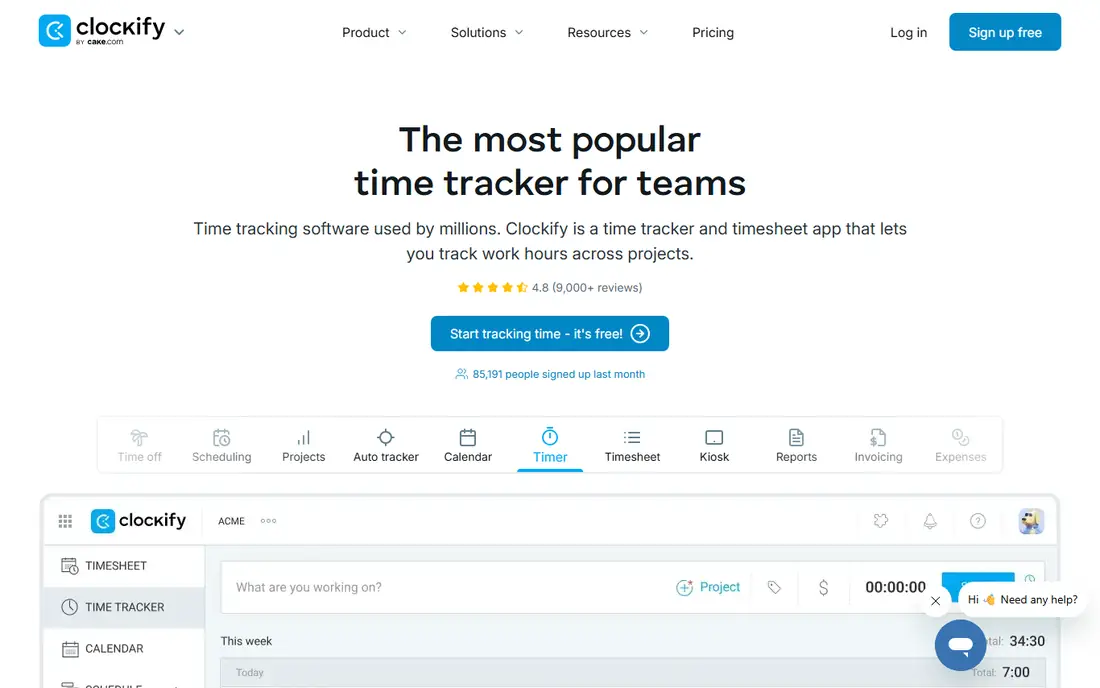
Clockify is the best free option for teams that outgrow a small free tier elsewhere. Unlimited users and projects on the free plan mean a growing team can track hours without paying from day one. Timesheets, calendar views and reports cover the core needs of agencies, support teams and internal projects.
Paid plans add invoicing, approvals and more controls, starting at a lower per-user price than Toggl Track. The trade-off is that the free plan still lacks some billing polish. If your main need is clean hour records and reports, Clockify is hard to beat on value.
- Free plan with unlimited users and projects on many setups
- Timesheets, reports and invoicing on paid tiers
- Simple timer and manual entry
- Some advanced approvals and invoicing features need paid plans
- Interface can feel busy as projects grow

Harvest suits freelancers and agencies who bill by the hour. Time entries, expenses and project budgets sit in one place, and invoices can be built directly from tracked hours. That link saves the weekly job of copying timesheets into a billing tool and reduces errors. Clients can also receive clear summaries of hours worked.
The free plan is narrow, so solo users with few projects can test it, but growing teams will pay quickly. If you invoice through another system already, Toggl Track or Clockify may be cheaper. If invoicing is the goal, Harvest keeps the whole loop in one tool.
- Tracked hours flow into invoices and expenses
- Clear project budgets
- Simple reports for clients
- Free plan limited to one seat and two projects
- Per-seat price rises as teams grow
Hubstaff fits teams that need proof of hours, not just a timer. Managers can see timesheets, activity levels, GPS locations for field staff and payroll totals in one dashboard. Scheduling and invoicing add to the value for service businesses with hourly crews. The starting price is low for what it covers.
Monitoring is also its risk. Screenshots and activity tracking can damage trust if introduced without explanation. Teams should agree what is tracked, why and who sees it, and check local labour rules. Used openly, Hubstaff is a strong operations tool. Used quietly, it can harm morale fast.
- GPS and activity tracking for field and remote teams
- Timesheets linked to payroll
- Scheduling and invoicing features
- No free plan, only a trial
- Monitoring features need clear consent and team policies
Time Doctor gives managers a detailed view of how work time is spent, including app use, distraction alerts and productivity reports. That detail helps remote teams spot overloaded staff, unclear tasks or tools that waste time. Payroll and client reporting make it useful for agencies with distributed teams.
As with Hubstaff, transparency matters. Staff should know what is recorded and how reports are used. For solo users or small trusted teams, a simpler timer may be enough. Time Doctor earns its place when a team needs accountability data and is willing to set fair rules around it.
- Activity and distraction reports
- Screenshots on some plans
- Payroll and project reporting
- No free plan, only a trial
- Monitoring features may feel intrusive to some staff
Everhour is built for teams who live in project software. Instead of opening a separate tracker, staff start timers on the task they already have open. Budgets, estimates and reports then reflect real task time, which helps agencies price work and spot overruns early. The free plan covers small teams getting started.
If your team works mainly by email or documents, the integration advantage fades. Everhour is at its best when tasks, assignees and deadlines already live in a supported tool. Check that your project app is supported before committing a whole team.
- Timer inside Asana, Trello, Jira and other tools
- Project budgets and reports
- Free plan for small teams
- Minimum seat count on some paid plans
- Less useful if your team does not use those project tools
Timely suits people who hate manual timers. It records time spent in apps, meetings and documents, then drafts a timesheet that you review and approve. That approach catches hours that manual timers miss, especially for managers who switch tasks all day. Team views help with capacity and project planning.
Automatic capture raises privacy questions, so teams should agree what is captured and who can see it. Drafts also need review, since an app open in the background is not always work on that project. For users who forget timers daily, Timely can still save more time than it costs.
- Automatic capture of apps, meetings and documents
- AI drafts timesheets for review
- Clean team planning views
- No free plan, only a trial
- Automatic capture needs privacy checks and careful review
ClockShark is designed for construction, cleaning, landscaping and other field work. Crew members clock in from a phone, managers see who is on which job and overtime becomes visible before payroll. Job costing and scheduling keep field operations in one place, which paper timesheets cannot match.
Desk-based teams will find it too specialised. Its strength is mobile, location-aware time capture for people who move between sites. Field managers should test the mobile app on the phones staff actually use, since battery and signal conditions vary on site.
- Mobile clock in and out with GPS
- Job and task tracking for field teams
- Scheduling and overtime views
- Built for field work, less suited to desk teams
- Pricing varies by plan and team size
TimeCamp offers a useful middle path: a free plan, automatic tracking and invoicing in one tool. Small teams can track hours, generate invoices and review project reports without paying at first. Automatic tracking helps staff who forget to start timers, and manual entry covers the rest.
The interface is functional rather than elegant, and paid features open up fuller reporting and controls. For a small business that wants free tracking plus basic invoicing, TimeCamp is worth testing alongside Clockify. Compare invoice formats and export options before moving billing across.
- Free plan with time tracking and invoicing basics
- Automatic tracking options
- Reports by project and user
- Some features and limits vary by plan
- Interface is less polished than Toggl Track
How we picked these
We compared official pricing pages, feature pages and help pages in October 2026, and favoured tools with clear hour records, reports and a usable free plan or trial. We did not claim hands-on testing. Where prices differed by billing period or plan, we used the annual starting figure we could verify or wrote See website.
Choosing the right hour tracker
Start with who tracks time and why. A freelancer needs simple timers and invoices. A remote team needs reports and trust. A field crew needs mobile clock-ins. The wrong tool is usually the one that solves a different problem well.
Decide what the hours are for
If hours become invoices, Harvest or TimeCamp should lead your shortlist. If hours feed project budgets, Everhour or Timely fit better. If hours prove attendance for payroll, Hubstaff or ClockShark make more sense. Write the end use down before testing, so a pretty timer does not win over a tool that produces the report you need.
Keep entry friction low
A tracker that needs five clicks per entry will be abandoned. Test the timer on a phone and a computer, check the browser extension and try manual entry for forgotten days. Automatic capture helps forgetful teams, but it still needs review. Pick the method your team will use on a busy Friday, not just on a quiet Monday.
Set rules before you monitor
If you use screenshots, GPS or activity data, tell the team what is collected, why and who sees it. Put it in writing and apply it fairly. Monitoring without consent can breach policy and trust. For most small teams, reports by project and client are enough, and monitoring features should stay off.
Frequently asked questions
What is the best app for tracking hours?
Toggl Track is the best simple choice, Clockify is the best free choice for larger teams and Harvest is the best choice when hours must become invoices. Field crews should look at ClockShark, and remote teams needing payroll should look at Hubstaff.
What are the best apps for tracking hours for free?
Clockify offers the most generous free plan, with unlimited users and projects on many setups. Toggl Track and Everhour also offer free plans for small teams, and TimeCamp offers free tracking with basic invoicing. Check current free limits before relying on them for a large team.
Can hour tracking apps create invoices?
Yes. Harvest builds invoices directly from tracked hours, and Clockify and TimeCamp offer invoicing on paid or free tiers depending on the plan. Toggl Track focuses on tracking and reports, so invoices usually need a separate billing tool.
Do hour trackers work for field teams?
Yes, when they offer mobile clock-ins and GPS. ClockShark is built for field crews, and Hubstaff offers GPS and scheduling for remote and field staff. Test the mobile app on real job sites, since signal and battery conditions affect accuracy.
Is automatic time tracking accurate?
Automatic capture records app and meeting time well, but it still needs review. An open document is not always active work, and background apps can inflate hours. Timely and TimeCamp draft entries for approval, which is the right model. Review drafts daily to keep records clean.
Sources
See where you really rank - block by block
ProMapRanker scans Google Maps across a grid of your service area. Simple monthly plans from $19, white-label on every plan.
Start freeKeep reading
 zscaler alternatives
Best Zscaler Alternatives in 2026
Looking for zscaler alternatives? We compare 9 SASE and zero trust platforms on architecture, data protection, pricing, and fit for your network and team.
Read → zapier alternatives free
Best Zapier Alternatives Free in 2026
Nine automation tools for zapier alternatives free in 2026, all with genuinely free tiers, plus free plan limits, starting prices and upgrade paths explained.
Read → which platform is best for online reputation
Which Platform Is Best for Online Reputation in 2026
Wondering which platform is best for online reputation? We compare 8 review, listing, and response tools for small and multi-location businesses and agencies.
Read →