 ProMapRanker
Best Home Inventory App in 2026

Key takeaways
- Sortly suits visual, photo-based inventories with QR labels, though its paid pricing is aimed at businesses.
- HomeZada covers the whole home, including inventory, maintenance and documents, in one app.
- Free insurance-focused apps such as NAIC Home Inventory and Itemized Home suit a simple claim-ready list at no cost.
- Itemtopia and Everspruce suit households that want barcode scanning and detailed item records.
- Whatever app you pick, export a backup copy regularly, because an inventory that lives only in one app is itself at risk.
Quick comparison
| Pick | Great for | Pricing starts at | Free tier | |
|---|---|---|---|---|
 Sortly | Visual inventory with QR labels | Free | Yes | Visit |
 HomeZada | Whole-home inventory and upkeep | Free | Yes | Visit |
 Itemtopia | Barcode scanning across devices | Free | Yes | Visit |
 NAIC Home Inventory | Free insurance-ready list | Free | Yes | Visit |
 Itemized Home | Free offline insurance inventory | Free | Yes | Visit |
 Encircle | Insurance claims and restoration | See website | Free trial | Visit |
 Memento Database | Custom inventory databases | Free | Yes | Visit |
 Everspruce | Simple home inventory for less | See website | Free trial | Visit |
The best home inventory app
A home inventory app answers a simple question after a fire, flood, burglary or move: what did you own, and what was it worth. The best app for you depends on why you are making the list. An insurance claim needs photos, values and an export you can send to an insurer. A move needs rooms, boxes and labels. A collector needs detailed records and search. The eight apps below cover those jobs, with free options for a simple list and paid options for a whole home.
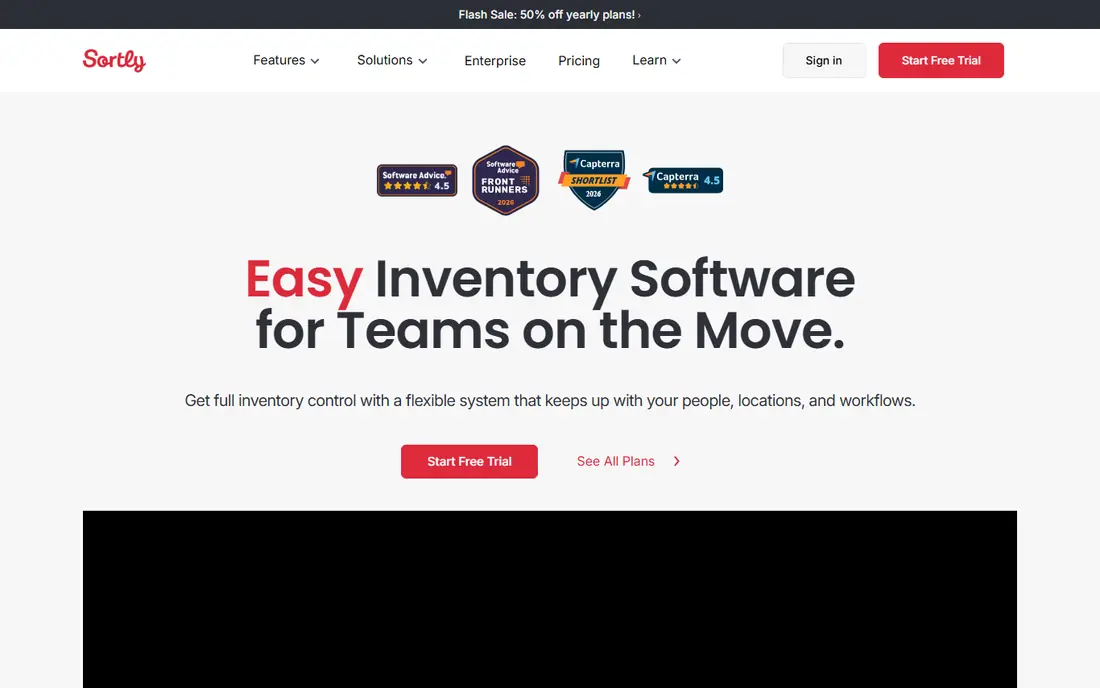
Sortly organises your belongings visually, which is how most people actually think about a home. Items sit in folders by room or category, each with photos and custom fields, and you can print QR labels for boxes and storage so a scan shows what is inside. The mobile app works offline, which helps in an attic, garage or storage unit without a signal.
The free plan covers a limited number of items for one user, which is enough to test it on a single room. Paid plans are priced for businesses, so a household inventory can feel expensive if you need many items. If you are documenting a move or a renovation and you like a visual, labelled system, Sortly is a strong tool, but check the paid price against the size of your home first.
- Photo-based folders by room or category
- QR and barcode labels
- Mobile app works offline
- Paid pricing is business-level and steep for home use
- Free plan caps items and users
- No claim-specific export in the free tier

HomeZada goes beyond a list of belongings. It covers home inventory, maintenance schedules, documents and projects in one place, so the same app that records your appliances can remind you about servicing and store manuals and warranties. Photo recognition features help add items faster, and exports let you share a household inventory as a PDF or spreadsheet.
That breadth is also the cost. Paid plans are higher than a simple inventory app, and a user who only wants a claim list may not need the maintenance side. If you want one home system rather than a single-purpose list, HomeZada is the most complete option here. Start on the free tier and see whether you use the extra sections before paying.
- Home inventory plus maintenance and documents
- Photo recognition features
- PDF and spreadsheet exports
- Paid plans cost more than a simple inventory app
- Breadth can feel like more than a simple list needs
- Best value for whole-home users

Itemtopia suits households that want detailed records across many devices. It scans barcodes and QR codes, stores photos and item details, and runs on iOS, Android, Mac, Windows and web, so a family can add items from any device. Paid plans add PDF reports and CSV export, which matter for insurance or for sharing a list with a partner or an insurer.
The free tier is a trial in practice, with a cap on items, so a whole-home inventory will need a paid plan. The item forms also have many fields, which is good for collectors and thorough record-keepers, but slower for a quick room-by-room sweep. If scanning and detailed records matter to you, Itemtopia is a solid choice.
- Barcode and QR scanning
- IOS, Android, Mac, Windows and web
- PDF reports and CSV export on paid plans
- Free tier caps items
- Premium features need a subscription
- Interface packs in many item fields
The NAIC Home Inventory app, from the National Association of Insurance Commissioners, is the free, no-frills option for insurance purposes. It lets you photograph belongings, scan barcodes, record values and group items by room, with the claim use case in mind from the start. There is no subscription and no store attached, which makes it easy to recommend to anyone.
It is basic by design. You will not get maintenance reminders, QR label printing or a polished design, and exports are simple. For a household that wants a free, claim-ready list without paying for features it will not use, that simplicity is a strength. Download it, photograph one room, and see how quickly a useful list takes shape.
- Free app from insurance regulators
- Photos and barcode scanning
- Built for insurance claims
- Basic design and features
- No advanced home management
- Export format is simple
Itemized Home is a free iPhone and iPad app built for insurance claims, and it stands out for its exports. It produces CSV, Excel and PDF reports with photos, plus a draft proof-of-loss form, which is the document an insurer asks for after a loss. It also works offline, so you can photograph a home without a connection and export later.
The limit is platform: there is no Android app, so Android households need another tool here. Burst capture, which creates draft items from a run of photos, speeds up a room sweep but leaves a tidy-up pass for values and details. For an iPhone household that wants a free, claim-focused inventory, Itemized Home is one of the best options available.
- Free with no subscription
- Offline use
- CSV, Excel and PDF exports with photos and a proof-of-loss draft
- IPhone and iPad only
- No Android app
- Burst photo capture needs a tidy-up pass
Encircle is built for insurance claims and restoration work, and it shows in its documentation and reporting features. It helps record damage and contents with photos and structured reports, which is why restoration and claims professionals use it. A homeowner working with a restoration firm may already encounter Encircle through that firm.
For a simple household list, Encircle is more tool than needed, and pricing is often custom rather than a simple consumer plan. Consider it if you are already in a claim or restoration process, or if a professional you work with uses it. For a first home inventory, start with a free consumer app above.
- Built for insurance and restoration workflows
- Photo documentation and reports
- Used by claims professionals
- Aimed at professionals more than households
- Pricing is custom in many cases
- Overkill for a simple home list
Memento Database is a general database app that works well as a home inventory tool if you like to design your own system. You choose the fields for each item, such as room, purchase date, value, serial number and photo, and you build lists and views that match how you think about your home. That flexibility suits collectors and households with unusual items.
The trade is setup time. Memento does not give you a ready-made insurance form, so you will need to design your fields and your export yourself. If you enjoy building a system and you want one app for home items, collections and other lists, Memento is powerful and affordable. If you want a ready-made claim list, pick NAIC or Itemized Home instead.
- Custom fields, lists and databases for any collection
- Barcode and QR support
- Sync across devices
- Setup takes time to design your fields
- Not built only for homes, so insurance exports need setup
- Design is functional
Everspruce is a home-focused inventory app that aims to do the core job without business pricing or complexity. It organises items by room with photos, which covers the main needs for a move, a renovation or an insurance list, and it costs less than business tools such as Sortly's paid plans. For a household that found Sortly too expensive, Everspruce is worth a look.
The feature set is smaller than HomeZada's whole-home system, and the free offer is a trial rather than a lasting free tier, so check the current pricing page before you build a large inventory in it. If you want a simple, home-priced inventory app and you are willing to pay a modest amount, Everspruce fits that gap well.
- Simple home-focused inventory
- Photos and room organisation
- Lower cost than business inventory tools
- Smaller feature set than HomeZada
- Trial rather than a lasting free plan
- Check current pricing before committing
How we picked these
We compared official product pages, pricing pages and app store listings for home inventory apps that are live in October 2026, with a focus on photos, room organisation, values and exports. We favoured apps with a free tier or trial, a clear home or insurance use case, and a homepage that matched the product. We did not claim hands-on testing, and we treated vendor claims about features as claims to check in the app.
What to decide before you pick
Start with the reason for the list. An insurance claim needs photos, purchase values and an export you can send, so NAIC Home Inventory, Itemized Home or HomeZada suit that job. A move needs rooms, boxes and labels, so Sortly or Everspruce may fit better. A collector needs custom fields and search, so Memento Database or Itemtopia may be the better home.
Next, count your items honestly. Free plans cap items, and a whole home can run to hundreds of belongings once you count kitchen, garage and storage items. A free app that caps at a small number will force an upgrade halfway through, so check the cap before you start, and pick a plan that covers your full home.
Finally, export and back up your inventory regularly. Keep a PDF or spreadsheet copy outside the app, such as in cloud storage or with your insurance documents, and update it after major purchases. An inventory that exists only inside one app, on one phone, is not much safer than no inventory at all if that phone is lost in the same event.
Frequently asked questions
What is the best free home inventory app?
NAIC Home Inventory and Itemized Home are strong free options for an insurance-ready list, with no subscription. Sortly and Itemtopia also offer free tiers, though they cap items. The best free app depends on your phone: Itemized Home is iPhone and iPad only, while NAIC works on both iPhone and Android.
What should a home inventory include for insurance?
Include photos, a description, purchase date and value where you know it, serial numbers for electronics and appliances, and the room where each item lives. Group items by room, keep receipts or manuals where you have them, and export a PDF or spreadsheet copy for your insurer. Update the list after major purchases.
Is Sortly good for home use?
Sortly is good for visual, photo-based inventories with QR labels, and its mobile app works offline. Its paid pricing is aimed at businesses, though, so a large household inventory can cost more than a home-focused app. Try the free plan on one room first, and compare it with HomeZada or Everspruce before paying.
How do I make a home inventory quickly?
Photograph one room at a time, starting with the most valuable rooms, and add values and serial numbers as you go rather than trying to perfect each item. Use burst capture or barcode scanning where the app offers it, then tidy up details in a second pass. Export a backup copy as soon as the first room is done.
Should I use a home inventory app or a spreadsheet?
An app is faster for photos, barcode scanning and room organisation, while a spreadsheet is simple and easy to back up. Many households use both: an app to capture items quickly, and a spreadsheet or PDF export as the backup copy. The best system is the one you will actually update after a purchase.
Sources
See where you really rank - block by block
ProMapRanker scans Google Maps across a grid of your service area. Simple monthly plans from $19, white-label on every plan.
Start freeKeep reading
 zscaler alternatives
Best Zscaler Alternatives in 2026
Looking for zscaler alternatives? We compare 9 SASE and zero trust platforms on architecture, data protection, pricing, and fit for your network and team.
Read → zapier alternatives free
Best Zapier Alternatives Free in 2026
Nine automation tools for zapier alternatives free in 2026, all with genuinely free tiers, plus free plan limits, starting prices and upgrade paths explained.
Read → which platform is best for online reputation
Which Platform Is Best for Online Reputation in 2026
Wondering which platform is best for online reputation? We compare 8 review, listing, and response tools for small and multi-location businesses and agencies.
Read →