 ProMapRanker
Best Home Builder Software in 2026


Residential builders and remodelers · Pricing starts at: See website
Key takeaways
- Buildertrend remains the residential standard for builders who want estimating, scheduling, client portals and job costing in one place.
- JobTread and Contractor Foreman offer strong value for smaller builders, with clearer starting prices than quote-only enterprise tools.
- Procore suits large and commercial builders, but most home builders will find it heavier and more costly than they need.
- Fieldwire is a useful free start for field coordination, not a full home builder platform on its own.
- Always test the client portal and change-order flow, since those two features shape homeowner trust more than any dashboard.
Quick comparison
| Pick | Great for | Pricing starts at | Free tier | |
|---|---|---|---|---|
| Buildertrend | Residential builders and remodelers | See website | No | Visit |
 JobTread | Estimating-first residential builders | $199 per month | Free trial | Visit |
 Contractor Foreman | Small builders on a tight budget | $49 per month | Free trial | Visit |
 Houzz Pro | Design-build firms and remodelers | See website | Free trial | Visit |
 Buildern | Small custom home builders | $225 per month | Free trial | Visit |
 Procore | Large and commercial builders | See website | No | Visit |
 Fieldwire | Field teams and drawing coordination | Free | Yes | Visit |
 ConstructionOnline | Client-facing residential teams | See website | No | Visit |
The best home builder software
Home builder software should run the whole job, from estimate and contract through scheduling, selections, change orders, billing and warranty. The tools below range from lean budget platforms to enterprise systems, and the right pick depends on job size, homeowner involvement and how much accounting depth you need.

Buildertrend is the best-known residential platform for a reason. It covers estimating, scheduling, client communication, selections, change orders, documents and financial tools in one system, and homeowners can follow progress through a portal. That breadth helps when a client asks about a selection, a change order and a payment in the same week.
Pricing has become less transparent, with quotes based on factors such as construction volume, so small builders should get a written quote early. The depth can also feel like a lot for a two-person crew. For established home builders and remodelers, though, Buildertrend remains the safest all-in-one pick.
- Broad residential feature set
- Strong client portal and selections
- Unlimited users on some plans
- Pricing is now quote-based
- Depth can feel heavy for very small crews
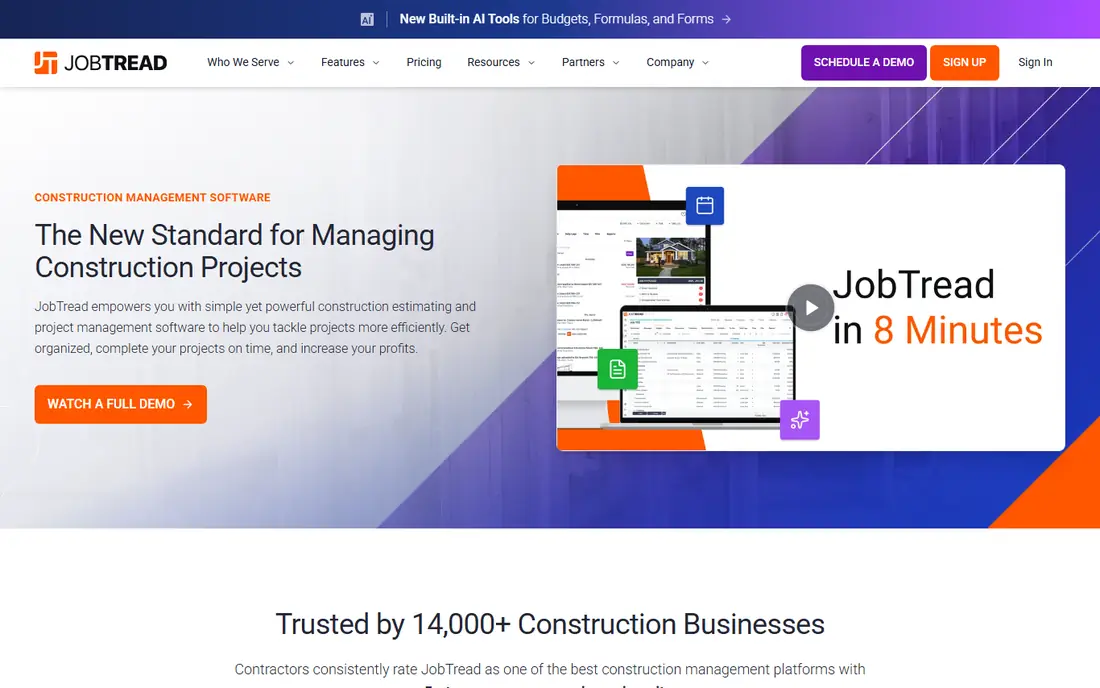
JobTread appeals to builders who start from the estimate. Budgets, costs, change orders and invoices stay connected, so you can see whether a job is on track without exporting data to another system. Client and vendor portals keep homeowners and subcontractors informed without endless phone calls.
The starting price covers one user, with extra users billed on top, so model the cost for your full team. The ecosystem is smaller than Buildertrend, but the clarity of one plan with all features included is a real advantage. For budget-focused builders, JobTread is excellent value.
- Clear pricing with all features on one plan
- Strong estimating and job costing
- Client and vendor portals
- Extra users add cost
- Smaller ecosystem than Buildertrend

Contractor Foreman packs a surprising amount into a low starting price. Scheduling, estimating, job costing, change orders, daily logs and client portals are included, with QuickBooks integration for accounting. That breadth at $49 per month makes it the best value pick for small builders starting out.
The interface is more functional than beautiful, and larger teams will move to higher tiers as needs grow. If you can live with a less polished look, the feature-to-price ratio is hard to beat. It is a smart first platform for a builder moving off spreadsheets.
- Lowest starting price here for a full feature set
- Broad project tools
- QuickBooks integration
- Interface is less polished than premium rivals
- Higher tiers needed for larger teams
Houzz Pro suits remodelers and design-build firms that win work through design and presentation. Lead management, estimates, scheduling, mood boards and client communication sit alongside the Houzz marketplace, which can bring in homeowners already planning projects. The visual side helps clients understand choices before work starts.
Accounting and job-costing depth are lighter than dedicated builder platforms, so firms that need strict cost control may pair it with accounting software or choose JobTread. For design-led remodelers, the combination of leads, design and project tools is the draw.
- Design, lead and project tools in one place
- Strong visual client experience
- Marketplace exposure
- Pricing varies and needs a current quote
- Accounting depth is lighter than Buildertrend
Buildern is built for small custom home builders who want estimating and costing without enterprise complexity. You can build an estimate, turn it into a budget, track purchase orders and bills, and invoice from the same job record. That continuity helps small builders spot margin problems before closeout.
The company is smaller than the category leaders, so integrations and community resources are thinner. Pricing is per seat, so larger crews should model total cost carefully. For a small custom builder, Buildern offers a focused, modern alternative to larger platforms.
- Estimating to job costing in one flow
- Budgets, purchase orders and invoices
- QuickBooks and Xero links
- Smaller vendor than Buildertrend
- Per-seat cost grows with team size
Procore is the enterprise standard for construction project management. Drawings, RFIs, submittals, budgets, commitments and closeout are handled with a depth that residential tools cannot match, and integrations cover major accounting and design systems. For large builders and commercial contractors, that completeness matters.
For most home builders, Procore is more than needed. Pricing is based on construction volume, implementation takes time, and the feature set assumes dedicated project managers. Choose Procore when project scale and stakeholder complexity justify it, not simply because it is the biggest name.
- Most complete project and financial platform
- Deep drawings, RFI and submittal tools
- Broad integrations
- Quote-based pricing suited to larger firms
- Implementation effort is high for small builders
Fieldwire is best for site coordination. Crews can view drawings, track tasks, log photos and manage punch lists from a phone, and the free basic plan covers small teams. That makes it a low-risk way to digitize field work without committing to a full builder platform.
It does not replace estimating, client portals or job costing, so most home builders will use it alongside another system or as a stepping stone. If your main pain is field communication and drawing version control, Fieldwire is a strong, low-cost start.
- Free basic plan for small teams
- Strong drawing and task tools
- Mobile-friendly for site crews
- Not a full estimating and accounting platform
- Paid tiers needed for deeper project tools
ConstructionOnline, from UDA Technologies, focuses on keeping homeowners informed. Client portals, selections, change orders and project updates help residential teams show progress clearly, which reduces status calls and disputes. Estimating, scheduling and document tools round out the platform.
Pricing requires a quote, so comparison takes a sales conversation. The platform also has a smaller public profile than Buildertrend, which can make peer reviews harder to find. For client-facing residential builders who value homeowner visibility, it deserves a demo alongside the larger names.
- Client portal and communication focus
- Estimating, scheduling and project tools
- Good for homeowner visibility
- Pricing is quote-based
- Smaller profile than Buildertrend
How we picked these
We compared official feature and pricing pages, plus public reviews, for home builder tools live in October 2026. We kept tools that handle residential building work, including estimating, scheduling, client communication or job costing, and we left out CoConstruct as a separate pick because it has been folded into Buildertrend. Where pricing was not published, we wrote See website instead of repeating older or conflicting figures. Our comparison rests on vendor documentation and public reviews, not on claimed hands-on testing.
What to check before you buy home builder software
Start with the homeowner journey. Test how a client sees progress, approves a change order, picks a selection and pays an invoice. If that flow is confusing, your office will field calls that the software was meant to prevent. A clean client portal is worth more than a long feature list.
Next, check job costing. Confirm how estimates become budgets, how change orders affect the budget, and how costs sync with QuickBooks or Xero. A tool that looks good for scheduling but weak for costing will leave margin surprises at closeout, which is exactly when they hurt most.
Finally, model cost for your real team. Count every user, location and add-on, and ask about contract length, implementation fees and training. A short trial with one live job, including a change order and a client message thread, will reveal more than a polished sales demo.
Frequently asked questions
What is the best home builder software for small builders?
Contractor Foreman offers the lowest starting price for a full set of tools, while JobTread offers strong estimating and costing at a clear monthly price. Buildertrend suits small builders who are ready for a broader platform and a quoted price.
What is the best software for home builders and remodelers?
Buildertrend is the most complete residential pick for builders and remodelers, with estimating, scheduling, selections and client portals in one system. Houzz Pro suits design-led remodelers, while JobTread suits estimating-led builders.
Can home builder software replace QuickBooks?
No. These tools run the job, while QuickBooks or Xero remains the accounting system of record. Check the quality of the integration, especially around job costing, invoices and change orders, before you choose.
How much does home builder software cost?
Starting prices here range from free for Fieldwire basic use and $49 per month for Contractor Foreman to quote-based pricing for Buildertrend, Procore and ConstructionOnline. Always count per-user and add-on costs for your full team.
Do I need separate estimating software?
Not usually. Buildertrend, JobTread, Buildern and Contractor Foreman all include estimating, and that is enough for most residential work. Dedicated takeoff tools still help for complex commercial estimating, but most home builders can estimate inside their main platform.
What happened to CoConstruct?
CoConstruct was acquired by Buildertrend and folded into that platform, so it is no longer sold as a separate home builder product. Existing CoConstruct users were moved toward Buildertrend, which is why this list treats Buildertrend as its successor.
Sources
See where you really rank - block by block
ProMapRanker scans Google Maps across a grid of your service area. Simple monthly plans from $19, white-label on every plan.
Start freeKeep reading
 zscaler alternatives
Best Zscaler Alternatives in 2026
Looking for zscaler alternatives? We compare 9 SASE and zero trust platforms on architecture, data protection, pricing, and fit for your network and team.
Read → zapier alternatives free
Best Zapier Alternatives Free in 2026
Nine automation tools for zapier alternatives free in 2026, all with genuinely free tiers, plus free plan limits, starting prices and upgrade paths explained.
Read → which platform is best for online reputation
Which Platform Is Best for Online Reputation in 2026
Wondering which platform is best for online reputation? We compare 8 review, listing, and response tools for small and multi-location businesses and agencies.
Read →