 ProMapRanker
Best HMI Software in 2026: 9 Tools Compared

Key takeaways
- Ignition suits large or mixed-brand plants because one server license covers unlimited tags and clients, while smaller machine builders may find per-server pricing heavy for a single panel.
- Plants already standardized on one PLC brand usually get faster results from that vendor's own HMI, such as WinCC for Siemens or FactoryTalk View for Rockwell.
- Maple Systems EBPro stands out for builders on a tight budget because the development software is free to download and use with its hardware.
- Most vendors in this list price by quote rather than publishing a fixed price, so budget on total cost including support, runtime licenses, and engineering time.
- Web-based deployment is now common, which lets operators open screens from a browser on a PC, tablet, or phone instead of installing a client on every station.
Quick comparison
| Pick | Great for | Pricing starts at | Free tier | |
|---|---|---|---|---|
 Ignition | Large mixed-brand plants | See website | Free trial | Visit |
 AVEVA InTouch | Process plants with AVEVA integrators | See website | Free trial | Visit |
 Siemens WinCC | Plants standardized on Siemens PLCs | See website | Free trial | Visit |
 Rockwell FactoryTalk View | Allen-Bradley and ControlLogix sites | See website | Free trial | Visit |
 COPA-DATA zenon | Energy, pharma, and regulated operations | See website | Free trial | Visit |
 VTScada | Water, wastewater, and utility operations | See website | Free trial | Visit |
 Maple Systems EBPro | Machine builders on a budget | See website | Yes | Visit |
 Tatsoft FrameworX | Teams wanting modern cross-platform HMI | See website | Free trial | Visit |
 Schneider EcoStruxure | Schneider-based plants and buildings | See website | Free trial | Visit |
The best hmi software
Human machine interface software is the screen layer between operators and machines. We compared official feature pages, pricing pages, and public documentation for platforms that are sold and supported today.
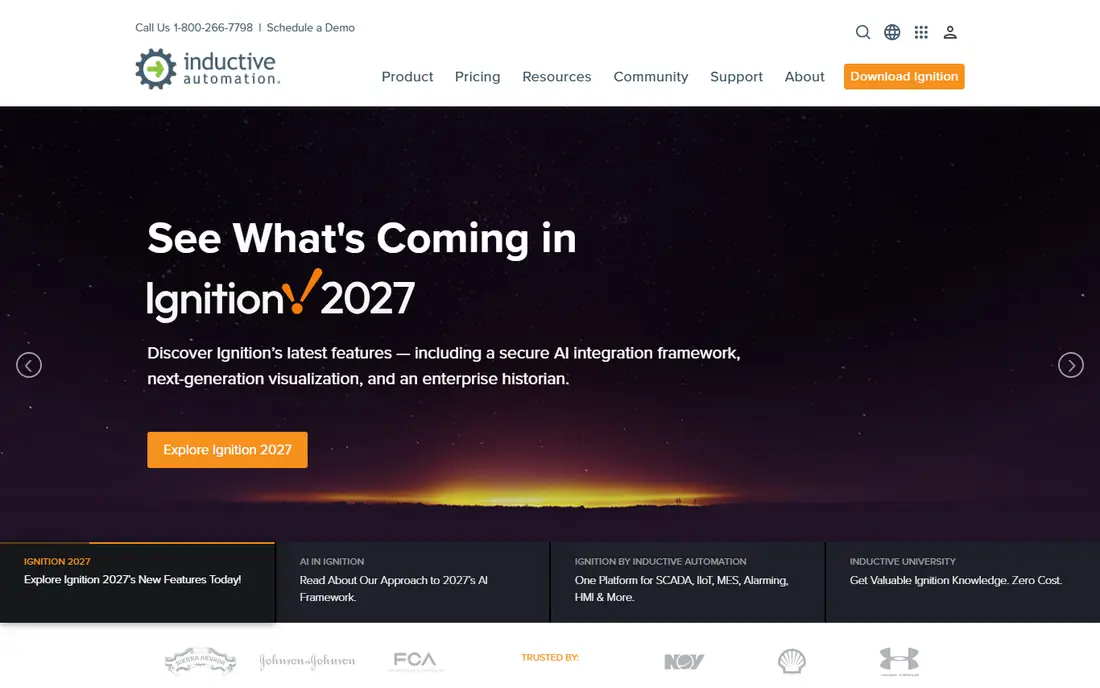
Ignition changed HMI licensing by charging per server instead of per tag or per client. That model makes it a strong fit for plants with many screens, tags, and users, since growth does not add a license fee for each new point. Operators open screens in a browser, which keeps deployment simple across PCs, tablets, and phones.
The platform connects to many PLC brands through built-in OPC UA, plus MQTT for industrial internet of things data and any SQL database for history and reporting. A free full-version download runs in a two-hour trial mode that can be reset, so a team can build and test a real project before buying. The honest catch is scale in the other direction: a single-machine panel may not justify a server license, and smaller builders should compare panel software first.
- Unlimited tags and clients per server
- Built-in OPC UA and MQTT
- Web-based deployment to any device
- Per-server pricing can be heavy for one machine
- Needs more setup skill than a panel-only tool

AVEVA InTouch has run process plant screens for decades, and that history shows in its alarm handling, trending, and graphics libraries. Newer deployments pair it with System Platform and its operations management interface, which gives a single environment for visualization, alarming, and history. An HTML5 web client lets operators view screens without installing client software.
The main trade-off is cost clarity. Published list figures vary by edition and tag count, and most buyers end up with a quote from AVEVA or a system integrator. Plants that already use AVEVA software, or that can reach a local integrator easily, will get the most from InTouch. A plant with no AVEVA footprint should weigh the integration effort against a vendor-neutral option.
- Long track record in process industries
- HTML5 web client
- Strong historian pairing
- Pricing is quote-based
- Best value comes inside a wider AVEVA system
WinCC is the natural HMI choice when a plant already runs Siemens PLCs and engineers work in TIA Portal. Tags, alarms, and screens stay inside one engineering workflow, which cuts the translation work that comes with mixing vendors. The range covers small panel runtimes up to plant-wide WinCC Unified and WinCC OA systems for larger or distributed sites.
That tight integration is also the limit. A plant built around other PLC brands gains little from WinCC and may pay more in engineering time to connect everything. Pricing depends on edition, tag count, and runtime type, so buyers should request a quote for their exact panel or server setup. For Siemens-heavy sites, though, the engineering fit is hard to beat.
- Deep integration with Siemens controllers
- Strong engineering inside TIA Portal
- Scalable from panels to plant-wide systems
- Pricing is quote-based
- Weaker fit for plants with few Siemens controllers
Rockwell FactoryTalk View
Great for: Allen-Bradley and ControlLogix sites
FactoryTalk View comes in Machine Edition for panel-level screens and Site Edition for plant-wide supervision. Both fit naturally with Allen-Bradley controllers such as ControlLogix and CompactLogix, and Rockwell engineers will find the tag browsing, alarming, and graphics familiar. For North American plants built on Rockwell hardware, that familiarity shortens commissioning time.
The catch is vendor fit. Sites with little Rockwell hardware get less benefit, and the platform remains Windows-centered compared with newer web-native tools. Pricing is quote-based and depends on edition and client count. Buyers should also confirm which FactoryTalk View edition matches their architecture, since machine and site editions serve different jobs.
- Native fit with Allen-Bradley controllers
- Familiar tools for Rockwell engineers
- Machine and site editions available
- Pricing is quote-based
- Windows-centered deployment
COPA-DATA zenon is a well-established HMI and supervisory platform with a clear focus on energy, pharmaceutical, and other regulated operations. It offers strong alarming, trending, and reporting, plus tools for redundant servers and distributed architectures. That makes it a solid choice for utilities, substations, and plants where audit trails and reliable alarming matter.
Zenon also runs on Linux as well as Windows in recent versions, which gives IT teams more deployment choice. The main drawback for US buyers is a smaller local integrator network than Siemens, Rockwell, or AVEVA, so support availability should be checked before committing. Pricing is quote-based, and buyers should ask about runtime, editor, and redundancy licensing separately.
- Strong alarming and reporting
- Energy and pharma industry focus
- Scalable to distributed sites
- Pricing is quote-based
- Smaller presence in North America than larger vendors
VTScada builds its core supervisory pieces in-house, including the historian, alarm management, and application version control. That integrated approach appeals to water, wastewater, and utility operators who want one platform rather than several add-on packages. Its screens are highly customizable, and the platform handles small single-site systems up to large multi-site utility networks.
The trade-off is market focus. VTScada is less common in discrete manufacturing, so a factory team may find fewer local integrators and fewer peer references than with larger vendors. Pricing is quote-based, with published starting figures from third parties that buyers should confirm directly. For utilities, the built-in toolset and industry track record make it a serious contender.
- Core supervisory components built in
- Strong fit for water and utilities
- Integrated historian and alarm dialing
- Pricing is quote-based
- Less common in discrete manufacturing
Maple Systems EBPro is the development software for Maple operator interface panels, and it is free to download and use. That changes the math for machine builders who ship one panel per machine and cannot justify server licensing for every unit. Engineers build screens, alarms, recipes, and data logging in EBPro, then run them on a Maple panel at the machine.
The limit is scope. EBPro is panel software, not a plant-wide supervisory platform with a central historian and multi-site management. Teams that need central supervision should pair it with other tools or choose a server platform instead. For single machines, small skids, and cost-sensitive builds, the free software and broad panel range are a genuine advantage.
- Development software free to download
- Wide range of operator panels
- Straightforward for single machines
- Panel-centered, not a plant-wide supervisory platform
- Advanced features depend on the panel model
Tatsoft FrameworX is a newer generation HMI and supervisory platform built for cross-platform deployment on Windows, Linux, and other targets. Its text-based project files work well with version control, which appeals to teams that manage code carefully and deploy often. Native MQTT support and open connectivity help it fit internet of things projects and mixed-brand plants.
The honest catch is vendor size. Tatsoft is smaller than Siemens, Rockwell, or AVEVA, so buyers should check local support and integrator coverage for their region. Pricing is quote-based. For teams that value modern tooling, version-controlled projects, and cross-platform runtimes, FrameworX deserves a trial alongside the bigger names.
- Cross-platform runtime
- Text-based project files
- Native MQTT and modern connectivity
- Smaller vendor than the major automation brands
- Fewer local integrators in some regions
Schneider Electric sells HMI under the EcoStruxure banner, covering operator terminals for machines and supervisory software for larger sites, including Geo SCADA Expert for utilities and infrastructure. Plants and buildings that already use Schneider controllers, drives, and power equipment get the smoothest integration, since tags and device data stay inside one vendor family.
The main frustration is naming. EcoStruxure covers many products, so buyers must pin down the exact HMI or supervisory product for their job before comparing prices. Pricing is quote-based and varies by product and scale. For Schneider-heavy sites, the pairing is worth the effort. For mixed-brand plants, a vendor-neutral platform may be simpler to specify.
- Broad Schneider hardware and software pairing
- Operator terminal and supervisory options
- Building and industrial coverage
- Product naming is broad and confusing
- Pricing is quote-based
How we picked these
We compared official vendor pages, pricing pages, and public documentation for HMI platforms that are sold and supported in October 2026. We favored tools with a clear current product, real operator deployments, and documentation a buyer can check. We left out discontinued products and panel-only tools with no credible HMI story. Where a vendor does not publish a price, we wrote See website rather than guessing from third-party listings.
What to check before you buy HMI software
Start with the controllers you already own. HMI software earns its keep when it talks to your PLCs cleanly, with browsing, alarming, and data types that match. Ask each vendor for a live demo against your actual controller models, not a generic sample project. That single test exposes protocol gaps, tag limits, and engineering effort before you sign.
Next, separate the editor license from the runtime license. Some vendors charge for the development tool, some for each runtime or client, and some per server. Map those costs across your real screen count and tag count, then add support and version upgrades. A cheap editor with expensive runtimes can cost more than a pricier platform at plant scale.
Deployment and support questions
Ask where screens run: on a panel, on a Windows server, in a browser, or on Linux. Browser-based deployment cuts client maintenance, while panel software keeps a machine running even if the network fails. Also ask about redundancy, historian options, and security features such as role-based access and encrypted communication. Finally, check local support. A strong product with no nearby integrator can stall a project, while a familiar local partner can save weeks during commissioning.
Frequently asked questions
What is HMI software?
HMI software builds the screens operators use to watch and control machines and processes. It shows live values, trends, alarms, and controls, and it connects to PLCs and other devices through industrial protocols. Good HMI software makes abnormal conditions obvious and routine actions simple.
How much does HMI software cost?
Costs range from free panel development software to server licenses quoted per project. Most plant-wide platforms in this list price by quote, based on edition, tag count, clients, and support. Always ask for editor, runtime, redundancy, and support costs separately so the total is clear.
Is HMI software the same as SCADA software?
HMI is the operator screen layer, while SCADA adds wider supervision, data collection, alarming, and history across a site or many sites. Many products in this list cover both jobs, and vendors often sell them as one platform. Smaller panel tools cover HMI only.
Can I use HMI software with any PLC brand?
Some platforms are vendor-neutral and connect through OPC UA and other open protocols, while others fit best with their own PLC brand. Ignition, zenon, and FrameworX lean vendor-neutral. WinCC and FactoryTalk View fit best inside their own hardware families.
Do I need a server license for one machine?
Not always. A single machine usually needs only panel software, such as EBPro on a Maple panel. Server licenses make sense when many screens, users, or sites share one system. Match the license to the architecture instead of buying plant-wide software for one panel.
What should I trial before buying?
Build a small project with your real PLC, real tags, real alarms, and a trend screen. Test how screens look on the operator device, how alarms behave, and how hard it is to change a graphic. That short trial tells you more than a sales demo with sample data.
Sources
See where you really rank - block by block
ProMapRanker scans Google Maps across a grid of your service area. Simple monthly plans from $19, white-label on every plan.
Start freeKeep reading
 zoro.to alternatives
Best Zoro.to Alternatives in 2026
We compare the best zoro.to alternatives in 2026, listing only legal licensed anime streaming services, from Crunchyroll to free options for fans today.
Read → zip alternatives
Best Zip Alternatives in 2026
We compare the best zip alternatives for buy now, pay later in 2026, covering pay-in-4 plans, fees, spending limits, and credit reporting options today.
Read → yesware alternatives
Best Yesware Alternatives in 2026
Compare the best yesware alternatives for sales email tracking, templates, and sequences, with current pricing and honest tradeoffs for small sales teams.
Read →