 ProMapRanker
7 Help Desk Software with SLA Tracking Options Ranked for 2026


Expanding teams that require automatic SLA alerts without enterprise complexity · Pricing starts at: From $19/agent/month (see website)
Direct answer
If you need expanding teams that require automatic SLA alerts without enterprise complexity, Freshdesk is the first tool to look at here. Salesforce Service Cloud is the stronger choice for enterprises needing complicated, role-based SLA governance, while Jira Service Management suits IT teams and Atlassian-centric organizations. The remaining 4 options are covered below with prices and limits.
Key takeaways
- Freshdesk sits first on this list: expanding teams that require automatic SLA alerts without enterprise complexity.
- Starting prices begin at $19/agent/month with Freshdesk.
- For teams that want a straightforward shared inbox with light SLA coverage, Help Scout is worth a look.
- Free plans exist at 2 of 7 tools (Freshdesk, Jira Service Management).
- What to know about Intercom first: SLA depth is plan-dependent, Fin AI priced per resolution, costs scale with conversation volume.
Quick comparison
| Pick | Great for | Pricing starts at | Free tier | |
|---|---|---|---|---|
| Freshdesk | Expanding teams that require automatic SLA alerts without enterprise complexity | From $19/agent/month (see website) | Yes | Visit |
 Salesforce Service Cloud | Enterprises needing complicated, role-based SLA governance | See website (quote-based) | Free trial | Visit |
 Jira Service Management | IT teams and Atlassian-centric organizations | From about $20/agent/month (see website) | Yes | Visit |
 Intercom | SaaS businesses running conversation-first support with SLA accountability | From $29/seat/month (see website) | Free trial | Visit |
 Zendesk | Large, high-volume omnichannel support operations with structured SLA workflows | Support from $19/agent/month; Suite from $55/agent/month (see website) | Free trial | Visit |
 Supportbench | Account-based B2B support where SLAs | From $32/agent/month (see website) | Free trial | Visit |
 Help Scout | Teams that want a straightforward shared inbox with light SLA coverage | From $25/user/month (see website) | Free trial | Visit |
Help Desk Software with SLA Tracking compared in detail
If you are comparing help desk software with SLA tracking, this page covers 7 tools in one place: what each is best for, what it costs to start, whether it has a free plan, and the main limit to know about.
Freshdesk
Great for: Expanding teams that require automatic SLA alerts without enterprise complexity

In short, Freshdesk is for expanding teams that require automatic SLA alerts without enterprise complexity. SLA policies with automatic alerts and escalations work from day one. The free plan for three agents makes it the easiest serious help desk to start with.
Drawbacks to consider: some power features lag Zendesk.
What Freshdesk does well: scales from startup to enterprise. Also, like Zendesk, the best SLA and automation depth concentrates on higher tiers, and Freddy AI carries its own surcharge. But the value curve is friendlier: most teams get 80 percent of what they need well before enterprise pricing kicks in. More specifically, expanding teams get structured workflows, collision detection and solid reporting without a procurement battle. Starting cost for Freshdesk: From $19/agent/month. Freshdesk includes a free tier.
- Automatic SLA breach alerts
- Ample free level
- Advanced SLA customization needs higher plans, AI costs additional
Salesforce Service Cloud
Great for: Enterprises needing complicated, role-based SLA governance

Think of Salesforce Service Cloud for enterprises needing complicated, role-based SLA governance. The reporting satisfies the most demanding governance requirements.
No starting price is listed for Salesforce Service Cloud here; confirm pricing on the vendor site. As for free access: Free trial.
Upsides: Deepest SLA customization in the category. Drawbacks to consider: implementation is a project.
- Einstein AI across the service console
- Entitlement management per customer
- Quote-only enterprise pricing
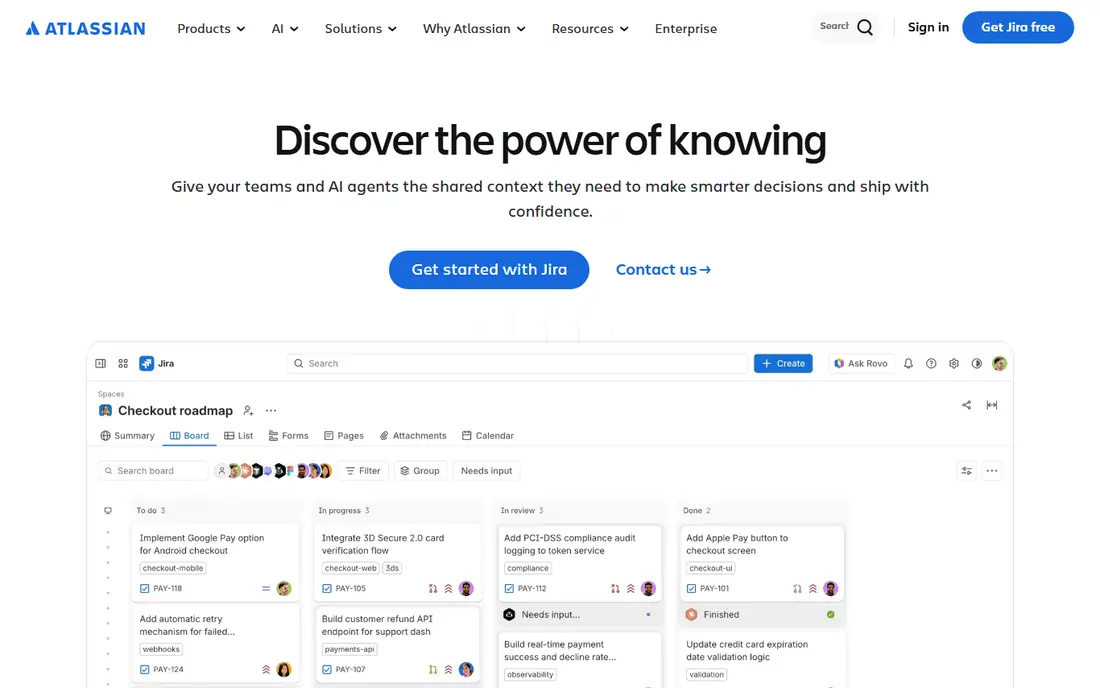
Jira Service Management is aimed squarely at IT teams and Atlassian-centric organizations. As a customer-facing B2B support tool it is less natural; account hierarchies and customer health context trail the B2B specialists.
Drawbacks to consider: Account-level SLA context weaker than B2B tools, Atlassian ecosystem lock-in.
Worth adding: for internal IT support and Atlassian shops, the workflow continuity from ticket to code fix is unmatched. Beyond that, buy it for IT service management and it excels. On cost, Jira Service Management starts like this: From about $20/agent/month. Free access exists with Jira Service Management.
- Capable for internal IT support
- Asset and change management
- External customer support less refined
Intercom
Great for: SaaS businesses running conversation-first support with SLA accountability
Intercom serves SaaS businesses running conversation-first support with SLA accountability. Watch the pricing model. Per-seat plus per-resolution AI costs behave differently from per-agent ticketing tools, and high-volume teams should model carefully.
In practice, Intercom reframes SLAs around conversations rather than tickets, which matches how SaaS support actually works. Beyond that, response-time targets apply to live chat and in-app messages where customers expect quick answers. Beyond that, for product-led SaaS with chat-centric support, the fit is very good. Starting cost for Intercom: From $29/seat/month. As for free access: Free trial.
Points against: SLA depth is plan-dependent.
- Modern agent workspace
- Fin AI resolves a large share automatically
- Fin AI priced per resolution
Zendesk
Great for: Large, high-volume omnichannel support operations with structured SLA workflows
Zendesk is aimed squarely at large, high-volume omnichannel support operations with structured SLA workflows. At enterprise scale, few tools match the workflow depth. The pricing structure is the perennial complaint.
Drawbacks to consider: pricing climbs quick with extras.
Worth adding: Escalations chain across teams, and the analytics display breach risk before it becomes breach fact. In practice, budget the full stack, not the headline per-agent number. More specifically, Zendesk is the reference implementation for SLA-driven support. Starting cost for Zendesk: Support from $19/agent/month. Trial and free access: Free trial.
- Mature SLA policies with business hours and holidays
- Huge integration marketplace
- AI features cost additional
Choose Supportbench for account-based B2B support where SLAs, escalations and reporting must work from day one. Supportbench is aimed at the B2B support motion the big generalists manage awkwardly: accounts with hierarchies, SLAs that vary by contract, and escalations that route by account context.
Where Supportbench stands out: AI included in the base price.
Those capabilities are native instead of configured, and AI is included in the base price rather than bolted on as a surcharge. Supportbench cost at the entry level: From $32/agent/month. Trial and free access: Free trial.
Honest limits: Smaller brand and ecosystem, less marketplace depth.
- Capable for B2B
- Dynamic SLAs and multi-tier escalations built in
- Newer than the incumbents
Help Scout
Great for: Teams that want a straightforward shared inbox with light SLA coverage
Help Scout is a good fit for teams that want a straightforward shared inbox with light SLA coverage. The ceiling arrives with complexity. Help Scout is the simplicity play: a shared inbox your entire team understands on day one, with enough workflow to stay organized.
The main drawbacks: AI priced per resolution.
On top of that, multi-tier SLAs, heavy automation and enterprise reporting are not Help Scout's game. It is the right tool when simplicity matters more than SLA sophistication. Starting cost for Help Scout: From $25/user/month. Trial and free access: Free trial.
- Approachable interface
- Simple to deploy
- Restricted for complicated operations
Help Desk Software with SLA Tracking: more detail
Any help desk can store tickets. The ones worth paying for make sure tickets do not die quietly. The main limit is that SLA depth varies enormously.
Some tools offer straightforward deadline timers; others offer multi-tier policies, business-hour calendars, breach prediction and SLA analytics by team and customer.
How we chose
For each of the 7 tools we noted price, free plan or trial, fit for help desk software with SLA tracking and the main limit, using vendor pages and documentation. Seat minimums, billing terms and add-ons can move the real cost, so the starting prices here are a guide and not a quote. The ranking is editorial: typical fit first, then clear pricing, then free access. If your needs are unusual, read the profiles rather than relying on position.
Questions to settle before buying
- Get a written quote from Salesforce Service Cloud; the list shows no starting price for them.
- Check what the free option really includes: Freshdesk and Jira Service Management offer a free plan, and usage caps differ.
- Take the trial from Salesforce Service Cloud, Intercom, Zendesk and others and push a live task through it before you pay.
- Read the limits listed for Freshdesk first: advanced SLA customization needs higher plans, AI costs additional, some power features lag Zendesk.
- Confirm you can export your data from Zendesk, so leaving later does not mean losing records.
- Confirm that Supportbench connects to the apps your team already uses, on the plan you would actually buy.
Frequently asked questions
Which options for help desk software with SLA tracking have a free plan?
Freshdesk and Jira Service Management offer a free plan in this list. Free plans usually cap users, projects or features, so check the limits on the vendor page. Several others offer a trial instead.
What is the cheapest option for help desk software with SLA tracking in this list?
On published monthly entry prices, Freshdesk is the lowest here at $19/agent/month. Entry price is only part of the cost, because seats, add-ons and billing terms can change the total.
Can I try these tools before paying?
Often, yes. Freshdesk and Jira Service Management have a free plan and Salesforce Service Cloud, Intercom, Zendesk and others offer a free trial. Use your own data and a real task during the test, and check what the free tier or trial limits before you rely on it.
How are the tools for help desk software with SLA tracking ordered?
Freshdesk sits first and Help Scout last because the order follows typical fit for help desk software with SLA tracking, then price clarity and free access. It is a judgement call, so read each profile for fit and limits.
Sources
See where you really rank - block by block
ProMapRanker scans Google Maps across a grid of your service area. Simple monthly plans from $19, white-label on every plan.
Start freeKeep reading
 zscaler alternatives
Best Zscaler Alternatives in 2026
Looking for zscaler alternatives? We compare 9 SASE and zero trust platforms on architecture, data protection, pricing, and fit for your network and team.
Read → zapier alternatives free
Best Zapier Alternatives Free in 2026
Nine automation tools for zapier alternatives free in 2026, all with genuinely free tiers, plus free plan limits, starting prices and upgrade paths explained.
Read → which platform is best for online reputation
Which Platform Is Best for Online Reputation in 2026
Wondering which platform is best for online reputation? We compare 8 review, listing, and response tools for small and multi-location businesses and agencies.
Read →