 ProMapRanker
Best Help Authoring Tools in 2026


Enterprise single-source docs · Pricing starts at: $3,150 per year
Key takeaways
- Help authoring splits into desktop tools for traditional manuals and cloud tools for hosted help centers, so pick the publishing model first.
- MadCap Flare and Adobe RoboHelp suit professional technical writers who need single-source publishing to many formats.
- Document360, ClickHelp and ProProfs suit teams that want a hosted knowledge base with search, feedback and analytics.
- HelpNDoc is the budget desktop pick, with a free Personal edition, while Paligo suits large teams that need structured content reuse.
Quick comparison
| Pick | Great for | Pricing starts at | Free tier | |
|---|---|---|---|---|
| MadCap Flare | Enterprise single-source docs | $3,150 per year | No | Visit |
 Adobe RoboHelp | Professional help authoring | $39.99 per month | No | Visit |
 HelpNDoc | Affordable desktop authoring | See website | Yes | Visit |
 Document360 | Hosted knowledge bases | See website | No | Visit |
 ClickHelp | Secure hosted manuals | $185 per month | No | Visit |
 Paligo | Structured content reuse | See website | No | Visit |
 ProProfs Knowledge Base | Simple online manuals | $49 per author per month | Yes | Visit |
 Helpjuice | FAQ-heavy knowledge bases | $249 per month | No | Visit |
 GitBook | Developer-friendly docs | See website | Yes | Visit |
The best help authoring tools
Help authoring tools let you write once and publish to a help website, PDF, printed manual or in-app help. Some are desktop apps loved by technical writers, others are cloud platforms built for teams and reviewers. We compared them on authoring, publishing formats, review, search and price.

MadCap Flare is the professional standard for teams that publish the same content in many forms. Writers build topics once, reuse snippets and variables, and apply conditions so one project can produce a web help site, a PDF manual and a print guide. That reuse saves real time when a product has several versions or audiences.
The price and learning curve rule it out for casual use. A small team that only needs a simple help site will find cheaper cloud tools faster to learn. For a documentation team with complex manuals, regulated content and multiple outputs, Flare remains the most capable desktop choice.
- Topic-based single-source authoring
- Many output formats including HTML5, PDF and Word
- Strong conditional content and variables
- High annual price per author
- Steep learning curve
- Best for dedicated technical writers
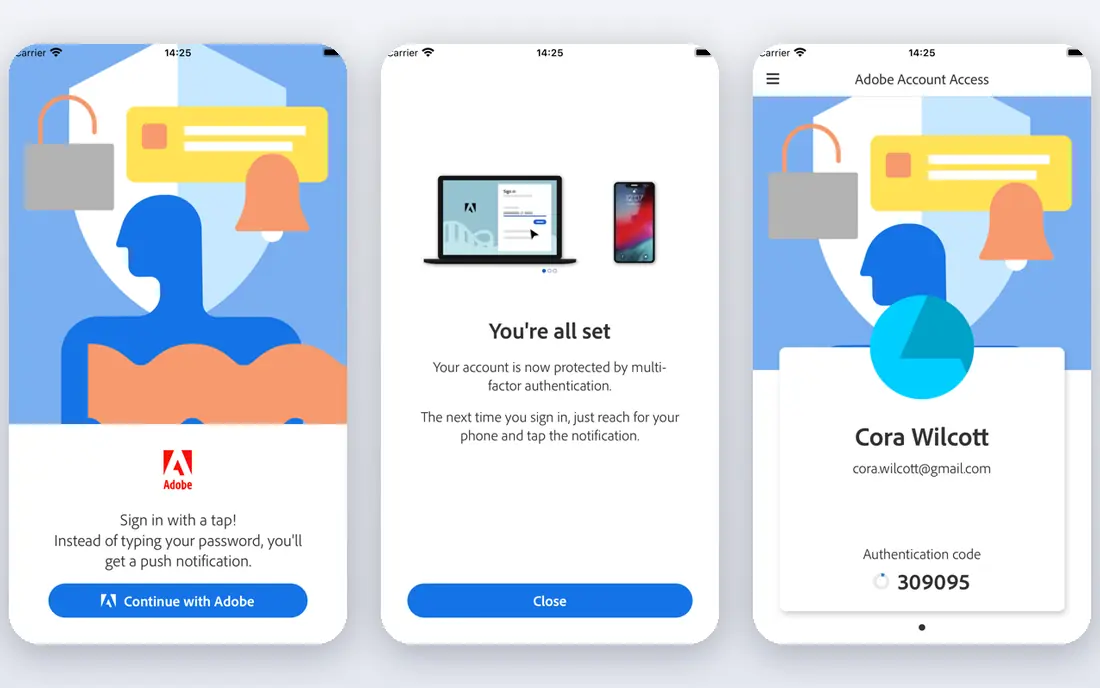
Adobe RoboHelp has long served technical writers who need polished online help and printed output from one project. Microcontent lets writers create short answers that appear in search results and chat-style help, while responsive HTML5 output works on phones and desktops. Integration with other Adobe tools helps teams that already use them for design.
RoboHelp is not the simplest tool for a non-technical team. Its menus and project settings reward training, and casual authors may prefer a browser-based editor. For professional writers who want Adobe polish and structured help output, it is a strong rival to Flare.
- Microcontent and responsive HTML5 output
- Familiar Adobe workflow
- Good for framed and frameless help
- Monthly cost adds up per author
- Interface can feel dense
- Cloud review needs setup
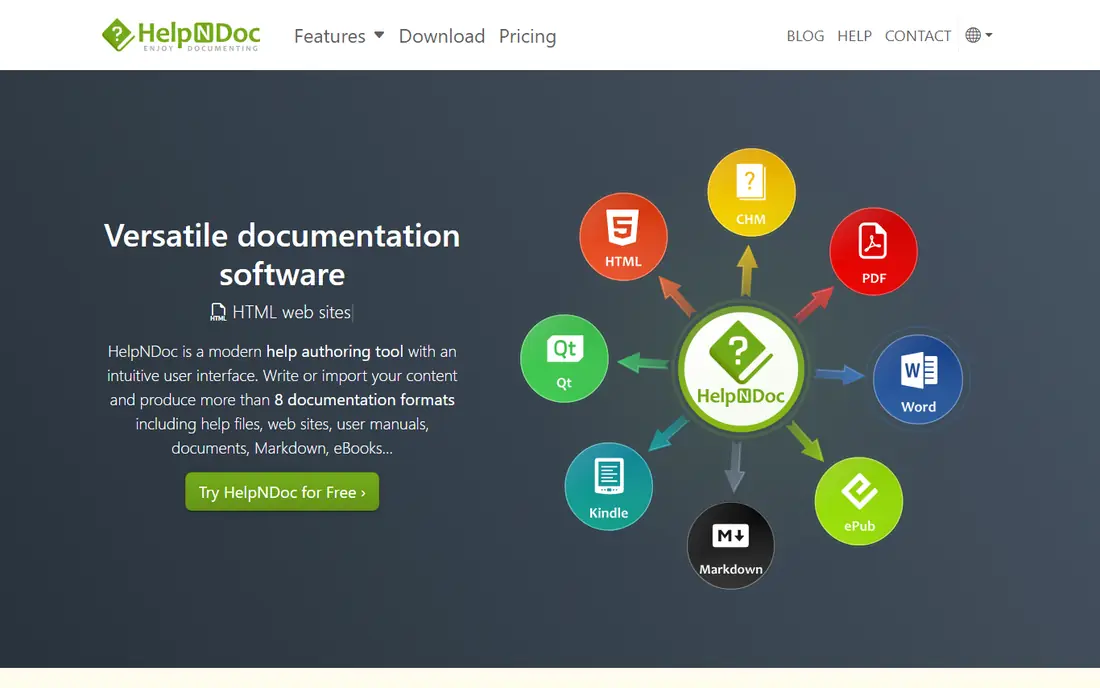
HelpNDoc turns one project into many outputs, including responsive help websites, PDFs, Word documents, eBooks and classic CHM files. It hides much of the pain of older help compilers behind a straightforward editor, which makes it friendly for solo writers and small teams. The free Personal edition is a genuine way to start without a budget.
The limits are platform and collaboration. It runs on Windows, and browser-based review is not its strength. Teams spread across locations may prefer a cloud tool for comments and approvals. For a Windows writer on a budget, HelpNDoc offers remarkable value.
- Free Personal edition for non-commercial use
- Outputs to HTML5, PDF, Word, ePub, Kindle and CHM
- Simple Windows workflow
- Windows only
- Interface feels dated next to cloud tools
- Less suited to distributed review
Document360 is a cloud knowledge base for customer-facing help centers and internal docs. Writers use a Markdown or visual editor, readers get search with AI-assisted answers, and managers get analytics on which articles help and which ones fail. Versioning and roles help teams control who can publish.
Pricing requires a quote or a trial for many plans, so budget comparison takes a sales conversation. It also works best when a team plans its categories and search terms, rather than dumping files into it. For a company that wants a polished, searchable help center without hosting its own site, Document360 is a strong pick.
- Hosted knowledge base with AI search
- Versioning and analytics
- Markdown and visual editors
- Pricing is not published on all tiers
- Free trial rather than a free plan
- Setup needs content planning
ClickHelp is a cloud help authoring platform with a focus on security and structured publishing. Teams write topics once, publish to web help and PDF, and control who can read or edit each section. That control suits regulated industries and firms that share manuals with partners under strict access rules.
The monthly starting price puts it above simple wiki tools, and the trial is short, so use it well. Small teams with simple needs may find ProProfs or GitBook cheaper. For teams that need hosted manuals, permissions and audit-friendly publishing, ClickHelp is a serious option.
- Hosted manuals with strong access controls
- Single-source publishing
- Good for regulated teams
- Starting price is high for tiny teams
- Trial is 14 days
- Interface takes learning
Paligo is a component content management system for teams that reuse the same warnings, steps and specs across many manuals. Structured content, variables and translation workflows help large firms keep dozens of documents consistent. When a safety note changes, it can change everywhere at once.
That power needs discipline. Writers must think in components rather than free-form pages, and pricing is handled through sales. For a small help center, Paligo will feel heavy. For a large technical documentation team with translation and variant needs, it is one of the best-structured options available.
- Structured XML-based content with strong reuse
- Translation and variant support
- Good for large doc sets
- Quote-based pricing
- Needs structured authoring skills
- Overkill for simple help sites
ProProfs Knowledge Base suits non-technical teams that need a help center quickly. The editor is simple, templates cover FAQs and manuals, and readers can search, rate articles and leave feedback. A free plan helps a small team start, and paid plans add more authors and features.
It will not replace Flare or Paligo for complex structured docs. Conditional publishing and deep reuse are limited. For customer support teams, startups and small firms that need a clean, searchable manual without hiring a technical writer, ProProfs is a practical and affordable pick.
- Simple editor and templates
- Free plan for small sites
- Search, feedback and basic analytics
- Less suited to complex single-source publishing
- Advanced features need higher tiers
- Design options are basic
Helpjuice focuses on knowledge bases that answer questions fast. Search, suggested articles and analytics show which questions keep coming up, and customization lets a help center match a brand without code. Flat-rate pricing for up to 30 users can be good value for a mid-size support team.
A solo writer or tiny startup may find the monthly cost hard to justify. Helpjuice also works best as a hosted knowledge base, not as a desktop manual tool. For support-led teams that live on FAQs and want clear pricing for a whole team, it is worth shortlisting.
- Flat-rate pricing for up to 30 users
- Strong search and analytics
- Easy customization for help centers
- Monthly price is high for very small teams
- Less of a desktop authoring tool
- Needs content upkeep to shine
GitBook bridges visual editing and developer workflows. Technical writers get a friendly editor, developers get Git sync and Markdown, and teams can publish public docs and internal guides side by side with access controls. AI-assisted drafting and search help keep large doc sets usable.
Pricing takes care to parse, since site and user costs combine on some plans. Teams that need classic Windows help files will also need another tool. For product and developer docs that live near code, GitBook is one of the most balanced hosted options.
- Visual editor plus Git sync
- Good search and access controls
- Free tier for small sites
- Pricing tiers can confuse small teams
- Advanced governance needs higher plans
- Less suited to classic CHM output
How we picked these
We compared official feature and pricing pages, documentation and public reviews for help authoring tools, and we kept only tools that are live in October 2026 and support authoring plus publishing to web help, PDF or a hosted knowledge base. We favored tools with clear version control, search and review features, and we wrote See website where pricing was quote-based.
How to choose a help authoring tool
Start with the output your readers need. If they need a printed manual and a CHM file, pick a desktop tool such as Flare, RoboHelp or HelpNDoc. If they need a searchable website, pick a hosted tool such as Document360, ClickHelp or GitBook. That one decision removes half the list.
Next, test the authoring and review flow with a real topic. Write a short procedure, add screenshots, send it for review, publish it and search for it as a reader. Check how long each step takes and whether reviewers can comment without learning a new system. A tool that writers avoid will not keep docs current, no matter how good its output looks.
Finally, plan for reuse and translation early. If the same steps appear in five manuals, structured reuse will save more than a cheaper editor. If you publish in several languages, check translation workflows before you commit. A small extra cost now can prevent a costly rebuild later.
Frequently asked questions
What is the best help authoring tool for beginners?
HelpNDoc and ProProfs Knowledge Base are friendly starting points. HelpNDoc suits a Windows writer on a budget, while ProProfs suits a team that wants a hosted help center without desktop software. Both let you publish a usable manual without a long learning curve.
What is the best help authoring tool software for technical writers?
MadCap Flare and Adobe RoboHelp lead for professional technical writers. Both support single-source publishing, conditional content and multiple outputs. Flare is stronger on topic-based reuse, while RoboHelp suits teams already comfortable with Adobe tools.
What is the best help authoring tool for a hosted knowledge base?
Document360, ClickHelp and Helpjuice all suit hosted knowledge bases, with search, analytics and access controls. Document360 leans toward AI search, ClickHelp leans toward security, and Helpjuice leans toward flat-rate team pricing. Compare them on your reader and author counts.
Is there a free help authoring tool?
Yes. HelpNDoc offers a free Personal edition, ProProfs offers a free plan, and GitBook offers a free tier. Free plans suit small or non-commercial projects, but check output limits, branding and author counts before using them for a company help center.
How is help authoring different from a wiki?
A wiki stores pages, while a help authoring tool also manages publishing, reuse, versions and output formats. Wikis suit internal notes, while help authoring tools suit customer manuals, help centers and regulated documents that need consistent, versioned output.
Sources
See where you really rank - block by block
ProMapRanker scans Google Maps across a grid of your service area. Simple monthly plans from $19, white-label on every plan.
Start freeKeep reading
 zscaler alternatives
Best Zscaler Alternatives in 2026
Looking for zscaler alternatives? We compare 9 SASE and zero trust platforms on architecture, data protection, pricing, and fit for your network and team.
Read → zapier alternatives free
Best Zapier Alternatives Free in 2026
Nine automation tools for zapier alternatives free in 2026, all with genuinely free tiers, plus free plan limits, starting prices and upgrade paths explained.
Read → which platform is best for online reputation
Which Platform Is Best for Online Reputation in 2026
Wondering which platform is best for online reputation? We compare 8 review, listing, and response tools for small and multi-location businesses and agencies.
Read →