 ProMapRanker
Best Heatmap Tool in 2026: 9 Tools Compared


Free heatmaps at any traffic · Pricing starts at: Free
Key takeaways
- Microsoft Clarity is the best free heatmap tool, with no traffic cap in the published free offering.
- Hotjar, now part of Contentsquare, suits teams that want heatmaps plus surveys and feedback in one account.
- Crazy Egg and Mouseflow add testing and form analysis, which helps teams that need more than click maps.
- Session-based pricing means high-traffic sites should check monthly session limits before choosing a paid plan.
Quick comparison
| Pick | Great for | Pricing starts at | Free tier | |
|---|---|---|---|---|
| Microsoft Clarity | Free heatmaps at any traffic | Free | Yes | Visit |
 Hotjar | Heatmaps plus surveys | $49 per month | Yes | Visit |
 Crazy Egg | Simple heatmaps and testing | $29 per month | No | Visit |
 Mouseflow | Form and funnel analysis | See website | Yes | Visit |
 Lucky Orange | Live view plus chat | See website | No | Visit |
 Smartlook | Product analytics plus heatmaps | See website | Yes | Visit |
 FullStory | Enterprise experience analytics | See website | Yes | Visit |
 Contentsquare | Enterprise zone analytics | Free | Yes | Visit |
 VWO Insights | Testing plus heatmaps | See website | No | Visit |
The best heatmap tools
We compared official pricing pages and published feature guides, focusing on tools that show real click, scroll, and movement data on your own pages. A good heatmap tool should make it easy to spot dead zones, confusing forms, and content that visitors never reach.
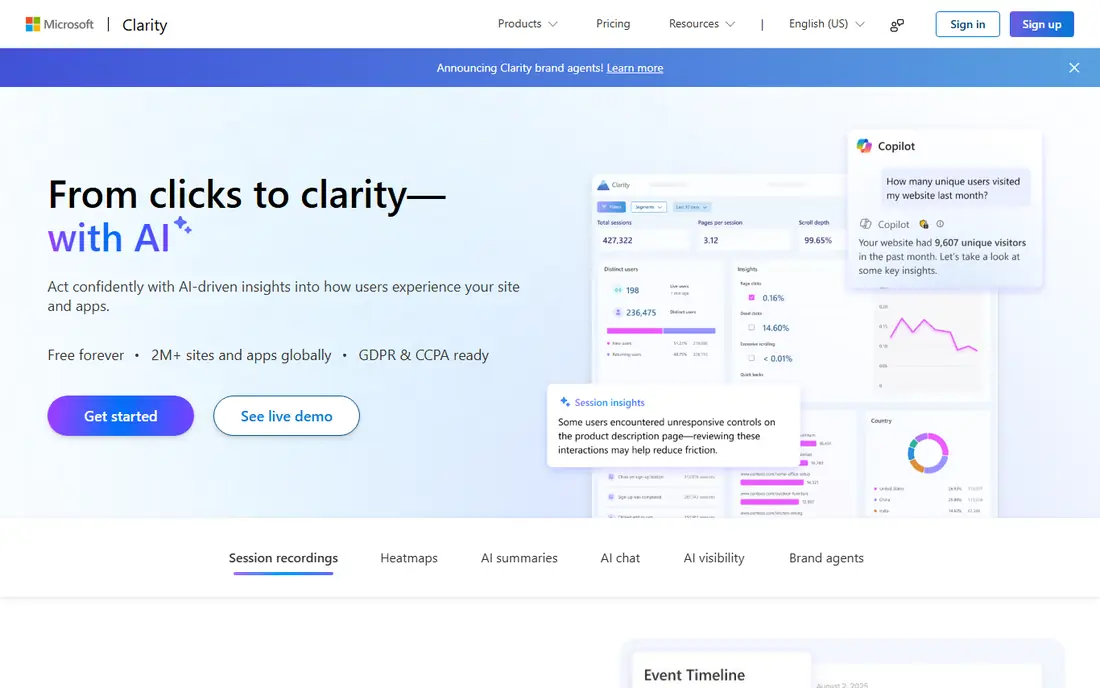
Clarity is the easiest recommendation for a tight budget. It offers heatmaps and session recordings free, with no published traffic cap, which makes it practical for both small blogs and busy stores. Setup involves adding one script, and heatmaps for clicks and scrolls appear once enough visits are collected.
The trade-off is scope. Clarity does not try to be a full survey or testing platform, so teams that want on-site polls will need a second tool. It also lacks a paid tier to buy priority support. If your main goal is to see where visitors click and how far they scroll, Clarity covers it at no cost.
- Free with no traffic limits
- Unlimited recordings
- Simple setup
- Fewer survey tools
- No paid tier for extra support
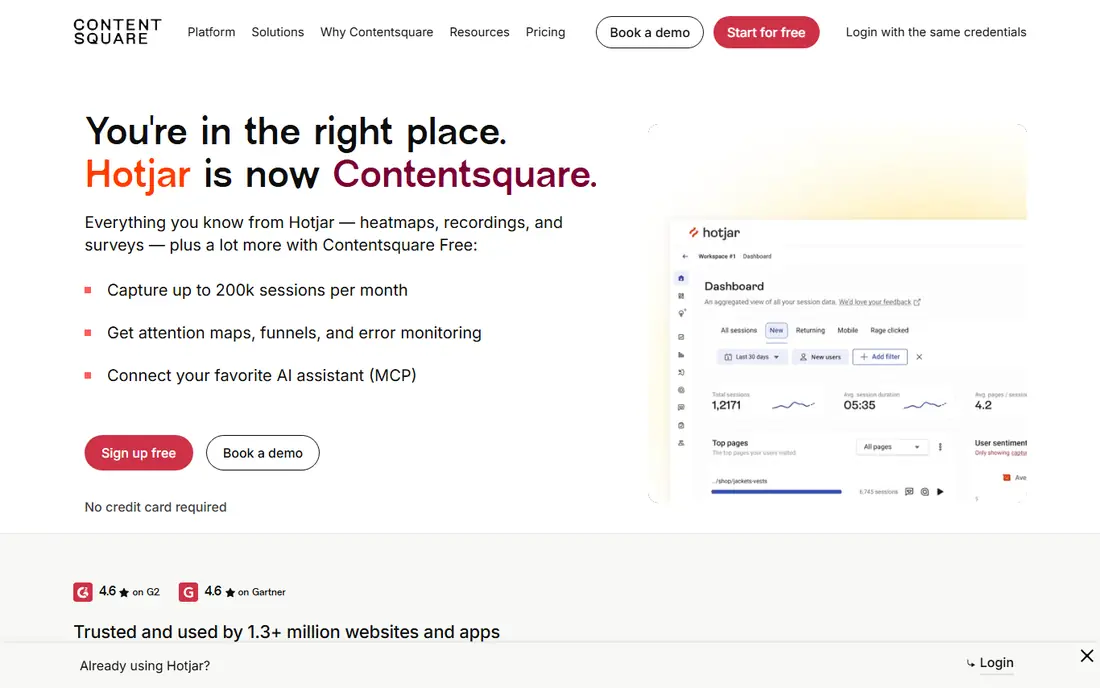
Hotjar, now part of Contentsquare, remains a popular all-round choice for marketing and product teams. Click, scroll, and move heatmaps sit alongside session recordings, feedback widgets, and surveys, so qualitative insight stays in one place. That mix helps teams link a confusing page section to direct visitor comments.
Pricing has changed under Contentsquare. Published 2026 guides put Experience Analytics Growth from $49 per month, with a free tier offering up to 200,000 sessions per month in some reports, while voice-of-customer tools are billed separately. Check the current Contentsquare pricing page for your session band before you buy, since older Hotjar plan names no longer tell the full story.
- Heatmaps, recordings, and surveys together
- Easy setup
- Clear reports
- New Contentsquare pricing can confuse
- Surveys billed separately on some plans

Crazy Egg suits teams that want readable heatmaps without a steep learning curve. Its confetti view breaks clicks down by source, device, and other segments, which helps marketers see whether a problem affects all visitors or only one group. Built-in A/B testing lets you test a fix on the same platform.
Paid plans start at $29 per month when billed yearly, with higher tiers raising pageview and visit limits. There is no permanent free plan, though trials are offered. Crazy Egg is a good fit for small marketing teams that want heatmaps and simple tests together, and that can live within published visit limits.
- Confetti and overlay views
- Built-in A/B testing
- Simple reports
- No free plan
- Session limits vary by plan
Mouseflow goes beyond click maps with form analytics that show which fields cause visitors to drop out. That detail is valuable for checkout, signup, and lead forms, where one confusing field can cost sales. Friction scores and funnel views help teams prioritize fixes by impact rather than guesswork.
The free plan covers 500 sessions per month for one website, which is enough to test a landing page. Paid pricing is session-based and varies by band, so check the current page for your traffic level. Mouseflow is the pick when forms and funnels matter more than broad survey features.
- Strong form analytics
- Friction scores
- Funnel views
- Pricing varies by session band
- Surveys need higher tiers
Lucky Orange combines heatmaps with a live view of visitors on your site and a chat tool, which suits small stores and service businesses. Watching live sessions can reveal a broken button or confusing step faster than waiting for a weekly report. Every paid plan includes the full feature set, so you do not need a top tier for chat or recordings.
There is no permanent free plan, though a trial is offered, and pricing scales with monthly sessions. Published guides put starting paid pricing around $32 to $39 per month depending on billing. Lucky Orange fits teams that want to watch and help visitors in real time, not only review past sessions.
- Live visitor view
- Built-in chat
- Heatmaps on every plan
- No permanent free plan
- Pricing varies by session volume
Smartlook blends heatmaps and recordings with event tracking and funnel reporting, which helps product teams link page behavior to product use. Mobile app heatmaps and recordings extend the same view beyond websites, a plus for teams with both web and app products. The free plan covers a limited monthly session count for testing.
Paid plans scale by session volume and feature access, so confirm your band before budgeting. Smartlook is a strong middle option for product teams that want behavior data plus basic analytics in one tool, without jumping straight to an enterprise platform.
- Heatmaps plus events and funnels
- Mobile app support
- Free plan
- Paid pricing scales with sessions
- Enterprise features need higher tiers
FullStory is built for larger product and engineering teams that need deep session detail. Replays include console and network context, which helps developers reproduce a bug that a simple click map cannot explain. Search and segmentation tools let teams find sessions by error, rage click, or journey step.
A free plan covers a limited session count, while paid business and enterprise tiers are quote-based. That puts FullStory above the budget of many small sites, but it earns its place for teams that treat session data as a debugging and product tool. Small teams should start with Clarity or Hotjar unless they need developer-level replay detail.
- Detailed session replay
- Developer-friendly data
- Strong search
- Paid pricing is quote-based
- Can be costly for small sites
Contentsquare, which now includes Hotjar, offers zone-based heatmaps that tie page sections to revenue and conversion impact. That framing helps large teams decide which page zone to fix first, rather than only seeing where people clicked. AI-assisted insights surface unusual patterns across large data sets.
The free Experience Analytics tier covers a large session allowance in published guides, with Growth from $49 per month and higher tiers by quote. Contentsquare is best for mid-size and enterprise teams with high traffic and clear revenue goals. Small sites may find the platform heavier than they need.
- Zone-based analysis
- AI insights
- Large-scale analytics
- Paid tiers are quote-based above Growth
- Complex for small teams
VWO Insights pairs heatmaps with a testing platform, so teams can move from spotting a problem to running an experiment without switching tools. Click maps, scroll maps, and session recordings sit alongside funnel and form analysis. That link between insight and test is the main reason to choose VWO over a heatmap-only tool.
Pricing is largely quote-based, with published guides putting entry testing plans well above simple heatmap tools. VWO fits teams that already run a testing program and want heatmaps inside that workflow. Teams that only need maps should pick a cheaper, simpler tool first.
- Heatmaps linked to tests
- Click and scroll maps
- Funnel analysis
- No free plan
- Pricing is quote-based for many plans
How we picked these
We checked official pricing pages, free plans, and published feature guides for each tool, and we kept only tools that offer real heatmaps on live pages, not only analytics charts. We favored a mix of free, mid-price, and enterprise options, and we noted where pricing is session-based or quote-based, since that affects the true cost for high-traffic sites.
How to choose a heatmap tool
Start with traffic and privacy. Count your monthly sessions, check whether the tool masks sensitive fields by default, and confirm how long data is kept. A free tool with a low session cap can stop collecting mid-month, while a paid tool with a high cap may waste money on a small site. Privacy settings matter too, since recordings can capture form entries if you do not mask them.
Next, decide what you will fix first. If forms lose visitors, pick Mouseflow or a tool with form analytics. If you need visitor feedback, pick Hotjar or Contentsquare. If you only need to see clicks and scrolls, Clarity may be enough. Match the tool to one clear job for the first month, then expand only if the data leads to real changes.
Finally, run a short test on one key page. Install the script, wait for a few hundred sessions, and check whether heatmaps load clearly on mobile and desktop. A tool that renders poorly on dynamic pages or single-page apps will frustrate your team, no matter how good its pricing looks. Test on your real site, not only on a demo.
Frequently asked questions
What is the best heatmap tool for a small website?
Microsoft Clarity is the best free pick, since it offers heatmaps and recordings with no traffic cap in its published free offering. Hotjar is a good paid step up when you also want surveys and feedback.
What are the best heatmap tools for ecommerce?
Clarity, Hotjar, Lucky Orange, and Mouseflow all suit stores, with Mouseflow strongest for checkout forms and Lucky Orange strongest for live chat. Pick based on whether forms, live help, or surveys matter most to your store.
What is the best free heatmap software?
Microsoft Clarity leads on free value, with unlimited sessions in its free tier. Mouseflow and Smartlook also offer free plans, but with monthly session limits that suit testing rather than ongoing high-traffic use.
What is the best heatmap software for mobile apps?
Smartlook and Contentsquare both cover mobile apps alongside websites, with heatmaps and recordings for app screens. Check app support on the current pricing page, since some web-only tools do not cover native apps.
How many sessions do I need for a useful heatmap?
A few hundred sessions per page usually reveal clear click and scroll patterns, while smaller samples can mislead. Wait for enough visits on each device type before redesigning a page based on heatmap data alone.
Sources
See where you really rank - block by block
ProMapRanker scans Google Maps across a grid of your service area. Simple monthly plans from $19, white-label on every plan.
Start freeKeep reading
 zscaler alternatives
Best Zscaler Alternatives in 2026
Looking for zscaler alternatives? We compare 9 SASE and zero trust platforms on architecture, data protection, pricing, and fit for your network and team.
Read → zapier alternatives free
Best Zapier Alternatives Free in 2026
Nine automation tools for zapier alternatives free in 2026, all with genuinely free tiers, plus free plan limits, starting prices and upgrade paths explained.
Read → which platform is best for online reputation
Which Platform Is Best for Online Reputation in 2026
Wondering which platform is best for online reputation? We compare 8 review, listing, and response tools for small and multi-location businesses and agencies.
Read →