 ProMapRanker
Best Heart Rate Monitor App in 2026

Key takeaways
- This article gives general information only, not medical advice, and no app here replaces a clinician or a medical device.
- Cardiogram is the best choice for pulling heart rate data from several wearables into one dashboard.
- Heartify and Instant Heart Rate are the simplest camera-based options if you do not own a wearable.
- Fitbit, Apple Health, and Samsung Health give the best long-term trends if you already own their hardware.
- Check privacy settings before you log health data, and prefer apps that let you export or delete your data.
Quick comparison
| Pick | Great for | Pricing starts at | Free tier | |
|---|---|---|---|---|
 Cardiogram | Multi-wearable trends | Free | Yes | Visit |
 Heartify | Camera heart checks | Free | Yes | Visit |
 Welltory | Camera HRV and stress checks | Free | Yes | Visit |
 Fitbit | Fitbit and Pixel Watch owners | Free | Yes | Visit |
 Apple Health | iPhone and Apple Watch owners | Free | Yes | Visit |
 Samsung Health | Samsung phone and watch owners | Free | Yes | Visit |
 HeartWatch | Apple Watch alerts and trends | $8.99 one-time | No | Visit |
 Polar Beat | Training heart rate zones | Free | Yes | Visit |
 Instant Heart Rate | Quick camera readings | Free | Yes | Visit |
The best heart rate monitor apps
We compared apps on measurement method, wearable support, trend views, alerts, privacy controls, and price. All of these apps give general wellness information, not a diagnosis, and camera readings are less reliable than a wearable or a clinical device.
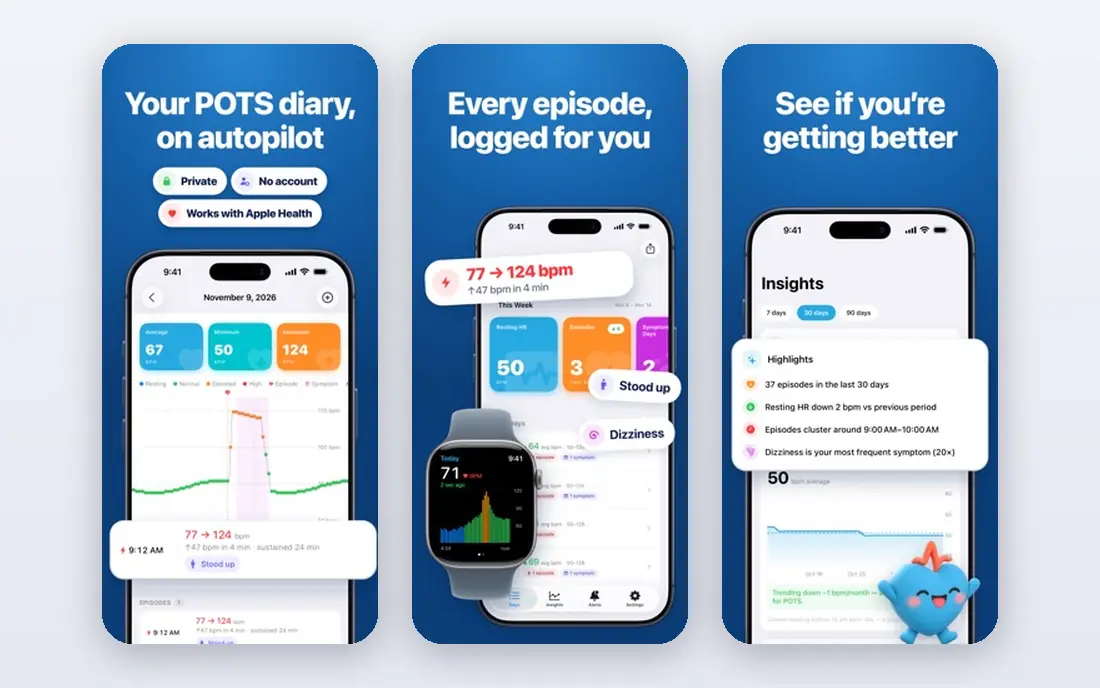
Cardiogram is our pick if you have switched wearables or use more than one brand. It pulls heart rate data from Apple Watch, Fitbit, Garmin, and Wear OS devices into one dashboard, so you can see long-term trends without losing history when you change hardware. Symptom and medication tags help you note what was happening when a reading changed, which makes trends easier to discuss with a clinician. You can also import ECG and blood pressure data from Apple Health or Google Fit where supported.
The free tier covers basic tracking and logging, while Heart IQ pattern reports and deeper analytics need a subscription, with prices shown in the app and on the vendor site. That paywall is the main drawback, and Cardiogram is less useful if you have no wearable at all. For wearable owners who want one clear trend view, it is still the most complete option here.
- Aggregates Apple Watch, Fitbit, Garmin, and Wear OS data
- Detailed trends
- Symptom and medication tags
- Best insights need a paid plan
- Needs a wearable for full value
- Subscription pricing varies by plan
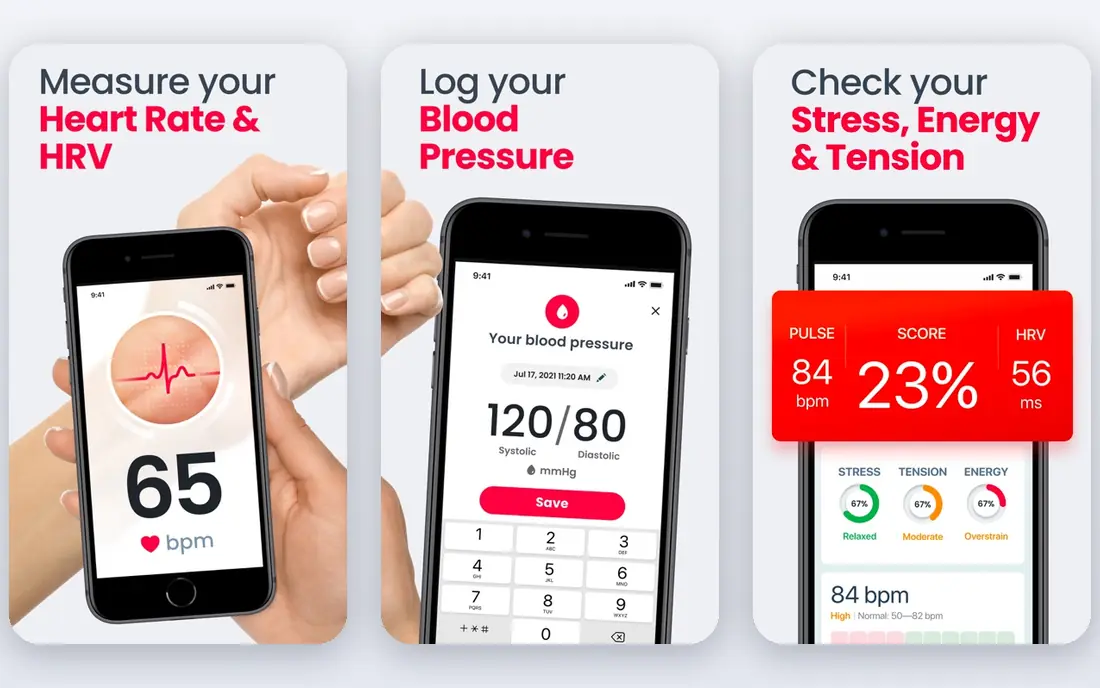
Heartify lets you measure heart rate by placing a finger over your phone camera, with no wearable needed. It also shows heart rate variability, stress views, and history charts, plus reminders to check at regular times. That makes it a good starting point if you are curious about resting heart rate trends and you do not want to buy hardware first. The app also includes educational content about heart health, framed as general information.
Camera measurement has real limits. Light, finger pressure, and movement can change a reading, so take readings sitting still, in good light, and look at trends over days rather than one number. Advanced features sit behind a subscription, with pricing shown in the app. Treat Heartify as a wellness tracker, and speak to a clinician about any reading that worries you, rather than relying on the app alone.
- Finger-on-camera measurement
- HRV and stress views
- History charts and reminders
- Camera readings vary with light and movement
- Advanced features need a paid plan
- Not a medical device
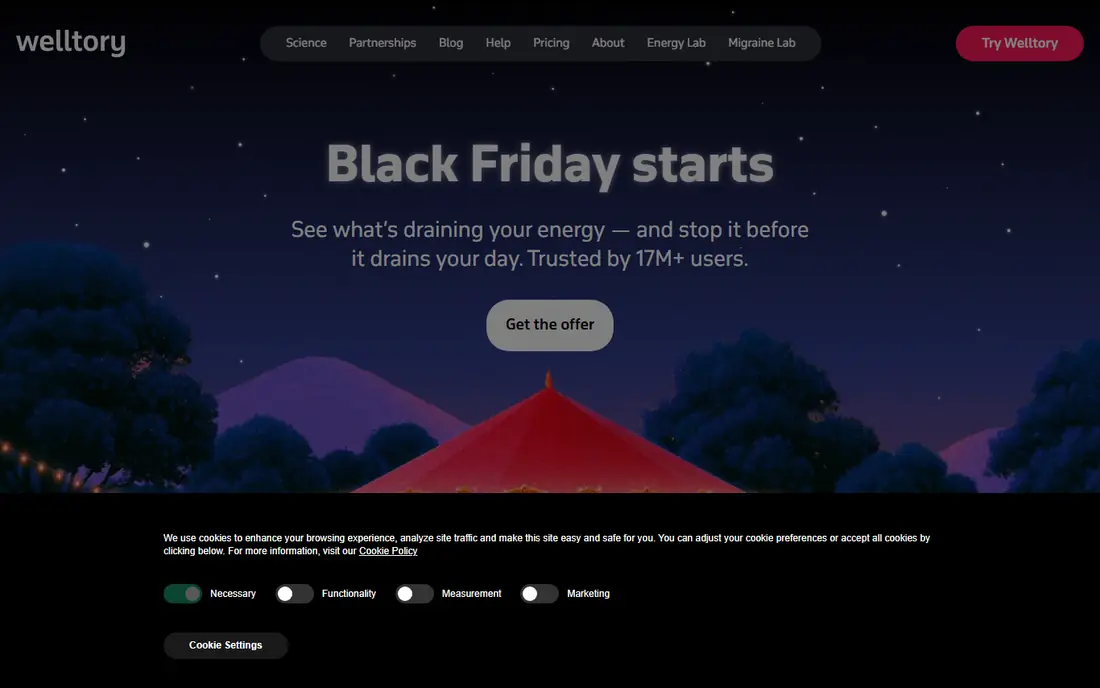
Welltory focuses on heart rate variability, stress, and energy, measured through your phone camera or synced from a wearable. If your main interest is recovery, sleep, and daily readiness rather than a single heart rate number, Welltory gives a clearer picture than a basic camera app. It links readings to lifestyle factors, such as sleep and activity, so you can spot patterns over time.
The free tier covers basic measurement, while unlimited measurements and deeper analytics need a paid tier, with pricing shown in the app rather than on a public pricing page. That lack of a clear public price is a drawback to check before you commit. Welltory is a wellness tool, not a medical diagnosis, and it should not be used to judge a heart condition on its own.
- Camera-based HRV measurement
- Stress and energy views
- Wearable sync options
- Paid tier needed for deeper analytics
- Subscription price is shown in the app
- Not a diagnostic tool
Fitbit, now part of Google, is the natural choice if you already wear a Fitbit device or a Pixel Watch. It records resting heart rate automatically, including sleep-based trends over 30 and 90 days, without you needing to take manual readings. That passive data is more useful for spotting slow changes than occasional camera checks, because it is collected in similar conditions each night. The app also tracks activity, sleep, and exercise in the same place.
You need compatible hardware to get value from it, and some deeper insights sit behind Fitbit Premium. A Google account is also required. If you already own the hardware, though, Fitbit gives one of the best free trend views on this list, with no extra app to learn.
- Automatic resting heart rate trends
- Sleep-based views
- Long history for Fitbit owners
- Needs Fitbit or Pixel Watch hardware
- Some features need Fitbit Premium
- Google account required
Apple Health is free, built into every iPhone, and it is the hub for Apple Watch heart data. It shows resting heart rate, walking average, heart rate variability, and high and low heart rate notifications from a paired Watch, all in one place. Because many health apps can write to Apple Health, it also acts as a central store for data from other tools, which helps if you switch apps later. Privacy controls let you choose which apps can read or write each data type.
On its own, without an Apple Watch, Apple Health can only show data you enter manually or data from other apps. The interface can also feel dense when you first open it, with many categories to sort through. For iPhone and Apple Watch owners, it is still the simplest free trend tool, and it costs nothing extra.
- Free and built into iOS
- Aggregates Watch and app data
- Export and privacy controls
- IPhone only
- Needs Apple Watch for continuous data
- Interface is data-dense
Samsung Health is the equivalent hub for Samsung phone and Galaxy Watch owners. A paired Galaxy Watch can record heart rate through the day and during workouts, and Samsung Health shows trends, activity, sleep, and stress views in one app. For Samsung owners, that single-app approach is simpler than adding a third-party tracker on top.
The experience is best with Samsung hardware, and some features vary by device model and region, so check what your watch supports before you rely on a specific metric. A Samsung account is needed for sync and backup. If you already own a Galaxy Watch, Samsung Health gives a solid free baseline, and you can add Cardiogram later if you want cross-brand trends.
- Free on Samsung devices
- Heart rate from Galaxy Watch
- Activity and sleep in one app
- Best experience needs Samsung hardware
- Some features vary by device and region
- Account needed
HeartWatch is a paid Apple Watch companion that turns heart data into clear, colour-coded alerts. If your heart rate is in your normal range for your current activity, it shows one colour, and if it is higher than usual, it shows another, which makes an unusual reading easy to spot at a glance. A morning briefing summarises key metrics, and recovery views show how long your heart rate takes to settle after exercise. That focus on alerts and recovery suits active users who want early signals, not just charts.
It is Apple Watch only, and it costs $8.99 as a one-time purchase, with no free plan. Notifications can also feel frequent until you tune alert thresholds to your normal range. For Apple Watch owners who want smarter alerts than the built-in app, HeartWatch is a focused and fairly priced upgrade.
- Colour-coded heart rate alerts
- Morning briefing
- Recovery and sleep views
- Apple Watch only
- One-time purchase with no free plan
- Notifications need tuning
Polar Beat is built for training, not general health logging. It shows live heart rate, training zones, and workout history, and it works with Polar heart rate sensors and watches, as well as other Bluetooth sensors. If you train with heart rate zones, or you use a chest strap for accuracy during workouts, Polar Beat gives clearer zone feedback than a general wellness app. The free app covers core training features.
That training focus is also its limit. Polar Beat is less useful for resting heart rate trends, sleep, or stress tracking than Fitbit, Apple Health, or Welltory. It also works best with Polar hardware, though it can pair with other sensors. Choose it if workouts are your main use, and pick a general tracker if daily trends matter more.
- Clear training zones
- Works with Polar sensors and many wearables
- Workout history
- Training focus means less general health tracking
- Best with a Polar chest strap or watch
- Account needed
Instant Heart Rate, from Azumio, is one of the longest-running camera heart rate apps. Place a finger over the camera, get a reading in seconds, and save it to a simple history. That speed suits occasional checks, such as a quick resting reading before a workout, or a check after a walk. It needs no wearable, no account for basic use, and no learning curve.
Camera readings are the least reliable method here, and they vary with light, pressure, and movement. Trend tools are also basic compared with Cardiogram or Fitbit. Use Instant Heart Rate for quick, casual checks, look at averages over time, and do not use a single camera reading to make a health decision. If a reading worries you, or symptoms appear, seek medical advice promptly.
- Fast camera readings
- Simple history
- No wearable needed
- Camera accuracy varies
- Ads or paid upgrade in some versions
- Limited trend tools
How we picked these
We compared official app pages, vendor pricing, and wearable support for apps that measure or track heart rate in 2026. We favoured apps that are still available, that state their measurement method clearly, and that offer export or privacy controls for health data. We left out apps that claimed to diagnose conditions, that hid pricing entirely, or that only tracked blood pressure with no heart rate feature. Prices marked See website in other guides were replaced here with app-store or vendor pricing where we could confirm it, and with a note to check in-app pricing where a vendor shows prices only inside the app. This article is general information only, not medical advice.
How to choose the right heart rate app
Start with the hardware you already own
If you own an Apple Watch, start with Apple Health and consider HeartWatch for alerts. If you own a Fitbit or Pixel Watch, start with Fitbit. If you own a Galaxy Watch, start with Samsung Health. A camera app is a good fallback if you own no wearable, but it will not match continuous wearable trends.
Treat single readings with care
Heart rate changes with activity, caffeine, stress, illness, and time of day. A single high or low reading, especially from a phone camera, does not by itself mean a problem, and a normal reading does not rule one out. Look at resting trends over days and weeks, take readings in similar conditions, and talk to a clinician about patterns that concern you or about any symptoms such as chest pain, breathlessness, or fainting.
Check privacy before you log health data
Health data is sensitive. Before you use an app, check if it requires an account, if it shares data with third parties, if you can export your history, and if you can delete your account and data. Prefer apps that explain these controls clearly, and avoid logging health data in an app whose privacy policy you cannot find.
Pick one main tracker, not five
Using several heart apps at once creates conflicting numbers and extra work. Pick one main tracker for trends, use a second app only for a specific job, such as training zones in Polar Beat, and export your history before you switch. That keeps your trend line clean and easier to discuss with a clinician if you ever need to.
Frequently asked questions
What is the best heart rate monitor app without a wearable?
Heartify and Instant Heart Rate are the simplest camera options, while Welltory adds HRV and stress views from a camera reading. Camera readings vary with light and movement, so take readings sitting still and look at trends over time rather than single numbers.
What is the best app for heart rate monitor use with an Apple Watch?
Apple Health is the free starting point for Apple Watch owners, and HeartWatch adds colour-coded alerts and a morning briefing for $8.99. Cardiogram is the best choice if you also use Fitbit, Garmin, or Wear OS devices and want one dashboard.
Are phone camera heart rate apps accurate?
Camera apps can give a useful rough reading in good conditions, but they are less accurate than a wearable sensor or a clinical device. Light, finger pressure, and movement all affect results. Use camera apps for general wellness trends, not for medical decisions.
Can a heart rate app detect a heart problem?
No app on this list should be used to diagnose a heart condition. Some apps flag unusual patterns or high and low readings, but those flags are general information, not a diagnosis. If you have symptoms or a concerning pattern, seek medical advice promptly and do not wait for an app to confirm it.
How do I track resting heart rate trends?
Take or record readings at a similar time each day, ideally after waking and before activity, and review weekly and monthly averages rather than daily spikes. Wearable apps such as Fitbit and Apple Health do this automatically, which is why they give cleaner resting trends than manual camera checks.
Which heart rate app has the best privacy controls?
Apple Health gives strong on-device controls for which apps can read or write health data, and Samsung Health and Fitbit offer account and export controls. Before you choose any third-party app, read its privacy policy, check export and deletion options, and avoid apps that do not explain how they handle health data.
Sources
- https://GetCurex.com/glp1-blog/top-apps-to-track-resting-heart-rate
- https://digitalhealth.folio3.com/blog/heart-health-apps/
- https://wearablexp.com/smart-watches/best-apple-watch-heart-rate-apps/
- https://www.cardiogram.com
- https://www.heartify.me
- https://www.welltory.com
- https://www.fitbit.com
- https://www.apple.com/ios/health/
- https://www.polar.com
See where you really rank - block by block
ProMapRanker scans Google Maps across a grid of your service area. Simple monthly plans from $19, white-label on every plan.
Start freeKeep reading
 zscaler alternatives
Best Zscaler Alternatives in 2026
Looking for zscaler alternatives? We compare 9 SASE and zero trust platforms on architecture, data protection, pricing, and fit for your network and team.
Read → zapier alternatives free
Best Zapier Alternatives Free in 2026
Nine automation tools for zapier alternatives free in 2026, all with genuinely free tiers, plus free plan limits, starting prices and upgrade paths explained.
Read → which platform is best for online reputation
Which Platform Is Best for Online Reputation in 2026
Wondering which platform is best for online reputation? We compare 8 review, listing, and response tools for small and multi-location businesses and agencies.
Read →