 ProMapRanker
Best Health Apps in 2026: 9 Apps Compared

Key takeaways
- Apple Health is the best free hub for iPhone users because most other apps can write activity, sleep, and nutrition data into it.
- MyFitnessPal leads for food logging, while Strava leads for running and cycling, and Headspace and Calm lead for guided calm and sleep audio.
- Free plans cover a lot here, from Nike Run Club workouts to Garmin Connect stats, so start free before you pay for a subscription.
- Health apps are tools for tracking and habits, not medical advice, and any app that claims to diagnose or treat a condition needs a clinician, not a subscription.
Quick comparison
| Pick | Great for | Pricing starts at | Free tier | |
|---|---|---|---|---|
 Apple Health Apple Health | free all-in-one health hub on iPhone | Free | Yes | Visit |
 MyFitnessPal MyFitnessPal | food and calorie tracking | $19.99 per month | Yes | Visit |
 Fitbit App Fitbit App | everyday steps, sleep, and activity | Free | Yes | Visit |
 Strava Strava | running and cycling with friends | $11.99 per month | Yes | Visit |
 Headspace Headspace | guided meditation for beginners | $12.99 per month | Free trial | Visit |
 Calm Calm | sleep stories and calm audio | $14.99 per month | Yes | Visit |
 Nike Run Club Nike Run Club | free coached runs and plans | Free | Yes | Visit |
 Garmin Connect Garmin Connect | deep stats for Garmin owners | Free | Yes | Visit |
 Cronometer Cronometer | detailed nutrition and micronutrients | See website | Yes | Visit |
The best health apps
We compared official pricing pages, app store listings, and published feature lists for apps that track food, activity, sleep, meditation, and overall health in October 2026. The list covers free hubs, nutrition trackers, running apps, and calm apps, so you can build a small set that fits your routine rather than paying for five overlapping subscriptions. This article is not medical advice. If you have a health condition, talk to a clinician before you change diet, exercise, or sleep habits based on an app.
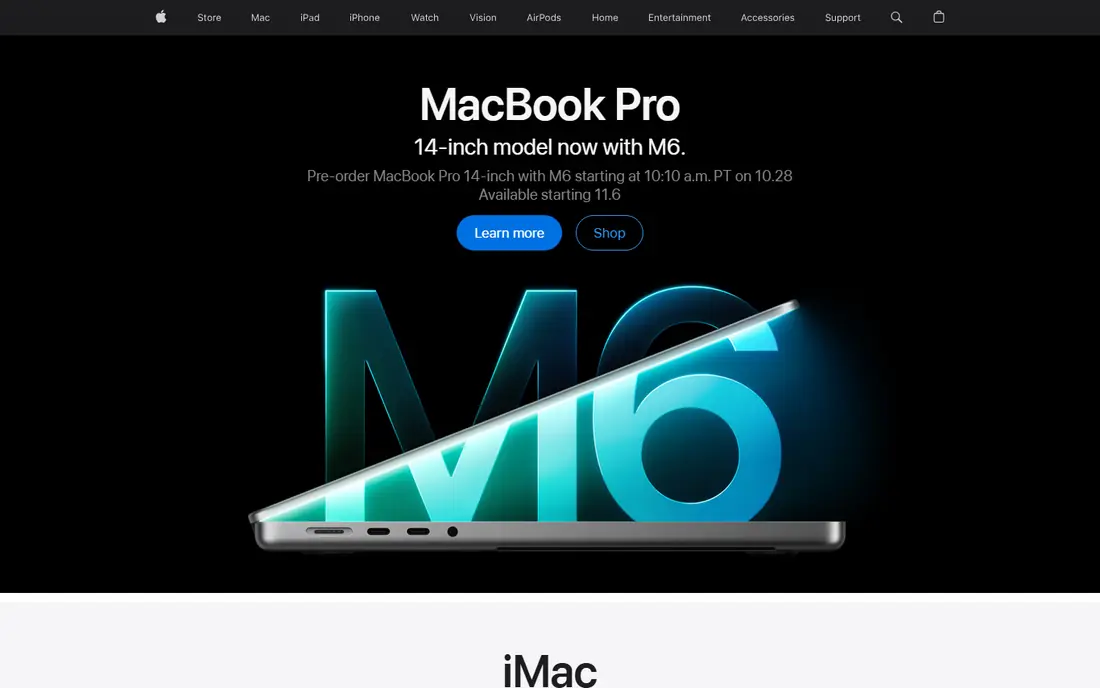
Apple Health is the quiet center of health tracking on iPhone. It collects steps, workouts, sleep, heart rate, and more from your phone, watch, and third-party apps, then shows trends in one place. Most apps on this list can write into it, which makes it a useful hub even if you use other apps for daily logging.
The catch is that Apple Health is a hub, not a full coach. Food logging is basic, workout plans are limited, and deeper insights need Apple Fitness+ or another app. Still, for iPhone users, it costs nothing and gives a long-term record that survives app changes. Start here, then add one specialist app for your main goal.
- Free on every iPhone
- Collects steps, sleep, and workouts from many apps
- Strong privacy controls
- IPhone only
- No built-in food logging depth
- Insights are basic without extra apps
MyFitnessPal remains the best-known food tracker because its database covers a huge range of branded foods, restaurant items, and recipes. Logging is fast once you build a list of frequent foods, and connections to Fitbit, Garmin, Apple Health, and other apps pull activity into the same view. That breadth matters when you eat a mix of home cooking and packaged foods.
Premium starts at $19.99 per month, with an annual plan that costs less per month. The free tier covers manual entry and basic calorie logging, but barcode scanning, custom macro goals, and some logging shortcuts need Premium. The honest catch is accuracy: crowdsourced entries can include wrong portions, so check entries for foods you eat often.
- Very large food database
- Barcode scanning on Premium
- Connects to many trackers and apps
- Barcode scanning needs Premium
- Free tier shows ads
- Crowdsourced entries can vary in accuracy
The Fitbit app is the easiest daily tracker for people who want steps, sleep, and activity without thinking about it. Put on a Fitbit device or Pixel Watch, and the app records the day in the background, then shows sleep stages, resting heart rate trends, and activity goals in plain charts. Challenges with friends add a light social push.
The basic app is free, while Google Health Premium, formerly Fitbit Premium, starts at $9.99 per month and adds guided programs and an AI coach. The limit is hardware: without a Fitbit device, the app is far less useful. If you already own one, it is a strong, low-friction pick.
- Easy daily tracking for steps and sleep
- Works with Fitbit devices and Pixel Watch
- Community challenges
- Best experience needs a Fitbit device
- Premium coaching needs a paid plan
- Google account required
Strava is the social home for runners and cyclists. GPS tracking records pace, distance, elevation, and route, while segments let you compare efforts on the same stretch of road or trail. Clubs, kudos, and comments turn solo training into a shared habit, which helps many people stay consistent.
The free tier covers basic tracking and social features, while a subscription starts at $11.99 per month and adds training plans, route planning, and deeper analysis. The catch is focus: Strava is built for running and cycling, so strength training and nutrition need other apps. For runners and cyclists, few apps match its community.
- Strong GPS tracking for runs and rides
- Segments and clubs keep people motivated
- Large active community
- Subscription needed for full training analysis
- Social features can distract
- Best for runners and cyclists
Headspace is our pick for beginners because it teaches meditation in order. Short courses build one skill at a time, tell you what to do next, and keep sessions short enough to fit a morning routine. Sleepcasts, focus music, and kid content extend the app beyond pure meditation.
Plans start at $12.99 per month, with an annual plan at $69.99 per year. A free trial lets you test the style, but there is little free content after the trial ends. If you want a guided path rather than a huge library to browse, Headspace is the safer start. If you want mostly free content, look at free meditation apps first.
- Structured courses that teach one skill at a time
- Sleep and focus content
- Kid-friendly sessions
- Little to use after the trial without paying
- Sessions are capped in length on some plans
- Library is smaller than some rivals
Calm is best known for sleep. Sleep stories, soundscapes, and wind-down sessions help many people build a bedtime routine, while guided meditations and breathing exercises cover daytime stress. The production quality is high, and the app feels calm to use, which matters at bedtime.
Plans start at $14.99 per month, with annual plans commonly listed at $69.99 to $79.99 per year depending on store and offer, so check the current price in the app store before you buy. Some programs are free, but the full library needs a subscription. Choose Calm if sleep audio is your main need, and Headspace if structured meditation courses matter more.
- Strong sleep stories and soundscapes
- Guided meditations and breathing exercises
- Some free programs
- Meditation can get lost among sleep and music content
- Full library needs a subscription
- Annual price varies by store
Nike Run Club is the best free running app here. Coached runs, training plans, GPS tracking, and audio feedback all come at no cost, with no subscription needed to use the core features. For a new runner, a guided plan with audio coaching removes much of the guesswork about pace and distance.
The limit is scope. Nike Run Club tracks runs well, but it does not replace a food tracker, a strength app, or a sleep app. Pair it with Apple Health or Fitbit for the rest of your health data, and keep Nike Run Club for the running habit itself.
- Completely free
- Coached runs and training plans
- GPS tracking and audio feedback
- Running only
- No strength or nutrition tracking depth
- Nike account required
Garmin Connect is free with any Garmin watch or device, and it is deeper than most paid apps. You get detailed activity, sleep, heart rate, training load, and recovery trends, plus challenges and long-term charts that suit runners, cyclists, and multisport athletes. For Garmin owners, there is little reason to pay for a second activity app.
The catch is hardware and density. Without a Garmin device, the app has little to show, and the interface can feel busy for a casual user who only wants steps. Garmin Connect+ adds extra features for a subscription, but the free app already covers most daily tracking needs.
- Free with any Garmin device
- Deep activity, sleep, and training stats
- Long-term trends and challenges
- Needs a Garmin device
- Interface can feel dense
- Premium Connect+ features cost extra
Cronometer suits people who care about nutrition detail. It tracks up to 84 nutrients on the free plan, with more on Gold, and its verified entries tend to be cleaner than crowdsourced databases. That matters if you track sodium, fiber, vitamins, or minerals, or if you follow a specific eating pattern and want accurate numbers.
The free plan is genuinely useful, and Gold adds more features for a subscription; check the vendor site for the current Gold price, because it varies by store and billing period. The trade-off is speed and size. The database is smaller than MyFitnessPal, and logging takes a bit more care. For accuracy over breadth, Cronometer is our pick.
- Verified food entries
- Detailed micronutrient tracking
- Connects to Apple Health, Fitbit, Garmin, and more
- Database is smaller than MyFitnessPal
- Some features need Gold
- Interface favors detail over speed
How we picked these
We compared official pricing pages, app store listings, and published feature lists for apps that are live and maintained in October 2026. We required a clear health purpose, such as food, activity, sleep, or calm, and a working free plan or free core app where stated. We did not claim hands-on testing. We weighed ease of daily use, data accuracy, device and app connections, free plan value, and price, and we left out apps that were discontinued, region-locked, or built mainly for clinical diagnosis.
What to check before you choose
Start with one goal, not five apps. If food is the goal, pick a nutrition tracker. If running is the goal, pick a running app. If sleep is the goal, pick a calm app. Adding five trackers at once usually leads to quitting all of them, while one daily habit has a better chance of lasting.
Check device fit next. Apple Health needs an iPhone, Garmin Connect needs a Garmin device, and Fitbit needs a Fitbit device for full value. Check data sharing too: read the privacy policy, see which apps can read and write health data, and turn off sharing you do not need. Finally, check subscription terms, including annual renewal and cancellation steps, before you pay for a year.
Free health apps that are actually useful
Nike Run Club, Apple Health, Garmin Connect, and the Fitbit basic app all give real value for free. MyFitnessPal, Strava, Calm, and Cronometer also have useful free tiers, though key features sit behind paid plans. Start free for two weeks, see which app you open daily, and pay only for that one.
A note on health claims
Health apps can track habits and show trends, but they cannot diagnose, treat, or replace medical care. Step counts, sleep stages, and calorie estimates are estimates, not lab results. If an app flags a possible health issue, or if you plan a major diet or training change, talk to a clinician first. This article is not medical advice.
Frequently asked questions
What is the best health app for most people?
Apple Health is the best free starting point for iPhone users, because it collects data from many apps in one place. Add MyFitnessPal for food, Strava or Nike Run Club for running, and Headspace or Calm for calm and sleep, depending on your main goal. One specialist app beats five overlapping subscriptions.
What are the best free health apps?
Nike Run Club is fully free for coached runs and plans, Apple Health is free on iPhone, and Garmin Connect is free with a Garmin device. MyFitnessPal, Strava, Calm, and Cronometer all offer free tiers with limits. Start free, find the app you use daily, and only then consider a paid plan.
What is the best health tracking app?
Apple Health and Fitbit lead for all-round tracking, with Apple Health as a hub and Fitbit as a daily device companion. Garmin Connect leads for deep activity and training stats among Garmin owners. The best tracker is the one connected to the device you actually wear every day.
What is the best app for health and fitness?
There is no single app that covers food, running, strength, sleep, and calm equally well. A practical set is MyFitnessPal or Cronometer for food, Strava or Nike Run Club for running, and Headspace or Calm for sleep and calm. Keep the set small and let Apple Health or Fitbit hold the combined record.
Are health apps medical advice?
No. Health apps track habits and show trends, but they do not diagnose or treat conditions, and their estimates can be wrong. Use them to spot patterns and support habits you discuss with a clinician. If you have a health condition, get medical guidance before you change diet, exercise, or sleep based on an app.
What is the best free health tracking app for Android?
On Android, Fitbit, Strava, Nike Run Club, MyFitnessPal, and Cronometer all work well, with free tiers that cover daily tracking. Google Health Connect can help apps share data on Android, in a similar hub role to Apple Health on iPhone. Pick the tracker that matches your device and your main goal.
Sources
See where you really rank - block by block
ProMapRanker scans Google Maps across a grid of your service area. Simple monthly plans from $19, white-label on every plan.
Start freeKeep reading
 youtube alternatives
Best YouTube Alternatives in 2026
Looking for youtube alternatives in 2026? We compare Vimeo, Dailymotion, Twitch, Rumble, and more on price, audience, monetization, control and privacy.
Read → what's the best ai tool for photo editing
What Is the Best AI Tool for Photo Editing in 2026
What is the best AI tool for photo editing? We compare ten tools for 2026, from Photoshop and Lightroom to Luminar, Topaz, Canva and mobile editors today.
Read → twitter alternatives
Best Twitter Alternatives in 2026
Compare the best twitter alternatives for 2026, from Bluesky, Threads, and Mastodon to Reddit, Tumblr, and Micro.blog, with free plans and audience notes.
Read →