 ProMapRanker
Best Harmonica Tabs Apps in 2026

Creating and sharing harmonica tabs · Pricing starts at: See website
Key takeaways
- Fab Tabs and Tab Grabber are the most harmonica-specific tools here, built around bends, positions and harp keys rather than generic notation.
- Harptabs and Harmonica Tabs suit players who want ready-made songs to read and play, with no need to create anything first.
- Melody Scanner and Ultimate Guitar widen the choice, since they can turn audio or a huge song library into playable notation.
- iReal Pro is the odd one out in a useful way, because it handles backing tracks and chord charts for jam sessions.
- Check the harp type and tuning before you pay, since most tools are built first for 10-hole diatonic harps in standard tuning.
Quick comparison
| Pick | Great for | Pricing starts at | Free tier | |
|---|---|---|---|---|
| Fab Tabs | Creating and sharing harmonica tabs | See website | Free trial | Visit |
 Tab Grabber | Turning recordings into harmonica tabs | See website | No | Visit |
 Harmonica: Learn to Play | Beginners learning their first songs | See website | Yes | Visit |
 Harmonica Tabs | Playing a library of traditional melodies | Free | Yes | Visit |
 Melody Scanner | Converting audio into sheet music and tabs | See website | Yes | Visit |
 Ultimate Guitar | Finding tabs for popular songs | Free | Yes | Visit |
 Harptabs | Free community harmonica tabs | Free | Yes | Visit |
 iReal Pro | Backing tracks and chord charts | See website | No | Visit |
The best harmonica tabs apps
We compared tools that show, create or convert harmonica tabs, and kept only options that are still available and clearly fit a harmonica player. Some are made only for harmonica, while others are general music tools with a real use for harp players.
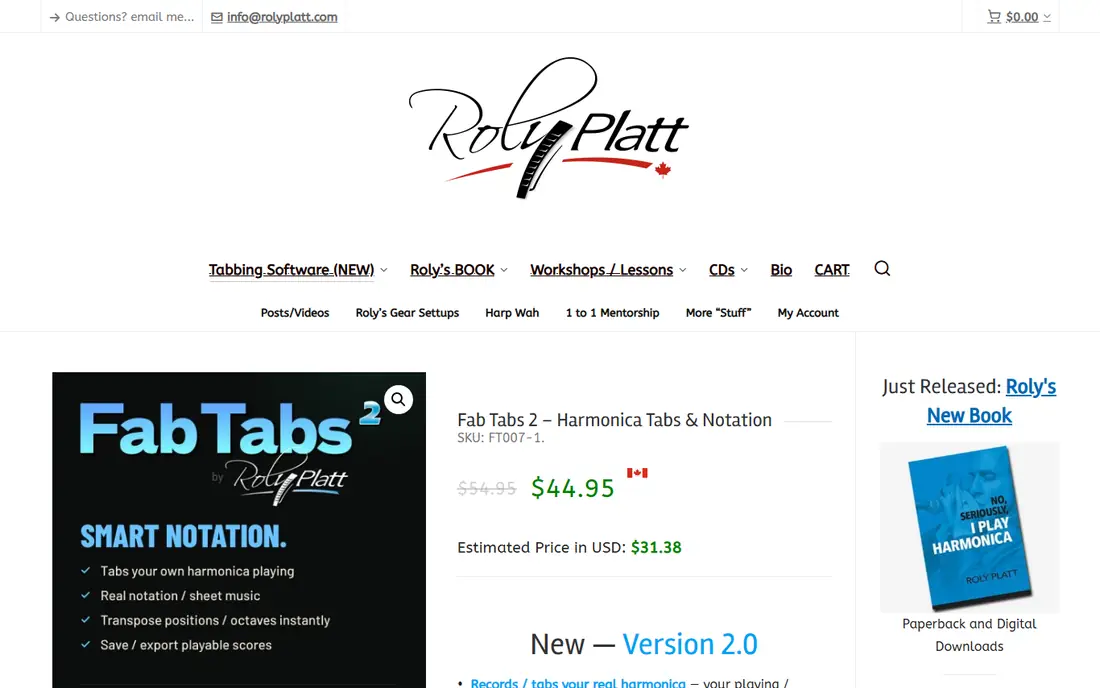
Fab Tabs is the closest thing on this list to a dedicated harmonica tab editor. It records and tabs real harmonica playing, and it understands special tunings such as Paddy Richter and country tuning. That matters because a generic tab editor will show notes without showing how a harp player actually gets them, including bends and positions.
The practice side is just as useful as the writing side. You can slow a tab down, loop a hard section and transpose it to another harp key or position, which helps when a song was recorded in a key you do not own. Sharing is handled through playable licks, so another player can hear and read what you made instead of staring at plain numbers. The catch is that this is a tool for players who want to build tabs, not a library of ready songs, so beginners who only want to play along may find it more than they need at first.
- Built for harmonica notation
- Transposes to different harp keys and positions
- Shares playable licks online
- Desktop-first tool
- One-time purchase may be more than a casual player wants to spend
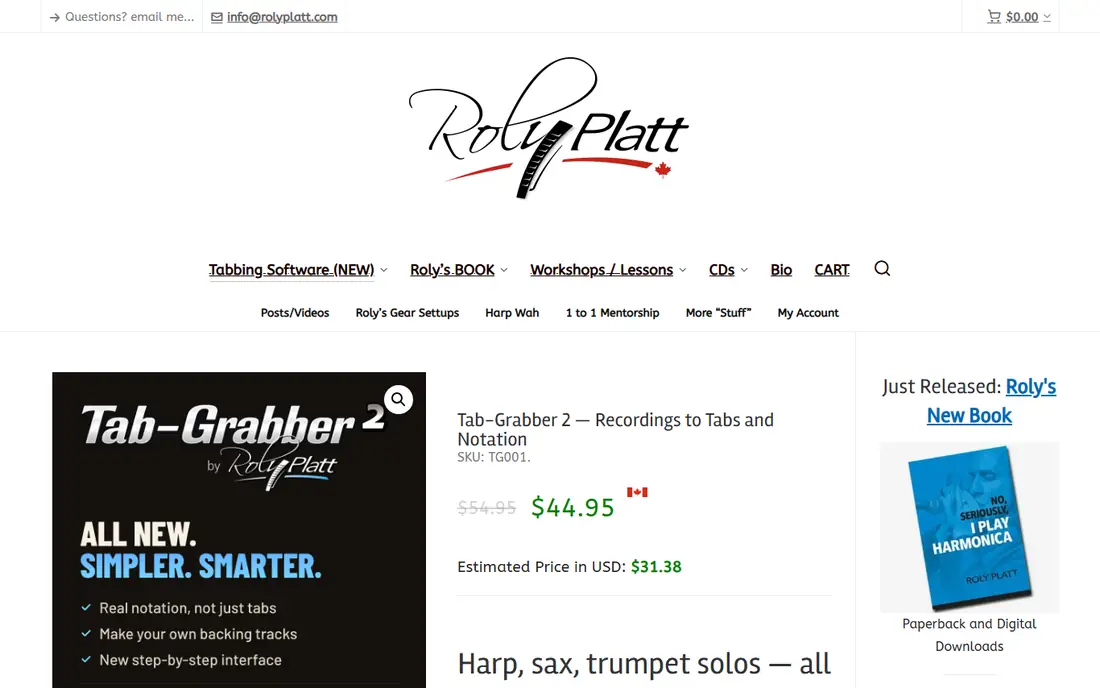
Tab Grabber answers a question many harp players ask, which is how to learn a solo that nobody has tabbed yet. It listens to an audio track, detects the notes, and builds a harmonica tab that respects bends, overblows and positions. It can also isolate the harmonica, saxophone or trumpet from a band recording, which makes a buried solo much easier to hear and check.
Accuracy still depends on the recording, and the vendor is honest about that limit. A clean solo over a simple backing track will come out far better than a dense, noisy live mix. The good news is that every note can be changed, deleted or shifted by octave, so you can correct the result instead of starting again. This is a power tool for serious players, and it pairs naturally with Fab Tabs for practice, transposing and sharing.
- AI note detection built around harmonica physics
- Separates the harmonica from a full band mix
- Lets you fix wrong notes by hand
- Runs in a browser and works best on a computer
- No transcription tool is fully accurate on every recording
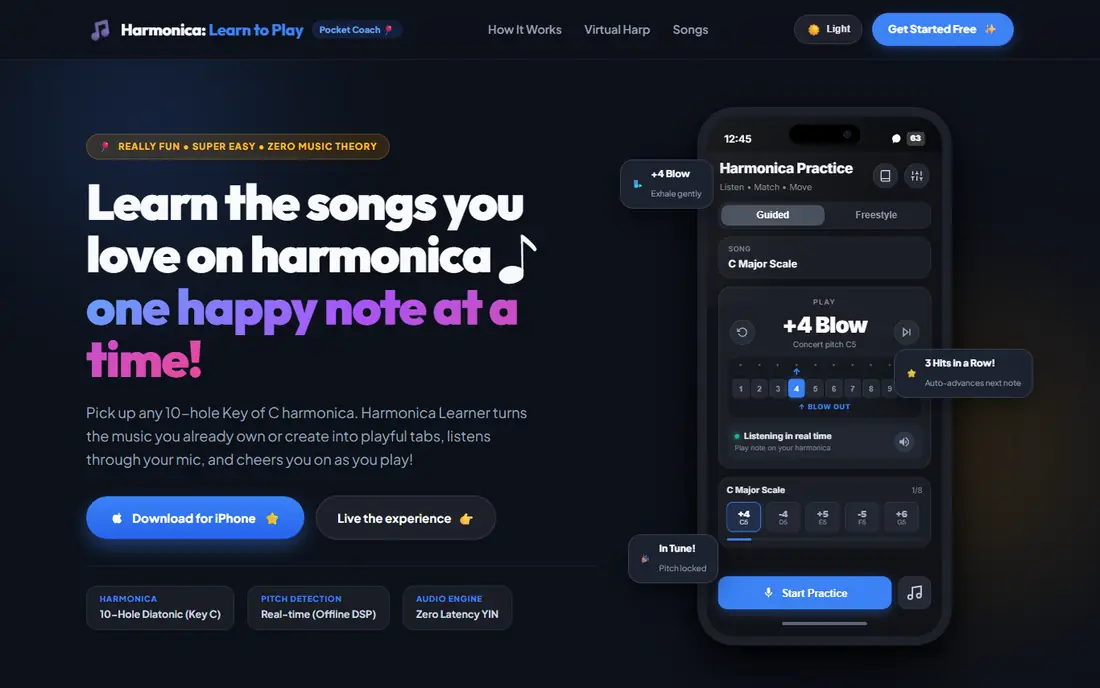
The song list leans toward fundamentals, scales, folk tunes and starter blues, so it works best as a first step rather than a complete library. Players who already know the basics may outgrow it faster than a tab library, but that is also its strength. It does not pretend to be everything, and it gives a beginner a clear path from a first scale to a finished song without a lot of clutter.
- Step-by-step songs for beginners
- Gentle pitch feedback that tightens as you improve
- Clear note and key information for each song
- Focused on learning rather than a large tab library
- Best suited to players who are still building basics
Harmonica Tabs is an interactive collection of sheet music with notes and tablatures for mouth harmonica, and it is one of the few apps on this list that treats the harmonica as the main instrument rather than an afterthought. It covers 10-hole diatonic harmonicas in many keys, plus 12-hole chromatic harmonica in C, and it also supports Major Cross Tuning and Paddy Richter Tuning. That range makes it useful for players who own more than one harp.
The training modes are the reason to pick it over a plain tab website. It can play a melody while showing progress, score your playing on a real harmonica, and let you change playback speed and transposition. You can also import your own melodies from MusicXML files, which turns it into a practice tool for songs you already have. The free version is limited, so treat it as a trial of the full library and check that the melodies you want are included before you subscribe.
- Interactive training for diatonic and chromatic harps
- Supports several tunings
- Lets you import your own melodies in MusicXML format
- Free access covers only a handful of melodies
- Full access needs a paid subscription
Melody Scanner is a general transcription app, but it earns a place here because it can turn a played melody into notation you can edit and export. You can record yourself, upload an audio file or transcribe a YouTube cover, then view the result as a classical score, a piano roll or a guitar tab. For a harmonica player, the score view is the useful part, since you can read the pitches and then work out the harp tab from there.
The limits are clear and worth knowing before you rely on it. It is built for solo instruments, so a full band recording will not separate cleanly, and no automatic transcription is perfect. The free plan gives you a way to test it, and the paid plans raise the limits. Use it as a starting point for a melody you cannot find anywhere else, then fix the notes by ear. That workflow is slower than opening a ready tab, but it opens up songs that no tab library covers.
- Transcribes recordings, microphone input and YouTube covers
- Exports PDF, MIDI and MusicXML
- Works in a browser and on mobile
- Built for solo instruments, not full bands
- Transcription needs checking and editing before you trust it
Ultimate Guitar is not a harmonica app, and we include it with that warning in plain sight. Its value is scale. It holds a very large library of chords, tabs and lyrics, and its interactive player lets you slow a song down, loop a section and transpose it. A harmonica player who can read melody from a chord chart or adapt a vocal line can find songs here that no harmonica-only library will ever match.
The trade-off is adaptation. Guitar tabs show frets and strings, not harp holes and bends, so you will need to translate the melody yourself or use it alongside a harmonica-specific tool. Quality also varies, since much of the library is user-submitted, and the best versions are often behind the Pro subscription. Treat Ultimate Guitar as a song-finding tool and a practice companion, not as a source of ready-made harp tabs.
- Huge library of user and official tabs
- Interactive playback with tempo control
- Offline access to saved tabs for subscribers
- Built for guitar first, so harmonica players must adapt tabs
- Quality varies across user-submitted versions
Harptabs is a long-running community site where players post harmonica tabs in plain text, with the numbers, bends and lyrics lined up so you can read and play along. It costs nothing, it works in any mobile browser, and it covers songs that commercial apps may not bother with. For a player who just wants a tab for a tune and already knows how to read harp notation, that simplicity is a real advantage.
The downside is that you get text and nothing else. There is no playback, no scoring and no automatic transposition, so you need to bring your own sense of rhythm and your own backing track. Quality also varies from tab to tab, since the site depends on volunteers. Check a tab against the recording before you learn it by heart, and use it as a free starting point rather than a final authority.
- Free tabs submitted by harmonica players
- Covers diatonic and chromatic harps
- Simple text format that works on any device
- Community quality varies
- No interactive playback or practice tools built in
iReal Pro is a practice tool for musicians who jam, and it fits a harmonica player who already has tabs or melodies from elsewhere. It gives you chord charts and backing tracks that you can transpose, slow down and play in different styles, which is exactly what you need when you want to practise improvisation or play with others. The shared songbook is large, and you can edit charts to match the version you play.
It does not show harmonica tabs, so it cannot replace the other tools on this list on its own. Think of it as the band behind your tab. Once you know a melody from Fab Tabs, Harmonica Tabs or Harptabs, iReal Pro gives you something musical to play it over. That combination is more useful than either tool alone, and it is why we include it here despite the different format.
- Large shared library of chord charts
- Creates backing tracks in many styles
- Lets you change tempo and key for practice
- Shows chords, not harmonica tabs
- Requires you to know or learn the melody separately
How we picked these
We compared official product pages, app store listings and public feature descriptions, and we kept only tools that are still available and clearly useful for harmonica tabs. A tool had to show tabs, create tabs, convert audio into notation, or give a harmonica player a clear practice benefit. We left out generic music apps with no tab or notation use, and we noted where a tool is guitar-first or chord-first so you can judge the fit honestly. Prices are shown as listed by the vendor or the app store, and we wrote See website where a price depends on currency, platform or a plan that changes often.
What to check before you choose a harmonica tab tool
Start with your harp, not with the app. A 10-hole diatonic harp in C is the most common starting point, and most tools on this list handle it well. Chromatic players and players with alternate tunings should check the tuning list first, since a tool that only supports standard Richter tuning will not help with a Paddy Richter or country-tuned harp. If you play more than one key, transposition matters too, because a tab written for a C harp will not play the same way on an A harp.
Next, decide how you learn. If you want ready songs, pick a library such as Harmonica Tabs or Harptabs and check that it holds the songs you actually want. If you want to learn solos that nobody has tabbed, a transcription tool such as Tab Grabber or Melody Scanner is the better spend, even though you will need to check its work. If you want to write and share your own tabs, Fab Tabs is built for that job.
Practice features that matter
Playback speed, looping and pitch feedback matter more than a large library when you are stuck on a hard phrase. A tool that lets you slow a section down and loop it will help you more than one that only shows a static tab. Offline access matters too, especially if you practise away from home or on a stage. Check the free version first, and only pay once you know the songs, tunings and features you need are included.
Frequently asked questions
Can I learn harmonica from tabs alone?
Tabs show you which hole to play and whether to blow or draw, and they can take you a long way, especially with a recording to copy. They do not teach tone, timing or bending by themselves, so listen to the song, practise slowly and use pitch feedback where the app offers it.
Which app is best for a complete beginner?
Harmonica: Learn to Play is the clearest starting point, since it is built around first songs and gentle pitch feedback. Once you can play a few tunes, Harmonica Tabs or Harptabs will give you a wider song list to work through.
Do these apps work for chromatic harmonica?
Some do, and Harmonica Tabs explicitly supports a 12-hole chromatic harp in C. Fab Tabs and Tab Grabber focus mainly on diatonic harps, so chromatic players should check the tuning and harp type on the product page before buying.
Can I turn a recording into a harmonica tab?
Yes, with limits. Tab Grabber is built for that job and understands harp bends and positions, while Melody Scanner can transcribe a solo melody into notation you can adapt. Both need checking by ear, since no automatic tool is right on every note.
Are free harmonica tabs reliable?
Free community tabs can be very good, but quality varies because they are written by volunteers. Compare a tab with the recording, watch for missing bends, and use a second source when a phrase sounds wrong.
What is the difference between a tab and sheet music for harmonica?
Sheet music shows pitch and rhythm in standard notation, while a harmonica tab shows the hole number, blow or draw, and bend for each note. Many players use both, with the tab for fingering and the sheet music or recording for rhythm.
Sources
See where you really rank - block by block
ProMapRanker scans Google Maps across a grid of your service area. Simple monthly plans from $19, white-label on every plan.
Start freeKeep reading
 worlds best local seo company
8 Worlds Best Local SEO Companies for Map Pack Growth in 2026
Compare the worlds best local seo company options for Google Business Profile work, citations, reviews, and multi-location rankings and reporting in 2026.
Read → world's best web hosting company
World's Best Web Hosting Company in 2026
Searching for the world's best web hosting company? We compared 10 hosts on price, renewal rates, speed, and support to help you choose well today in 2026.
Read → who's got the best nanny tax services
Who's Got the Best Nanny Tax Services in 2026
We answer who's got the best nanny tax services, comparing full filing, back taxes, software, and pricing so families can handle nanny taxes correctly.
Read →