 ProMapRanker
Best GTD App in 2026: 9 Apps Compared

Key takeaways
- Todoist is the easiest cross-platform starting point, with fast capture and a free plan.
- OmniFocus and Things 3 are the strongest Apple-only choices for serious Getting Things Done users.
- Nirvana and FacileThings follow GTD structure most closely, with built-in next-action and review views.
- TickTick and Toodledo offer good value when you also want a calendar, habits, or team features.
- The best GTD app is the one you open daily, so test capture speed and weekly review before paying.
Quick comparison
| Pick | Great for | Pricing starts at | Free tier | |
|---|---|---|---|---|
 Todoist | Cross-platform capture | Free | Yes | Visit |
 OmniFocus | Apple power users | See website | Free trial | Visit |
 Things 3 | Beautiful Apple GTD | See website | No | Visit |
 TickTick | Tasks, calendar, and habits | Free | Yes | Visit |
 Nirvana | Clean, pure GTD structure | Free | Yes | Visit |
 FacileThings | Strict by-the-book GTD | See website | No | Visit |
 Everdo | Private, offline GTD | Free | Yes | Visit |
 Toodledo | Flexible GTD with team options | Free | Yes | Visit |
 NextThing | Cross-platform native GTD | Free | Yes | Visit |
The best GTD apps
Getting Things Done, or GTD, is a method for capturing tasks, clarifying next actions, organising by project and context, reviewing weekly, and doing the work. A good GTD app makes capture fast and review easy. We compared capture speed, contexts, next actions, waiting-for lists, someday lists, defer dates, review tools, platforms, and pricing.
Todoist is our pick for most people starting with GTD, because it is fast and available everywhere. You can type a task in plain language with a date, project, and label, and it appears across phone, desktop, and web. Labels work well as GTD contexts, such as calls, errands, or computer, and filters can show next actions by context.
The catch is that GTD is a setup, not a built-in mode. You need to create projects for someday lists, labels for waiting-for items, and a habit for weekly review, because Todoist does not guide you through review. Pro costs $5 per month billed annually, with a free plan that covers basic use. If you want GTD on every device without Apple-only limits, start here.
- Fast natural-language capture
- Apps on almost every platform
- Filters and labels for contexts
- No built-in weekly review mode
- GTD structure needs labels and filters
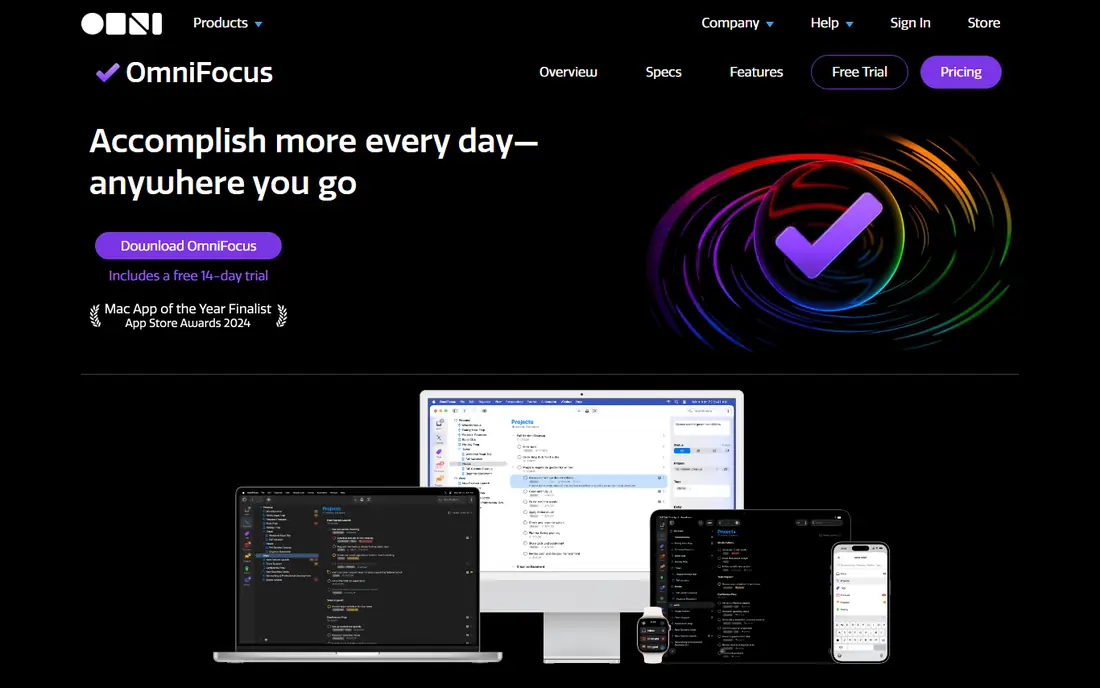
OmniFocus is the most capable GTD app for Apple users who want full control. Perspectives let you build custom views for contexts, waiting-for items, and review, while defer dates hide tasks until they become relevant. The review mode is a real strength: it prompts you to check each project regularly, which is central to GTD.
That power comes with complexity and platform limits. OmniFocus is built for macOS and iOS, with web access tied to subscription, and new users can feel overwhelmed by options. Pricing includes a subscription option near $99.99 per year and one-time options, so check the current Omni Group pricing page. For serious Apple-based GTD users, it is still the benchmark.
- Powerful perspectives and review mode
- Defer dates
- Tags for contexts
- Apple-only, apart from web with subscription
- Learning curve for new users
Things 3 is the most pleasant GTD-style app to use on Apple devices. Quick entry is fast, the Today and Upcoming views are clear, and projects, areas, and tags cover most GTD needs without clutter. It feels designed for daily use, which matters more than a long feature list when you are trying to build a habit.
Limits are real. Things 3 is Apple-only, there is no free plan, and each platform is a separate one-time purchase, near $49.99 for Mac, $9.99 for iPhone, and $19.99 for iPad. Waiting-for and review workflows need manual setup with tags and scheduled checks. If you live on Apple devices and value calm design, Things 3 is a strong pick.
- Fast, calm interface
- Excellent quick entry
- Reliable Things Cloud sync
- Apple-only
- No free plan
- No built-in review mode or waiting-for view
TickTick suits people who want GTD tasks plus a calendar, habit tracker, and focus timer in one place. Tags can serve as contexts, lists can hold projects, and smart lists can show next actions by tag or date. The app runs on phone, desktop, and web, so your system follows you across devices.
GTD purists will notice gaps. There is no native waiting-for view or guided weekly review, so you need to build those with tags and saved lists. Premium costs near $49.99 per year, while the free plan covers basic lists and tasks. If you want one app for tasks, calendar, and habits, TickTick offers good value.
- Calendar, habits, and focus timer in one app
- Tags for contexts
- Cross-platform
- GTD structure needs manual setup
- Full calendar views need Premium
Nirvana is built around GTD from the start, which shows in its structure. Inbox, next actions, waiting-for, scheduled, someday, and reference lists are built in, so you do not need to invent them with labels. That clarity helps new GTD users learn the method while they use the app, instead of building it first.
The trade-off is scale. Nirvana has fewer integrations and a smaller feature set than Todoist or TickTick, and development pace is slower. Pro pricing is low, near $3 per month billed annually, with a free tier for limited projects. If you want a clean app that already thinks in GTD terms, Nirvana is an excellent, low-cost choice.
- Native next-action, waiting-for, and someday views
- Clean interface
- Low cost
- Smaller team and slower feature pace
- Fewer integrations than Todoist
FacileThings is for people who want to follow GTD closely, with guidance at each step. Capture, clarify, organise, review, and engage are built into the workflow, and the review process is more structured than in most task apps. That guidance helps users who have read the GTD book but struggle to keep the system running week after week.
Speed is the cost. The guided clarify steps can feel slow when you just want to add a quick task, and there is no free plan to test long-term use. Pricing is near 5.33 euros per month billed annually, so check the current site for USD pricing. If strict GTD practice matters more than fastest capture, FacileThings is the most faithful option.
- Guided clarify and review workflow
- Strict GTD structure
- Coaching material
- No free plan
- Guided steps can feel slow for quick capture
Everdo suits people who want GTD without relying on a cloud service. It works offline, supports local and encrypted sync options, and runs on Windows, macOS, Linux, Android, and iOS. Projects, contexts, next actions, waiting-for, and someday lists follow GTD structure without forcing a subscription.
The app feels plain next to Things 3, and integrations are limited. Pro is a one-time purchase near $99.99, with a free tier for limited projects. If privacy, offline use, and a one-time payment matter to you, Everdo is a distinctive and practical GTD choice.
- Offline-first design
- Privacy-focused sync options
- One-time Pro purchase
- Smaller ecosystem
- Interface is plain compared with Things 3
Toodledo is a long-running task manager with strong GTD support. Contexts are a native field, status values cover next action, waiting, and someday states, and saved searches can build almost any GTD view you need. Start dates act as tickler dates, and notes, outlines, and lists support reference material alongside tasks.
The interface feels dated, and mobile apps are less polished than Todoist or Things 3. That may not matter if you mainly work on the web and value flexibility over design. Pricing starts free, with paid plans for more features and team use. For a flexible, low-cost GTD system with team options, Toodledo remains relevant.
- Native contexts and status fields
- Saved searches
- Team and business options
- Interface feels dated
- Mobile apps are less polished than rivals
NextThing is a newer GTD app that tries to combine native cross-platform apps with true GTD structure. It offers guided inbox processing, sequential projects, waiting-for lists with contacts, energy and time filtering, areas of focus, and a built-in weekly review. Native apps on iOS, Android, macOS, Windows, and Linux are a rare combination in this category.
Being younger is the main risk. The community, integrations, and long-term track record are smaller than Todoist or OmniFocus, and some features are still maturing. The free tier covers limited projects, with Premium near $6.99 per month. If you want GTD structure on every platform, NextThing is a promising modern pick.
- Native apps on all major platforms
- Guided inbox processing
- Built-in weekly review
- Younger app with a smaller community
- Calendar features are newer
How we picked these
We compared official pricing pages, feature lists, and GTD-specific comparisons published in 2026. We required fast capture, project and context support, and a workable weekly review process, whether built in or easy to build. We favoured apps that are live and maintained, and we left out general note tools that need a large custom setup before GTD works at all.
We also kept platforms separate. An Apple-only app can be excellent for Apple users and useless for someone on Android and Windows, so the list includes cross-platform, Apple-only, and privacy-focused options.
What to check before you buy
Test capture in real life
Add ten tasks in different places: while walking, during a call, and from email. If capture takes more than a few seconds, you will stop using it. Check quick entry, widgets, voice input, and email forwarding, because GTD fails when capture feels like work.
Build your review habit early
Pick a weekly review time and test whether the app helps you check projects, waiting-for items, and someday lists. OmniFocus, FacileThings, and NextThing offer built-in review support, while Todoist and Things 3 need a manual routine. The best app is the one that makes review easy enough to repeat.
Check contexts and waiting-for support
Make sure you can filter by context, such as calls or errands, and keep a clear waiting-for list. Without those two views, a task app can hold lists but cannot support GTD decisions. Test both views with real tasks before paying for a year.
Frequently asked questions
What is the best app for GTD?
Todoist is the best starting point for most people, because it works everywhere and captures tasks fast. OmniFocus is best for Apple power users, while Nirvana is best for a clean, pure GTD structure. The right pick depends on your devices and how strictly you want to follow GTD.
What are the best free GTD apps?
Todoist, TickTick, Nirvana, Everdo, Toodledo, and NextThing all offer free tiers. Free plans usually limit projects, filters, or reminders, so check those limits against your workload. A free plan is enough to learn GTD, but heavy users often upgrade for filters and reminders.
Is Todoist good for Getting Things Done?
Yes, with setup. Labels can serve as contexts, filters can show next actions, and projects can hold someday lists. Todoist lacks a built-in review mode, so you need a weekly routine of your own. Its speed and cross-platform reach make that setup worthwhile for many users.
What is the best GTD software for Apple users?
Things 3 is best for calm design and fast use, while OmniFocus is best for power, perspectives, and review. Both are Apple-only, so choose Things 3 for simplicity and OmniFocus for control. If you also use Windows or Android, pick a cross-platform app instead.
How is a GTD app different from a normal to-do app?
A GTD app supports capture, clarify, organise, review, and engage as a system, not just a list. It should handle contexts, next actions, waiting-for items, someday lists, and defer dates. A normal to-do app may hold tasks, but it often lacks the review and context views that make GTD work week after week.
Sources
See where you really rank - block by block
ProMapRanker scans Google Maps across a grid of your service area. Simple monthly plans from $19, white-label on every plan.
Start freeKeep reading
 zoho inventory alternatives
6 Alternatives to Zoho Inventory, Compared on Price and Fit
Zoho Inventory alternatives: 6 tools compared on price, free plans and fit. Katana leads the list for manufacturers. Fit and flaws are laid out for each entry.
Read → zoho crm alternatives
Best Zoho CRM Alternatives (2026)
Need Zoho CRM alternatives? We compare 7 tools on cost, free access and who each suits. Every pick gets a straight assessment. Built for quick decisions.
Read → zelle alternatives
Best Zelle Alternatives in 2026
Compare the best Zelle alternatives for sending money to friends, paying sellers and moving funds abroad, with honest notes on fees, speed and safety in 2026.
Read →