 ProMapRanker
Best Greeting Card Apps in 2026

Key takeaways
- Canva and Adobe Express suit senders who want full design control, while Paperless Post suits formal digital cards.
- Punchbowl and Greetings Island cover casual and family cards well, with free options to start.
- TouchNote and Postable suit senders who want a real printed card delivered without a trip to the store.
- American Greetings suits traditional card buyers who want a familiar catalogue and a subscription option.
- Check delivery type first, since digital cards arrive instantly while printed cards need postage time.
Quick comparison
| Pick | Great for | Pricing starts at | Free tier | |
|---|---|---|---|---|
 Canva | Full design control | Free | Yes | Visit |
 Adobe Express | Polished templates and photos | Free | Yes | Visit |
 Paperless Post | Formal digital cards | See website | Yes | Visit |
 Punchbowl | Family and party cards | See website | Yes | Visit |
 Greetings Island | Free and fast cards | Free | Yes | Visit |
 TouchNote | Printed photo cards | See website | Yes | Visit |
 Postable | Mailed paper cards | See website | Yes | Visit |
 American Greetings | Traditional card catalogue | See website | Yes | Visit |
The best greeting card apps
Greeting cards now split into three kinds: digital cards that arrive by email or link, design tools that let you build a card to print or share, and services that print and mail a real card for you. The best pick depends on how formal the occasion is, how much design control you want and how fast the card must arrive. We compared official feature pages, pricing pages and app listings, not hands-on card deliveries.
Canva is a design platform first, and greeting cards are one of its many template types. You can start from a birthday, holiday, thank you or wedding template, then change colours, fonts, photos and layout until the card feels personal. The free tier covers a large share of card templates, while Pro adds more assets, background removal and brand tools.
Canva does not handle the full greeting card journey on its own. You design the card, then share it digitally or print it yourself, which means extra steps for postage and envelopes. That trade is worth it for senders who enjoy design and want a card that looks exactly as they imagined. Choose Canva when control matters more than a one tap send.
- Huge template library
- Drag and drop editing
- Free tier covers many card designs
- No built in card delivery journey
- Print and postage need separate steps
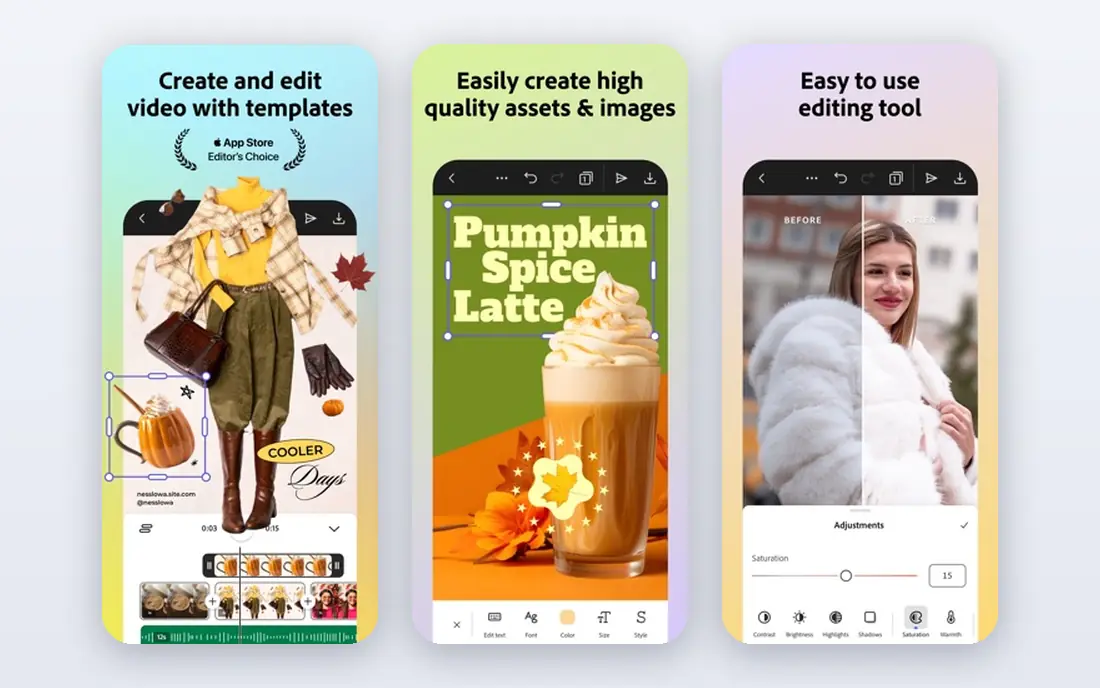
Adobe Express offers polished card templates with strong photo tools, including quick edits, filters and text styling. It suits senders who start from a favourite photo and want a clean, print ready result without learning a full design program. Templates cover birthdays, holidays, thank you notes and seasonal greetings, with room to adjust layout and colour.
Like Canva, Adobe Express focuses on design rather than delivery. You can share the finished card digitally or print it, but mailing a physical card needs a separate service. Premium templates and assets sit behind a paid plan, so check which designs are free before you start a card you plan to reuse. Pick Adobe Express when photo quality and polish matter most.
- Strong photo editing and templates
- Brand and font controls
- Free tier to start
- Delivery and mailing need separate steps
- Premium assets need a paid plan

Paperless Post brings a stationery feel to digital cards, with designer collections, envelope designs and virtual stamps that make opening a card feel closer to receiving mail. It suits weddings, milestone birthdays, formal invitations and holiday cards where presentation matters. Scheduling lets you prepare cards early, and tracking shows when recipients open them.
Pricing varies by design and by number of sends, with coins or membership options depending on the plan, so check the current pricing page for the design you want. Paperless Post is less suited to a quick casual note, where a simpler free tool is faster. Choose it when the card itself should feel like an occasion, not just a message.
- Designer stationery feel
- Envelopes and stamps
- Scheduling and tracking options
- Costs vary by design and sends
- Less suited to quick casual notes
Punchbowl is a friendly choice for family birthdays, kids parties and holiday greetings. Its catalogue includes licensed character designs that children recognise, alongside classic photo cards and seasonal options. Envelope and stamp details add a traditional feel, while digital delivery keeps sending simple for large guest lists.
The free tier is useful for testing, but it can include sponsored content, and the cleaner premium experience needs a paid plan. Check current monthly and annual prices on the official site before you commit for a full year of cards. Pick Punchbowl when the recipient is a child, or when a playful, familiar design matters more than a formal look.
- Character designs for kids parties
- Envelope and stamp details
- Easy digital sending
- Free experience can include ads
- Premium designs need a paid plan
Greetings Island suits senders who want a good card quickly and without a subscription. Templates cover birthdays, holidays, thank you notes and invitations, with simple editing for text, colours and photos. Print friendly layouts help if you want to print at home, and digital sharing covers email and social options.
Designs are simpler than those in Canva or Paperless Post, and customisation is more limited. That is a fair trade for speed and cost, especially for classroom cards, office greetings and last minute birthdays. Choose Greetings Island when you need a decent card now, without learning a design tool or paying for a plan.
- Free templates to start
- Simple editing
- Print friendly layouts
- Designs can feel basic
- Fewer premium features than larger design tools
TouchNote turns photos on your phone into printed postcards and greeting cards, which it then prints and mails for you. That makes it ideal for holiday cards, travel greetings and family updates where a physical card feels more personal than a digital image. The app is built for mobile design, with photo cropping, messages and address handling in one place.
Printed cards cost per card plus postage, so frequent senders should check subscription credit plans on the official site. Delivery also takes time, so TouchNote suits planned greetings rather than same day surprises. Pick it when you want the feel of a real card without buying cards, stamps and envelopes yourself.
- Turns phone photos into printed cards
- Worldwide delivery
- App based design
- Per card cost adds up for frequent senders
- Delivery takes postage time
Postable designs a card online, prints it on quality cardstock and mails it for you, with handwriting style fonts that make the message feel personal. Its address book helps for holiday card lists, since you can store addresses once and reuse them each year. That workflow suits senders who love paper cards but dislike trips to the store and the post office.
The trade is cost and speed. Each mailed card costs more than a digital card, and delivery follows normal postage times. Postable suits birthdays, thank you notes and holiday cards planned a week or more ahead. Choose it when a physical card in the mailbox matters more than instant delivery.
- Prints and mails real cards
- Handwriting style fonts
- Address book management
- Per card cost is higher than digital
- No instant delivery
American Greetings brings a traditional card shop catalogue to digital sending, with birthday, holiday, sympathy, thank you and encouragement cards in familiar styles. Animated and musical cards add life to a digital greeting, which suits recipients who enjoy a classic card experience rather than a custom design project. Membership options open up the fuller catalogue.
The free selection is limited, so check current membership prices on the official site if you plan to send cards often. Design freedom is also lower than in Canva or Adobe Express, since you mainly personalise an existing card. Pick American Greetings when you want a trusted, traditional card quickly, without designing from scratch.
- Large traditional catalogue
- Animated and musical options
- Familiar brand
- Best catalogue sits behind membership
- Less design freedom than Canva
How we picked these
We compared official feature pages, pricing pages and app listings for apps and services that create, send or mail greeting cards. We kept only services that are live in October 2026 and that cover a real card job: digital sending, design, or printed mailing. We favoured a mix of free tools, design platforms, formal digital cards and mailed paper cards, since senders differ in budget, style and timing. Prices are starting prices from vendor pages and roundups checked in October 2026, and per card costs vary by design and postage, so confirm the current price before you send.
What to check before you choose
Digital, printed or both
Decide first if the card should arrive instantly or in the mailbox. Digital cards suit last minute greetings and large lists, while printed cards suit close family, milestones and holiday traditions. Some senders use both, with a digital card for speed and a printed card for close relatives.
Cost per card versus subscription
Free tools and per card services suit occasional senders, while a membership suits households that send cards every month. Add postage to printed card costs, and check if premium designs cost extra on top of a plan. A subscription only saves money if you send enough cards to use it.
Photos, text and personalisation
Check how easily you can add photos, change text and adjust layout. Design tools offer the most freedom, while catalogue services offer speed. For photo cards, test cropping and print quality on a small order first, since a photo that looks fine on screen can look different in print.
Timing and addresses
Printed cards need lead time for printing and postage, especially around holidays. Digital cards need only a correct email or link, but check spam filters and scheduling options for important dates. Keep an address list updated for mailed cards, and test a digital card by sending one to yourself first.
Frequently asked questions
What is the best greeting card app for free cards?
Greetings Island and Canva both offer strong free options for digital and printable cards. Greetings Island is faster for a simple card, while Canva offers more design control. For free mailed cards, options are limited, since printing and postage always carry a cost.
What is the best greeting card software for printed cards?
TouchNote and Postable are the strongest picks for printed cards, since both print and mail the card for you. TouchNote suits photo cards from your phone, while Postable suits traditional paper cards with handwriting style fonts. Check per card prices and delivery times on their official sites before a large holiday order.
Can I send a greeting card from my phone?
Yes. Canva, Adobe Express, TouchNote, Punchbowl and most services on this list offer mobile apps or mobile friendly sites. TouchNote is the most mobile focused for printed photo cards, while Canva and Adobe Express suit design on a phone or tablet. Test the app with one card before a busy holiday season.
How early should I order printed greeting cards?
Order at least a week before the occasion for domestic delivery, and earlier around holidays when postal volumes rise. International delivery needs more lead time, so check the service delivery estimates for your destination. Digital cards remain the safe fallback when a printed card would arrive late.
Are digital greeting cards still personal?
They can be, if you write a personal message and choose a design that fits the recipient. A short, specific note matters more than an elaborate template. Photo cards, voice notes where offered, and scheduled delivery on the exact day all help a digital card feel thoughtful rather than generic.
Which greeting card app is best for kids birthdays?
Punchbowl is a strong pick for kids birthdays, thanks to character designs and easy digital sending for party guests. Greetings Island also offers simple free options for classroom and family cards. For a printed keepsake, TouchNote can turn a party photo into a card the family keeps.
Sources
See where you really rank - block by block
ProMapRanker scans Google Maps across a grid of your service area. Simple monthly plans from $19, white-label on every plan.
Start freeKeep reading
 zscaler alternatives
Best Zscaler Alternatives in 2026
Looking for zscaler alternatives? We compare 9 SASE and zero trust platforms on architecture, data protection, pricing, and fit for your network and team.
Read → zapier alternatives free
Best Zapier Alternatives Free in 2026
Nine automation tools for zapier alternatives free in 2026, all with genuinely free tiers, plus free plan limits, starting prices and upgrade paths explained.
Read → which platform is best for online reputation
Which Platform Is Best for Online Reputation in 2026
Wondering which platform is best for online reputation? We compare 8 review, listing, and response tools for small and multi-location businesses and agencies.
Read →