 ProMapRanker
Best Graphic Calculator App in 2026

Key takeaways
- Desmos and GeoGebra are our top free picks for most students, since both plot in 2D and 3D at no cost.
- WolframAlpha is the strongest choice when a question needs symbolic math, data, and plots in one place.
- Symbolab and Mathlab suit students who want steps and a phone-first layout, but some features sit behind a paid plan.
- Microsoft Math Solver and Photomath help with homework checks, yet they are not full replacements for a graphing tool.
- Check exam rules before you rely on any app, since many tests limit which tools you may use in the room.
Quick comparison
| Pick | Great for | Pricing starts at | Free tier | |
|---|---|---|---|---|
 Desmos | Fast free graphing for school and college | Free | Yes | Visit |
 GeoGebra | Geometry, algebra, and classroom lessons | Free | Yes | Visit |
 WolframAlpha | Advanced computation, plots, and data | Free | Yes | Visit |
 Symbolab | Step-by-step algebra and calculus help | Free | Yes | Visit |
 Mathlab Graphing Calculator | A full graphing calculator on Android | Free | Yes | Visit |
 Microsoft Math Solver | Free homework checks with steps | Free | Yes | Visit |
 Photomath | Scanning printed math problems | Free | Yes | Visit |
 CalcPlot3D | Free 3D plots for multivariable calculus | Free | Yes | Visit |
 TI-84 Plus CE App | Students whose class uses TI calculators | See website | No | Visit |
The best graphic calculator app
We compared free and paid graphing tools on plotting speed, 2D and 3D support, step help, and price. The list below mixes classroom favorites with tools for college and work, so you can match the app to the math you actually do.

Desmos is our pick for most people. You type a function and the graph appears at once, and sliders let you test how a change in one value moves the whole curve. That direct feel makes it useful for homework, class demos, and quick checks before a test.
The free graphing calculator also covers inequalities, polar graphs, tables, and 3D plots through its separate 3D tool. The trade-off is that Desmos focuses on graphing rather than full worked solutions. If you need detailed steps for algebra or calculus, pair it with a solver from this list.
- Very fast plotting
- Clean sliders and tables
- Works in a browser and on phones
- No TI-style keypad
- Limited symbolic step help compared with WolframAlpha
GeoGebra suits students and teachers who want more than a graph. You can build a shape, link it to an equation, and watch both change together, which helps when a lesson moves between algebra and geometry. It also offers dedicated calculators for graphing, 3D work, and computer algebra.
The free tools cover a wide range of school and early college math. New users may need a short session to find the right view, since the suite packs many tools into one workspace. Once you settle on one calculator view, the daily work feels much simpler.
- Combines graphing, geometry, and spreadsheets
- Strong classroom tools
- Free for most users
- The full suite can feel busy at first
- Some advanced features take time to learn
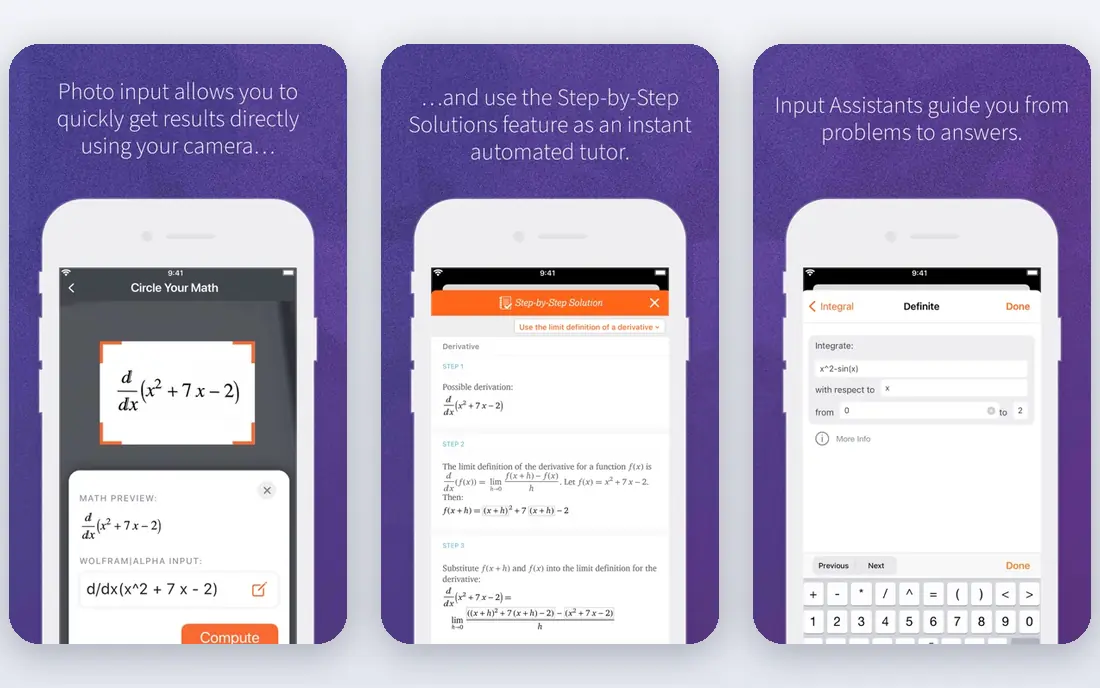
WolframAlpha is less of a simple grapher and more of a computation engine. You can enter an integral, a data set, or a system of equations and get a plot plus a computed result. That depth makes it a good second tool for college students and professionals.
The free version answers many questions and shows basic plots. Paid WolframAlpha Pro adds step-by-step solutions, more computation time, and file uploads. If your main need is quick graphing, Desmos will feel faster, but for hard problems WolframAlpha goes further.
- Handles calculus, statistics, and unit work
- Strong 2D and 3D plots
- Large knowledge base
- Step-by-step solutions need a paid plan
- The interface is less classroom-friendly than Desmos
Symbolab fits students who get stuck between the problem and the answer. Its solver shows steps for algebra, trigonometry, calculus, and matrices, and its graphing tool lets you check the result visually. That pairing helps you see both the method and the shape of the answer.
The free tier is useful for single problems and basic graphing. A paid plan removes ads and opens full steps and more practice options. Prices vary by plan and billing period, so check the vendor site before you commit.
- Clear worked steps for many topics
- Graphing calculator included
- Good practice material
- Full step access needs a subscription
- Ads appear on the free version
Mathlab is a practical choice for Android users who want a calculator that feels like a handheld device. It handles multiple functions, roots, intersections, and a wide set of constants, and it keeps working without a connection for core graphing tasks.
The free version covers most homework needs. Mathlab Pro adds more features and removes ads, and it is sold as a paid upgrade in the app store. If you use an iPhone, Desmos or GeoGebra will be the smoother pick.
- Works well on phones
- Supports functions, tables, and constants
- Offline use for core graphing
- The design looks dated next to Desmos
- The Pro version is a separate paid upgrade
Microsoft Math Solver is best as a checking tool rather than a main grapher. You can type a problem, scan it with a phone camera, or draw it, and the app returns steps plus a simple graph where that makes sense. It covers arithmetic through calculus at a basic level.
Because it is free, it is an easy extra app to keep beside Desmos or GeoGebra. Students who need 3D surfaces, sliders, or detailed classroom tools should still use a dedicated grapher for that work.
- Free
- Scans handwriting and print
- Shows steps and related videos
- Graphing is basic compared with Desmos
- Some advanced topics are limited
Photomath earns its place for speed. Point a phone camera at a printed problem and you get a solution with steps you can follow one line at a time. That makes it handy for checking homework and for seeing where a method went wrong.
It is not built as a full graphing calculator, so it will not replace Desmos for exploring functions. Photomath Plus adds deeper explanations and more help, sold as a subscription. Use it for answers and steps, and use a grapher for plots.
- Fast camera scanning
- Clear animated steps
- Covers school math well
- Graphing features are limited
- Full explanations need Photomath Plus
CalcPlot3D is a focused tool for students in multivariable calculus. It plots surfaces, contour lines, vector fields, and regions, and it lets you rotate a view to understand shape in three dimensions. For that specific job, it goes beyond what many general graphers show.
The interface is plain and web based, so it will not feel as smooth as a modern app. If you only need 2D graphs, start with Desmos. If 3D calculus is your current course, CalcPlot3D is worth bookmarking beside it.
- Free
- Strong 3D surfaces, contours, and vectors
- Built for calculus teaching
- Web only and less polished than Desmos
- No mobile app with the same depth
Some classes still teach with TI keystrokes, and in that setting a TI-style tool avoids confusion. The TI-84 Plus CE family is widely used in US schools, and its app and emulator options let students practice the same steps they will use in class.
The catch is cost and exam policy. Pricing depends on the product and license, so check the Texas Instruments education site, and confirm whether your test allows the app or requires the physical calculator. For open exploration, Desmos remains faster, but for TI-based courses this is the consistent choice.
- Matches TI classroom keystrokes and menus
- Familiar for test prep
- Strong teacher support
- Paid software or hardware cost
- Less visual than Desmos for exploration
How we picked these
We compared official feature pages, pricing pages, and app store listings for graphing tools that are live in October 2026. We kept tools that plot functions clearly, fit school or college math, and offer a usable free tier or a clear paid path. We left out tools that were discontinued, that only solve without graphing, or that did not clearly fit the topic. Prices marked as free reflect the vendor free tier at the time of writing, and prices marked as See website mean the vendor does not publish a simple starting price on its main page.
What to check before you choose
Start with the course, not the app. A high school algebra class needs fast 2D graphing and sliders, while multivariable calculus needs 3D surfaces and vectors. A solver with steps matters more if you often get stuck on method, while a clean grapher matters more if you need to explore shapes.
Check three practical points before you settle. First, confirm the app runs on your phone, tablet, or school Chromebook. Second, confirm whether you can work offline, since some tools need a connection. Third, confirm exam rules, since a tool that is fine for homework may not be allowed in a test room.
For most students, our advice is simple. Keep Desmos or GeoGebra as the main grapher, add WolframAlpha or Symbolab for hard problems, and keep a scanning app only for quick checks. That combination covers graphing, steps, and review without paying for tools you will not use.
Frequently asked questions
What is the best free graphing calculator app?
Desmos is our top free pick for most students, with GeoGebra close behind for geometry and classroom work. Both offer free 2D graphing, and both have 3D options. Try Desmos first for speed, and try GeoGebra if your lessons mix shapes and equations.
Is there a best graphing calculator app for the SAT?
Desmos is built into the digital SAT testing app, which makes it a strong practice choice for that test. Practice with the same tool you will see on test day, and check current College Board rules before the exam. Do not assume a phone app will be allowed in the room.
Can a graphing calculator app replace a physical calculator?
For homework and study, yes in many cases, since apps like Desmos and GeoGebra plot faster and cost nothing. For exams, it depends on the test rules, and some tests require an approved physical calculator. Check the rules for your course and test before you leave the handheld at home.
Which app is best for 3D graphing?
Desmos 3D and GeoGebra 3D both handle surfaces and vectors for free, and CalcPlot3D is a strong free choice for multivariable calculus. GeoGebra gives you more linked geometry views, while CalcPlot3D focuses on calculus plots. Pick the one that matches your course examples.
Do I need a paid graphing calculator app?
Most students do not. Free tiers from Desmos, GeoGebra, and WolframAlpha cover graphing and many computations. Pay only if you need full step-by-step solutions, extra practice, or a TI-style tool for a class that requires it.
What is the difference between a graphing calculator and a solver?
A graphing calculator plots functions and lets you explore shape, intercepts, and change. A solver focuses on finding an answer and showing steps. Many students benefit from both, using a grapher to see the problem and a solver to check the method.
Sources
See where you really rank - block by block
ProMapRanker scans Google Maps across a grid of your service area. Simple monthly plans from $19, white-label on every plan.
Start freeKeep reading
 zscaler alternatives
Best Zscaler Alternatives in 2026
Looking for zscaler alternatives? We compare 9 SASE and zero trust platforms on architecture, data protection, pricing, and fit for your network and team.
Read → zapier alternatives free
Best Zapier Alternatives Free in 2026
Nine automation tools for zapier alternatives free in 2026, all with genuinely free tiers, plus free plan limits, starting prices and upgrade paths explained.
Read → which platform is best for online reputation
Which Platform Is Best for Online Reputation in 2026
Wondering which platform is best for online reputation? We compare 8 review, listing, and response tools for small and multi-location businesses and agencies.
Read →