 ProMapRanker
Best Gift List Apps in 2026: 8 Apps Compared


One universal list for any occasion · Pricing starts at: Free
Key takeaways
- MyRegistry.com is the strongest all-round pick because it accepts items from any store, plus cash funds and experiences, on one list.
- Giftster and Elfster suit group and family use, with Giftster stronger for shared family lists and Elfster stronger for gift exchanges and draws.
- Amazon Wish List is the simplest option when almost every gift will come from Amazon, but it does not cover other stores.
- Duplicate prevention is the feature that matters most in a group, so test how an app marks an item as bought before you share the list widely.
Quick comparison
| Pick | Great for | Pricing starts at | Free tier | |
|---|---|---|---|---|
| MyRegistry.com | One universal list for any occasion | Free | Yes | Visit |
 Giftster | Shared family gift lists | Free | Yes | Visit |
 Elfster | Secret Santa and gift exchanges | Free | Yes | Visit |
 Amazon Wish List | Amazon-only wish lists | Free | Yes | Visit |
 Zola | Wedding and milestone registries | Free | Yes | Visit |
 Wishes | Fast sharing with one link | Free | Yes | Visit |
 GiftList | Free universal wish lists with no limits | Free | Yes | Visit |
 LMK | Group gifts across many retailers | Free | Yes | Visit |
The best gift list apps
We compared official feature pages, pricing notes and app store listings for the apps below. Our pick for most people is MyRegistry.com, because one link can cover items, cash funds and experiences from any store.

MyRegistry.com suits anyone who is tired of sending three separate links for one birthday or wedding. A browser button adds items from any store to a single list, and guests can see what is already bought, which cuts duplicate gifts. Cash funds and experience gifts sit on the same list, so a guest who prefers to give money does not need a second service.
The honest catch is fees and returns. The registry itself carries no charge to create, but a small transaction fee can apply to cash gifts, and returns follow each original retailer policy. For most users, the single-link convenience outweighs those limits, provided the cash fee is checked before sharing.
- Add items from any store
- Cash funds and experiences on the same list
- Real-time duplicate tracking
- Cash fund transaction fees can apply
- Guests buy from the original retailer, so return rules vary by store

Giftster is built for families who share lists year after year. Each person keeps a list, family members join a private group, and the app blocks duplicate purchases once an item is reserved. That structure fits Christmas and birthday cycles better than a one-off registry tool.
The limit is store coverage. Giftster handles many retailers, but adding from every store is not as fluid as on MyRegistry.com, so a user with unusual shops may need to add items by hand. For a stable family group that values privacy and duplicate control, it remains a strong, low-cost choice.
- Private family groups
- Duplicate purchase blocking
- Works for birthdays and holidays
- Adding from some stores is less smooth than a fully universal registry
- Design feels dated to some users
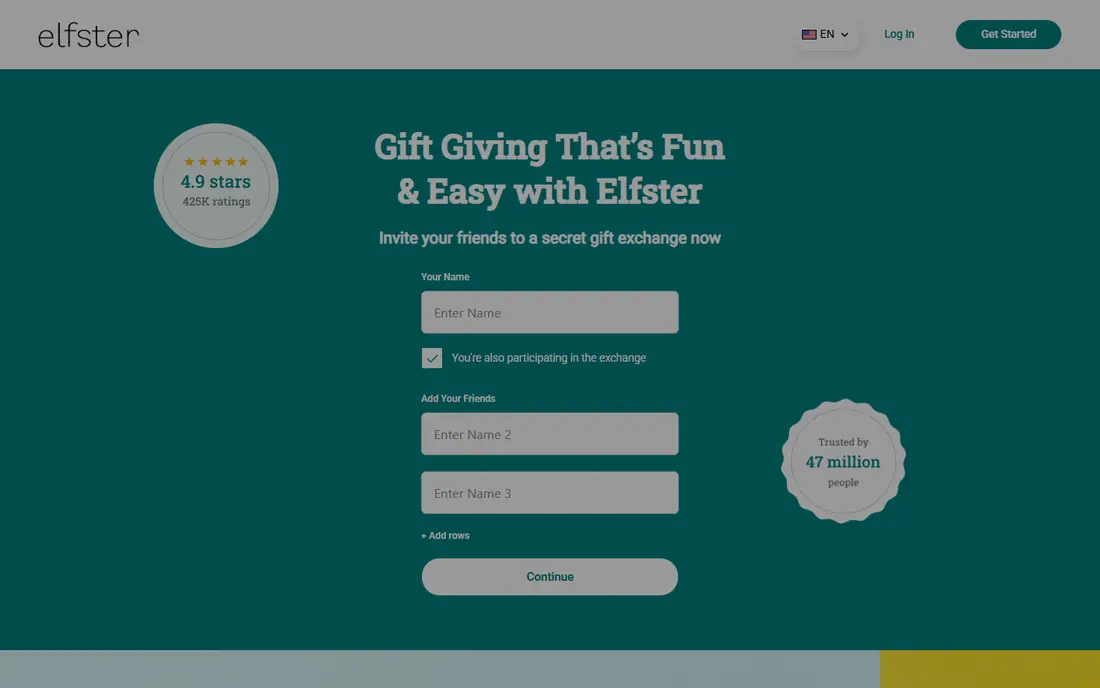
Elfster is the pick when the real job is running a draw, not just holding a list. It handles Secret Santa name draws, exclusion rules for couples or households, wish lists for each participant and anonymous questions to the recipient. That combination saves the organiser from spreadsheets and awkward group messages.
As a general gift app, Elfster is narrower. It works for wish lists, but its strength is the exchange workflow, and adding items from every store is partial rather than fully universal. Use it for the draw, and pair it with a universal list if guests shop across many stores.
- Secret Santa draws with exclusion rules
- Anonymous messaging
- Free to use with no premium tier
- Built for exchanges first, so everyday wish lists feel secondary
- Universal adding is partial
Amazon Wish List wins on simplicity. Anyone with an Amazon account can create a list in minutes, share a link, and let guests buy without learning a new app. Purchase tracking inside Amazon also helps avoid duplicates for items bought on Amazon.
The boundary is clear. Items from other stores do not sit naturally on the same list, and there is no built-in cash fund. If your family buys almost everything on Amazon, that limit may not matter. If they shop at Target, Etsy and small stores too, a universal app will serve you better.
- No setup for Amazon shoppers
- Easy sharing
- Purchase tracking inside Amazon
- Only tracks Amazon items well
- No cash funds or cross-store duplicate control
Zola suits couples who want a wedding website and a registry in one account. Guests find the event details, the registry and cash fund options in one place, and group gifts let several guests contribute to a larger item. Thank-you tracking and guest management add practical value after the event.
The trade-off is scope and fees. Zola covers its own store and selected partners well, but it is not as open as MyRegistry.com for any store on the web, and cash gifts can carry a fee. Couples who value the combined website may accept that, while couples who want maximum store freedom may prefer a universal registry.
- Wedding website plus registry in one place
- Cash funds and group gifts
- Guest management tools
- Cash fund fees can apply
- Store range is narrower than a fully universal registry
Wishes is the quickest route from idea to shared link. A user can build a list, share one link, and guests can browse in a browser without installing an app. When a guest books a gift, it shows as taken, which is the core duplicate protection most lists need.
The free tier has a limit on how many wish lists a user can hold, with a paid tier lifting that limit and adding themes and shared lists. Guests who book a gift are also asked to sign in, which is a small step but worth knowing before sharing with less tech-comfortable relatives.
- Very fast setup
- Guests can browse without an app
- Booked items show as taken
- Free tier limits the number of wish lists
- Booking a gift asks the guest to sign in
GiftList appeals to users who want a free, no-limits list without a wedding focus. It lets users add items from different stores, share one list, and mark items as taken so guests do not duplicate a purchase. For birthdays, holidays and housewarmings, that covers the core job at no cost.
The catch is familiarity. Guests may hesitate over a less well-known link, so a short note in the invitation explaining that the list is free and safe to open helps. Cash and experience options are also more limited than on MyRegistry.com, so check those features if they matter for your occasion.
- Free with no stated limits on lists or items
- Universal adding
- Duplicate marking
- Smaller brand than Amazon or Zola, so some guests may need a nudge to trust the link
- Cash features are limited
LMK suits friend groups and long-distance families who buy from many stores. One list can track items across major retailers, with price alerts that help guests avoid overpaying, and group coordination that helps friends split a larger gift. That cross-store view is its main edge over a single-store list.
As a newer service, LMK is less familiar to many guests, and its fit varies by occasion. A wedding couple may still prefer a registry with a website and guest tools, while a friend group buying a shared birthday gift may find LMK the most practical tool in this list.
- Cross-retailer price tracking
- Group gift coordination
- Price-drop alerts
- Newer and less familiar than the big registries
- Feature set varies by occasion
How we picked these
We compared official feature pages, pricing notes and app store listings, and we kept only apps that are live in October 2026 and that let a user create, share and manage a gift list. We favoured universal adding, clear duplicate control and simple sharing for guests, and we noted where a free tier has limits or where cash funds carry a fee rather than repeating an unverified price.
How to choose the right gift list app
Start with where your guests actually shop, then check how the app handles duplicates and cash. A pretty list that guests cannot open is worse than a plain list they use.
Count your stores first
If every gift comes from one store, a single-store list is enough. If gifts come from five stores, choose a universal app such as MyRegistry.com or GiftList, so guests need only one link.
Test duplicate control before sharing
Reserve an item yourself, then view the list as a guest would. Check whether the item shows as taken, whether the recipient can see who bought it, and whether a guest can undo a mistake. That five-minute test prevents the duplicate-gift problem the app is meant to solve.
Decide on cash and experiences
Some lists handle physical gifts only, while others add cash funds and experiences. If guests often ask for money toward a trip or a large item, pick an app that supports funds and check its transaction fee before you share.
Make it easy for older relatives
Choose an app where guests can open the list in a browser without installing anything, and add a short note with the link explaining what to do. Wishes and GiftList score well here, while apps that require an account for every guest need more explanation.
Frequently asked questions
What is the best gift app?
For most occasions, MyRegistry.com is the best gift app because it combines universal adding, cash funds and duplicate tracking on one list. For a Secret Santa draw, Elfster is better, and for an Amazon-only household, Amazon Wish List is simpler.
Is the best gift list app free?
Most apps in this list are free to start, including MyRegistry.com, Giftster, Elfster, Wishes and GiftList. Some charge a transaction fee on cash gifts or charge for a paid tier that lifts list limits, so check those two items before sharing.
Can a gift list app stop duplicate gifts?
Yes, when guests mark items as bought or reserved. The apps differ in who can see that a gift is taken and whether the recipient is kept in the dark, so test the setting before the list goes live.
Do guests need to download an app?
Not always. Wishes lets guests browse in a browser without an app, while other apps may ask guests to sign in to reserve a gift. If your guests are less comfortable with apps, choose a browser-friendly option and say so in your invitation.
What is the best gift list app for weddings?
Zola suits couples who want a wedding website plus a registry, while MyRegistry.com suits couples who want items from any store on one list. Choose Zola for the combined website, and MyRegistry.com for maximum store freedom.
Sources
See where you really rank - block by block
ProMapRanker scans Google Maps across a grid of your service area. Simple monthly plans from $19, white-label on every plan.
Start freeKeep reading
 zscaler alternatives
Best Zscaler Alternatives in 2026
Looking for zscaler alternatives? We compare 9 SASE and zero trust platforms on architecture, data protection, pricing, and fit for your network and team.
Read → zapier alternatives free
Best Zapier Alternatives Free in 2026
Nine automation tools for zapier alternatives free in 2026, all with genuinely free tiers, plus free plan limits, starting prices and upgrade paths explained.
Read → which platform is best for online reputation
Which Platform Is Best for Online Reputation in 2026
Wondering which platform is best for online reputation? We compare 8 review, listing, and response tools for small and multi-location businesses and agencies.
Read →