 ProMapRanker
Best Geocaching App in 2026: 9 Apps Compared

Key takeaways
- The official Geocaching app is the simplest start, but full cache access and offline lists need a Premium membership.
- Cachly is the strongest iPhone choice for offline-first caching, waypoint tools, and CarPlay use.
- c:geo is the best free Android option for power users who want offline maps and detailed cache data.
- Adventure Lab and Wherigo are separate experiences from standard geocaching, so pick them for story-led hunts rather than everyday finds.
- Your Geocaching.com membership level limits what any partner app can show, so check that before blaming an app for missing caches.
Quick comparison
| Pick | Great for | Pricing starts at | Free tier | |
|---|---|---|---|---|
 Geocaching | First-time cachers | Free | Yes | Visit |
 Cachly | iPhone power users | $4.99 one-time | No | Visit |
 c:geo | Free Android caching | Free | Yes | Visit |
 Adventure Lab | Story-led Adventures | Free | Yes | Visit |
 Wherigo | Location-based stories | Free | Yes | Visit |
 Looking4Cache | Offline iPhone caching | Free | Yes | Visit |
 GeoCaches | Opencaching and multi-site use | Free | Yes | Visit |
 GCDroid | Android Premium members | Free | Yes | Visit |
 Project-GC | Stats and challenge checks | Free | Yes | Visit |
The best geocaching apps
We compared apps on cache access, maps, offline support, logging, and membership rules. Here are the picks that cover beginners, Android users, iPhone users, and puzzle fans.
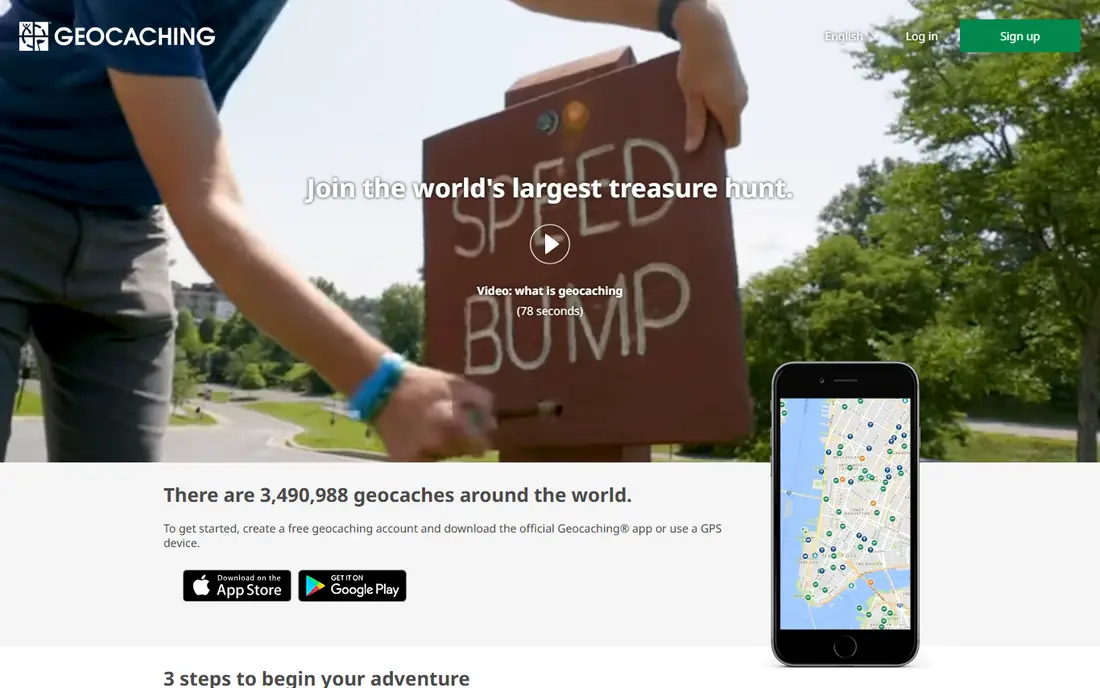
The official Geocaching app is where most people should start. It connects directly to Geocaching.com, the largest cache database, and it keeps search, navigation, and logging in one place. New players can find nearby traditional caches, read hints and recent logs, and log a find without learning a specialist tool first. That simplicity matters when you are standing on a trail trying to read a clue.
The limit is membership, not the app itself. Basic members can only view caches up to difficulty 1.5 and terrain 2, and Premium-only caches stay hidden. Offline lists and advanced filters also need Premium. If you cache often, or you travel to areas with poor signal, that membership becomes the real cost to budget for, not the app download.
- Official cache database
- Simple search and navigation
- Message other players
- Basic members see only lower difficulty and terrain caches
- Offline lists need Premium
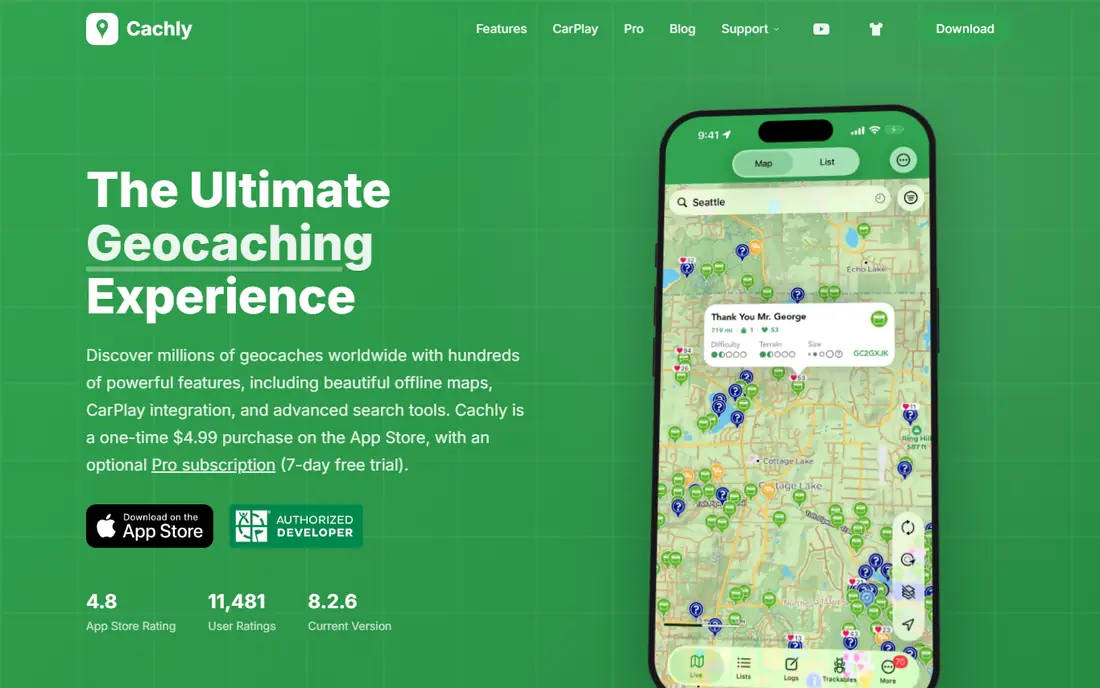
Cachly is an official partner app for iOS, and it is built for people who cache seriously. Its offline-first design lets you save caches, maps, and lists before you leave home, which helps in forests and rural areas where signal drops. Waypoint tools, corrected coordinates, and multi-user logging help groups and puzzle solvers, and CarPlay support keeps navigation on the car screen on the way to a trailhead.
Cachly costs $4.99 as a one-time purchase, with an optional Cachly Pro tier for offline vector maps and advanced live-map features, listed at $1.99 per month or $14.99 per year with a free trial. It does not remove Geocaching.com membership limits, so Basic members still face the same cache restrictions. For iPhone owners who cache weekly, it is the most complete upgrade from the official app.
- Offline-first design
- Waypoint averaging
- CarPlay and Apple Watch support
- IOS only
- Pro offline maps cost extra
- Still bound by Geocaching membership rules

c:geo is a community-built Android app that has served geocachers for years. It connects to your Geocaching.com account and shows more cache detail on the map than the official free tier, with offline storage for cache pages and maps. Power users like its filters, waypoint handling, and ability to work from saved lists in areas with no signal. Because it is free and open source, there is no subscription for the app itself.
The trade-off is polish and support. c:geo is not made by Geocaching HQ, so help comes from its own community, and the dense interface can overwhelm a first-time user. Android owners who want a free, capable tool and are happy to learn its menus will get a lot from it. iPhone owners need to look at Cachly or Looking4Cache instead.
- Free and open source
- Strong offline support
- Broad map and filter options
- Android only
- Interface can feel dense for beginners
- Not made by Geocaching HQ
Adventure Lab, also from Geocaching HQ, runs guided, location-based Adventures rather than standard hidden containers. You visit a series of locations, answer questions or complete tasks, and earn a find for each stage. That format suits families, tourists, and groups who want a walk with a story, rather than a hunt for a small box in a hedge. It is a good way to explore a town centre or a park without carrying extra gear.
It is not a replacement for the main Geocaching app. Adventure Lab stages are a distinct experience, and serious cache hunters will still want the standard app for traditional, multi, and mystery caches. Use Adventure Lab when you want a guided outing, and keep the main app for classic caching days.
- Guided local Adventures
- No container to find
- Good for families and visitors
- Separate from standard cache counts in some views
- Needs a phone and location access
Wherigo is a separate platform for location-based stories and games, played through the Wherigo player app. A cartridge can guide you through a fictional story, a historical tour, or a puzzle where your location choices change what happens next. For players who enjoy narrative and problem solving, a good Wherigo cartridge feels closer to an outdoor escape game than a simple find.
The catalogue is much smaller than the standard geocache database, and the player interface feels older than modern caching apps. Check that a cartridge exists near you before you plan a trip around it. When one does exist, and it is well made, it is a memorable change from routine traditional caches.
- Story-driven cartridges
- Puzzle and tour formats
- Free player app
- Smaller catalogue than standard caches
- Older interface
- Needs a downloaded cartridge
Looking4Cache is an iPhone app for search, storage, and offline logging. It can search through the Geocaching Live API or import GPX files, and it stores cache data locally so you can keep caching when signal fails. That offline focus suits rural trips and international travel where data is costly. A Pro version adds more features for frequent users.
It does not have the same large community or polish as Cachly, and some features sit behind the Pro upgrade. Still, if you want a free iPhone starting point with real offline support, Looking4Cache is a solid choice before you decide if a paid app is worth it.
- Offline storage
- GPX import
- Live API search
- Smaller user base than Cachly
- Pro features are paid
- IOS focus
GeoCaches is a multi-platform client that also works with Opencaching sites, the community-run alternative to Geocaching.com. That matters for players in regions where Opencaching has a strong local presence, or for cachers who want to try a free and open listing system alongside the main database. The app itself is free, which makes it easy to test.
The catch is scale. Opencaching lists far fewer caches than Geocaching.com in most areas, so you may find little near you. Use GeoCaches as a second app for Opencaching hunts, not as your only tool, unless your local area has a strong Opencaching community.
- Works with Opencaching sites
- Multi-platform client
- Free to use
- Smaller cache pool than Geocaching.com
- Interface varies by site
- Less support for Premium features
GCDroid is an Android client aimed at Premium members who want a straightforward caching workflow. It offers search, navigation, and logging with offline support, without the dense menus that put some beginners off c:geo. For a Premium member who mainly wants to find, navigate, and log, that simplicity is a real benefit.
Its smaller profile means fewer guides and community tips than c:geo, and cache access still follows your Geocaching.com membership. Try it if c:geo feels too busy for you, but keep c:geo in mind if you later want deeper filters and tools.
- Android caching with Premium support
- Offline-friendly workflow
- Simple layout
- Less well known than c:geo
- Features depend on membership level
- Android only
Project-GC is not a field app, but every serious cacher ends up using it. It analyses your Geocaching.com finds and shows statistics on counties, difficulty and terrain grids, streaks, and milestones. Its challenge checkers tell you if you qualify for a challenge cache before you travel to it, which saves wasted trips. Cachly now links to Project-GC checkers from cache pages, which shows how central it has become.
Do not install Project-GC expecting turn-by-turn navigation to a cache. Use it at home to plan, to check challenges, and to track progress over months and years. A free account covers the basics, while Plus adds deeper tools for players who chase grids and challenges.
- Detailed caching statistics
- Challenge cache checkers
- Profile badges
- Not a field navigation app
- Some tools need a paid Plus membership
- Data-heavy for beginners
How we picked these
We compared official app pages, partner listings, and Geocaching HQ membership rules, and we favoured apps that are still maintained and that connect to a real cache database. We checked platform support, offline behaviour, logging, and if an app needs a Premium membership for full use. We left out generic GPS and map apps with no cache data, and we treated Project-GC as a companion tool rather than a field app, because that is how most cachers actually use it.
How to choose the right geocaching app
Match the app to your phone first
Platform limits the choice fast. iPhone owners should start with the official app and consider Cachly or Looking4Cache for offline work. Android owners should start with the official app and consider c:geo or GCDroid. Buying a paid iOS app will not help if your main phone runs Android, so check platform support before you pay.
Decide how much offline use you need
If you cache in towns with good signal, the official app is enough. If you cache in forests, hills, or rural areas, offline lists and offline maps become essential. Cachly, c:geo, and Looking4Cache all handle offline caching well, but they differ in price and platform, so pick the offline tool that matches your phone.
Budget for membership, not just the app
Many cachers are surprised that a free app still hides caches. That is a membership rule, not an app fault. Basic members see only lower-rated caches, while Premium opens up all cache types, offline lists, and advanced filters. If you cache more than a few times a month, test Premium for a month before buying several paid apps.
Respect the cache and the land
Follow local rules, stay on paths, replace caches as you found them, and log honestly, including Did Not Find logs that help owners maintain a cache. Do not move a cache, take trackables you cannot move on, or damage hiding spots to reach a container. Good logging keeps the game working for the next finder.
Frequently asked questions
What is the best geocaching app for beginners?
The official Geocaching app is the best start because it is simple, official, and tied directly to the main cache database. Start with free traditional caches near home, learn how hints and logs work, and only add a specialist app once you know you enjoy the hobby.
Are there good best geocaching apps that are free?
Yes. The official app, c:geo on Android, and Adventure Lab are all free to download. Free does not mean full access, though, because Geocaching.com Premium controls some cache types and offline features in any app that uses its data.
Do I need Premium to use Cachly or c:geo?
No, you can use both apps with a Basic account, but your cache access still follows Basic limits. Premium membership, bought from Geocaching.com, opens up all cache types and advanced features across official and partner apps.
Can I geocache without a phone signal?
Yes, if you prepare. Save caches and maps offline before you leave, using Premium offline lists in the official app, or offline storage in Cachly, c:geo, or Looking4Cache. Without saved data, a phone with no signal can still show GPS position, but it cannot load new cache pages.
What is the difference between Geocaching and Adventure Lab?
Geocaching covers standard hidden containers, including traditional, multi, and mystery caches listed on Geocaching.com. Adventure Lab is a separate guided experience where you visit locations and complete tasks, with no container to find at each stage.
Is geocaching safe for families?
Geocaching is generally family-friendly, but check terrain ratings, daylight, weather, and local rules before taking children on a hunt. Pick low-terrain caches in parks for first trips, carry water and a charged phone, and avoid caches that require climbing or entering risky areas.
Sources
See where you really rank - block by block
ProMapRanker scans Google Maps across a grid of your service area. Simple monthly plans from $19, white-label on every plan.
Start freeKeep reading
 zscaler alternatives
Best Zscaler Alternatives in 2026
Looking for zscaler alternatives? We compare 9 SASE and zero trust platforms on architecture, data protection, pricing, and fit for your network and team.
Read → zapier alternatives free
Best Zapier Alternatives Free in 2026
Nine automation tools for zapier alternatives free in 2026, all with genuinely free tiers, plus free plan limits, starting prices and upgrade paths explained.
Read → which platform is best for online reputation
Which Platform Is Best for Online Reputation in 2026
Wondering which platform is best for online reputation? We compare 8 review, listing, and response tools for small and multi-location businesses and agencies.
Read →