 ProMapRanker
Best General Ledger Software in 2026

Key takeaways
- Sage Intacct and NetSuite lead for multi-entity firms that need consolidation and dimensional reporting.
- QuickBooks Online, Xero, and Zoho Books cover the general ledger needs of most small firms at lower cost.
- Acumatica, Business Central, and SAP Business One add inventory and operations around the ledger.
- This is general information only, not tax or accounting advice, and software alone does not make books compliant.
Quick comparison
| Pick | Great for | Pricing starts at | Free tier | |
|---|---|---|---|---|
 Sage Intacct | Multi-entity mid-size firms | See website | No | Visit |
 Oracle NetSuite | Enterprise ERP finance | See website | No | Visit |
 QuickBooks Online | US small businesses | $38 per month | Free trial | Visit |
 Xero | Small teams with unlimited users | $25 per month | Free trial | Visit |
 Zoho Books | Budget-conscious small firms | See website | Yes | Visit |
 Acumatica | Growing firms needing ERP depth | See website | No | Visit |
 Microsoft Dynamics 365 Business Central | Microsoft-based firms | See website | Free trial | Visit |
 SAP Business One | Small firms needing SAP depth | See website | No | Visit |
The best general ledger software
The general ledger is the core record of a business, where every sale, bill, payment, and adjustment is posted and reported. A good system keeps an audit trail, supports period closes, and lets finance teams report by department, project, or location. This is general information only, not tax or accounting advice.
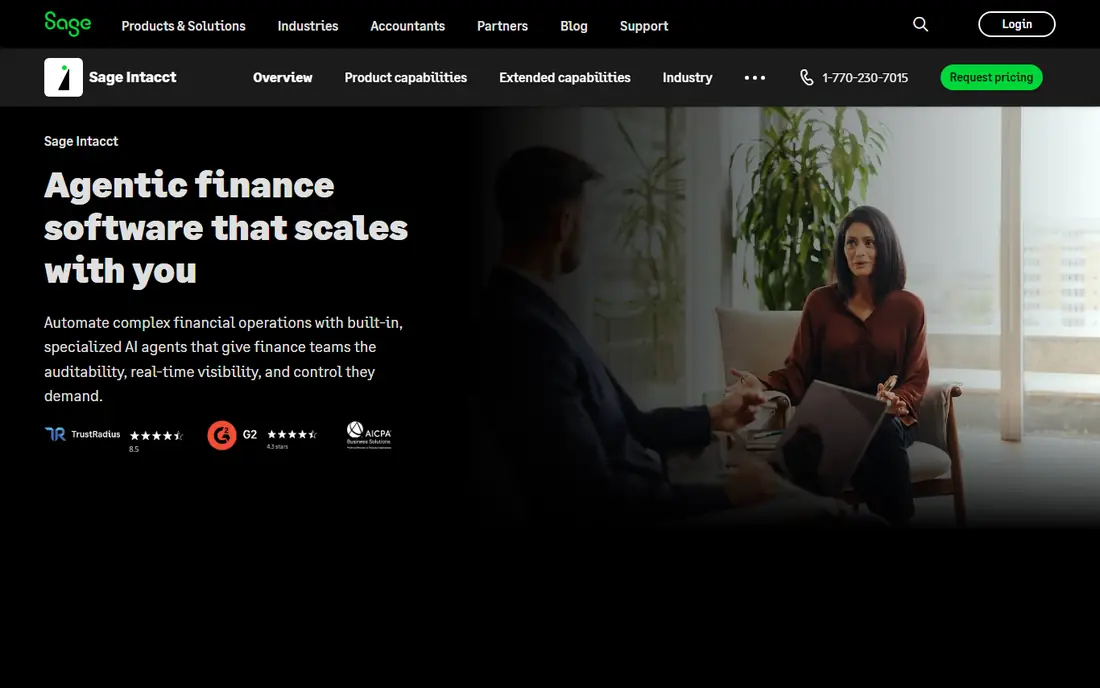
Sage Intacct is built around a dimensional general ledger. Instead of creating a maze of accounts for every department or location, finance teams tag transactions with dimensions and slice reports by those tags. Multi-entity consolidation, intercompany entries, and revenue recognition suit SaaS firms, nonprofits, and professional services.
Pricing is quoted and annual costs are often well into five figures, so it suits firms whose accounting complexity justifies the spend. Implementation also takes more planning than a QuickBooks migration. If consolidations and audit-ready reporting are the main pain, Sage Intacct is the strongest pick in this list.
- Dimensional ledger reporting
- Multi-entity consolidation
- Strong audit and approval controls
- Quote-based pricing
- Implementation takes longer than a small business tool
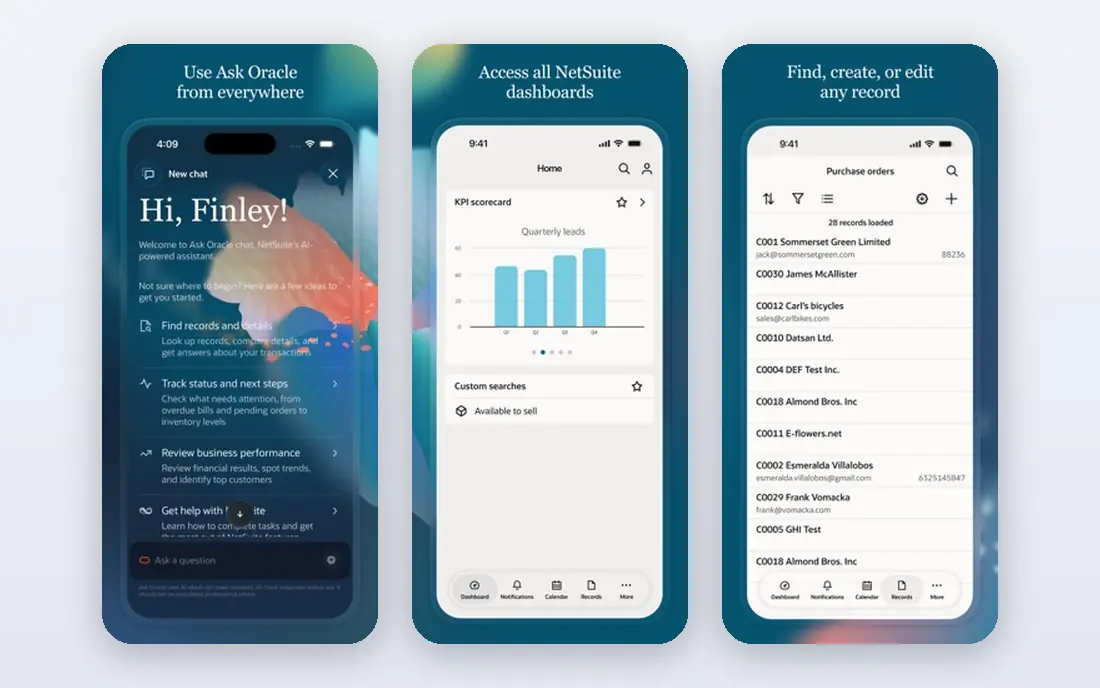
NetSuite places the general ledger inside a full ERP suite. Financials connect to inventory, orders, procurement, and CRM, so postings flow from operations rather than being re-entered. Multi-entity and multi-currency reporting help firms with subsidiaries or international trade.
That breadth means a longer implementation and a partner is often involved. Smaller firms may find it heavier than needed. For a growing company that has outgrown separate accounting and operations tools, NetSuite gives finance a single system of record.
- Ledger with inventory, CRM, and procurement
- Multi-entity and multi-currency support
- Deep reporting
- Quote-based pricing
- Implementation often needs a partner

QuickBooks Online gives small US firms a dependable general ledger with bank feeds, invoicing, bills, and standard financial reports. The chart of accounts is easy to set up, classes help with department tracking, and most accountants can review the file without conversion. That compatibility saves time at year end.
Multi-entity consolidation is the limit. Firms with several legal entities will need separate files or a larger system. User limits on lower plans also push growing teams to higher plans. For a single-entity small business, it remains a practical default.
- Wide US accountant support
- Clear chart of accounts
- Bank feeds and reporting included
- Per-user pricing
- Multi-entity work needs workarounds
Xero keeps the ledger clear for small teams. Bank transactions match to categories, tracking categories split results by department or project, and reports update as transactions post. Unlimited users mean the bookkeeper, the owner, and the accountant can all work without extra seat fees.
It is less suited to complex multi-entity groups, where a system such as Sage Intacct or NetSuite fits better. US payroll also relies on an integration. For a small firm that wants a tidy ledger and shared access, Xero is a strong value choice.
- Unlimited users on every plan
- Clean bank reconciliation
- Tracking categories for reporting
- Basic multi-entity support
- US payroll needs a partner app
Zoho Books covers the ledger essentials at a low price. Journal entries, bank reconciliation, recurring transactions, and financial reports are included, with automation for invoices and payment reminders. Firms using other Zoho apps gain from shared contacts and items.
Complex groups should look elsewhere, since multi-entity handling is basic. Accountant familiarity also varies outside Zoho's core markets. For a small firm that wants a clean ledger without a large subscription, Zoho Books is a sensible pick.
- Low-cost ledger with automation
- Free plan for eligible small firms
- Good reporting basics
- Multi-entity support is basic
- Accountant familiarity varies by region
Acumatica combines the general ledger with distribution, manufacturing, projects, and CRM, so operational postings reach finance without re-entry. Its licensing model is based on resources used rather than per-user seats, which can suit firms with many occasional users. Reporting and dashboards give managers a current view of margins and cash.
Implementation is a project, not a quick signup, and pricing is quoted. Firms that only need a ledger will find it heavier than QuickBooks or Xero. For a growing firm where inventory and projects drive the numbers, Acumatica is a strong mid-market option.
- Ledger with inventory, projects, and distribution
- Flexible licensing by resources used
- Cloud based
- Quote-based pricing
- Implementation needs planning
Business Central gives Microsoft-based firms a ledger tied to inventory, purchasing, sales, and project jobs. Teams already using Outlook, Teams, and Excel can work in familiar tools, and data flows between Office apps and the ledger with less copying. Dimensions support reporting by department, project, or location.
Licensing has several tiers, and customisation for a specific industry can add cost and time. A partner is often involved in setup. For a firm already committed to Microsoft, the integration and depth make Business Central a natural step up from basic accounting.
- Ledger with inventory and jobs
- Works with Microsoft 365
- Strong for distribution and services
- Licensing and setup need care
- Customisation can add cost
SAP Business One brings SAP-style controls to smaller firms. The ledger connects to inventory, sales, purchasing, and production, so finance sees operational activity in one place. Approval workflows and audit trails suit firms that need stricter controls as they grow.
Costs and setup are higher than for small business tools, and staff training matters. It suits firms that expect to grow into larger SAP systems or that need SAP compatibility for customers and suppliers. For a simple ledger, a smaller tool will be faster and cheaper.
- Ledger with inventory, sales, and purchasing
- Strong controls
- Path to larger SAP systems
- Quote-based pricing
- Implementation and training take time
How we picked these
We compared official feature and pricing pages, and weighed ledger depth, audit trails, multi-entity support, close controls, reporting, and integration with operations. We favoured systems that exist and work today, and we used quote-based pricing honestly where vendors do not publish a list price.
Choosing the right general ledger system
Start with entity count and reporting needs. A single-entity firm can use QuickBooks, Xero, or Zoho Books well. A multi-entity firm should shortlist Sage Intacct, NetSuite, Acumatica, Business Central, or SAP Business One, and test consolidation and intercompany entries in a demo with real structure.
Check close controls before buying. Look for locked periods, approval workflows, journal audit trails, and role-based permissions. A ledger that anyone can edit after close creates risk, even if the reports look good. Ask how corrections are tracked and who can post to prior periods.
Plan the migration carefully. Clean the chart of accounts, map old codes to new dimensions, and run parallel reports for at least one month. Keep a qualified accountant involved, since software alone does not make books compliant. Revisit the system as entities, currencies, and transaction volume grow.
Another check that pays off is the month-end close test. Ask each vendor to show how a period is locked, how a correction is posted after lock, and how the audit trail records who changed what and when. Run a trial close with last month's figures and compare the reports to your current system line by line. Differences in how revenue, expenses, or intercompany entries are handled will show up quickly. A ledger that passes that test with clear controls is worth more than one with extra dashboards that no one opens after the first month.
Also confirm reporting flexibility with a real report request. Ask for a profit and loss report by department, a balance sheet by entity, and a cash flow view for a single project, and check whether those reports can be saved, scheduled, and shared without exporting to a spreadsheet each time. A ledger that forces manual spreadsheet work for routine reports adds hidden labour every month. Confirm currency handling, tax codes, and year-end closing steps in the same demo, since those details matter more than a polished dashboard.
Frequently asked questions
What is general ledger software?
It is the system that records all financial transactions in accounts, supports journals and adjustments, and produces the trial balance, profit and loss report, and balance sheet. Other modules such as invoicing and payroll post into it.
Do small businesses need dedicated ledger software?
Most small firms get a ledger inside their accounting software, which is enough for a single entity. Dedicated or ERP ledger systems matter when entities, currencies, or controls grow more complex.
What is a dimensional ledger?
It tags transactions with dimensions such as department, project, or location, so reports can be sliced without creating a separate account for every combination. Sage Intacct is known for this approach.
How long does implementation take?
Small business tools can be live in days, while mid-market and ERP systems often take weeks or months, including data migration and training. Allow extra time for chart design and testing.
Is this article accounting advice?
No. This is general information only, not tax or accounting advice. Talk to a qualified accountant about your books, tax duties, and reporting rules.
Sources
See where you really rank - block by block
ProMapRanker scans Google Maps across a grid of your service area. Simple monthly plans from $19, white-label on every plan.
Start freeKeep reading
 what’s the best risk software for enterprises
What Is the Best Risk Software for Enterprises in 2026
We compared what’s the best risk software for enterprises on risk registers, controls, third-party risk, and reporting, with pricing notes for large teams.
Read → what's the best pam software for enterprises
What is the Best PAM Software for Enterprises in 2026
Find what's the best pam software for enterprises, with vaulting, session recording, just in time access and pricing compared for large enterprise IT teams.
Read → what’s the best grc software
What Is the Best GRC Software in 2026
We compared what’s the best grc software on risk, compliance, audit and vendor risk, so teams can pick a platform that fits their frameworks and budget.
Read →