 ProMapRanker
General Contractor Software


Design-build businesses and remodelers · Pricing starts at: See website
Key takeaways
- The list opens with Houzz Pro, aimed at design-build businesses and remodelers.
- The cheapest monthly starting price in the list is $39 per user/month, offered by Fieldwire.
- Before buying Contractor Foreman, weigh this: reporting is thinner than premium tools.
- Just one of the 7 tools, Fieldwire, has a free plan.
Direct answer
This list puts Houzz Pro first for design-build businesses and remodelers. Alternatives: Knowify for trade contractors and service work, and Autodesk Build for commercial teams on Autodesk workflows. All 7 tools are compared below on price, free plan and limits.
Quick comparison
| Pick | Great for | Pricing starts at | Free tier | |
|---|---|---|---|---|
| Houzz Pro | Design-build businesses and remodelers | See website | Free trial | Visit |
 Knowify | Trade contractors and service work | $99 a month | Free trial | Visit |
 Autodesk Build | Commercial teams on Autodesk workflows | See website | No | Visit |
 Contractor Foreman | Small contractors on a tight budget | $49 per month | Free trial (30 days) | Visit |
 Fieldwire | Field teams that live on drawings and tasks | $39 per user/month (billed yearly) | Yes | Visit |
 Procore | Large commercial general contractors | See website | No | Visit |
 Buildern | Builders that price from plans | $225 per month | Free trial | Visit |
General Contractor Software profiles
Choosing general contractor software usually comes down to price, fit and limits. This ProMapRanker guide sets 7 tools side by side on those three points, with the facts kept short and checkable.

Houzz Pro serves design-build businesses and remodelers. Houzz Pro blends business management with the Houzz marketplace, which is its primary distinction. For a remodeler that already gets inquiries through Houzz, though, keeping leads, design, and project tools in one account saves real admin time.
As for the details, the limits are tied to that same blend. Beyond that, businesses that do not want marketplace leads may pay for a feature they seldom use. No starting price is listed for Houzz Pro here; confirm pricing on the vendor site. Free options: Free trial.
What works well: Estimates, scheduling. Drawbacks to consider: Pricing is quote-based.
- Invoicing in one place
- Lead generation through Houzz
- Lead quality varies by market
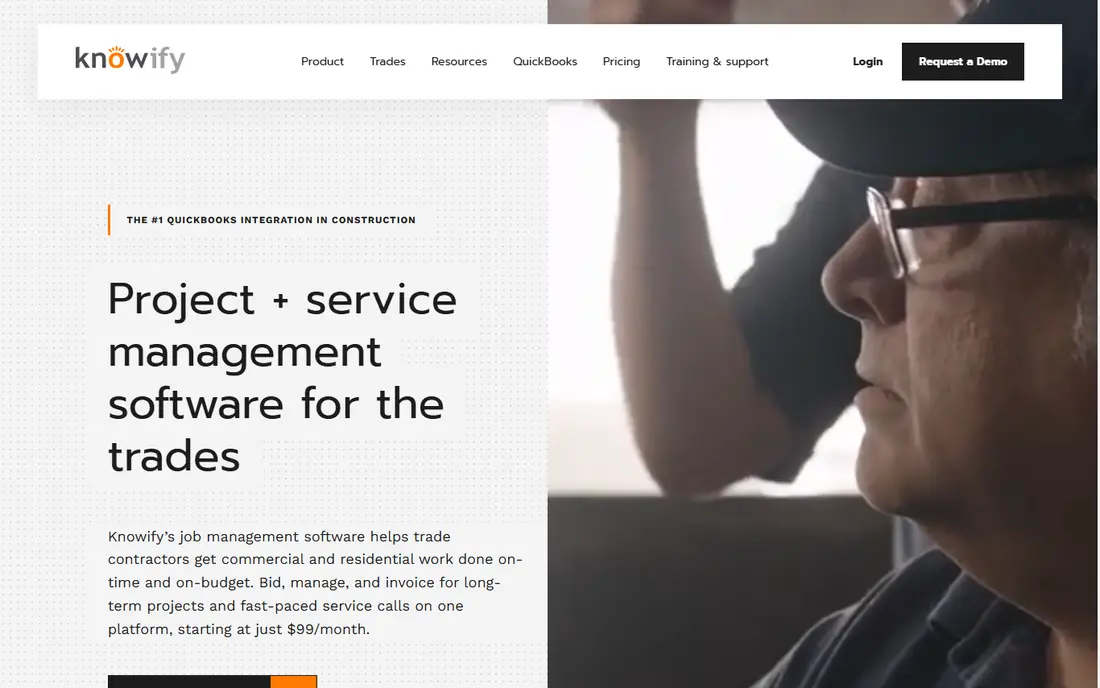
Choose Knowify for trade contractors and service work. It deals with long projects with progress billing and change orders, and it also deals with quick service calls with dispatch, parts, and invoicing.
Drawbacks to consider: Design is trade-focused instead of residential sales-focused.
In practice, beginning at $99 a month, it sits in a sensible range for small and mid-sized trade businesses. The starting price for Knowify: $99 per month. On free options: Free trial.
- Capable QuickBooks sync
- Deals with both projects and service jobs
- Less suited to large commercial GC workflows
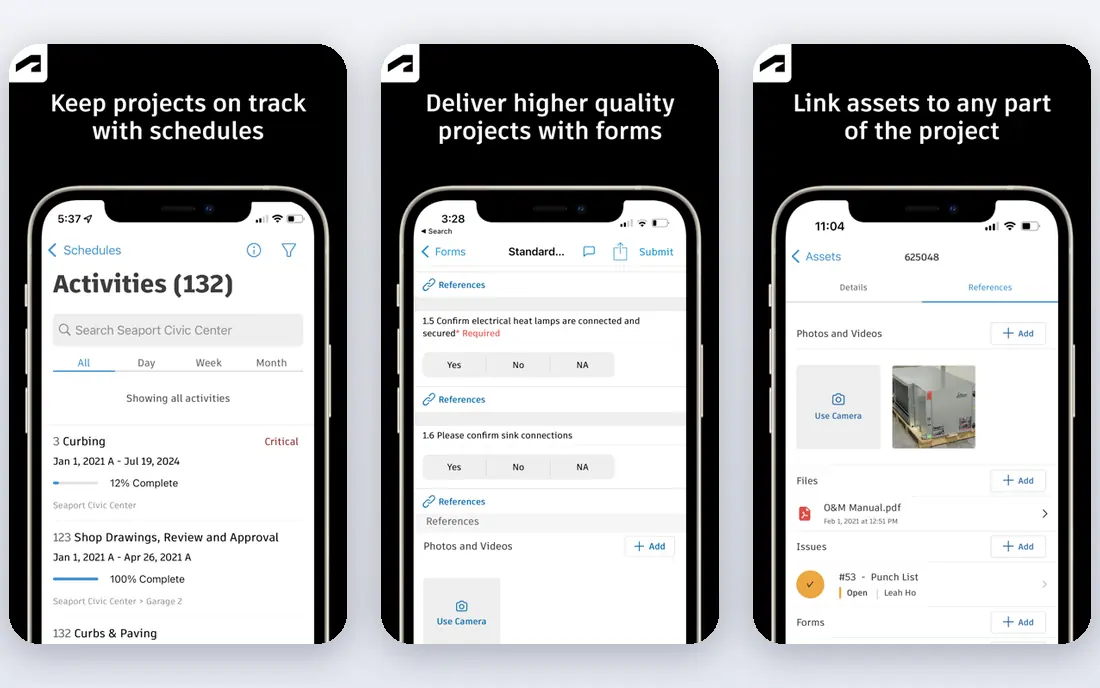
Autodesk Build serves commercial teams on Autodesk workflows. Autodesk Build, part of Autodesk Construction Cloud, is geared toward commercial construction teams that require tight control over documents and coordination. It includes project management, cost management, quality, safety, and closeout, with drawings and models kept as the source of truth.
Teams already using Autodesk design products get a smoother path from design files to field use, which cuts translation errors between office and site. Autodesk does not publish a straightforward starting price, and the system is best viewed as an enterprise purchase with implementation help. Autodesk Build shows no starting price here, so confirm the cost on the vendor site. There is no free plan with Autodesk Build.
Downsides: Quote-based pricing.
- Submittal control
- Well suited to large
- Can be heavy for small residential businesses
Contractor Foreman works best for small contractors on a tight budget. Contractor Foreman packs scheduling, estimates, invoices, daily logs, time tracking, and document storage into a plan that opens at $49 a month. That price point makes it a realistic first system for a contractor moving off spreadsheets.
The main drawbacks: Reporting is thinner than premium tools.
Also, on value alone, few rivals match it. In practice, support is a stated strength, with live help on weekdays and a long money-back window. Worth adding: the smart move is to start with the core jobs, estimating, scheduling, and invoicing, and add modules only when the team uses the first set well. Contractor Foreman starts at: $49 per month. Free options: Free trial (30 days).
- Broad feature set for the cost
- Capable support hours and money-back offer
- Interface can feel busy at first
Fieldwire is built with field teams that live on drawings and tasks in mind. A foreman can mark up a plan, assign a task, and attach a photo without returning to the office.
Its premium plans start at $39 per user a month billed yearly, and costs rise with headcount. Fieldwire starts at: $39 per user/month. Fieldwire offers a free plan.
Where it is weaker: premium plans are priced per user.
- Free Basic plan for small teams
- Very good plan viewing and task tracking
- No built-in accounting or estimating depth
Procore is designed for large commercial general contractors. The main limit is fit and cost. Procore prices by annual construction volume instead of by seat, and it does not publish a starting price.
Procore is designed for scale. Small residential builders commonly find the system bigger than they need, and the onboarding work is real. Worth adding: field teams can log progress from a phone, whereas office staff track cost changes in the same project. Check the vendor site for Procore pricing; none is listed in this comparison. Procore has no free tier.
Points against: Setup takes time and planning.
- Capable drawing and document control
- Financial tools
- Quote-based pricing can be expensive for small businesses
Buildern serves builders that price from plans. Buildern spans the full arc from takeoff to invoice, with a clear strength in early-stage pricing.
Drawbacks to consider: Pricing is per company level, not per seat.
For everyday use, for custom home builders and remodelers that spend plenty of time on takeoffs, that estimating depth can justify the switch. Buildern cost at the entry level: $225 per month. As for free access: Free trial.
- QuickBooks and Xero sync
- Takeoff linked to estimates
- Smaller user community than Buildertrend
How we chose
For each of the 7 tools we noted price, free plan or trial, fit for general contractor software and the main limit, using vendor pages and documentation. Where a price is missing, the vendor does not list one publicly or ties it to a quote. Always confirm before budgeting. Tools are placed by general fit for general contractor software, with price clarity and free access as tie-breakers. A different team can reasonably rank them differently.
Pre-purchase checklist
- Get a written quote from Houzz Pro, Autodesk Build and Procore; the list shows no starting price for them.
- Test the free plan from Fieldwire against your real workload before relying on it.
- Use real work to test the free trial from Houzz Pro, Knowify, Contractor Foreman and Buildern, rather than a demo project.
- Read the limits listed for Houzz Pro first: pricing is quote-based.
- Check whether Buildern bills monthly or annually, and what cancelling early costs.
- Let daily users try Contractor Foreman on real work; their feedback beats any feature checklist.
Frequently asked questions
Do these tools publish their prices?
Not all of them. Houzz Pro, Autodesk Build and Procore publish no starting price, so expect a quote request for those. The rest, Knowify included, show a starting price, though seats and billing terms still change the final cost.
How much should a general contractor expect to pay?
Small businesses can start at $49 to $225 a month with published plans, whereas mid-sized businesses frequently pay multiple hundred dollars a month. Large commercial businesses on quote-based systems can pay thousands a month or a year, based on construction volume.
Is Houzz Pro the right pick for everyone comparing general contractor software?
No single tool suits every team. Houzz Pro comes first because it fits design-build firms and remodelers, while Knowify suits trade contractors and service work and Autodesk Build suits commercial teams on Autodesk workflows. Match the tool to your own size, budget and workflow before deciding.
What is the cheapest option for general contractor software in this list?
On published monthly entry prices, Fieldwire is the lowest here at $39 per user/month. Entry price is only part of the cost, because seats, add-ons and billing terms can change the total.
Which options for general contractor software have a free plan?
Fieldwire is the only tool in this list with a free plan. Free plans usually cap users, projects or features, so check the limits on the vendor page. Several others offer a trial instead.
Sources
See where you really rank - block by block
ProMapRanker scans Google Maps across a grid of your service area. Simple monthly plans from $19, white-label on every plan.
Start freeKeep reading
 zoho inventory alternatives
6 Alternatives to Zoho Inventory, Compared on Price and Fit
Zoho Inventory alternatives: 6 tools compared on price, free plans and fit. Katana leads the list for manufacturers. Fit and flaws are laid out for each entry.
Read → zoho crm alternatives
Best Zoho CRM Alternatives (2026)
Need Zoho CRM alternatives? We compare 7 tools on cost, free access and who each suits. Every pick gets a straight assessment. Built for quick decisions.
Read → zelle alternatives
Best Zelle Alternatives in 2026
Compare the best Zelle alternatives for sending money to friends, paying sellers and moving funds abroad, with honest notes on fees, speed and safety in 2026.
Read →