 ProMapRanker
6 Best General Contractor Estimating Software Options for 2026


Small residential GCs that require estimating through invoicing · Pricing starts at: See website
Key takeaways
- This list starts with Buildxact, which is built for small residential GCs that require estimating through invoicing.
- The main caution on PlanSwift: restricted cloud and mobile.
- HCSS HeavyBid fits heavy civil contractors and DOT work.
- Buildxact, HCSS HeavyBid and the 4 others all sell by quote; expect sales conversations before you see a price.
Direct answer
Buildxact comes first here, mainly for small residential GCs that require estimating through invoicing. Sage Estimating fits commercial GCs standardizing on trade-specific cost databases; PlanSwift fits estimators transitioning from Excel without relearning everything. All 6 tools are compared below on price, free plan and limits.
Quick comparison
| Pick | Great for | Pricing starts at | Free tier | |
|---|---|---|---|---|
| Buildxact | Small residential GCs that require estimating through invoicing | See website | No | Visit |
 Sage Estimating | Commercial GCs standardizing on trade-specific cost databases | See website | No | Visit |
 PlanSwift | Estimators transitioning from Excel without relearning everything | See website | No | Visit |
 STACK | General contractors wanting cloud takeoff plus preconstruction | See website | No | Visit |
 Kreo | Small contractors experimenting with AI takeoff cheaply | See website | No | Visit |
 HCSS HeavyBid | Heavy civil contractors and DOT work | See website | No | Visit |
Every option for general contractor estimating software explained
ProMapRanker compared 6 tools for general contractor estimating software. The goal is a practical shortlist: published prices, free plan facts, best-fit use cases and honest limits for every entry.
Buildxact
Great for: Small residential GCs that require estimating through invoicing

In short, Buildxact is for small residential GCs that require estimating through invoicing. Pricing is subscription-based and positioned for small contractors.
For everyday use, Buildxact is made for the residential contractor who does everything. Check the vendor site for Buildxact pricing; none is listed in this comparison. Buildxact has no free tier.
Where it falls short: Not made for large commercial projects.
- Built-in price lists
- Estimating plus scheduling and job management
- Restricted customization
Sage Estimating
Great for: Commercial GCs standardizing on trade-specific cost databases

Sage Estimating is built with commercial GCs standardizing on trade-specific cost databases in mind. Sage Estimating is the professional estimator's system.
Limits to weigh: Best inside the Sage ecosystem.
For everyday use, integration with Sage's construction accounting and project management products keeps estimate data flowing into the job cost system. Sage Estimating shows no starting price here, so confirm the cost on the vendor site. Sage Estimating has no free tier.
- Multi-user collaboration
- Deep trade-specific cost databases
- Needs training
PlanSwift
Great for: Estimators transitioning from Excel without relearning everything
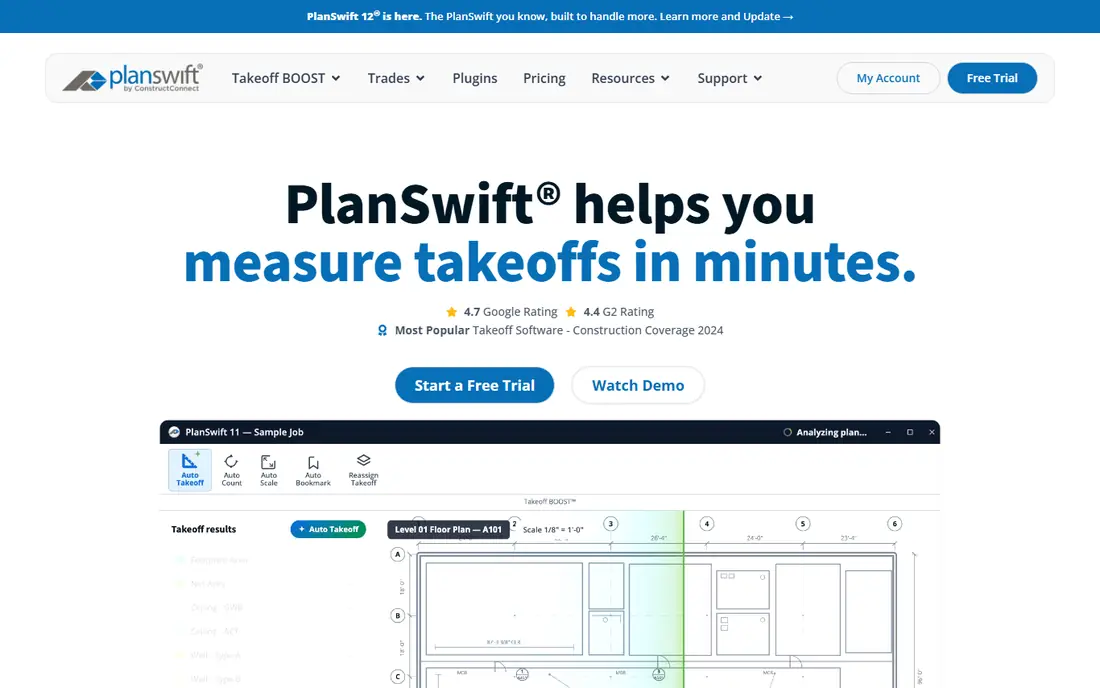
PlanSwift is a good fit for estimators transitioning from Excel without relearning everything. The formula is straightforward: measure quantities digitally on PDF plans, and the numbers flow into Excel-based estimating templates the estimator already understands. For everyday use, pricing is not published.
Watch-outs: Aging interface.
For an estimator who wants digital takeoff without abandoning Excel workflows, PlanSwift remains the comfortable choice. The ramp-up time is gentle since the estimating logic stays in a spreadsheet. The tradeoff is modernity. Cloud collaboration and mobile access are restricted compared to STACK or Buildxact, and the interface presents its age. This comparison lists no price for PlanSwift; ask the vendor. There is no free plan with PlanSwift.
- Solid 2D PDF takeoff
- Huge existing user base
- Pricing not published
STACK is designed for general contractors wanting cloud takeoff plus preconstruction. Pricing is not published. For a GC that wants takeoff, estimating and preconstruction in one cloud system, it is the modern default.
More specifically, bid day is Thursday. Your estimator opens the plans on a laptop at home, measures quantities in the cloud. The project manager reviews the same live estimate from the office. That is the STACK workflow. This comparison lists no price for STACK; ask the vendor. No free plan comes with STACK.
Where it falls short: Pricing not published.
Where it shines: AI-assisted detection of doors.
- Plugs into ERP and accounting
- Windows and rooms
- Mid-range cost layers on up per user
Kreo is aimed squarely at small contractors experimenting with AI takeoff cheaply. Kreo brings AI takeoff to contractors who cannot justify enterprise pricing. Automatic detection and measurement work across 2D and 3D workflows, and a chat-based interface lets estimators refine results conversationally.
As for the details, Caddie AI deals with tasks like renaming and scaling that eat estimator time. For everyday use, for a small contractor curious about AI takeoff, Kreo is the low-risk experiment. More specifically, the entry price is the lowest in this category, which makes a trial cheap. Kreo shows no starting price here, so confirm the cost on the vendor site. No free plan comes with Kreo.
- AI-assisted takeoff including 3D and BIM
- Chat-based refinement
- Smaller user base
HCSS HeavyBid makes the most sense for heavy civil contractors and DOT work. Heavy civil estimating is its own discipline, with DOT pay items, quantity breakdowns and bid analysis that building-construction tools deal with poorly. As for the details, pricing is quote-based and enterprise-grade.
From a buyer's view, Estimators who bid highway, bridge and infrastructure work get workflows built around how those bids actually work, from takeoff through bid-day analysis. From a buyer's view, HCSS HeavyBid is the category standard for it. If your work is DOT and infrastructure, HeavyBid belongs on every shortlist. No starting price is listed for HCSS HeavyBid here; confirm pricing on the vendor site. There is no free plan with HCSS HeavyBid.
Where it falls short: Overkill for building construction.
- DOT pay-item workflows
- Bid analysis and cross-bid comparison
- Quote-based enterprise pricing
Selection criteria
ProMapRanker looked at what each vendor publishes: pricing, plan limits, feature coverage for general contractor estimating software and stated drawbacks. No hands-on testing is claimed. Where a vendor does not publish a price, the entry says quote. Where a price depends on seats or billing term, the entry says so. Position on the page reflects fit for a typical buyer first, with price clarity and free access breaking ties. Treat it as a guide, not a ruling.
Pre-purchase checklist
- Confirm the entry price with every vendor: no tool from Buildxact to HCSS HeavyBid shows a fixed starting price.
- Read the limits listed for Buildxact first: restricted customization.
- Look at the help docs and support options for PlanSwift before you commit.
- A short pilot of Buildxact with your real workflow tells you more than a feature table.
- Compare total cost, not headline price: for HCSS HeavyBid, add extra seats, add-ons and any usage-based charges.
Frequently asked questions
What is the best estimating software for a general contractor?
This list starts with Buildxact, which fits small residential GCs that require estimating through invoicing. For other needs, Sage Estimating is aimed at commercial GCs standardizing on trade-specific cost databases, and PlanSwift at estimators transitioning from Excel without relearning everything. Check each tool's price and main limit first.
Is Buildxact the right pick for everyone comparing general contractor estimating software?
No single tool suits every team. Buildxact comes first because it fits small residential GCs that need estimating through invoicing, while Sage Estimating suits commercial GCs standardizing on trade-specific cost databases and PlanSwift suits estimators transitioning from Excel without relearning everything. Match the tool to your own size, budget and workflow before deciding.
Does any tool for general contractor estimating software here have a free plan?
No tool in this list, Buildxact and HCSS HeavyBid included, has a permanent free plan. Trials and quotes are the usual route, so plan a short evaluation period.
How long does it take to learn estimating software?
Takeoff tools like STACK and Buildxact take days to weeks for a working estimator. Also, database-driven products like Sage Estimating take weeks to months including cost database setup.
Do these tools publish their prices?
No. None of the tools, from Buildxact to HCSS HeavyBid, shows a fixed starting price here, so budget time for quotes.
Can estimating software replace Excel?
For takeoff and quantity management, yes, and most estimators should make the switch. The best tools plug into Excel instead of demanding you abandon it.
Sources
See where you really rank - block by block
ProMapRanker scans Google Maps across a grid of your service area. Simple monthly plans from $19, white-label on every plan.
Start freeKeep reading
 zscaler alternatives
Best Zscaler Alternatives in 2026
Looking for zscaler alternatives? We compare 9 SASE and zero trust platforms on architecture, data protection, pricing, and fit for your network and team.
Read → zapier alternatives free
Best Zapier Alternatives Free in 2026
Nine automation tools for zapier alternatives free in 2026, all with genuinely free tiers, plus free plan limits, starting prices and upgrade paths explained.
Read → which platform is best for online reputation
Which Platform Is Best for Online Reputation in 2026
Wondering which platform is best for online reputation? We compare 8 review, listing, and response tools for small and multi-location businesses and agencies.
Read →