 ProMapRanker
Best Gas App to Save Money in 2026

Key takeaways
- GasBuddy is our pick for finding the cheapest nearby pump price before you drive there.
- Upside is the strongest choice for cashback at participating stations, and it can sit alongside a rewards card.
- Waze and Google Maps are best as free price checks inside tools many drivers already use.
- Receipt apps such as Fetch Rewards and Checkout 51 add small, slow savings on top of fuel, not instead of a lower pump price.
- Cashback rates vary by station, day and offer, so check the live offer in the app before you fill up.
Quick comparison
| Pick | Great for | Pricing starts at | Free tier | |
|---|---|---|---|---|
 GasBuddy | Finding cheapest nearby prices | Free | Yes | Visit |
 Upside | Cashback at participating stations | Free | Yes | Visit |
 Waze | Navigation plus fuel prices | Free | Yes | Visit |
 Google Maps | Quick price checks on the go | Free | Yes | Visit |
 AAA Mobile | Trip planning and member help | Free | Yes | Visit |
 Fetch Rewards | Receipt points on everyday spending | Free | Yes | Visit |
 Checkout 51 | Cashback offers and receipts | Free | Yes | Visit |
 Gas Guru | Simple nearby price lookup | Free | Yes | Visit |
 Fuelio | Fuel logs and cost tracking | Free | Yes | Visit |
The best gas apps to save money
Fuel is a regular bill, and small savings per gallon add up over a year. We compared official feature pages, pricing pages and app store listings to find apps that help in different ways, from price discovery to cashback and trip planning. This is not financial advice, and savings depend on where you drive and which stations take part.
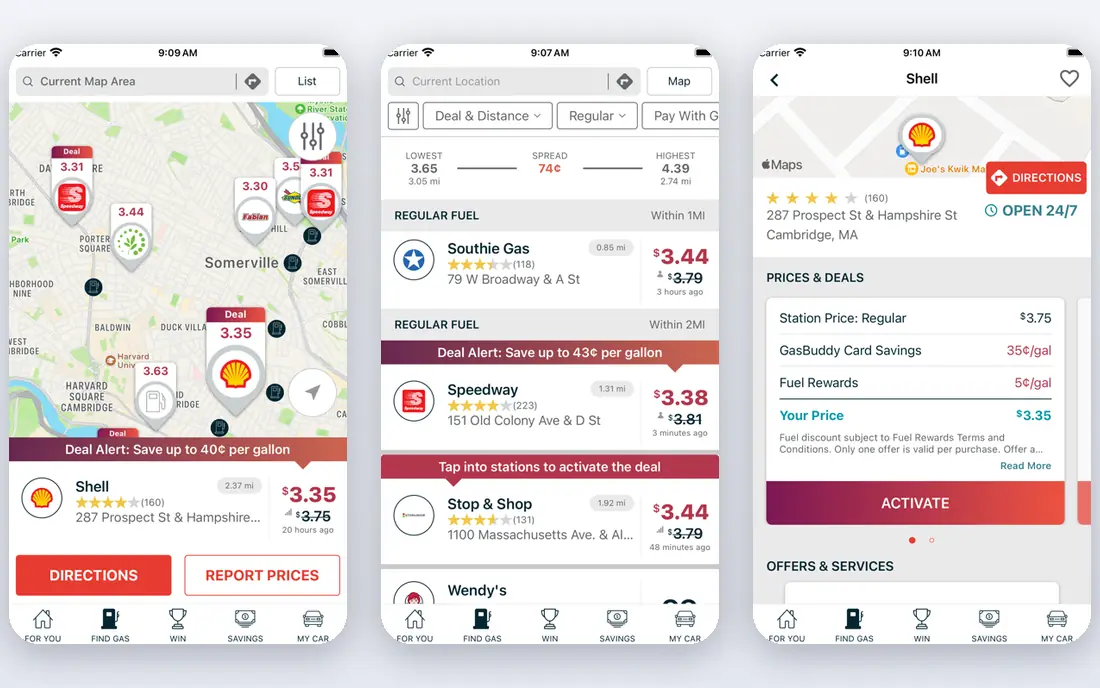
GasBuddy remains the first app we open when the goal is a lower pump price rather than a reward. Its map shows nearby stations and prices, and users report prices that help other drivers spot a cheaper station a short drive away. The trip cost tool is handy before a longer drive, since it turns a vague fuel budget into a station by station plan.
The honest catch is freshness. Crowdsourced prices can lag, especially in smaller towns or at stations that change prices during the day. The free app still does the core job well, while the optional Pay card and premium tier are only worth considering if you fill up often at participating stations and you are comfortable linking a payment method.
- Wide crowdsourced price coverage
- Trip cost calculator
- Optional Pay card savings
- Some prices can be out of date
- Premium features cost extra
- Location sharing is part of the model
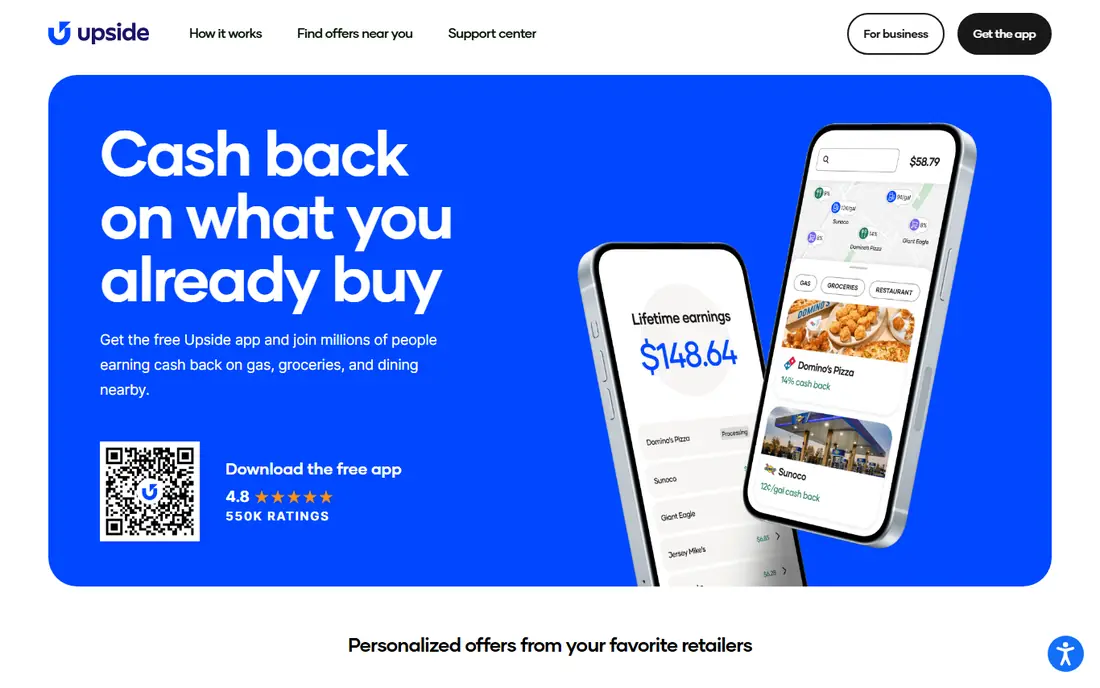
Upside works in the opposite direction to GasBuddy. Instead of only finding a cheap pump, it pays you back after you claim an offer, fill up at that station and check in or submit proof as the app asks. That structure suits drivers who already have a favourite station network and want a return on fuel they would buy anyway.
We like that Upside does not force you to use a special card, so a separate rewards card can often be used for the same purchase where the station and card terms allow it. The limit is coverage. If no nearby station has a useful offer, Upside adds nothing that day, so pair it with a price finder rather than relying on it alone.
- Cashback on top of normal payment
- PayPal and gift card payouts
- Grocery and dining offers too
- Only participating stations qualify
- Offers vary by location
- Small cashouts can carry fees
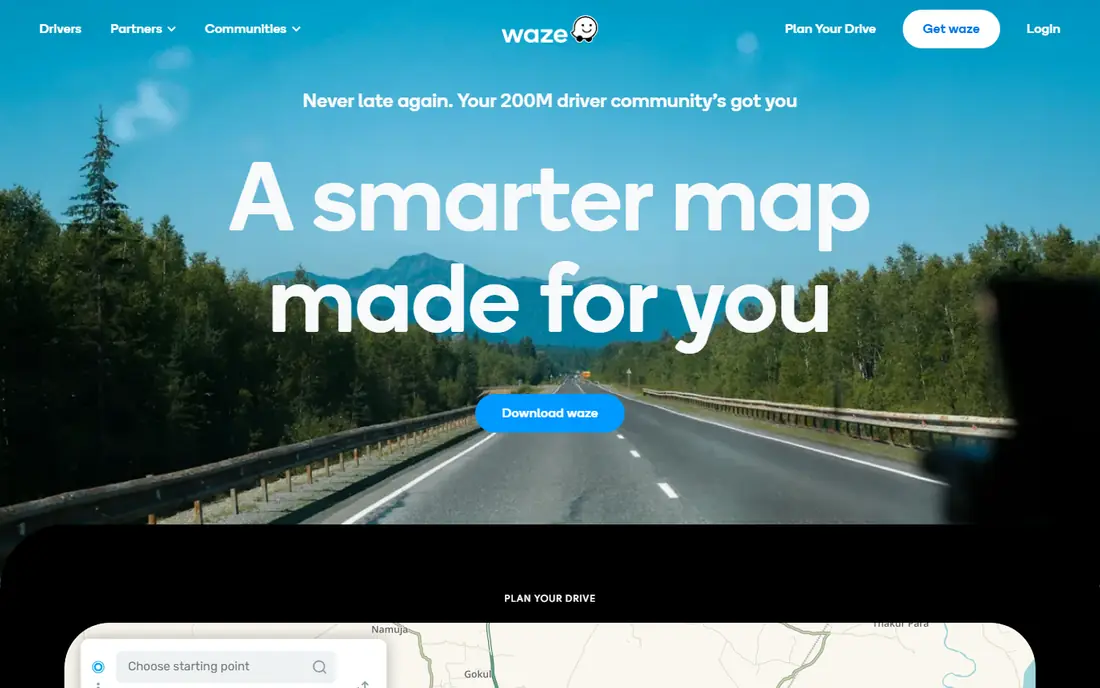
Waze is the practical pick for drivers who already navigate with it every day. Fuel prices appear in search and along routes, and the cheapest options are easy to spot without switching apps. That convenience matters, because a saving that takes five extra minutes to chase is often not a saving at all.
Waze does not pay cashback, and it is not a dedicated fuel rewards tool. Use it to choose between stations on a route you are already taking, and let Upside or GasBuddy handle the reward or deeper price check when the gap looks large enough to matter.
- Fuel prices shown along a route
- Live traffic and hazard alerts
- No separate fuel app needed
- No cashback of its own
- Prices depend on user reports
- Detours can erase a small saving
Google Maps wins on friction. Most drivers already have it, and a search for nearby gas stations often shows prices without a new account or a new habit. For a quick check before leaving home, that is usually enough to avoid the most expensive station in the area.
The trade off is depth. Google Maps does not track your fuel spending, offer cashback or give the same trip cost detail as GasBuddy. Treat it as a fast first check, and open a dedicated app when you want the lowest price or a reward on a larger fill.
- Already on most phones
- Station search with prices
- Directions in the same app
- Prices can be a day old in some areas
- No fuel cashback
- Fewer fuel specific tools
AAA Mobile is a solid all round choice for drivers who travel and want more than a pump price. Its gas price finder helps with daily checks, while trip planning tools help you plan stops on a longer journey. Members also get the wider AAA package, including roadside assistance, which can matter more than a few cents per gallon on a bad day.
If you are not a member, the app still offers useful price checks, but it will not match Upside for cashback or GasBuddy for crowdsourced depth. It fits best as a companion app for members and frequent road trippers, not as a single fuel saving tool.
- Daily gas price finder
- Trip planning tools
- Roadside help for members
- Full benefits need a paid membership
- Not a cashback app
- Price data varies by region
Fetch Rewards is not a gas app in the strict sense, and that is worth saying plainly. You snap receipts, earn points and redeem them for gift cards, and fuel related purchases can contribute to that total over time. It works best as a background habit on top of a cheaper pump price, not as the main reason to choose a station.
The weakness is speed. Points build slowly, and a driver who only wants fuel savings will get faster results from Upside or GasBuddy. Fetch makes sense if you already use it for groceries and household shopping and want fuel receipts to count toward the same pot.
- Points from receipts across many stores
- Gift card rewards
- Simple snap and earn flow
- Fuel savings are indirect and slow
- Points value varies by reward
- Not a pump price tool
Checkout 51 follows a familiar receipt model. You check offers before you shop, buy the qualifying item or fuel offer, then submit proof to earn cashback. For drivers, the value comes when a fuel offer lines up with a station you already use, rather than when you drive out of your way for a small rebate.
Availability is the main limit. Offers differ by region and week, and some weeks will have nothing useful for fuel. We would use it as a second check before a fill, after GasBuddy or Upside have already done the main work.
- Cashback offers on fuel and groceries
- Receipt based claims
- Straightforward payout options
- Offers change often
- Fuel offers may be limited by area
- Cashback builds slowly
Gas Guru is for drivers who want one simple answer, which station near me is cheapest right now. The list view is easy to scan, and there is little to set up before it is useful. That simplicity is a real strength for occasional drivers and for people who do not want another rewards account.
It does not try to do everything. There is no cashback, no trip planner and no fuel log. If you drive daily, GasBuddy gives you more. If you drive rarely and just want a quick price check, Gas Guru does the job with less noise.
- Clean nearby price list
- Station details in one view
- No learning curve
- Fewer extra tools than GasBuddy
- No cashback
- Coverage can be thinner outside cities
Fuelio saves money in a different way, by showing you what fuel actually costs you. Logging fill ups, mileage and price per gallon reveals which car, route or driving habit is driving costs up. Over months, that record is more useful than a single discount, especially for households with more than one car.
The catch is effort. Fuelio needs regular entries to be useful, and it will not point you to a cheaper station on its own. Pair it with GasBuddy for prices, and use Fuelio to check whether the savings are real over time.
- Detailed fuel and cost logs
- Consumption tracking
- Helpful for budgeting and car costs
- Does not find cheap stations by itself
- Manual entry takes discipline
- No cashback
How we picked these
We compared official feature pages, pricing pages and app store listings, and we kept only apps that are live in October 2026 and truly help with fuel costs. Price discovery, cashback, trip planning and cost tracking all count, but each app had to do its stated job clearly. We left out station specific loyalty apps that only work at one brand, since this list is for drivers who want options across brands.
How to get the most from fuel apps
Start with price, then add rewards. Check GasBuddy, Waze or Google Maps before you leave, and only then check Upside or a receipt app for an offer at a station that is already cheap. Driving several miles out of your way for a few cents per gallon often costs more in fuel and time than it saves.
Watch the terms on cashback and cards. Some offers need a claim before you fill up, a check in within a set window, or a receipt upload. Read the live offer in the app, not a blog post from last year, and keep the payout method simple. If an app asks for bank or card access, check its privacy policy and only connect what you are comfortable sharing.
For frequent drivers, a log helps. Fuelio or a simple spreadsheet shows your real cost per mile and whether a new app is helping. For occasional drivers, keep it simple, one price app and one cashback app is enough, and drop any app that you stop opening.
Frequently asked questions
What is the best gas app to save money?
GasBuddy is our pick for finding the cheapest pump, while Upside is our pick for cashback. Many drivers get the best result by using both, GasBuddy to choose the station and Upside to claim an offer there when one is available.
Are the best gas apps to save money really free?
Yes, the core features of GasBuddy, Upside, Waze, Google Maps and the other apps here are free to use. Some offer optional paid tiers or cards, but you do not need to pay to check prices or claim basic cashback offers.
Can I use GasBuddy and Upside together?
You can use GasBuddy to find a cheap station and Upside to claim an offer at that station, where the station takes part in Upside. You cannot always combine every reward on the same purchase, so check the offer terms in each app before you pay.
How much can I save with a gas app?
Savings vary by station, region, driving distance and how often you fill up. A lower pump price plus an occasional cashback offer can add up over a year, but no app guarantees a set amount, and small offers should not pull you far off route.
Do gas apps work everywhere in the United States?
Coverage is widest in cities and along major routes, and thinner in rural areas. Cashback apps also depend on participating stations, so check your local area in the app before you commit to one tool.
Is Fuelio worth using if it does not find cheap gas?
Yes, if you want to track costs over time. Fuelio shows consumption and spending trends that price apps do not, and that record helps you judge whether a cheaper station or a different driving habit is actually saving money.
Sources
- https://www.gasbuddy.com
- https://upside.com
- https://www.waze.com
- https://maps.google.com
- https://www.aaa.com
- https://fetch.com
- https://www.checkout51.com
- https://www.gasguru.com
- https://fuel.io
- https://www.bestmoney.com/financial-advisor/learn-more/best-gas-saving-apps
- https://therideshareguy.com/best-gas-apps/
See where you really rank - block by block
ProMapRanker scans Google Maps across a grid of your service area. Simple monthly plans from $19, white-label on every plan.
Start freeKeep reading
 zscaler alternatives
Best Zscaler Alternatives in 2026
Looking for zscaler alternatives? We compare 9 SASE and zero trust platforms on architecture, data protection, pricing, and fit for your network and team.
Read → zapier alternatives free
Best Zapier Alternatives Free in 2026
Nine automation tools for zapier alternatives free in 2026, all with genuinely free tiers, plus free plan limits, starting prices and upgrade paths explained.
Read → which platform is best for online reputation
Which Platform Is Best for Online Reputation in 2026
Wondering which platform is best for online reputation? We compare 8 review, listing, and response tools for small and multi-location businesses and agencies.
Read →