 ProMapRanker
Best Free Water Tracking Apps in 2026

Key takeaways
- Most of the apps on this list are free to download, with reminders and basic logging included, while deeper charts and extra themes sit behind a paid upgrade.
- WaterMinder is our pick for most people because it covers iPhone, Android, and watches, and it keeps logging to a single tap.
- Plant Nanny and Waterllama suit people who stay on track with a visual reward, while Hydro Coach and Aqualert suit people who want more control over goals.
- A smart bottle app such as HidrateSpark only makes sense if you are willing to buy and carry the bottle it pairs with.
- No app here can set a medical target for you, so treat every daily goal as a general guide and check with a clinician if you have a health condition.
Quick comparison
| Pick | Great for | Pricing starts at | Free tier | |
|---|---|---|---|---|
 WaterMinder | Fast logging on phone and watch | Free | Yes | Visit |
 Waterllama | Playful daily challenges | Free | Yes | Visit |
 Plant Nanny | Gamified motivation | Free | Yes | Visit |
 Hydro Coach | Android users who want goal control | Free | Yes | Visit |
 Drink Water Reminder N Tracker | Simple reminders | Free | Yes | Visit |
 Aqualert | Detailed history and charts | Free | Yes | Visit |
 My Water | Clean daily log on Apple devices | Free | Yes | Visit |
 HidrateSpark | Automatic tracking with a smart bottle | Free | Yes | Visit |
 Waterlogged | Custom cups and a plain log | Free | Yes | Visit |
The best free water tracking apps
These apps all start free, and they differ mainly in how they keep you logging. We focused on free features first, because a paid upgrade only helps if the free version already fits your day.
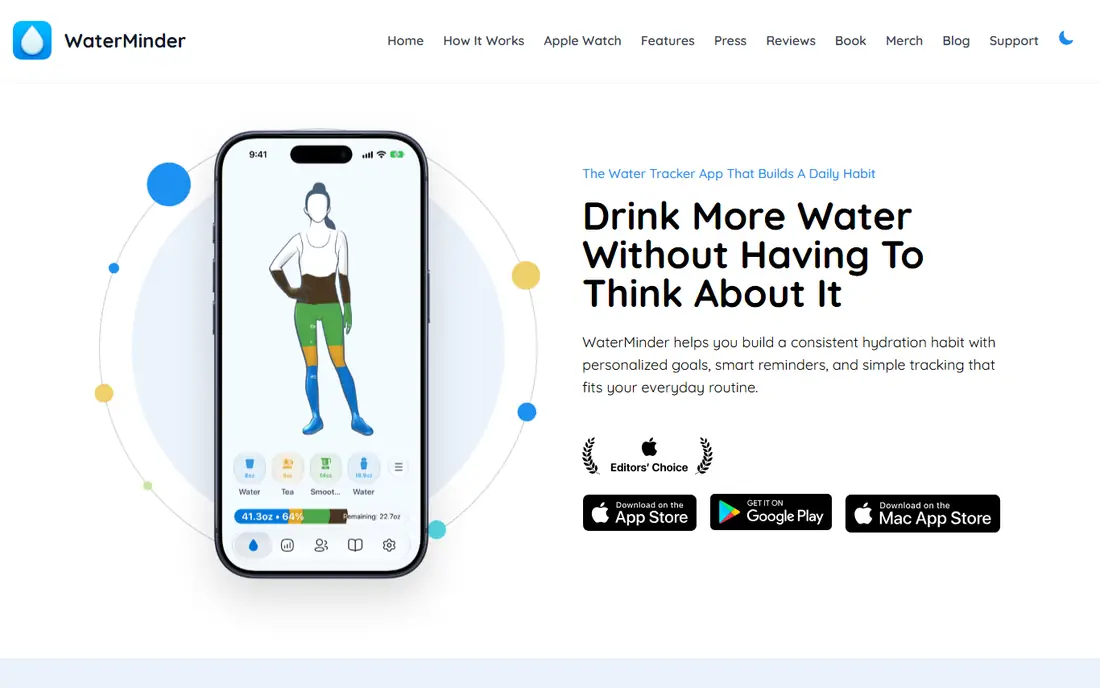
WaterMinder is our pick for most people. It keeps the core job simple: open the app or tap a widget, log a glass, and move on. That speed matters more than any extra chart, because a tracker you skip on busy days does not help you build a habit.
The app lets you set a daily goal, add custom containers, and log drinks other than water. It also works across iPhone, iPad, Mac, Apple Watch, Android, and Wear OS, so you are not locked to one device. Apple Health sync is a plus if you already keep health data in one place.
The catch is that the fullest statistics and the most detailed reminder controls require a paid upgrade. If you only need reminders, a daily total, and a short history, the free version covers the basics well. Check the store listing for current paid options before you buy, since offers change by region.
- One-tap logging from widgets and watches
- Custom containers and drink types
- Syncs with Apple Health
- Deeper statistics sit behind a paid upgrade
- The experience feels most polished on Apple devices
Waterllama turns a plain daily total into something you actually want to open. A character grows as you log drinks, and challenges give you a short-term target beyond the daily goal. For people who forget to drink, that small reward loop can be more useful than another chart.
Logging stays quick, and the app supports Apple Health and Google Fit. You can also adjust goals and see progress across the day without digging through menus. The design is light and clear, which helps on a small phone screen.
The trade-off is style. If you want a plain, businesslike log, the characters may feel like clutter. Some extras also require a paid upgrade, so treat the free version as the real product and only pay if you already use it daily.
- Friendly characters and challenges
- Clear daily progress
- Apple Health and Google Fit sync
- Extra themes and items sit behind a paid upgrade
- The playful style will not suit everyone
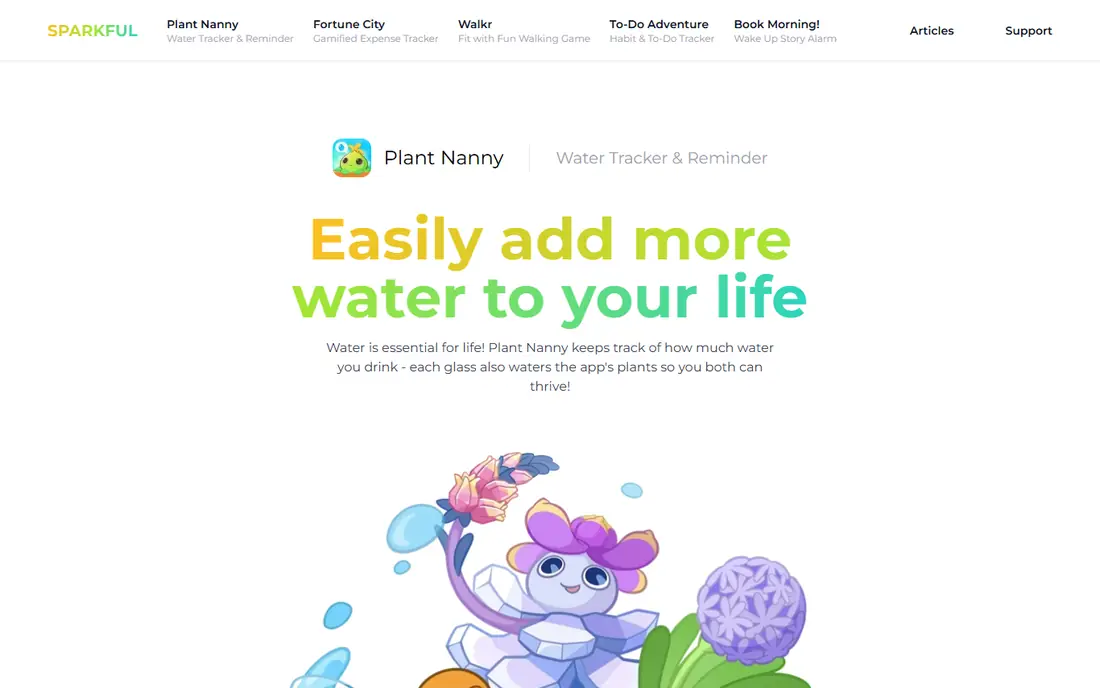
Plant Nanny gives every glass a visible result: your plant grows when you drink and wilts when you fall behind. That kind of gentle pressure works well for people who ignore plain reminders. It is also a good pick for families, since the plant makes the habit easy to explain to children.
The app covers the basics, including reminders, a daily goal, and a log you can review. It works on both major phone platforms and supports health app sync. Setup is quick, and you do not need to learn a complex system to start.
The downside is the free version includes ads, and the game itself can become a chore if you stop caring about the plant. If the plant stops motivating you after a few weeks, switch to a plainer tracker rather than paying to keep a game going.
- A plant that grows as you drink
- Simple daily logging
- Works on iPhone and Android
- Ads appear in the free version
- The game layer can feel like extra work over time
Hydro Coach is a solid pick for Android users who want control without a game layer. You can set a goal based on your weight and activity, adjust it over time, and review your intake in charts. Reminders can be set around your schedule, which helps if you work shifts or spend long stretches away from your phone.
The app has been around for years, and that shows in its depth. It covers backup, history, and drink types, and it syncs with Google Fit. For people who like to fine-tune a goal, that depth is a real plus.
The look is less modern than WaterMinder or Waterllama, and a few features sit behind a paid upgrade. If you value a clean design above all else, you may prefer another app on this list. If you value control and a proven Android tracker, Hydro Coach is hard to beat for free.
- Flexible goal settings
- Backup and statistics
- Strong Android support
- The interface looks dated next to newer rivals
- Some features require a paid version
This app does exactly what its name promises. You set a goal, choose reminder times, and log each drink with a tap. There is little to learn, which makes it a good first tracker for people who have tried fancier apps and stopped using them.
The daily view shows how much you have logged and how much remains. That simple progress view is often enough to prompt one more glass in the afternoon, when many people fall behind. The app is available on both major platforms.
The limit is depth. If you want long-term trends, detailed drink breakdowns, or watch complications, look at WaterMinder or Aqualert instead. This app is best for people who want reminders and a total, and nothing else getting in the way.
- Easy to set up
- Regular reminders through the day
- Clear daily total
- Fewer charts than specialist trackers
- Extra features require in-app purchases
Aqualert suits people who like to see patterns. It offers detailed history, charts, and flexible units, so you can track in cups, ounces, millilitres, or bottles. Custom reminder tones and messages also help, since a reminder you notice is worth more than a silent badge.
You can set different schedules for different parts of the day, which is useful if your mornings and evenings look very different. The app supports health app sync on both major platforms, so your totals can sit alongside other health data.
Setup takes a little longer than the simplest apps here, because there are more settings to review. That is a fair trade if you plan to use the app for months. If you only want a quick daily total, a simpler app will feel faster.
- Custom reminder tones and messages
- Detailed analytics
- Flexible units
- Some advanced features require a paid upgrade
- Setup takes longer than simpler apps
My Water keeps the daily view clean and easy to read. You see your goal, your progress, and your recent drinks without extra game elements or clutter. Apple Watch support makes logging quick when your phone is not in hand.
The app is a good fit for people who already use Apple Health and want a tracker that fits that setup. Reminders, goals, and history cover the core needs, and the design stays out of the way.
The main limit is platform focus. Android users will find better support elsewhere on this list. A paid subscription also adds deeper features, so check what the free version includes on the store page before you commit to it as your main tracker.
- Clean daily view
- Apple Watch support
- Simple goal tracking
- Best on Apple devices
- Deeper features require a paid subscription
HidrateSpark is different from every other app here, because the bottle does part of the work. A sensor in the bottle records each sip and sends the total to the app, so you do not need to log every glass by hand. That helps people who forget to log, even when they remember to drink.
The app also offers reminders, goals, and history, and it supports watches and health apps. If you already carry a bottle all day, automatic tracking removes the main point of failure in manual trackers.
The catch is cost and commitment. The app is free, but the bottle is a separate purchase, and you need to charge it and carry it to get the benefit. If you drink from many different cups, or you do not want another device to maintain, a manual tracker is the better free choice.
- Bottle can log intake automatically
- Reminders based on actual intake
- Watch and health app support
- You must buy a compatible bottle
- The app alone offers less value without the bottle
Waterlogged is a plain, practical tracker. You can create custom cups, add photos of your usual containers, and log with a tap. That cup-first approach suits people who drink from the same bottle or mug each day and want logging to match real life.
Reminders keep you on track, and the log is easy to review. There is no game layer and no complex setup, which many long-term users prefer. The app works on both major platforms.
The design is basic, and it offers fewer insights than Aqualert or WaterMinder. If you want deep trends, pick one of those. If you want a fast, honest log with your own cup sizes, Waterlogged does the job well for free.
- Custom cup sizes and photos
- Simple log
- Reminders
- Design feels basic next to newer apps
- Fewer insights than chart-heavy rivals
How we picked these
We compared official app pages, app store listings, and current free plan details for water tracking apps available in October 2026. We kept only apps that are free to download and that cover the core job: a daily goal, reminders, and a log you can review. We left out apps that require a paid subscription to log at all, and we did not claim hands-on testing we did not do. Prices and free plan limits change by region and store, so check the store page for your device before you install.
What to check before you pick one
Start with your phone and watch. If you use an Apple Watch, pick an app with a watch app and complications, so logging takes one tap. If you use Android, check Wear OS support and Google Fit sync before you settle on an app that was built mainly for iPhone.
Next, decide how much help you need. A game layer helps some people and distracts others, so try the free version for a week before you pay for themes or extra charts. Pay attention to reminders too: the best reminder schedule is the one you do not silence after three days.
Finally, keep the goal in perspective. These apps estimate a daily target from basic details such as weight and activity, and they are general information only, not medical advice. If you have kidney disease, heart failure, or any condition that affects fluid intake, ask a clinician what target fits you, and use the app only to record what you drink.
Frequently asked questions
What is the best free water tracking app?
WaterMinder is our pick for most people, because it is free to start, logs quickly from a phone or watch, and works on both major platforms. If you want a more playful approach, Waterllama and Plant Nanny are strong free alternatives.
What is the best water tracking app for Android?
Hydro Coach is a strong Android-first choice, with flexible goals and Google Fit sync. WaterMinder and Plant Nanny also work well on Android, so pick based on whether you want a plain log or a game layer.
What is the best free water reminder app?
Drink Water Reminder N Tracker and WaterMinder both cover simple reminders well for free. The best choice depends on whether you want only reminders or reminders plus charts, watch support, and health app sync.
What is the best drink water reminder app for Apple Watch?
WaterMinder and My Water both offer Apple Watch support, which makes logging quick without your phone. Waterllama also works on Apple Watch, with a more playful design.
Is a free water tracker app enough, or do I need to pay?
For most people, the free version is enough. Paid upgrades mainly add deeper statistics, extra themes, and more detailed reminder controls. Use the free version for at least a week, and only pay if a locked feature would clearly help you keep logging.
Can a water tracker app replace medical advice?
No. These apps give general information and a simple daily target, not a medical recommendation. If you have a health condition, take medication that affects fluid balance, or have been told to limit fluids, follow your clinician's guidance instead of an app goal.
Sources
- https://waterminder.com
- https://waterllama.com
- https://plantnanny.app
- https://hydrocoach.com
- https://drinkwaterreminder.com
- https://aqualert.com
- https://mywaterapp.com
- https://hidratespark.com
- https://waterlogged.com
- https://www.healthappinsider.com/en/guides/best-water-tracking-apps-2026
- https://techdows.com/top-10-apps-that-help-you-track-your-water-consumption.html
See where you really rank - block by block
ProMapRanker scans Google Maps across a grid of your service area. Simple monthly plans from $19, white-label on every plan.
Start freeKeep reading
 zscaler alternatives
Best Zscaler Alternatives in 2026
Looking for zscaler alternatives? We compare 9 SASE and zero trust platforms on architecture, data protection, pricing, and fit for your network and team.
Read → zapier alternatives free
Best Zapier Alternatives Free in 2026
Nine automation tools for zapier alternatives free in 2026, all with genuinely free tiers, plus free plan limits, starting prices and upgrade paths explained.
Read → which platform is best for online reputation
Which Platform Is Best for Online Reputation in 2026
Wondering which platform is best for online reputation? We compare 8 review, listing, and response tools for small and multi-location businesses and agencies.
Read →