 ProMapRanker
Best Free Tool to Edit PDF in 2026

Key takeaways
- Sejda is the best free online editor for changing existing text, while PDF24 Tools is the best fully free toolkit with no paid tier.
- LibreOffice Draw is the best free offline editor for private documents, since your files never need to upload.
- ILovePDF and Smallpdf are best for occasional jobs such as merging and compressing, but their free tiers have daily or per-tool limits.
- Every tool on this list has a genuinely free tier or edition, and none requires a paid plan to edit, sign, or download a basic PDF.
Quick comparison
| Pick | Great for | Pricing starts at | Free tier | |
|---|---|---|---|---|
 Sejda | Changing existing text in a PDF online | Free | Yes | Visit |
 PDF24 Tools | A complete free toolkit with no paid tier | Free | Yes | Visit |
 ILovePDF | Merging, splitting, and compressing PDFs free | Free | Yes | Visit |
 Smallpdf | Simple, clean PDF jobs for occasional use | Free | Yes | Visit |
 PDFescape | Forms, annotations, and password protection in a browser | Free | Yes | Visit |
 PDF Candy | A wide set of free tools in one place | Free | Yes | Visit |
 LibreOffice Draw | Free offline editing for private documents | Free | Yes | Visit |
 Xodo | Reading, annotating, and signing on any device | Free | Yes | Visit |
 PDFgear | Free desktop editing without watermarks | Free | Yes | Visit |
 Apple Preview | Free PDF editing built into every Mac | Free | Yes | Visit |
The best free tools to edit PDF
Free PDF tools differ a lot. Some let you change existing words, some only let you add text on top, and some cap you at one job an hour. We compared tools that offer a genuinely free tier or edition, focusing on what you can actually do free, how files are handled, and where each tool fits.
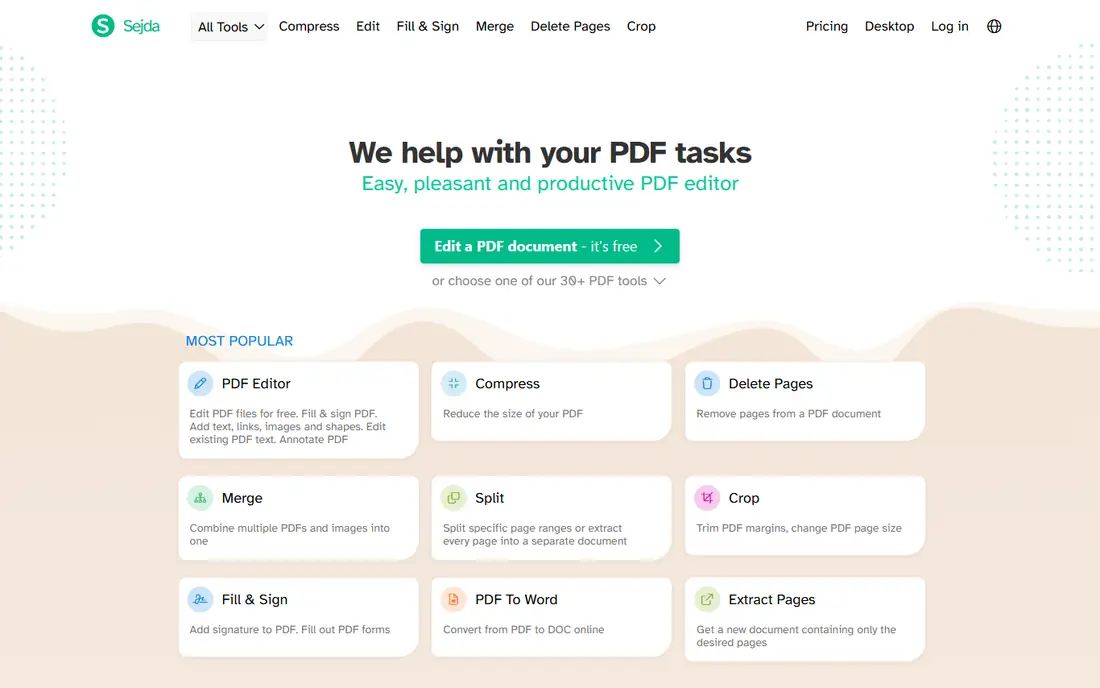
Sejda is the free editor we recommend first when you need to fix words that are already in a PDF. Open the file in a browser, click a line of text, change it, and download the result, with no account needed for a quick job. That direct editing sets it apart from many free tools that only let you add a text box on top of the page.
The limits are clear: 3 tasks per hour on the web, a 50 MB file cap, and a 200-page cap, with OCR limited to 10 pages free. For a contract fix, a form correction, or a small report edit, those limits rarely get in the way. For larger or sensitive files, use the desktop app, which processes files on your computer.
- Edits existing text, not just overlays
- No sign-up needed for basic use
- Desktop app processes files locally
- Free web tier limits you to 3 tasks per hour, 50 MB, and 200 pages
- OCR on free tier covers 10 pages

PDF24 Tools is the most genuinely free option here. There is no paid plan to upsell you to, no watermark on downloads, and the toolkit covers editing, merging, splitting, compressing, converting, signing, and protecting PDFs. Online files are deleted from servers within an hour, and the Windows desktop app lets you work offline for private documents.
The design is plain, and some users will prefer the polish of Smallpdf or ILovePDF. If you want a free tool you can return to every week without hitting a paywall, PDF24 Tools is the hardest to beat, and it is our pick for regular free use.
- No paid tier and no watermarks
- More than 25 tools online
- Windows desktop app works offline
- Interface is functional rather than polished
- Online jobs still upload files to servers
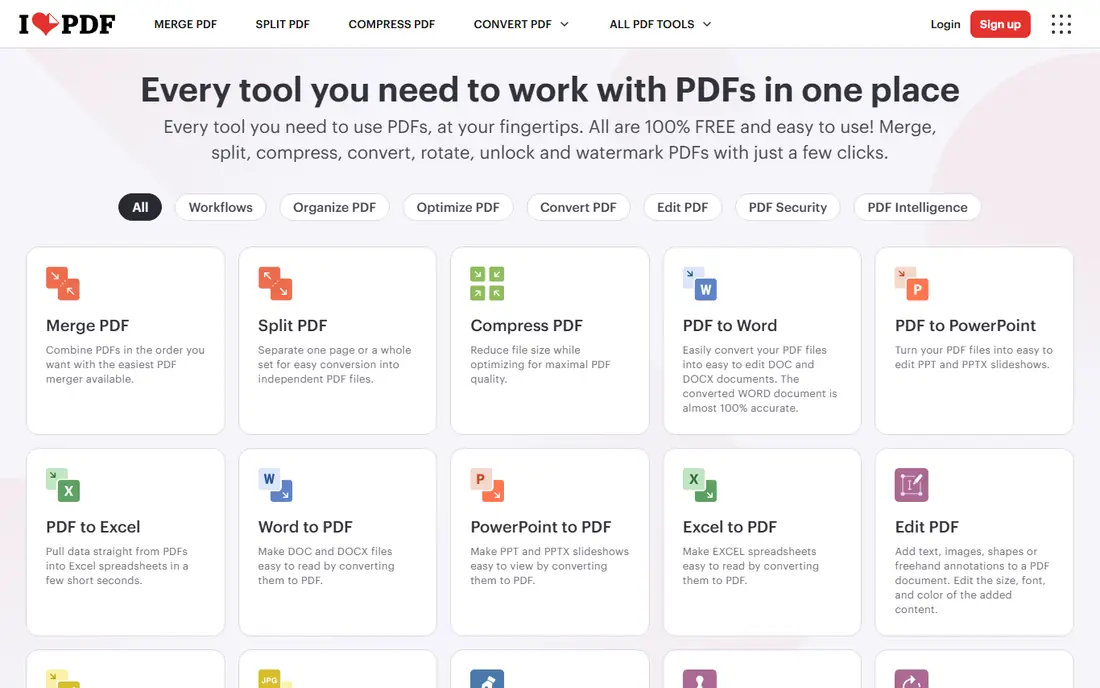
ILovePDF is the free tool many people open first, and for good reason. The site is clear, the tools are easy to find, and merging up to 25 files, splitting, and compressing work well on the free tier. Mobile apps extend the same tools to a phone, which helps when you need to fix a file away from a computer.
Editing existing text is the weak spot, since ILovePDF is stronger for page jobs and conversions than for rewriting a paragraph. Free use also carries per-tool limits and ads, and sensitive files still upload to servers. Use ILovePDF for file jobs, and Sejda or PDF24 Tools for text edits.
- Clean interface with more than 25 tools
- Generous merge limits free
- Mobile apps for on-the-go jobs
- Free tier has per-tool limits and ads
- Editing existing text is limited compared with Sejda
Smallpdf is the most polished free PDF site on this list. The layout is simple, the tools do one job well, and a first-time user can merge or compress a file in a minute. That polish makes it a good pick for occasional users who value a calm interface over a long feature list.
The free limits are the catch. Smallpdf states a daily download limit without publishing the exact number, and editing existing text is a Pro feature, so free users can add text and annotations but cannot rewrite a paragraph. For simple, occasional jobs, it is excellent. For daily text editing, Sejda or PDF24 Tools will serve you better.
- Very clean design that is easy to learn
- Tools for merging, compressing, converting, and signing
- No sign-up needed for a quick job
- Free tier has a daily download limit that is not published as a number
- Editing existing text needs the paid Pro plan
PDFescape has been a free browser editor for years, and it still covers the basics well. You can open a PDF online, add text, fill form fields, highlight, annotate, and protect a file with a password, all without installing software. That browser-only flow suits shared computers and quick form jobs.
Direct editing of existing text is limited, so fixing a sentence often means covering it and typing over it, which works but is less clean than Sejda. File size and page limits also apply on the free online version. For forms and annotations, PDFescape remains a solid free pick.
- Free online editor needs no download
- Form fields, annotations, and whiteout tools are included
- Password protection is available free
- Free online version has file size and page limits
- Editing existing text is limited, with whiteout plus retyping as the workaround
PDF Candy offers one of the widest free toolsets, with tools for editing, converting, merging, splitting, compressing, OCR, and page management. The site is consistent, so once you learn one tool, the rest feel familiar, and basic jobs need no account.
The free limit is strict: 1 task per hour, with no batch processing, so a morning with three separate jobs will need patience or a second tool. If you need one tool a day and a wide range to choose from, PDF Candy is useful. If you need several jobs in a row, pair it with PDF24 Tools.
- More than 90 tools on one site
- Interface is clear and consistent
- No sign-up needed for basic jobs
- Free tier allows 1 task per hour, which blocks back-to-back jobs
- No batch processing free
LibreOffice Draw is the free offline answer for private PDFs. As part of the free LibreOffice suite, it opens a PDF as an editable document, lets you change text and images, move objects, and export a new PDF, all without uploading anything. That local processing makes it the safest pick for contracts, medical forms, and financial documents.
PDF editing in Draw is not as smooth as in a dedicated editor, and complex layouts can shift when you edit text. For simple fixes, annotations, and form work on a private file, though, it is a strong free tool, and it runs on Windows, Mac, and Linux.
- Fully free and open-source
- Files stay on your computer
- Edits text, images, and pages in a PDF
- PDF editing is less smooth than a dedicated editor
- Layout can shift on complex files
- Learning curve is steeper than a web tool
Xodo is a strong free reader and annotator, with apps that sync across web, phone, and desktop. You can highlight, add notes, fill forms, and sign documents free, which covers most everyday PDF jobs for students and office workers. The interface is clean, and the mobile apps are among the better free options for signing on a phone.
The free web limit is the catch, with recent listings putting free web use at 1 action per day, so heavy web use will push you toward a paid plan or another tool. For reading and signing on mobile, Xodo remains a good free pick, and it pairs well with PDF24 Tools for heavier desktop jobs.
- Free tier covers reading, annotation, form filling, and signing
- Apps for web, mobile, and desktop
- 1 GB of cloud storage on free web use in recent listings
- Free web tier limits you to 1 action per day in recent listings
- Premium online tools need a paid plan
PDFgear offers free desktop PDF software for Windows and Mac, with text editing, annotation, conversion, signing, and page management, and no watermark on output. That desktop focus means files stay local, which helps with private documents, and the interface is closer to a paid editor than most free tools.
The online version is narrower, so download the desktop app for the full set. PDFgear is newer than LibreOffice and PDF24, but its free desktop offer is genuine and worth trying if you want a dedicated editor without a subscription.
- Desktop apps for Windows and Mac are free
- Edits text, annotates, converts, and signs without watermarks
- AI tools included on some plans
- Online tools are narrower than the desktop app
- Newer brand with less history than LibreOffice or PDF24
Apple Preview is the free PDF tool Mac owners already have. Open any PDF, fill a form, add a signature, highlight text, add notes, and merge or reorder pages, all without installing anything or creating an account. Files stay on your Mac, which is a privacy plus for personal documents.
Preview cannot rewrite existing text as cleanly as Sejda, and it only exists on Mac, so Windows and Android users need another tool. If you own a Mac, though, Preview covers most everyday PDF jobs free, and it is the fastest option for signing and form filling.
- Built into macOS at no cost
- Fills forms, annotates, signs, and merges pages
- Files stay on your Mac
- Mac only
- Cannot edit existing text as smoothly as Sejda
- No Windows or Android version
How we picked these
We compared official feature pages and free tier terms for PDF tools live in October 2026, and we kept only tools with a genuinely free tier or edition that lets you edit, sign, or download a PDF without paying. We left out tools that only offer a short trial and then require payment, and we noted free limits where vendors publish them, such as Sejda at 3 tasks per hour and PDF Candy at 1 task per hour. Where a vendor states a limit without a number, we say so rather than guessing.
How to choose the best free software to edit pdf
Start with the job, not the brand. If you need to change existing words, pick Sejda. If you need many tools free every week, pick PDF24 Tools. If the document is private, pick an offline tool such as LibreOffice Draw or a desktop app, and avoid uploading it to any website.
Check the free limit before you start
Free tiers differ in ways that matter on a deadline. Check tasks per hour, file size, page count, and whether downloads carry a watermark, before you spend 20 minutes editing a file you cannot download. Keep a second free tool ready for days when you hit a limit.
Protect private files
Online tools are convenient, but they upload your file to a server, even when they promise fast deletion. For contracts, tax forms, medical records, and anything with personal details, use a desktop or offline tool. For a public flyer or a school handout, an online tool is fine.
Frequently asked questions
What is the best free app to edit pdf on a phone?
Xodo and ILovePDF both offer free mobile apps for annotating, filling forms, and signing. Xodo is best for reading and signing, while ILovePDF is best for merging and converting on the go.
What is the best free software to edit pdf on Windows?
PDF24 Tools and LibreOffice Draw are the best free Windows options. PDF24 Tools offers a wide online and desktop toolkit with no paid tier, while LibreOffice Draw edits files fully offline.
Can I edit existing text in a PDF for free?
Yes, with limits. Sejda lets you edit existing text free within 3 tasks per hour, and PDF24 Tools and LibreOffice Draw also support text edits free. Smallpdf and ILovePDF are weaker for rewriting existing text on free tiers.
Is there a free PDF editor without watermarks?
Yes. Sejda, PDF24 Tools, LibreOffice Draw, and PDFgear offer free editing without watermarks in recent listings. Check the download before you share it, since some tools add watermarks only on specific premium features.
Are free online PDF editors safe for private documents?
Reputable tools delete uploads within an hour or two, but an upload is still an upload. For private documents, use an offline tool such as LibreOffice Draw or a desktop app, and keep online tools for non-sensitive files.
Sources
See where you really rank - block by block
ProMapRanker scans Google Maps across a grid of your service area. Simple monthly plans from $19, white-label on every plan.
Start freeKeep reading
 zscaler alternatives
Best Zscaler Alternatives in 2026
Looking for zscaler alternatives? We compare 9 SASE and zero trust platforms on architecture, data protection, pricing, and fit for your network and team.
Read → zapier alternatives free
Best Zapier Alternatives Free in 2026
Nine automation tools for zapier alternatives free in 2026, all with genuinely free tiers, plus free plan limits, starting prices and upgrade paths explained.
Read → which platform is best for online reputation
Which Platform Is Best for Online Reputation in 2026
Wondering which platform is best for online reputation? We compare 8 review, listing, and response tools for small and multi-location businesses and agencies.
Read →