 ProMapRanker
Best Free Large File Transfer Service in 2026

Key takeaways
- SwissTransfer offers the largest free transfer size at up to 50 GB, while Smash has no stated size limit but queues large free transfers.
- Most free services delete files after 3 to 30 days, so a transfer link is not a storage plan.
- WeTransfer now needs a free account to send and caps free use at 3 GB per rolling 30 days, which makes it a weaker default than it once was.
- For sensitive files, choose a service with password protection and link expiry, and confirm encryption before sending client work.
Quick comparison
| Pick | Great for | Pricing starts at | Free tier | |
|---|---|---|---|---|
 SwissTransfer | Very large free files | Free | Yes | Visit |
 Smash | No stated size limit | Free | Yes | Visit |
 TransferNow | Free sending and receiving | Free | Yes | Visit |
 Filemail | Email style large sends | Free | Yes | Visit |
 WeTransfer | Simple occasional sends | Free | Yes | Visit |
 Send Anywhere | Direct device transfers | Free | Yes | Visit |
 pCloud Transfer | Quick no signup sends | Free | Yes | Visit |
 Wormhole | Short lived private links | Free | Yes | Visit |
 Tresorit Send | Encrypted sensitive sends | Free | Yes | Visit |
The best free large file transfer services
We compared free large file transfer services by free size limit, link life, account needs, password options and speed. Our pick for most people is SwissTransfer for very large files, with TransferNow as the best all round free option. The nine below all offer a real free tier, but every free tier trades size, speed or link life for that price.
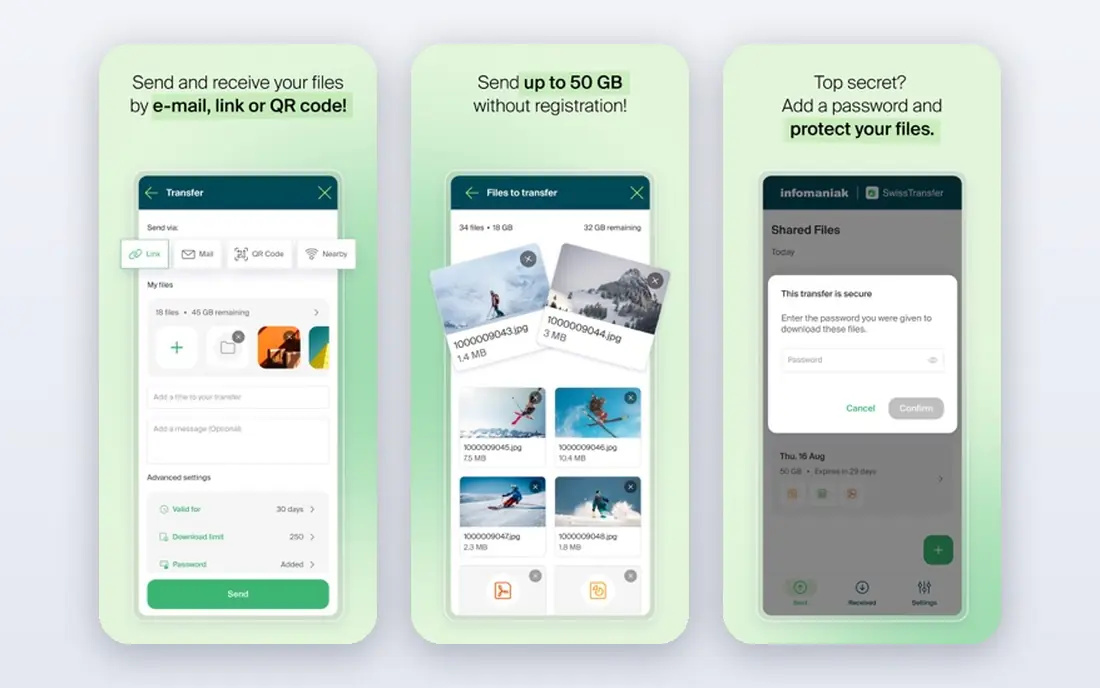
SwissTransfer is the standout free option for very large files. It allows up to 50 GB per transfer without an account, lets you choose link life up to 30 days, and stores files in Switzerland, which appeals to privacy minded senders. For a video project, a photo set or a large design file, that size headroom is far beyond most free rivals.
The limits are on the download side. Listings note limited downloads per day and problems with bulk zip downloads above 10 GB, so SwissTransfer suits sending to a small number of recipients rather than public distribution. For a client or colleague who needs one large file, it is the best free starting point.
- Up to 50 GB per free transfer
- No account needed
- Link life up to 30 days
- Download limits can apply
- Bulk download can fail above 10 GB in listings

Smash is the best free option when you do not know how large a file will be, because it states no size limit on free transfers. You can send without an account, add a password, and share a link that lasts up to 7 days. That simplicity makes it easy to recommend to clients who are not technical.
Speed is the trade off. Free transfers above 2 GB are queued behind paying users, and the wait can last several hours in listings, so Smash is not the best choice for an urgent large file. If time is flexible and size is the main problem, Smash solves it without a subscription.
- No stated file size limit
- No account needed
- Password protection on free tier
- Large files are queued behind paying users
- Free links last up to 7 days
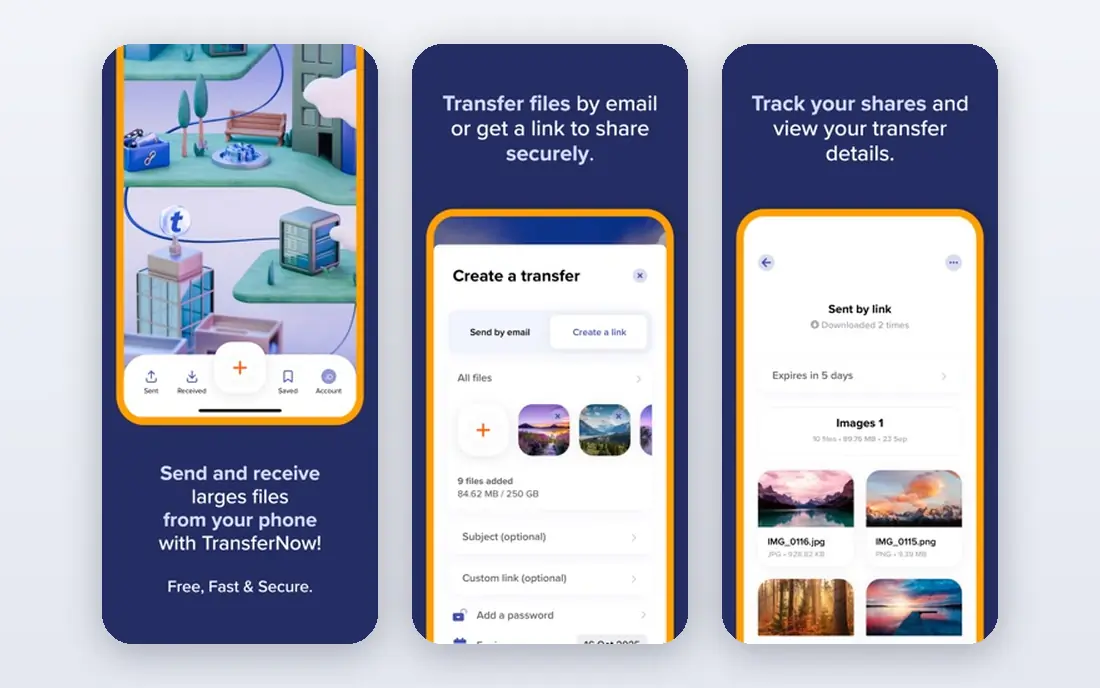
TransferNow is the most complete free service for everyday work. It allows 5 GB per transfer without an account, includes password protection and antivirus checks in listings, and lets recipients send files back through a link. That receiving option is useful for freelancers who need client files as well as sending their own work.
The limit is 7 day expiry on free files, so recipients must download promptly. Larger transfers and longer storage sit on paid plans, which is normal for this category. For regular 5 GB sends with a password and a simple workflow, TransferNow is the best balanced free choice.
- 5 GB free per transfer
- Free password protection
- Recipients can send files back
- Free files expire after 7 days
- Larger files and longer storage are paid
Filemail suits people who like an email style send: add files, add recipients, and send a link. The free tier allows 5 GB per transfer without registration, and desktop apps make large uploads easier than a browser tab alone. That workflow feels familiar for office and client work.
Free use is capped in another way. Listings note only 2 free transfers per 24 hours, and password protection sits on paid plans, so Filemail is less suited to frequent or sensitive sends. For occasional large files to known recipients, it is simple and reliable.
- 5 GB free per transfer
- Desktop apps available
- Simple email style workflow
- Only 2 free transfers per 24 hours in listings
- Password protection is paid
WeTransfer was once the default free transfer service, and its interface is still the simplest here. Recipients need no account to download, links are easy to share, and most clients already know the brand, which reduces support questions. For a single small file to a client, it still works well.
The free tier has tightened sharply. Sending now requires a free account, and free use is capped at 3 GB total per rolling 30 days across 10 transfers, with links lasting up to 3 days in recent listings. That makes WeTransfer a poor choice for regular large sends. Use it for occasional small files, and choose SwissTransfer or TransferNow for larger or frequent work.
- Very simple interface
- Familiar to most recipients
- Link sharing is easy
- Free account now required to send
- 3 GB per rolling 30 days and 10 transfers
Send Anywhere is best when you are moving files between your own devices or to someone nearby. It offers 10 GB via link, plus a direct device to device mode that avoids storing the file on a server for long. Apps across desktop and mobile make it practical for phones, tablets and computers.
Link life is the catch. Listings put link transfers at 48 hours, so recipients must act quickly, and direct transfers need both devices online at the same time. For a fast 10 GB move between devices you control, Send Anywhere is excellent. For a client link that must last a week, choose another service.
- 10 GB via link
- Direct device to device option
- Cross platform apps
- Link life is short at 48 hours in listings
- Direct transfers need both devices online
pCloud Transfer is a clean, no fuss option for quick sends up to 5 GB. No account is needed, the interface is simple, and recipients can download without signing up. That low friction makes it good for sending a file to someone who does not want to create an account or learn a new tool.
Security needs a manual step. Listings note that encryption only applies when you set a password, so sensitive files should always use a password and a short link life. With that habit, pCloud Transfer is a solid choice for everyday 5 GB sends, especially for users who already know pCloud.
- 5 GB free per transfer
- No account needed
- Simple interface
- Free links last 7 days
- Encryption only applies when you set a password
Wormhole suits private, short lived sends. It offers end to end encrypted links without an account, which is a strong privacy story for sensitive documents. The design is minimal, and there is no need to manage storage or folders for a one off transfer.
The limits are size and time. Stored files go up to 5 GB, larger files use peer to peer transfer that needs the browser tab to stay open, and links last up to 24 hours in listings. Wormhole is best for a sensitive file that a recipient will download today, not for a link that must stay live for a week.
- No account needed
- End to end encrypted links
- Simple privacy focused design
- Stored files up to 5 GB
- Larger files need peer to peer with the tab open
- Links last up to 24 hours
Tresorit Send is the best free option for sensitive client work. It allows 5 GB sends without registration, with encryption, password protection and link expiry controls that suit legal, financial and creative files. The Tresorit name is associated with encrypted storage, which helps when a client asks how a file is protected.
It is a sending tool, not a storage plan. Free files expire, and team features, larger transfers and longer retention sit on paid plans. For a confidential file that needs a password and a short life, Tresorit Send gives stronger controls than most free rivals. For a large public file, SwissTransfer or Smash will fit better.
- 5 GB free without registration
- Zero knowledge style encryption
- Password and expiry controls
- Free tier is for sending only, not storage
- Larger and team features are paid
How we picked these
We compared official service pages and recent October 2026 free tier listings for transfer services with a real free tier. We kept only services that let a sender share a large file for free, with a stated size limit or a clear free model, and we left out cloud storage plans that only work as file sharing after a paid subscription. Where listings disagreed on a limit, we used the most recent published figure and advised checking the provider page before a critical send.
We weighted free size, link life, account needs, password and encryption options, and speed limits. A service scored well when a free user could send a large file without a surprise paywall, and when security options were clear. Free limits change often, so treat every figure here as a starting point and confirm it at send time.
How to choose a free transfer service
Start with file size and deadline. Under 5 GB with a week to download, TransferNow, Filemail or pCloud Transfer will do. Over 10 GB, SwissTransfer or Smash are the realistic free options, with Smash slower for very large files. For a same day private file, Wormhole or Tresorit Send give stronger privacy controls.
Next, set the link safely. Use a password for client or personal files, set the shortest link life that still gives the recipient time, and tell the recipient the file size and expiry date in your message. Do not use a transfer link as backup or long term storage, because free files are deleted on expiry. For files you must keep, store a copy in your own cloud storage and send only a transfer link.
Frequently asked questions
What is the best free large file transfer service?
SwissTransfer is the best free option for very large files at up to 50 GB, while TransferNow is the best all round free service for 5 GB sends with password protection. Smash suits files with no stated size limit when you can accept a queue delay. The best choice depends on size, speed and link life.
What is the best large file transfer service free for 50 GB?
SwissTransfer is the clearest free option at up to 50 GB per transfer without an account, with link life up to 30 days. Download limits can apply, so it suits sending to a small number of recipients. Smash has no stated size limit, but large free transfers are queued.
How long do free transfer links last?
It varies by service. WeTransfer free links last up to 3 days in recent listings, while Smash, TransferNow, Filemail and pCloud Transfer last up to 7 days, and SwissTransfer allows up to 30 days. Wormhole links last up to 24 hours, and Send Anywhere links last about 48 hours. Always tell the recipient the expiry date.
Do I need an account to send large files for free?
Not always. SwissTransfer, Smash, TransferNow, Filemail, pCloud Transfer, Wormhole and Tresorit Send allow free sends without an account in current listings. WeTransfer now requires a free account to send, while recipients still need no account to download.
Are free file transfer services safe for client files?
They can be, with the right settings. Use password protection, set a short link life, and choose a service with encryption for sensitive files, such as Tresorit Send or Wormhole. Avoid sending highly sensitive files on a public link with no password, and confirm the recipient downloaded the file before the link expires.
What is the largest file I can send for free?
Smash states no size limit on free transfers, but queues large files, while SwissTransfer allows up to 50 GB free. Send Anywhere allows 10 GB via link, and several services allow 5 GB free. For files above 50 GB, a paid plan or a cloud storage share is usually needed.
Sources
- https://www.swisstransfer.com
- https://fromsmash.com
- https://www.transfernow.net
- https://www.filemail.com
- https://wetransfer.com
- https://send-anywhere.com
- https://transfer.pcloud.com
- https://wormhole.app
- https://send.tresorit.com
- https://onlinemm.org/lifestyle/free-file-sharing-sites/
- https://fast.io/resources/free-large-file-transfer/
See where you really rank - block by block
ProMapRanker scans Google Maps across a grid of your service area. Simple monthly plans from $19, white-label on every plan.
Start freeKeep reading
 zscaler alternatives
Best Zscaler Alternatives in 2026
Looking for zscaler alternatives? We compare 9 SASE and zero trust platforms on architecture, data protection, pricing, and fit for your network and team.
Read → zapier alternatives free
Best Zapier Alternatives Free in 2026
Nine automation tools for zapier alternatives free in 2026, all with genuinely free tiers, plus free plan limits, starting prices and upgrade paths explained.
Read → which platform is best for online reputation
Which Platform Is Best for Online Reputation in 2026
Wondering which platform is best for online reputation? We compare 8 review, listing, and response tools for small and multi-location businesses and agencies.
Read →