 ProMapRanker
Best Free Large File Sending Service

Key takeaways
- Only genuinely free tiers are listed here, not trials and not one-time credits that expire into a paid plan.
- SwissTransfer offers the largest free transfer size in this list, at 50 GB per transfer.
- Every free service limits size, time or speed in some way, so check expiry and download limits before sending.
- For sensitive files, add a password where offered and send the password through a separate channel.
Quick comparison
| Pick | Great for | Pricing starts at | Free tier | |
|---|---|---|---|---|
 SwissTransfer | Largest free transfers | Free | Yes | Visit |
 Smash | No-signup sending with password protection | Free | Yes | Visit |
 WeTransfer | Simple transfers for occasional senders | Free | Yes | Visit |
 TransferNow | Straightforward 5 GB transfers | Free | Yes | Visit |
 Filemail | Desktop-friendly large transfers | Free | Yes | Visit |
 Send Anywhere | Direct device-to-device transfers | Free | Yes | Visit |
 pCloud Transfer | Simple large file links | Free | Yes | Visit |
The best free large file sending service options
We compared official feature pages, pricing pages, app store listings, privacy policies and public reviews. We kept only services with a real free tier in October 2026. Trial-only tools and one-time-credit-only tools were excluded, and free limits are stated plainly below.
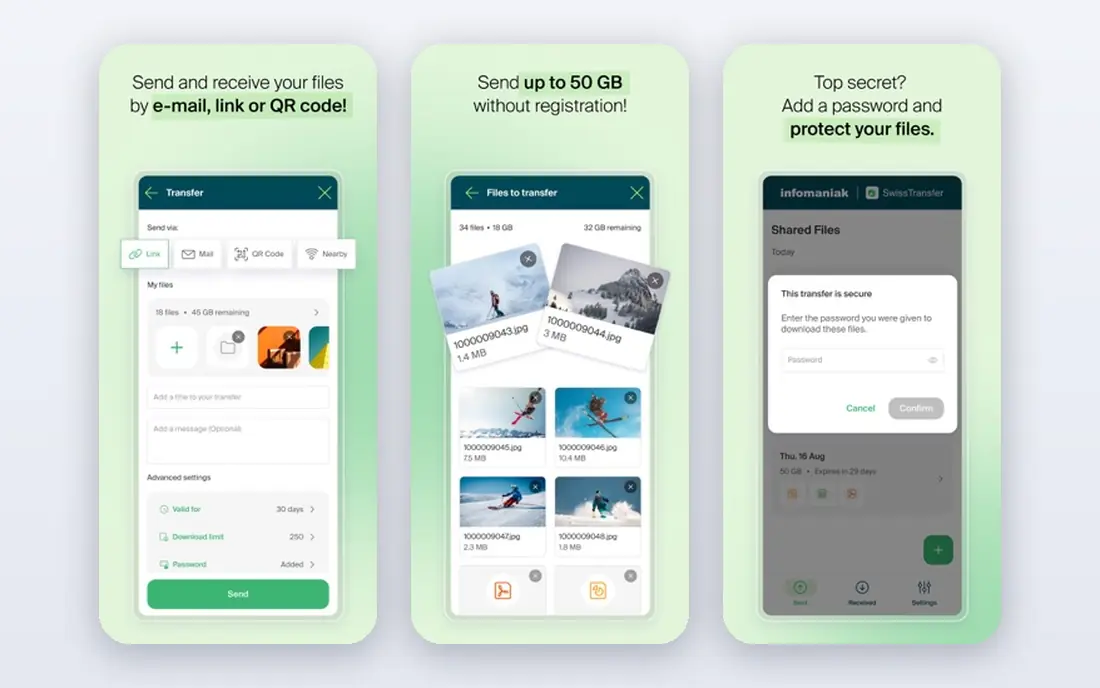
SwissTransfer, from Infomaniak, stands out because its free limit is far above most rivals. You can send up to 50 GB per transfer without creating an account, share by link or email, and set a password and validity period. Files are hosted in Switzerland, with encryption in transit and at rest, according to the service pages.
The honest limits are speed on very large uploads and the availability rules for longer periods. A 30-day transfer can need a confirmation step partway through, and the service limits transfers per hour by IP address. For most video, photo and project files, though, it is the strongest free starting point.
- Up to 50 GB per transfer free
- No account needed
- Password protection and expiry controls
- Large uploads can feel slow
- 30-day availability can need sender confirmation
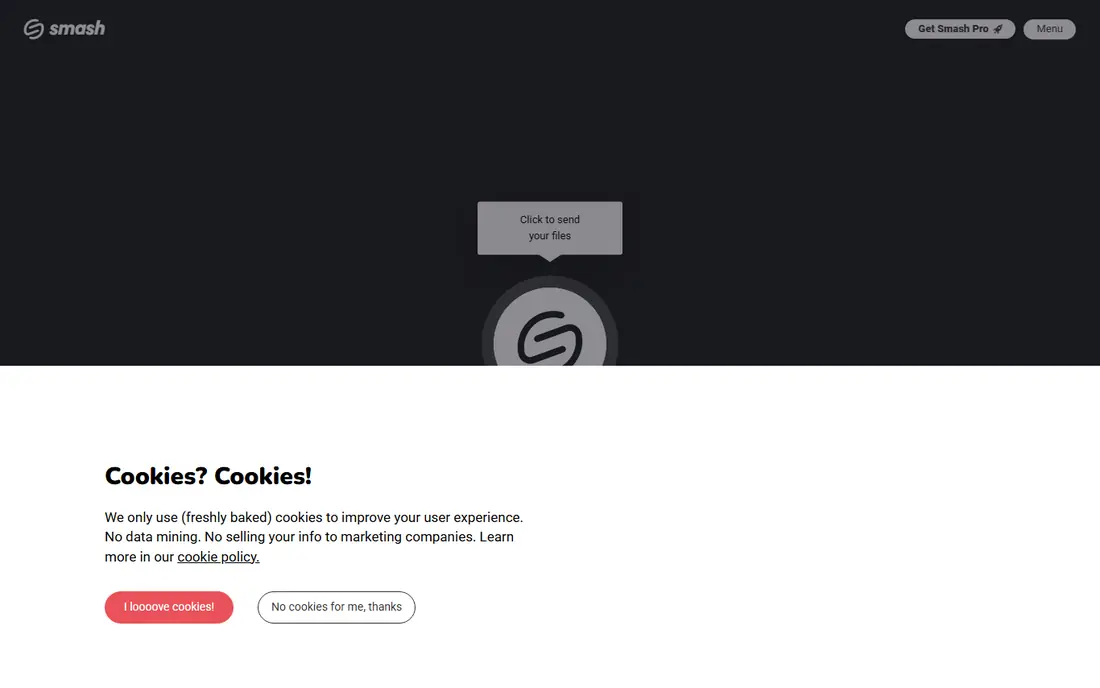
Smash takes a different approach: it states no size limit for free transfers, but files above 2 GB move at lower priority and can wait in a queue. Up to 2 GB, transfers run at full speed, and free transfers include password protection and a link valid for up to 7 days. You do not need an account to send.
That queue is the key trade-off. If you need a huge file delivered today, SwissTransfer or a paid plan may be safer. If you can accept a wait and want a simple, no-signup send with a password, Smash is a strong free choice.
- No size limit stated for free transfers
- Free password protection
- No account needed to send
- Files above 2 GB are queued and processed more slowly
- Free links last up to 7 days

WeTransfer is the service many recipients already know, which reduces confusion when you send a link. Its current free tier allows transfers up to 3 GB, with up to 10 transfers per rolling 30 days, and links available for up to 3 days, based on published comparisons checked in October 2026. Sending now requires an account created through email verification.
The limits matter for regular senders. If you send large files weekly, you may hit the transfer count or the short expiry window. For an occasional send to a client who values a familiar page, it still works well.
- Very simple interface
- Familiar to many recipients
- Link or email sharing
- Free transfers are capped at 3 GB per transfer and 10 transfers per rolling 30 days
- Links last up to 3 days
TransferNow keeps free sending plain: upload up to 5 GB, share a link or send by email, and protect the transfer with a password. Registration is optional for basic sending, and links last for 7 days. That simplicity suits a quick client delivery or a shared project folder that does not need to stay online for weeks.
The 5 GB cap rules it out for very large raw footage or full project archives in one transfer. Split the delivery into parts, or use SwissTransfer for a single large package, and keep TransferNow for routine files.
- 5 GB per transfer free
- Link valid for 7 days
- Password protection on free transfers
- 5 GB cap is modest for raw video
- No long-term storage on the free tier
Filemail offers 5 GB per free transfer with a 7-day link expiry, plus desktop apps that can make large uploads more reliable than a browser tab. That desktop option helps when a browser upload stalls or when you send from a work computer with strict browser settings.
As with other 5 GB services, the free tier is for routine large files, not for huge video libraries. Paid plans raise limits and add tracking, storage and branding, but the free tier itself needs no payment details for a basic send.
- 5 GB per transfer free
- Desktop apps available
- Link valid for 7 days
- 5 GB free cap
- Advanced tracking and branding need paid plans
Send Anywhere works well when both people are online at the same time. You can share through a short key or a link, with a free limit of 10 GB in published comparisons, and apps for phones and desktop computers. That direct style suits moving files between your own devices or to a colleague who can download promptly.
The catch is timing and protection. Direct link availability is short, at 48 hours in published comparisons, and free transfers lack password protection. For sensitive files, use a password-protected service instead, or encrypt the file before sending.
- Up to 10 GB free
- Simple key-based sharing
- Apps for phones and computers
- No password protection on the free tier in published comparisons
- Link availability is short at 48 hours for direct sends
pCloud Transfer is a plain link-sharing service from the team behind pCloud storage. You upload up to 5 GB, share the link, and the files expire after 7 days. There is no account requirement for a basic send, which keeps the process fast for a one-off delivery.
It lacks some of the controls found on SwissTransfer and Smash, such as richer password and download options on the free tier. For a simple, non-sensitive file that the recipient will download quickly, it does the job with little friction.
- 5 GB per transfer free
- No account needed for basic sending
- Simple link sharing
- 5 GB cap
- Files expire after 7 days
- Fewer controls than some rivals
How we picked these
We compared official feature pages, pricing pages, app store listings, privacy policies and public reviews. We kept only services with a genuine free tier that works without payment in October 2026, and we excluded trial-only and one-time-credit-only tools. Where published free limits differed between sources, we used the more cautious published figure and noted the limit plainly.
How to choose by file size and urgency
Start with size. For files over 10 GB, SwissTransfer is the clear free starting point, with Smash as a second option if you can accept queuing. For files up to 5 GB, TransferNow, Filemail and pCloud Transfer all work, so choose by whether you need a password, a desktop app or the simplest page.
Next, check expiry. Tell the recipient the expiry date in your message, since a link that expires in 3 days can fail over a weekend. For sensitive work, add a password and send it separately, and avoid putting passwords and links in the same email. Finally, keep a local copy until the recipient confirms download, since free links delete automatically.
One more habit protects free transfers: confirm the download before you delete your copy. Send the link, ask the recipient to reply once the file opens, and only then remove your local or cloud copy if space is tight. Free links expire on their own schedule, and a recipient on leave or travelling may miss a short window. A quick confirmation message takes seconds and prevents a second large upload, which is the slowest part of the whole process for very large files.
For very large files, start the upload early in the day when your connection is least busy, and avoid closing the browser tab until the link is generated.
Keep the download link private, and share it only with the intended recipient.
Frequently asked questions
What is the largest free file transfer available?
In this list, SwissTransfer allows up to 50 GB per transfer free, without an account. Smash states no size limit for free transfers, but files above 2 GB are queued and processed more slowly.
Are free file sending services safe?
They use encryption in transit, and several offer password protection and expiry controls, but a public link is only as safe as how you share it. Avoid sending highly sensitive files through a free link without a password, and check the privacy policy first.
How long do free transfer links last?
It varies by service, from 3 days on WeTransfer free to 7 days on several services and up to 30 days on SwissTransfer with confirmation. Always tell the recipient the expiry date.
Do I need an account to send files free?
It depends on the service. SwissTransfer, Smash and pCloud Transfer allow sending without an account, while WeTransfer now requires an account created through email verification.
Why do free transfers expire?
Expiry limits storage costs and reduces the risk of old files staying online. Keep your own copy until download is confirmed, and resend with a fresh link if the recipient misses the window.
Sources
See where you really rank - block by block
ProMapRanker scans Google Maps across a grid of your service area. Simple monthly plans from $19, white-label on every plan.
Start freeKeep reading
 worlds best local seo company
8 Worlds Best Local SEO Companies for Map Pack Growth in 2026
Compare the worlds best local seo company options for Google Business Profile work, citations, reviews, and multi-location rankings and reporting in 2026.
Read → world's best web hosting company
World's Best Web Hosting Company in 2026
Searching for the world's best web hosting company? We compared 10 hosts on price, renewal rates, speed, and support to help you choose well today in 2026.
Read → who's got the best nanny tax services
Who's Got the Best Nanny Tax Services in 2026
We answer who's got the best nanny tax services, comparing full filing, back taxes, software, and pricing so families can handle nanny taxes correctly.
Read →