 ProMapRanker
Best Free Finance Tracking Apps in 2026

Key takeaways
- Empower gives the broadest free picture, with net worth, investments and retirement planning at no subscription cost.
- Rocket Money is the strongest free choice for subscription tracking, while Goodbudget and EveryDollar suit manual budgeting.
- Mint shut down in 2024, so any list still presenting it as live is out of date.
- Trial-only tools are not free tiers, so we excluded paid apps that only offer a short trial.
Quick comparison
| Pick | Great for | Pricing starts at | Free tier | |
|---|---|---|---|---|
 Empower Personal Dashboard | Net worth and investments | Free | Yes | Visit |
 Fidelity Full View | Account aggregation for investors | Free | Yes | Visit |
 NerdWallet | Credit and cash flow overview | Free | Yes | Visit |
 Credit Karma | Credit monitoring and spending | Free | Yes | Visit |
 Rocket Money | Subscriptions and spending | Free | Yes | Visit |
 Goodbudget | Envelope budgeting without bank links | Free | Yes | Visit |
 EveryDollar | Zero-based budgeting | Free | Yes | Visit |
 PocketGuard | Safe-to-spend view | Free | Yes | Visit |
 Honeydue | Couples tracking together | Free | Yes | Visit |
The best free finance tracking apps
This is general information only, not financial advice. We compared official feature pages, pricing pages, app store listings and privacy policies, and we kept only tools with a genuinely usable free tier. Mint is not on this list because it shut down in 2024.
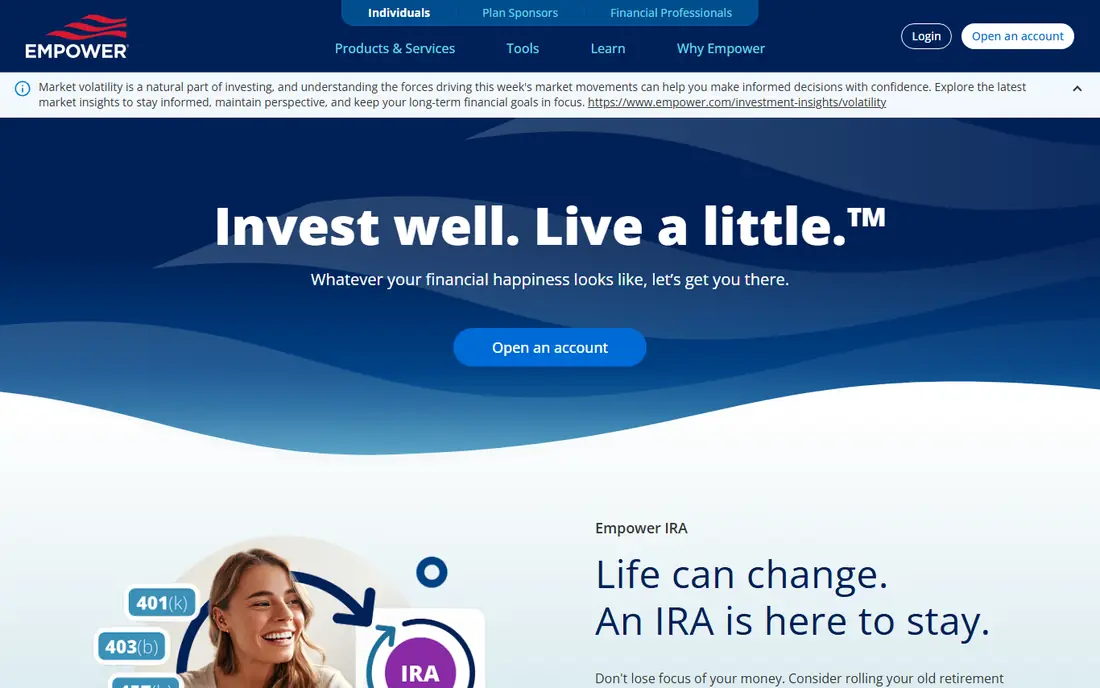
Empower, formerly Personal Capital, links bank, credit card, investment and retirement accounts into one net worth view at no cost. The free tools go further than a simple balance list, with portfolio analysis, a retirement planner and a debt paydown view that help users see the whole picture. For people who mainly want to track wealth rather than police every purchase, it is the strongest free starting point.
The trade-off is budgeting depth. Category budgets exist, but they feel lighter than a dedicated budgeting app, and the company may contact users about paid advisory services. If strict monthly budgeting is the main goal, pair Empower with a manual budget tool rather than expecting it to do both jobs perfectly.
- Free net worth, investment and retirement tools
- Automatic account linking
- Cash flow and spending views included
- Budgeting is lighter than paid budgeting apps
- Users may get calls about advisory services
- The dashboard suits investors more than strict budgeters
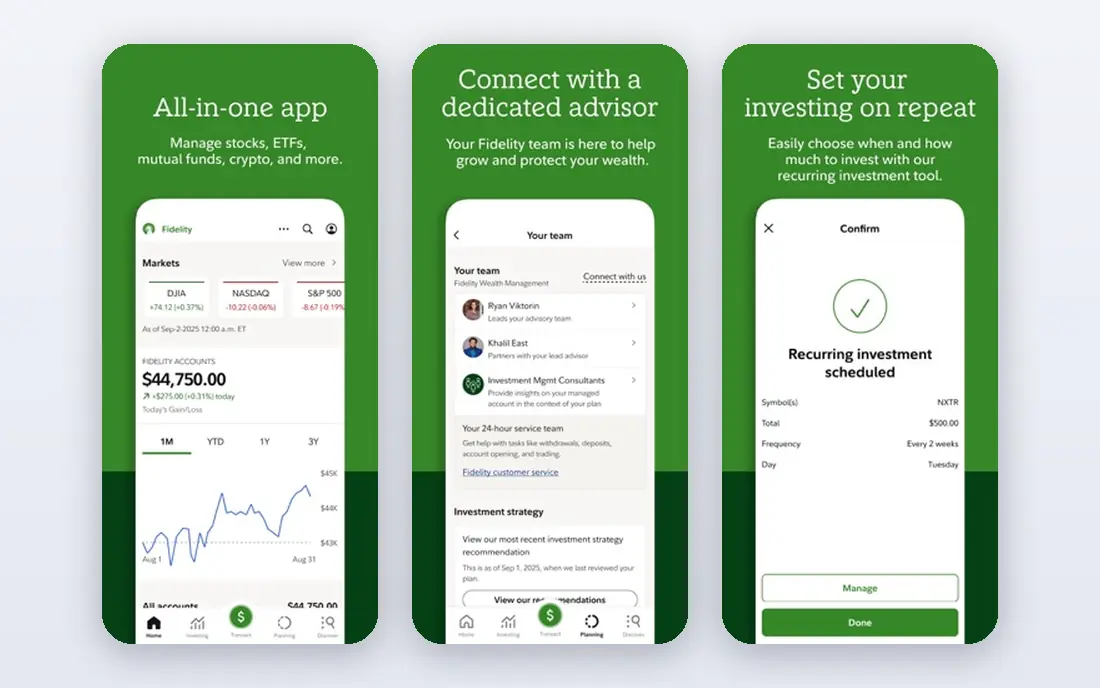
Fidelity Full View pulls outside bank, credit card and investment accounts into a single dashboard, which helps investors who hold money in several places. The view centres on balances and holdings, so it answers the question of what you own and owe more cleanly than a spending-only tracker. Users who already invest with Fidelity get the smoothest experience, since accounts connect with fewer steps.
Budgeting is not the focus here. Spending categories exist, but they lack the planning tools of a dedicated budget app, and the layout assumes some comfort with investment terms. Full View is best as a free aggregation layer, with a separate budget tool handling monthly plans.
- Aggregates outside accounts in one place
- No Fidelity account needed for the basic view in many cases
- Strong investment context
- Works best alongside Fidelity accounts
- Budgeting features are basic
- The interface feels investment-first
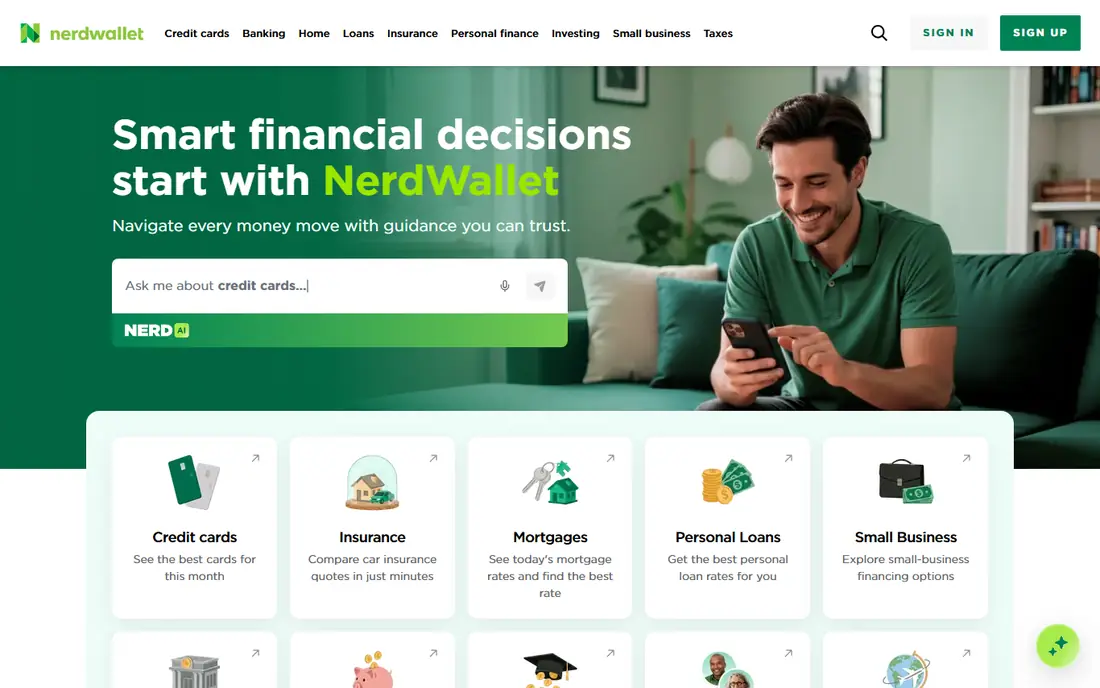
NerdWallet combines credit monitoring with a linked-account view of cash flow, giving users a quick health check on money coming in and going out. The credit score and report features are the main draw, since they update without a subscription and sit next to spending data in one app. For someone who wants an overview rather than line-by-line control, that combination is convenient.
The limit is depth. Older detailed budgeting tools have been retired or reduced, so users who want strict category budgets will find NerdWallet thin. Expect frequent product suggestions too, since the company earns from referrals, and judge those suggestions on their own terms.
- Free credit score and report monitoring
- Linked account cash flow view
- Plain explanations of financial products
- Detailed budgeting has been scaled back
- Product recommendations are frequent
- Net worth tools are basic
Credit Karma is best known for free credit scores, but its linked-account spending view makes it a useful free tracker for day-to-day money. Credit alerts help users spot changes early, and the spending view gives a rough picture of where money goes without a subscription. People rebuilding credit or watching scores closely get the most value here.
As a budget tool it is weaker. Categories and spending summaries exist, but they do not offer the planning control of Goodbudget or EveryDollar, and product recommendations appear often. Use Credit Karma for credit health plus a light spending check, not as a full budget system.
- Free credit scores and monitoring
- Transaction views from linked accounts
- Alerts for credit changes
- Budgeting tools are less developed
- Recommendations are frequent
- Net worth tracking is limited
Rocket Money, once called Truebill, scans linked accounts for recurring charges and lists subscriptions in one place, which makes forgotten charges easy to spot. The free tier covers spending tracking, balance alerts and subscription management, so it works well without paying. That focus sets it apart from general trackers that bury subscriptions inside long transaction lists.
Paid features sit behind a premium plan, including automated bill negotiation and fuller budgeting tools, and premium pricing varies within a set range. Free users get real value, but anyone wanting full automation will need to weigh the premium cost against the savings it finds.
- Finds recurring subscriptions automatically
- Spending tracking and balance alerts on the free tier
- Clear cancellation help
- Automated negotiation and some premium tools are paid
- Premium pricing is pay-what-you-want within a range
- Free budgets are limited
Goodbudget turns the old envelope method into a digital budget, where each spending category gets its own envelope and money is assigned before it is spent. The manual approach is a feature for users who do not want to link bank accounts, and shared access makes it easy for couples to use one budget. The free tier covers enough envelopes for a simple household budget.
Limits appear as budgets grow. The free tier caps the number of envelopes and accounts, and every transaction needs manual entry, which takes steady effort. Goodbudget suits deliberate spenders who like control, not users who want automatic syncing to do the work.
- Simple envelope method that many couples share
- No bank linking required
- Free tier covers basic envelopes and accounts
- Free tier caps envelopes and accounts
- Manual entry takes discipline
- No automatic transaction sync on the free tier
EveryDollar, from Ramsey Solutions, asks users to give every dollar a job before the month starts, which is the heart of zero-based budgeting. The free version lets users build custom categories and plan spending by hand, and the layout stays simple even for first-time budgeters. That clarity helps people who want a plan rather than just a record of past spending.
The catch is automation. Bank syncing and automatic transaction import sit in the paid plan, so free users enter transactions manually. That extra work suits hands-on budgeters, but users who want set-and-forget tracking should look at Rocket Money or Empower instead.
- Clear zero-based budget layout
- Custom categories are easy to build
- Free tier works for manual planning
- Bank sync needs the paid plan
- Free version requires manual entry
- Premium pricing is higher than some rivals
PocketGuard answers one question quickly: after bills, savings goals and set spending, how much is safe to spend today. That single number is helpful for people who overspend by accident, because it turns a long transaction list into a clear daily limit. Linked accounts feed the calculation, and the app stays focused on spending rather than investments.
The free tier limits how many accounts can link, and fuller budgeting, custom categories and debt tools sit behind the paid plan. PocketGuard is best as a daily guardrail, paired with a net worth tool if investment tracking matters too.
- Single safe-to-spend number after bills and goals
- Linked account views
- Simple daily spending check
- Free tier limits linked accounts
- Deeper features need the paid plan
- Category control is lighter than dedicated budget apps
Honeydue is designed for couples, with shared and individual accounts shown side by side and a way to comment on transactions together. Bill reminders help partners avoid missed payments, and the joint view stops the common problem of two people tracking money in separate apps. For couples who split bills, it removes a lot of friction.
Single users will find less here, since the shared features are the point, and investment tracking stays light compared with Empower or Fidelity. Bank connection quality can also vary, so test your main accounts during the first week before relying on it fully.
- Built for two people sharing money
- Joint and individual account views
- Bill reminders and chat on transactions
- Less useful for single users
- Investment tracking is light
- Some banks connect less cleanly than others
How we picked these
We compared official pricing pages, feature pages, app store listings and privacy policies, and we required a free tier that covers real tracking without a card trial clock running. Tools that only offer a paid plan with a short trial were left out, as was Mint, which shut down in 2024. We also checked that each tool still links accounts or accepts manual entry in a way that works in October 2026, rather than relying on older reviews alone.
How to choose a free tracker without paying later
Start from the job you need done. If net worth and investments matter most, Empower or Fidelity Full View will cover more ground free than a budgeting app. If subscriptions are leaking money, Rocket Money finds them fastest. If a monthly plan matters most, Goodbudget or EveryDollar give structure, with manual entry as the price of free.
Check the free limits before committing. Count how many accounts, envelopes or budgets the free tier allows, and test your main bank connections in the first days. A tool that cannot link your main bank, or caps accounts below your needs, will frustrate you even if its feature list looks strong.
Privacy deserves a quick read too. Free tools often earn from product recommendations or optional advisory services, so check what data is shared, whether you can opt out of marketing contacts, and how to delete your account. A free tracker should still let you leave cleanly.
Frequently asked questions
Is Mint still available?
No. Mint shut down in 2024, and its users were directed to other Intuit products. If a guide still lists Mint as a live free tracker, that guide is out of date.
Are free finance apps really free?
The apps here offer genuinely free tiers for core tracking, but many also sell premium plans, product recommendations or advisory services. Read the free limits and privacy policy so you know what is included and how the company earns money.
Which free app is best for net worth tracking?
Empower Personal Dashboard is the strongest free net worth tool here, with investment and retirement views included. Fidelity Full View is a good second choice, especially for people who already hold Fidelity accounts.
Which free app is best for budgeting?
Goodbudget suits envelope budgeting without bank links, while EveryDollar suits zero-based budgeting with manual entry. Rocket Money is better if automatic subscription and spending tracking matter more than a strict budget plan.
Do I have to link my bank account?
No. Goodbudget and EveryDollar work with manual entry on their free tiers, which suits users who prefer not to link accounts. Automatic tools need a secure bank connection to sync transactions.
Will a free tracker sell my data?
Policies differ, so check each app before linking accounts. Most free tools state they use aggregated or de-identified data for some purposes and offer account deletion, but marketing contacts and product recommendations are common trade-offs for a free tier.
Sources
See where you really rank - block by block
ProMapRanker scans Google Maps across a grid of your service area. Simple monthly plans from $19, white-label on every plan.
Start freeKeep reading
 zyte alternatives
Best Zyte Alternatives in 2026
These zyte alternatives cover managed scraping APIs, proxy networks and no code tools for lawful collection from your own or consented sources only in 2026.
Read → zerto alternatives
Best Zerto Alternatives in 2026
Compare the best zerto alternatives for disaster recovery and replication, with recovery targets, cloud options and honest trade-offs for teams in 2026.
Read → zerofox alternatives
Best ZeroFox Alternatives in 2026
We compared 9 zerofox alternatives for brand protection, phishing takedowns, dark web monitoring, and social impersonation, with clear coverage notes.
Read →