 ProMapRanker
Best Free Calorie Counter Apps That Scan Food in 2026

Key takeaways
- MyNetDiary and Cronometer keep barcode scanning on a genuine free plan, with MyNetDiary adding no ads on its free tier.
- FatSecret and Lifesum also scan for free, so paying is not required to log packaged foods quickly.
- MyFitnessPal and Lose It are left out here because their barcode scanners sit behind paid plans in 2026.
- Calorie and macro figures in every app are estimates, and portion size matters more than the exact number shown.
Quick comparison
| Pick | Great for | Pricing starts at | Free tier | |
|---|---|---|---|---|
 MyNetDiary | No-ad free scanning | Free | Yes | Visit |
 Cronometer | Nutrient detail | Free | Yes | Visit |
 FatSecret | Simple free diary | Free | Yes | Visit |
 Lifesum | Guided daily plans | Free | Yes | Visit |
 Yazio | Fasting plus food logging | Free | Yes | Visit |
 Foodnoms | Privacy-focused iPhone logging | Free | Yes | Visit |
 Carb Manager | Low-carb macro tracking | Free | Yes | Visit |
 Suu | Photo and voice logging | Free | Yes | Visit |
The best free calorie counter apps that scan food
These are general information tools only, not medical advice. We compared official feature pages, pricing pages, and app store listings, and we kept only tools with a free plan that includes scanning. A scanner saves time, but it does not fix a wrong portion, so check serving sizes on packaged foods.
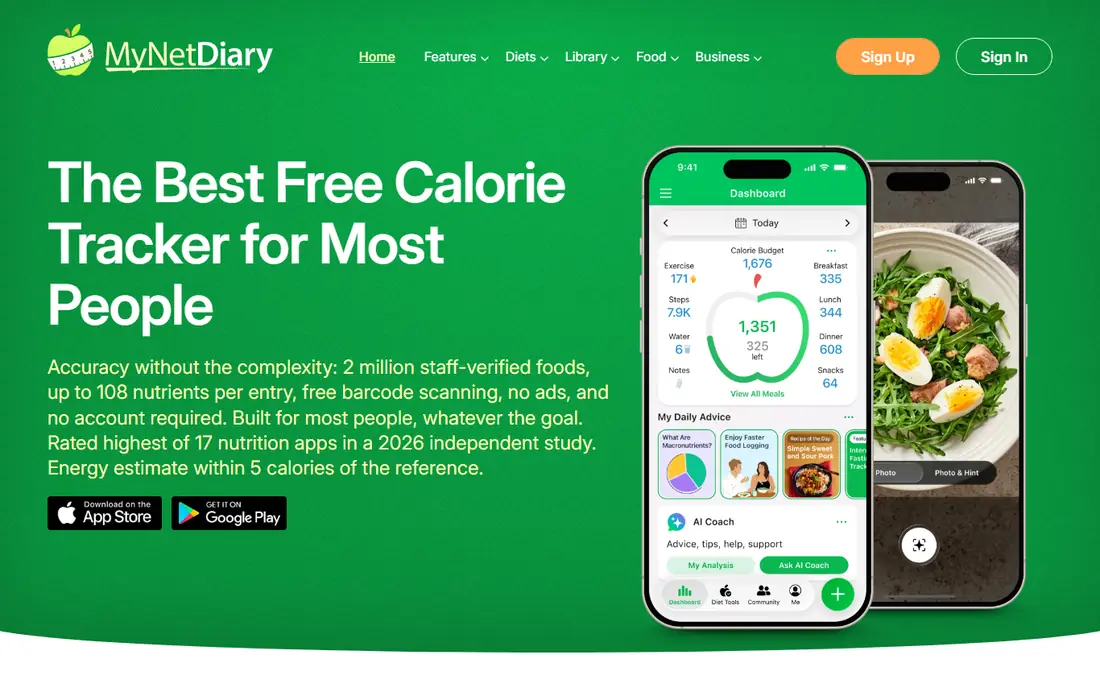
MyNetDiary is our pick for most people who want a free scanner without ads getting in the way. The free plan covers barcode scanning, macro tracking, and a wide set of nutrients, which is a strong mix at no cost. You can start without an account, which keeps the first days simple.
The verified database is the quiet strength here, since entries checked by staff tend to cause fewer odd results than crowdsourced entries. That matters when you scan the same packaged item often and want the same numbers each time. Premium adds meal scanning, fasting tools, and deeper planning for people who want more.
The catch is that the look and feel are less polished than some newer rivals. If you want photo-based logging or a social feed, this may feel plain. For steady daily logging, though, the free plan covers the core job well.
- Barcode scanner on the free plan
- No ads on the free plan
- Staff-verified food entries
- Some advanced tools need Premium
- Design feels plain next to newer apps
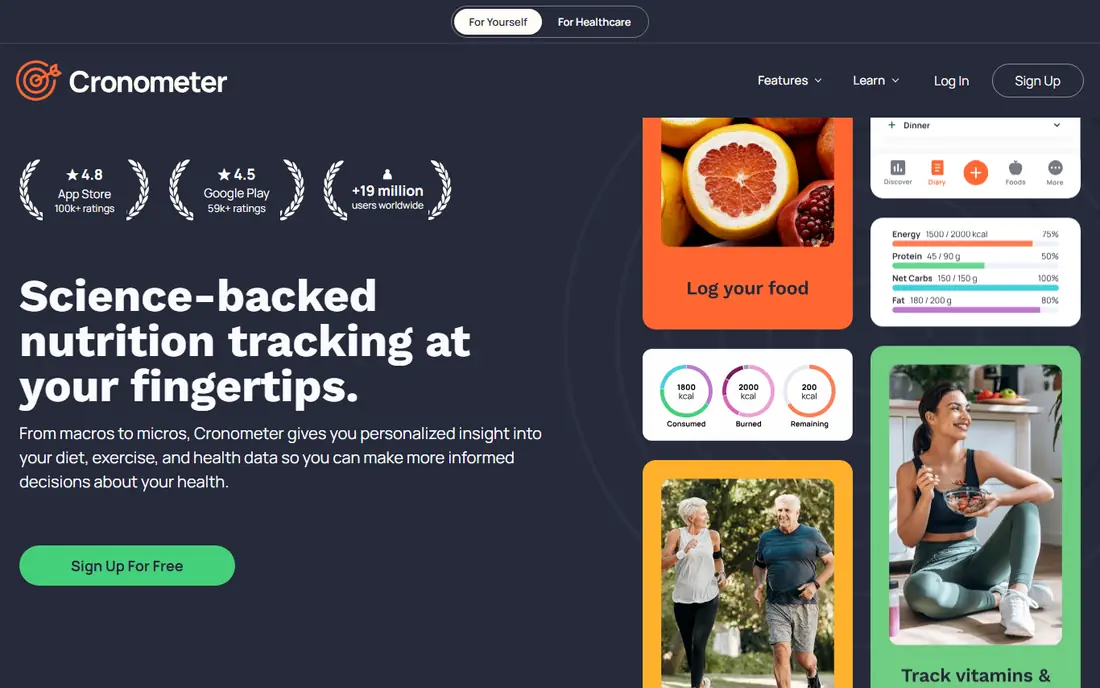
Cronometer suits people who care about more than calories and the three main macros. Its free plan tracks a large set of nutrients and keeps barcode scanning free, which makes it useful for spotting gaps in a diet. The food data is checked against lab and official sources, so entries tend to be consistent.
The app also works well with wearables and health apps, which helps if you already track steps or workouts elsewhere. Charts make it easy to see trends across days rather than fixating on one meal. That longer view is where most people learn something useful.
Ads appear on the free plan, and the free history window is shorter than the paid version. If you often look back months to compare patterns, Gold at $59.99 per year removes those limits. For day-to-day logging, the free plan still does the main work.
- Barcode scanner on the free plan
- Tracks many nutrients
- Verified food data
- Free plan shows ads
- Free history view is limited to seven days
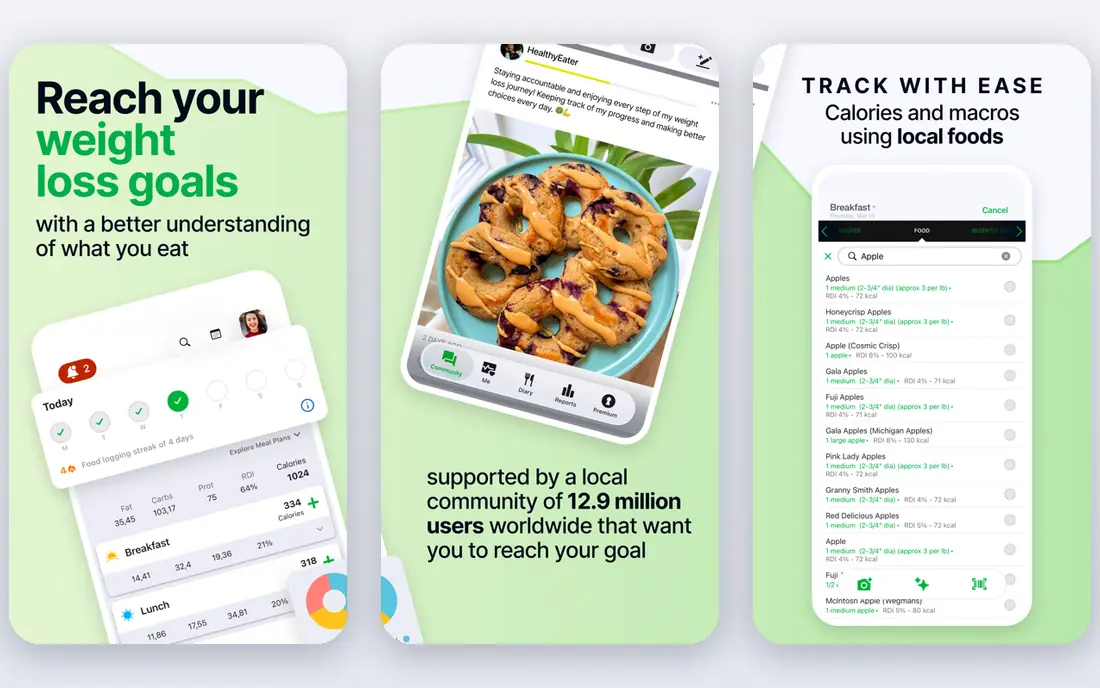
FatSecret is a good fit for people who want a free diary with little setup. Barcode scanning, macro tracking, and the full food database sit on the free plan, so you are not pushed to pay just to log a packaged snack. The diary layout is plain, and that plainness is part of the appeal.
A community section and recipe ideas give extra help when you are stuck for meal ideas. Exercise logging and weight tracking sit in the same app, so you do not need three tools for one routine. That all-in-one feel suits people who log in short bursts.
The trade-off is that some database entries come from users, so checking a label still pays off for unusual items. Premium mainly adds meal plans and extra tracking tools, not the scanner itself. If you want a free, simple diary, this is a safe place to start.
- Barcode scanner and full database free
- Community and recipes included
- Simple diary layout
- Premium features are less clear
- Some entries rely on user submissions
Lifesum works best for people who like a guided feel rather than a bare diary. The free plan includes barcode scanning and basic calorie tracking, with a clean daily view that shows what is left for the day. That structure helps people who are new to tracking and want prompts.
Diet plans, detailed recipes, and deeper guidance sit in Premium, which costs from $9.99 per month or $49.99 per year on its published plans. The free version still handles the core task of scanning and logging. If you only need a record, you may never need the paid tier.
The limit to note is that planning tools are the main reason to pay, so free users get less coaching. The app also leans on its plan structure, which may feel prescriptive to people who prefer full control. For guided daily logging, it strikes a useful balance.
- Barcode scanner on the free plan
- Diet plans and guidance
- Clean daily overview
- Diet plans and recipes sit behind Premium
- Free version is more limited for planning
Yazio suits people who combine food logging with intermittent fasting. The free plan lists barcode scanning and basic calorie tracking, and the fasting timer sits in the same app. That pairing saves switching between two tools each day.
The food database covers many branded and generic items, and the diary is easy to read at a glance. Pro adds photo scanning, recipes, and deeper analysis for people who want more detail. Pricing for Pro is listed at about $47.90 per year in recent comparisons, but check the store price in your region.
The honest catch is that Yazio plan pages have been inconsistent about which features sit where. If photo scanning is your main reason to choose it, confirm the current offer before paying. For free scanning plus fasting, it still earns a place here.
- Barcode scanning listed on the free plan
- Fasting timer included
- Large food database
- Photo scanning and some tools need Pro
- Plan details vary by store listing
Foodnoms is a strong choice for iPhone users who want a quiet, private-feeling diary. The free plan includes barcode scanning, custom foods, and sync with Apple Health, without a busy social layer. That focus makes daily logging feel calm rather than noisy.
The app is built by a small team, and that shows in a clean layout that stays out of the way. Custom foods and saved meals help people who eat similar lunches each week. You can log quickly and move on, which is the habit that matters most.
The main limit is platform: there is no Android version, so Android users should pick another app on this list. AI meal scanning sits in the paid plan, listed at about $40 per year. For free barcode logging on Apple devices, it is a tidy option.
- Barcode scanning on the free plan
- Health app sync
- No account-heavy setup
- IPhone, iPad, and Mac only
- AI meal scanning needs the paid plan
Carb Manager fits people who track carbs closely, whether for low-carb eating or keto. The free plan includes barcode scanning, daily macro targets, and a food database built around carb counts. That focus makes net carb math easier than in a general diary.
The app also covers general calorie tracking, so it is not only for keto users. Meal logging, weight tracking, and exercise entries sit in one place. Premium, listed at $39.99 per year, adds per-meal and day-of-week targets plus deeper reports.
The weakness is that the keto framing can feel narrow if you just want plain calorie counting. Some target options sit behind Premium, which may frustrate people who want full control for free. For low-carb macro tracking, though, the free plan is generous.
- Barcode scanning and macro targets free
- Low-carb and keto tools
- No third-party ads on free plan
- Some per-meal targets need Premium
- Keto focus may feel narrow for general tracking
Suu suits people who hate typing every meal by hand. The free plan includes calorie and macro tracking, water logging, and a small daily allowance of voice or text analyses. Barcode scanning is also free, with a daily limit on the free plan, which covers most normal days.
The app adds GPS workout recording, so food and movement sit together without a second tool. That pairing helps people who want one place for a daily health record. The layout is modern and quick, which helps logging stick past the first week.
The catch is that photo analysis is a paid feature, and the branded-food database is smaller than the largest rivals. If you eat many packaged or restaurant items, you may need to enter some foods by hand. For fast, free logging with voice help, it is still worth trying.
- Free barcode scanning with a daily limit
- Voice and text logging
- Water and workout tracking
- Photo analysis sits in Premium
- Smaller branded-food database than the biggest rivals
How we picked these
We compared official feature pages, pricing pages, and app store listings for tools that claim free barcode scanning. We kept only tools with a free plan, not a trial, that includes scanning, and we left out well-known apps that moved scanning behind a paywall. We also checked that each app still works in 2026 and covers calories plus macros, not just one of them.
What to check before you commit to a free plan
Start with the scanner on your most common foods. Scan five packaged items you eat each week and check that the serving size and numbers match the label. If the app keeps showing wrong portions or missing brands, the free plan will cost you time even though it costs no money.
Next, look at what the free plan hides. Some apps limit history, reports, or photo tools, while others limit only coaching and plans. History limits matter if you like comparing months, while coaching limits matter less if you already know your targets. Pick the limit you can live with, not the longest feature list.
Also check ads and account needs. A free plan with ads can still be fine if logging stays quick, but ads between entries can break a habit. If privacy matters to you, read the data policy and see what syncs to a server and what stays on your phone. The best free app is the one you still open in week six.
Finally, treat every number as an estimate. Labels round numbers, portions vary, and cooking changes values, so a daily total is a guide, not a precise measurement. Talk to a clinician or dietitian if you have a health condition, are pregnant, or plan a large change to your eating. A tracker can support a plan, but it does not replace professional advice.
Frequently asked questions
Is there a truly free calorie counter app that scans food?
Yes. MyNetDiary, Cronometer, FatSecret, Lifesum, and Yazio all list barcode scanning on a free plan, and Foodnoms, Carb Manager, and Suu do the same with their own limits. Check the current plan page before you rely on a feature, since apps move features between plans over time.
Why is MyFitnessPal not on this list?
MyFitnessPal moved barcode scanning behind its Premium plan, which costs $79.99 per year, so it does not meet the free-scanner rule for this article. Its free plan still covers basic logging, but packaged-food scanning needs payment. That is why we left it out here even though its database is large.
Are free calorie counts accurate?
They are estimates, not exact measurements. Database entries, label rounding, and portion size all add error, so totals can drift by a fair amount across a day. Use trends across weeks rather than one day, and weigh or measure foods when accuracy matters to you.
Do these apps need a subscription to track macros?
No, not for basic macro tracking. Each app here tracks protein, carbs, and fat on a free plan, though gram targets, per-meal targets, and detailed reports may need payment in some apps. MyNetDiary and Cronometer let you set gram targets for free, which is useful for macro-focused users.
Can I use these apps without an account?
Some apps let you start without an account, including MyNetDiary, while others need an account for sync and backup. If you want entries to stay only on your phone, check the privacy label and sync settings before you log sensitive health data.
What if my food is not in the database?
Add it as a custom food with the label values, and save it for next time. Custom foods take a minute the first time, but they make repeat meals much faster. Check the serving size carefully, since a wrong serving is the most common source of error.
Sources
- https://www.mynetdiary.com/best-free-calorie-tracking-apps.html
- https://www.mynetdiary.com/myfitnesspal-alternatives.html
- https://www.ellim.app/blog/fitness/best-nutrition-tracking-apps-2026
- https://oscarmini.com/best-food-tracking-apps-that-should-be-on-your-phone/
- https://www.mynetdiary.com/best-macro-tracking-apps.html
See where you really rank - block by block
ProMapRanker scans Google Maps across a grid of your service area. Simple monthly plans from $19, white-label on every plan.
Start freeKeep reading
 zyte alternatives
Best Zyte Alternatives in 2026
These zyte alternatives cover managed scraping APIs, proxy networks and no code tools for lawful collection from your own or consented sources only in 2026.
Read → zerto alternatives
Best Zerto Alternatives in 2026
Compare the best zerto alternatives for disaster recovery and replication, with recovery targets, cloud options and honest trade-offs for teams in 2026.
Read → zerofox alternatives
Best ZeroFox Alternatives in 2026
We compared 9 zerofox alternatives for brand protection, phishing takedowns, dark web monitoring, and social impersonation, with clear coverage notes.
Read →