 ProMapRanker
Best Free Book Apps in 2026: 9 Apps Compared

Key takeaways
- Library apps such as Libby and Hoopla give cardholders free access to new bestsellers, ebooks, audiobooks and magazines.
- Public-domain apps such as Project Gutenberg and Standard Ebooks offer classics at no cost, with no library card needed.
- Retailer apps such as Kindle, Apple Books, Google Play Books and Kobo are free to download, with a mix of free titles and paid books.
- Wattpad suits readers who enjoy free serial fiction from independent writers, rather than published novels.
- Only legal sources appear here: no piracy sites, and any book marked free should be checked at checkout, since promotions change.
Quick comparison
| Pick | Great for | Pricing starts at | Free tier | |
|---|---|---|---|---|
 Libby | Library bestsellers and audiobooks | Free | Yes | Visit |
 Hoopla | Instant library borrows | Free | Yes | Visit |
 Project Gutenberg | Free classics | Free | Yes | Visit |
 Kindle App | Free classics and retailer deals | Free | Yes | Visit |
 Apple Books | Free books on Apple devices | Free | Yes | Visit |
 Google Play Books | Free books on Android and web | Free | Yes | Visit |
 Kobo Books | Free books and Kobo store deals | Free | Yes | Visit |
 Wattpad | Free serial stories | Free | Yes | Visit |
 cloudLibrary | Library ebooks and audiobooks | Free | Yes | Visit |
The best free book apps
Free reading apps fall into three groups, and the best pick depends on which group you want. Library apps borrow current books with a card, public-domain apps give you classics outright, and retailer apps mix free titles with a store you can buy from later. The apps below all offer a genuine free tier or free content, and none of them relies on pirated copies.
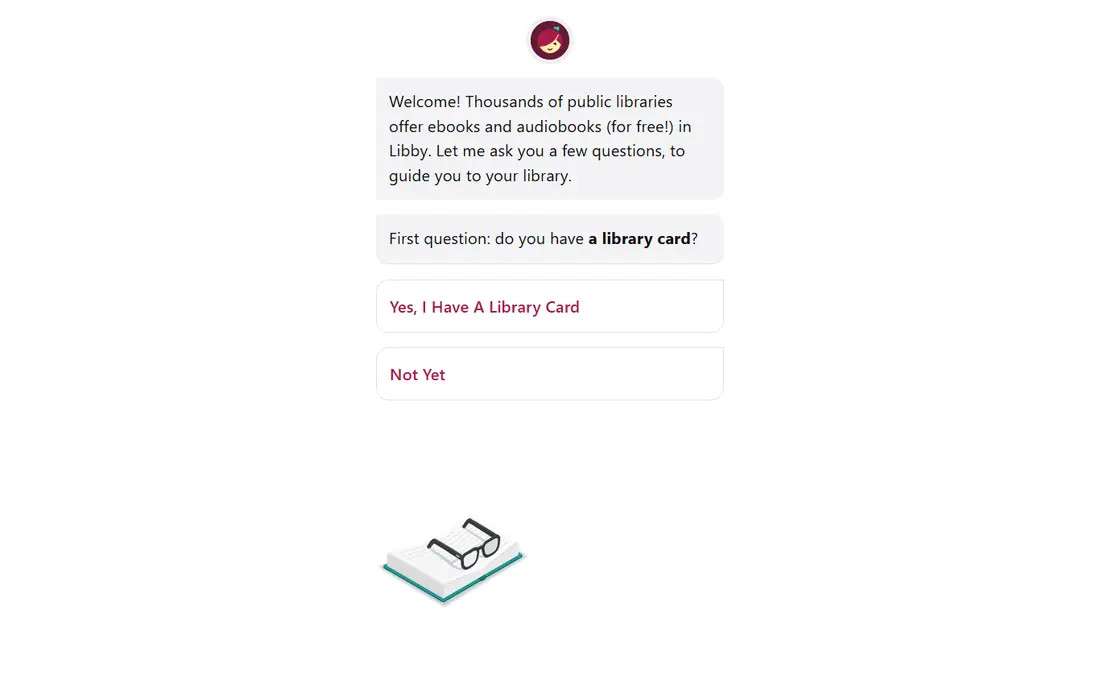
Libby, by OverDrive, is the first app most US readers should install. Sign in with a library card, browse your library's digital collection, and borrow ebooks and audiobooks at no cost. Holds let you queue for popular titles, tags help you organise a reading list, and downloads work offline for travel.
The catch is availability. A new bestseller may have a long hold queue, and loan periods and borrow limits are set by your library, not by Libby. If your library is small, check whether a neighbouring system or a state-wide collection also accepts your card. For current books at no cost, though, Libby is still the strongest free option here.
- Free with a library card
- Ebooks, audiobooks and magazines
- Holds, tags and offline reading
- Popular titles often have wait lists
- Loan periods and borrow limits vary by library
- Needs a participating library
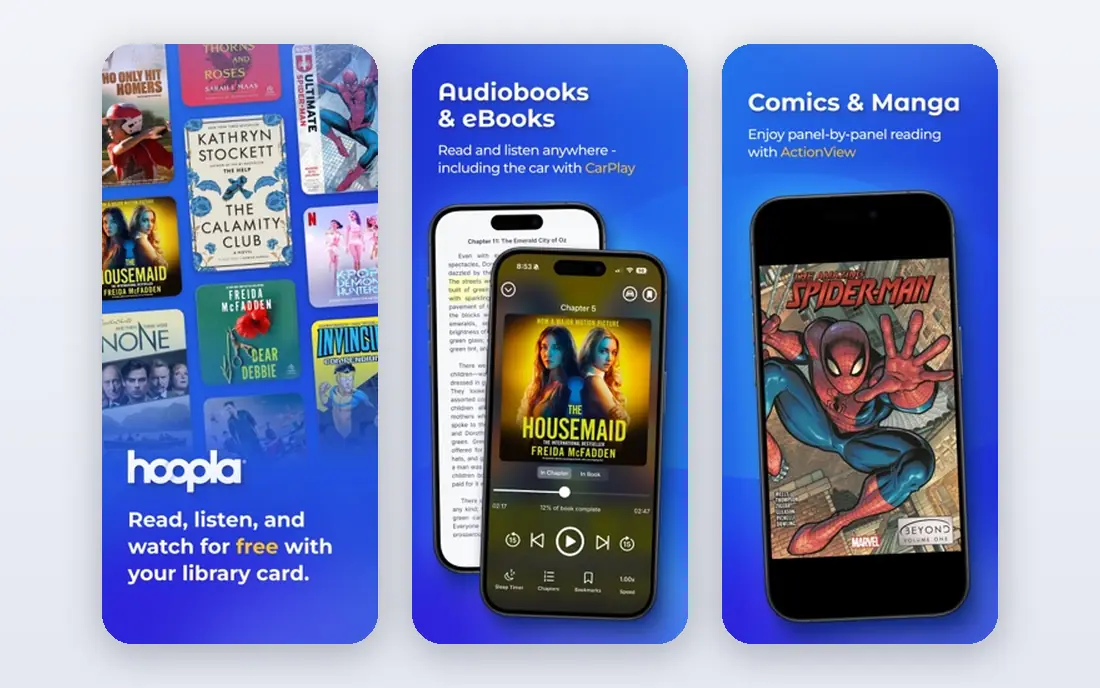
Hoopla solves Libby's main frustration: waiting. Most titles on Hoopla are available at once, with no hold queue, so you can borrow a book on a Friday night and start reading right away. The catalogue also goes beyond books, with comics, music and video in many libraries, which makes it a good second app alongside Libby.
Monthly borrow limits are the trade-off, and they are set by your library. A heavy reader can run through a monthly allowance quickly, especially with audiobooks. Use Hoopla for instant picks and Libby for holds, and you will rarely be without something free to read.
- No wait lists for most titles
- Ebooks, audiobooks, comics, music and video
- Instant borrowing with a library card
- Monthly borrow limits set by your library
- Catalogue varies by library
- Needs a participating library

Project Gutenberg is the original free ebook library, and it remains the best place for classics. Works by authors such as Jane Austen, Charles Dickens and Mark Twain are available in several formats, with no account, no card and no cost. You can read in a browser or send a file to your preferred reading app.
What you will not find is recent fiction. Public-domain status depends on copyright law, so most twentieth and twenty-first century bestsellers are not here. Formatting can also feel plain next to a retailer ebook. If you love classic literature, though, Project Gutenberg gives you a lifetime of free reading with no strings attached.
- Tens of thousands of public-domain ebooks
- No account or library card needed
- Multiple formats for most readers
- Classics only, no recent bestsellers
- Older editions and plain formatting
- Website and apps feel basic
The Kindle app itself is free, and it is a practical way to read free books even without a Kindle device. Amazon lists many public-domain classics at no cost, and publishers regularly offer a first book in a series free or at a low price to attract new readers. Reading progress syncs across devices, which helps if you read on both phone and tablet.
The store is the catch. Free titles sit alongside paid books, and a free promotion can end without warning, so always check the price before you tap buy. If you already use Amazon, the Kindle app is a convenient free reader. If you prefer to avoid a store, Libby or Project Gutenberg will feel cleaner.
- Free app on phone, tablet and desktop
- Large free classic selection
- Daily deals and free first-in-series offers
- Free content sits next to a large paid store
- Some free offers are temporary
- Needs an Amazon account
Apple Books comes with iPhone, iPad and Mac, so Apple users already have a free reading app installed. It offers free public-domain titles, free samples of paid books, and occasional free offers, all in a clean reader with adjustable fonts and backgrounds. Audiobooks live in the same app, which suits readers who switch between reading and listening.
The limits are platform and catalogue. There is no full Apple Books app for Android or Windows, and the free selection cannot match a library system. Still, for an Apple user who wants a simple free reader for classics and samples, Apple Books is a solid and immediate choice.
- Built into Apple devices
- Free classic titles and samples
- Clean reading layout with audiobook support
- Apple devices only for the full app
- Free selection is smaller than a library catalogue
- Paid store is prominent
Google Play Books is the equivalent free reader for Android users, and it also works on iOS and in a web browser. The app is free, it lists public-domain classics at no cost, and it offers free samples and occasional free titles from publishers. Progress syncs across phone, tablet and web, so you can pick up where you left off on another device.
As with other retailer apps, the free catalogue is not the main draw. The store is large and paid, and free titles are a smaller slice of it. Pair Google Play Books with Libby for current books, and use it for classics, samples and any free titles you find in the store.
- Free app on Android, iOS and web
- Free classic titles
- Reading progress syncs across devices
- Free selection is modest next to a library
- Paid store is prominent
- Some features vary by device
Kobo Books gives readers a free app with a mix of free classics, free samples and store promotions, and it pairs with Kobo e-readers if you own one. The reader itself is clean, with adjustable fonts and reading stats for those who like them, and progress syncs across devices. For readers who prefer Kobo to Amazon, it is a natural free starting point.
The free selection, like other retailer apps, is not as broad as a public library. Check prices before buying, since promotions end, and use Libby or Hoopla alongside Kobo if you want current bestsellers free. Kobo is best seen as a good free reader with a store attached, rather than as a free library on its own.
- Free app on phone, tablet and desktop
- Free classics and promotions
- Works with Kobo e-readers
- Paid store is the main catalogue
- Free offers change often
- Smaller US library presence than Amazon
Wattpad is different from every other app here. It hosts free serial fiction written by independent authors, often published chapter by chapter, with reader comments along the way. For readers who enjoy discovering new writers, fan fiction and romance, fantasy and teen stories in serial form, Wattpad offers a huge amount of free reading.
Quality varies, because anyone can publish, and Wattpad is not a substitute for a library or bookstore if you want published novels. Ads appear on the free tier, and a paid tier removes some limits. Treat Wattpad as a free discovery app for serial stories, and keep Libby for published books.
- Large library of free stories from independent writers
- Serial reading with comments
- Community and new voices
- Quality varies widely
- Not a source for published novels
- Ads and a paid tier for extra features
cloudLibrary is another library app, used by a different set of library systems from Libby and Hoopla. If your library uses cloudLibrary, you can borrow ebooks and audiobooks at no cost with your card, download them for offline reading, and place holds on popular titles. It is worth checking, because many readers only try Libby and miss a second free catalogue.
The same library limits apply: holds for bestsellers, loan periods set by your system, and a catalogue that depends on what your library has bought. Ask your library which apps it supports, and install every free one it offers. More than one library app is the simplest way to increase your free choices.
- Free with a participating library card
- Ebooks and audiobooks in one app
- Offline reading
- Availability depends on your library system
- Catalogue is smaller than Libby in many areas
- Holds apply to popular titles
How we picked these
We compared official product pages, library information and app store listings for reading apps that offer a genuine free tier or free public-domain or library content in October 2026. We excluded piracy sites and apps whose free tier was only a short trial with no lasting free content. We did not claim hands-on testing, and we treated vendor claims about catalogue size as claims to check with your own library.
What to decide before you pick
Start with your library card. If your library supports Libby, Hoopla or cloudLibrary, install those first, because they give you current books free and legally. Ask your library which apps it uses and what the borrow limits are, since those limits decide how much you can actually read each month.
Next, pick a reader for classics and samples. Project Gutenberg needs no account at all, while Kindle, Apple Books, Google Play Books and Kobo each offer free classics inside a store app. Choose the reader that matches your devices, so your progress syncs and your fonts and layout feel familiar.
Finally, check the price before every purchase, even in a free app. Retailer apps mix free and paid titles, and promotions end. A book that was free yesterday may cost money today, and that is normal for a store, not a fault in the app. When in doubt, borrow it from the library instead.
Frequently asked questions
What is the best free book app?
Libby is the best free app for most readers, because it borrows current bestsellers, ebooks and audiobooks free with a library card. Hoopla is a strong second app for instant borrows without wait lists. Project Gutenberg is the best choice for classics with no card needed.
Can I read books for free without a library card?
Yes. Project Gutenberg offers public-domain classics with no card or account, and retailer apps such as Kindle, Apple Books, Google Play Books and Kobo offer free classics and samples. A library card adds current bestsellers, so it is still worth getting one if you can.
What is the best free book reading app for Android?
Google Play Books and the Kindle app both work well on Android and are free to download, with free classics and samples. Libby and Hoopla also run on Android and give cardholders free library books. The best combination is a library app for current books plus a retailer app for classics.
Are free book apps legal?
The apps here use legal sources: library lending, public-domain works and retailer free titles or promotions. Piracy sites that offer recent bestsellers for free without a licence are not legal sources, and we did not list any. If a free offer looks too good for a new bestseller, check whether it comes from a library or a retailer promotion.
Does Libby or Hoopla cost money?
Both apps are free to download and use with a participating library card, and your library pays for the lending service. Loan limits, hold queues and monthly borrow caps are set by your library, not by the app. If your library does not support one of them, ask which library apps it does support.
Sources
See where you really rank - block by block
ProMapRanker scans Google Maps across a grid of your service area. Simple monthly plans from $19, white-label on every plan.
Start freeKeep reading
 zscaler alternatives
Best Zscaler Alternatives in 2026
Looking for zscaler alternatives? We compare 9 SASE and zero trust platforms on architecture, data protection, pricing, and fit for your network and team.
Read → zapier alternatives free
Best Zapier Alternatives Free in 2026
Nine automation tools for zapier alternatives free in 2026, all with genuinely free tiers, plus free plan limits, starting prices and upgrade paths explained.
Read → which platform is best for online reputation
Which Platform Is Best for Online Reputation in 2026
Wondering which platform is best for online reputation? We compare 8 review, listing, and response tools for small and multi-location businesses and agencies.
Read →