 ProMapRanker
Best Free Animation Maker Tool in 2026

Key takeaways
- Blender, Pencil2D, Synfig Studio, OpenToonz, and Krita are free to download and use, with no subscription needed for the core software.
- Animaker, Canva, Adobe Express, and Powtoon offer free plans, but exports on free plans often carry limits or watermarks, so check export terms before you commit.
- Hand-drawn work suits Pencil2D, OpenToonz, and Krita, while template-based explainers suit Animaker, Powtoon, Canva, and Adobe Express.
- Blender is the strongest free choice if you want 2D and 3D in one program, but it takes longer to learn than the simpler drawing tools.
- Start with the style you want to make, not the longest feature list, because a simple tool you finish projects in beats a complex tool you abandon.
Quick comparison
| Pick | Great for | Pricing starts at | Free tier | |
|---|---|---|---|---|
 Blender | 2D and 3D animation in one free program | Free | Yes | Visit |
 Pencil2D | Simple hand-drawn frame animation | Free | Yes | Visit |
 Synfig Studio | Vector animation without drawing every frame | Free | Yes | Visit |
 OpenToonz | Studio-style 2D production for free | Free | Yes | Visit |
 Krita | Painted frame-by-frame animation | Free | Yes | Visit |
 Animaker | Template-based explainer videos | Free | Yes | Visit |
 Canva | Quick animated social and presentation graphics | Free | Yes | Visit |
 Adobe Express | Branded animated posts and short clips | Free | Yes | Visit |
 Powtoon | Animated presentations and training videos | Free | Yes | Visit |
The best free animation maker tools
We compared free desktop software and free browser tools, looking at what you can actually export without paying, how steep the learning curve is, and which animation style each tool serves best.
Blender is our pick for most people who want a free animation maker tool with room to grow. Its Grease Pencil tools let you draw 2D animation inside a 3D space, so you can mix flat characters with camera moves, depth, and lighting that flat-only tools cannot match. You can also build full 3D scenes, rig characters, and render finished video without paying for the software itself.
The trade-off is time. Blender packs modeling, sculpting, video editing, and compositing into one program, and new users often spend their first sessions learning where things live. If you only want a short hand-drawn clip, a simpler tool will get you there faster. If you plan to keep animating for months, Blender gives you the most headroom of any free option here.
- Free and open source
- Strong 2D Grease Pencil tools plus full 3D tools
- Large tutorial community
- Steep learning curve
- Interface can feel crowded for beginners
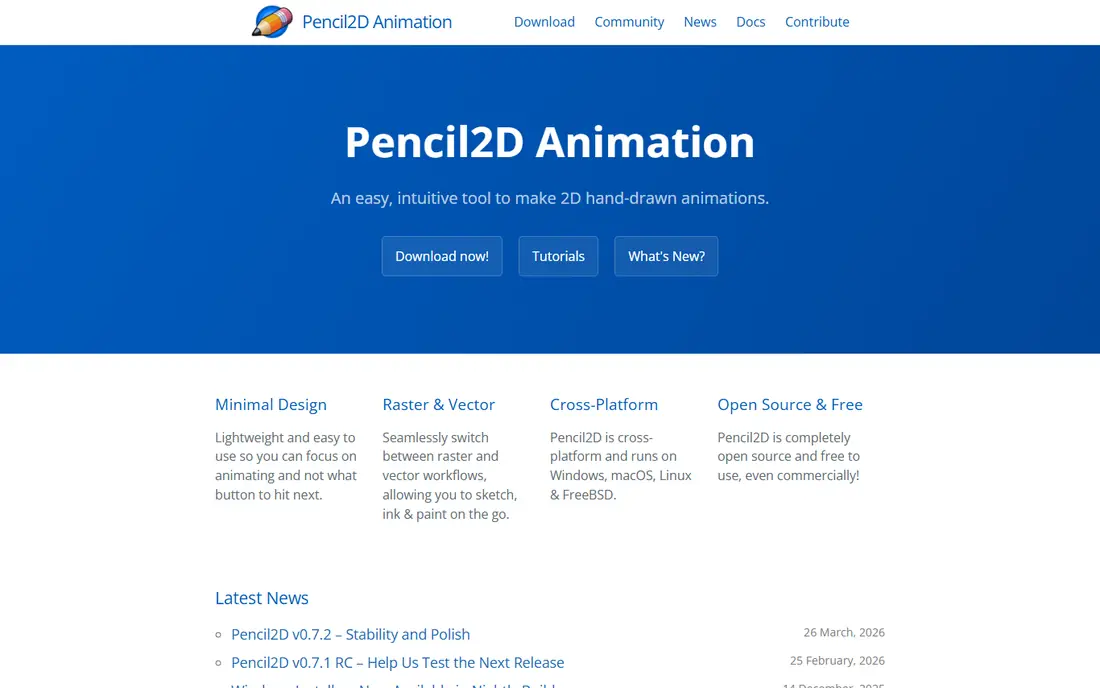
Pencil2D is the best starting point if you want to learn classic frame-by-frame animation. The interface stays out of the way, with a timeline, a few drawing tools, and onion skinning that shows the previous and next frames as faint guides. That simplicity helps beginners focus on timing and movement instead of menus.
It does not try to be a full production suite. You will not find deep character rigging, complex effects, or a large asset library here. For short tests, school projects, and practice loops, that focus is a strength. When a project grows into many scenes and layers, you may want to move it into OpenToonz or Blender.
- Very light and easy to learn
- Supports raster and vector drawing
- Onion skinning for frame checks
- Limited effects and rigging
- Not built for large studio projects

Synfig Studio suits animators who like vector shapes and want the software to fill in movement between poses. You set keyframes, adjust bones and control points, and Synfig creates the in-between frames. That approach saves a lot of repetitive drawing for explainer characters, motion graphics, and cut-out style cartoons.
The interface is less polished than modern browser tools, and the first project can feel fiddly while you learn how layers, bones, and keyframes connect. Once that clicks, Synfig becomes a practical free route to smooth motion without drawing dozens of near-identical frames. It is a good middle step between simple frame tools and full studio software.
- Free and open source
- Automatic tweening between keyframes
- Bone rigging for cut-out characters
- Interface feels dated
- Learning curve is higher than Pencil2D
OpenToonz is the free tool closest to a traditional animation studio pipeline. It supports scanned drawings, vector and raster levels, effects, and camera work, and its history includes use in professional feature production. For animators who want to learn how studio 2D work is organized, it offers depth that template tools cannot.
That depth comes with friction. Project setup, level handling, and the older interface can confuse first-time users, and good tutorials matter more here than with Pencil2D. If you are serious about 2D craft and willing to study the workflow, OpenToonz rewards the effort. If you want a quick social clip today, pick a template tool instead.
- Free and open source
- Scanning and effects for traditional workflows
- Used in professional 2D production
- Older interface
- Setup and project structure take study
Krita starts as a digital painting program, and its animation tools build on that strength. Artists who already paint in Krita can animate directly in the same brushes, layers, and color tools they know, which keeps the look consistent from sketch to final frame. Onion skinning and a clear timeline make it practical for short painted loops and character tests.
Krita is not a full replacement for a studio pipeline. It lacks the rigging depth of Synfig and the scene tools of OpenToonz, and very long projects can strain performance. For painted shorts, storyboards that move, and hand-drawn practice, it is one of the most enjoyable free options in this list.
- Free and open source
- Strong brushes and painting tools
- Timeline with onion skinning
- Animation features are narrower than dedicated studio tools
- Large files can slow older computers
Animaker is built for people who need a finished explainer video, not drawing practice. You pick a template, swap in your text and images, choose characters and voiceover, and export a video for a website, lesson, or social post. The browser editor means you can work on most computers without installing software.
The free plan is useful for testing, but free exports carry a watermark, and paid plans remove it and raise export limits. Character movement stays within preset actions, so performances look clean but rarely feel hand-crafted. For small businesses and teachers who need clear, fast explainers, Animaker is a practical free starting point.
- Free plan to test real projects
- Large template and character library
- Browser-based, no install
- Free exports carry a watermark
- Character motion is template-driven
Canva is the fastest free route to animated posts, ads, and slides. You start from a template, add text and images, apply preset animation to elements, and export video or an animated graphic. Teams that already use Canva for design will find the animation step feels like a small addition, not a new program to learn.
It is not the right tool for drawn cartoons or rigged characters. Motion comes from presets applied to design elements, so you trade fine control for speed. For marketing graphics, announcements, and short social clips, that trade is often worth it, and the free plan covers a surprising amount of everyday work.
- Free plan with many templates
- Easy animation for text and graphics
- Works in a browser and on mobile
- Not a frame-by-frame animation tool
- Some assets and export options need a paid plan
Adobe Express covers a similar job to Canva, with a focus on quick branded content. You can animate text, combine clips and graphics, and keep colors and fonts consistent across posts. If your team already works with Adobe tools or stock assets, the shared library and brand controls can save repeated setup.
Free users should check which templates and assets are included before building a large project, because some premium items require a paid plan. Adobe Express also will not replace Blender or OpenToonz for drawn animation. For polished, on-brand short clips made in minutes, it earns its place here.
- Free plan for design and short video
- Brand kits and templates
- Adobe stock assets on paid plans
- Advanced features and some assets sit behind a paid plan
- Less control than dedicated animation software
Powtoon turns slide-style thinking into animated video. That makes it a natural fit for training clips, onboarding explainers, and internal updates, where clarity matters more than cinematic movement. Presenters can build scenes in order, add narration, and export a video that feels more lively than a static deck.
Like Animaker, Powtoon uses templates and preset motion, so characters and scenes can start to look familiar across videos. Free exports carry a watermark, and lower plans cap export quality and length. If your main need is clear workplace video rather than original cartoon craft, Powtoon is a low-friction free option to test first.
- Free plan for testing
- Presentation-style workflow
- Templates for training and internal messages
- Free exports carry a watermark
- Animation depth is limited on lower plans
How we picked these
We compared official feature pages, pricing pages, and app listings for tools that offer a genuinely usable free tier or a fully free download. We favored tools that still work in October 2026, that fit a clear animation job, and that let a reader make a finished clip without an immediate payment. Where a vendor did not publish a clear free-plan limit, we kept the wording general and pointed readers to check the current plan page before starting a large project.
What to check before you pick a free animation tool
Start with the finished file you need. A social clip, a classroom explainer, a painted short, and a 3D scene each point to a different tool, and no free program covers all four equally well. Check export format, resolution, length limits, and whether a watermark appears on free exports, because those details decide whether a free plan is usable for public work.
Match the tool to the animation style
Hand-drawn and painted work belongs in Pencil2D, Krita, OpenToonz, or Blender. Vector and cut-out work belongs in Synfig Studio or Blender. Template explainers belong in Animaker or Powtoon, and animated design graphics belong in Canva or Adobe Express. Choosing by style saves you from learning a complex program for a job a simple one handles well.
Test export early with a tiny project
Build a five-second test before you build a full video. Export it, watch it on the device where your audience will see it, and check sound, text size, and watermark placement. That short test reveals limits that feature lists hide, and it costs far less time than rebuilding a finished project in another tool.
Plan for learning time
Free does not mean instant. Blender and OpenToonz reward study with far more control, while Canva and Animaker reward speed with less control. If you have a deadline this week, pick the simpler tool. If you want a skill that grows over a year, pick the deeper tool and follow its official tutorials in order.
Frequently asked questions
What is the best free animation maker tool for beginners?
Pencil2D is the easiest place to start for hand-drawn animation, while Canva is the easiest for animated graphics and posts. Pick Pencil2D if you want to learn drawing and timing, and pick Canva if you want a finished social clip today. Both are free to try, so a short test in each will tell you which workflow you enjoy more.
Are there best free animation maker tools with no watermark?
Yes. Blender, Pencil2D, Synfig Studio, OpenToonz, and Krita are free and open source, so their exports do not carry a vendor watermark. Template tools such as Animaker and Powtoon usually add a watermark on free exports, and paid plans remove it. Always run a test export before publishing client or classroom work.
Which is the best animation maker software for 2D and 3D?
Blender is the strongest free choice that covers both, because Grease Pencil handles 2D drawing inside a 3D workspace. OpenToonz and Krita are stronger if you want a focused 2D craft, while Synfig Studio suits vector work. For a single free program that can grow from simple clips to complex scenes, Blender leads this list.
What is the best animation maker app for explainer videos?
Animaker and Powtoon are the most direct fits, because they provide characters, templates, voiceover tools, and scene-based editing for explainers. Animaker leans toward marketing and social explainers, while Powtoon leans toward presentations and training. Check free export limits first, since watermark and length caps differ by plan.
Can I make professional animation with free tools?
Yes, for many kinds of work. Blender and OpenToonz have been used in serious production, and Krita and Synfig Studio can produce clean finished clips. The main gaps are support, asset libraries, and team workflow features that paid studio tools bundle together. For solo work and small teams, free tools are often enough if you plan export and sound carefully.
Sources
See where you really rank - block by block
ProMapRanker scans Google Maps across a grid of your service area. Simple monthly plans from $19, white-label on every plan.
Start freeKeep reading
 zscaler alternatives
Best Zscaler Alternatives in 2026
Looking for zscaler alternatives? We compare 9 SASE and zero trust platforms on architecture, data protection, pricing, and fit for your network and team.
Read → zapier alternatives free
Best Zapier Alternatives Free in 2026
Nine automation tools for zapier alternatives free in 2026, all with genuinely free tiers, plus free plan limits, starting prices and upgrade paths explained.
Read → which platform is best for online reputation
Which Platform Is Best for Online Reputation in 2026
Wondering which platform is best for online reputation? We compare 8 review, listing, and response tools for small and multi-location businesses and agencies.
Read →