 ProMapRanker
Best Free AI Photo to Video Animation Tools in 2026

Key takeaways
- Kling AI is the best all-round free pick, with daily credits, clips up to 15 seconds, and commercial use allowed on the free tier in vendor terms.
- Hailuo and PixVerse suit ongoing free use, with daily credit refreshes that let you test many photos without paying.
- Runway makes polished clips but burns one-time free credits fast, so save it for a final version, not drafts.
- Only animate photos you own or have permission to use, and check watermark and license terms before publishing any clip.
Quick comparison
| Pick | Great for | Pricing starts at | Free tier | |
|---|---|---|---|---|
 Kling AI | Best all-round free animation | See website | Yes | Visit |
 Hailuo AI | Free output for regular use | See website | Yes | Visit |
 PixVerse | Stylized social clips | See website | Yes | Visit |
 Runway | Polished cinematic clips | See website | Free trial | Visit |
 Pika | Playful effects and social clips | See website | Yes | Visit |
 Luma Dream Machine | Cinematic camera motion | See website | Free trial | Visit |
 Vidu | Reference-consistent animation | See website | Yes | Visit |
 Kapwing | Photo animation plus editing | See website | Yes | Visit |
The best free AI photo to video animation tools
AI photo to video tools take a still photo and generate motion from a text prompt, such as a slow camera move, a smile, flowing water, or a scene coming alive. Only animate photos you own or have permission to use, and never animate photos of people in misleading or non-consensual ways. We compared official feature pages and current 2026 guides on free credits, clip length, watermarks, and licenses.
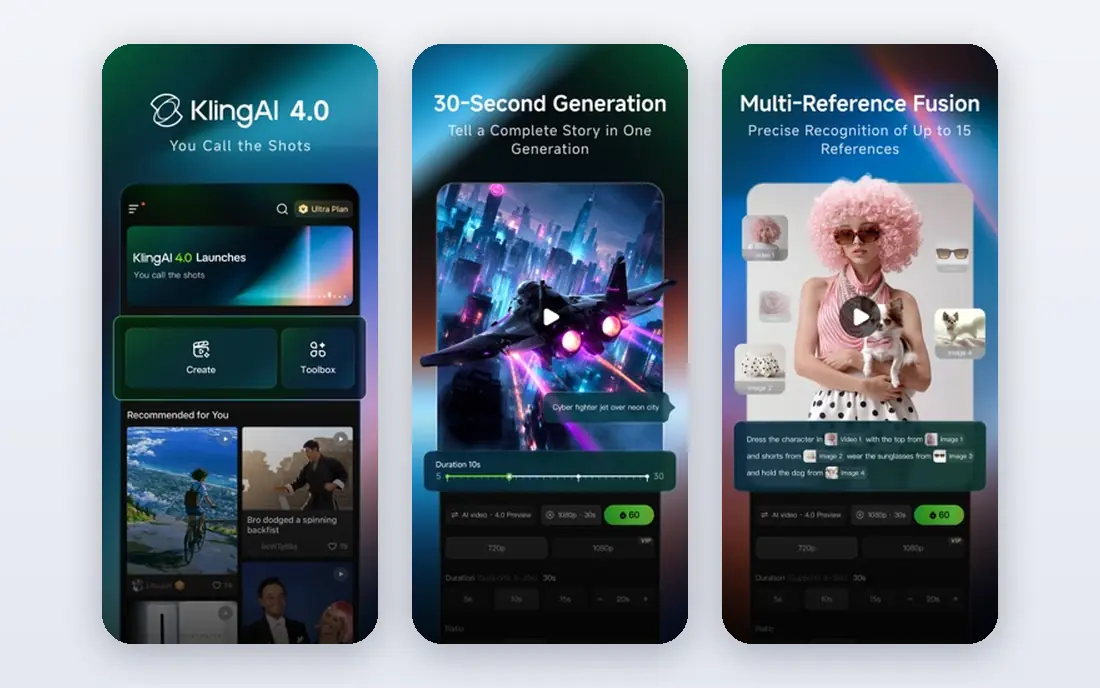
Kling AI earns the top free spot because its allowance refreshes daily, which makes it practical for ongoing experiments rather than a single test. Upload a photo, describe the motion, and Kling generates a clip up to 15 seconds long, with tools to help a face or product stay consistent across shots. Vendor terms allow commercial use of free tier videos, which matters for a small business.
Free downloads carry a watermark, and queues slow down when many users render at once. Start with a high resolution photo and a simple motion prompt, since complex motion often warps faces and hands. For regular free animation work, Kling is the most usable starting point on this list.
- Daily free credits
- Clips up to 15 seconds
- Commercial use allowed on the free tier in vendor terms
- Free exports carry a watermark
- Rendering queues can be slow at busy times

Hailuo AI, from MiniMax, is a strong free alternative to Kling for anyone who wants to animate photos often without paying. The platform offers free credits, template-driven motion for quick social clips, and image to video generation from a single photo plus a prompt. Guides note generous commercial terms for free output, though you should still confirm the current terms before publishing client work.
Speed is the main drawback, with renders taking longer than faster rivals at busy times. Motion also varies, with outdoor scenes and products often looking smoother than detailed faces. Hailuo suits a creator who wants steady free output and can wait for renders. Pair it with Kling and keep the clip that preserves your subject best.
- Free credits for regular use
- Templates for quick social clips
- Commercial-friendly terms in guides
- Rendering can be slow
- Motion quality varies by photo type
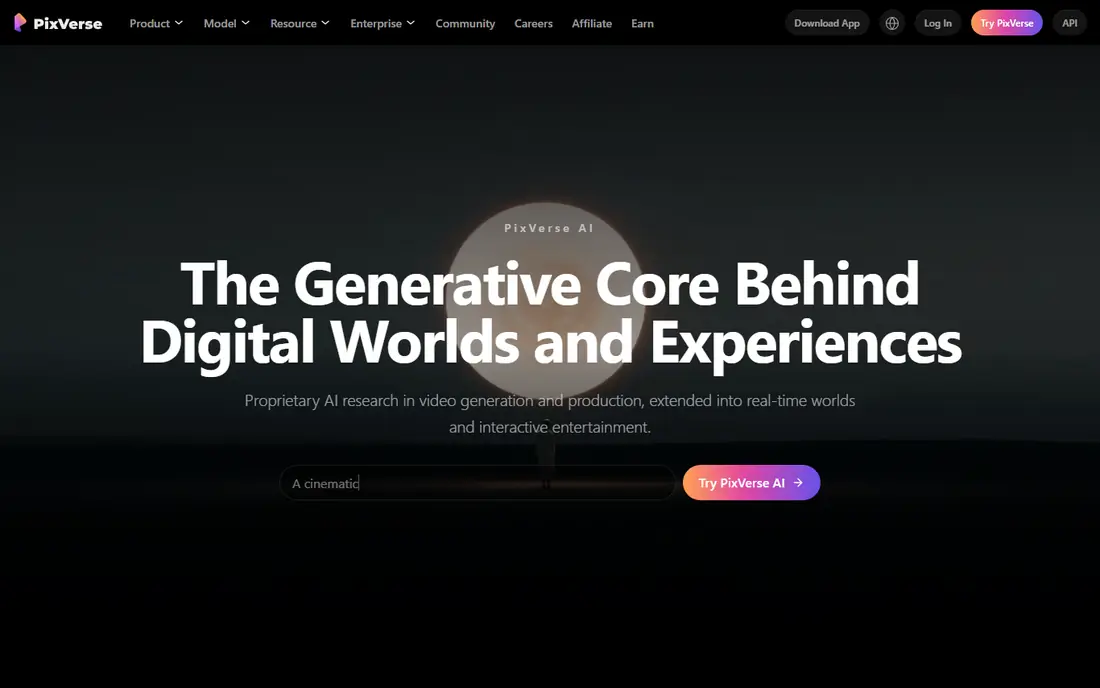
PixVerse is the fastest free option for stylized social clips. New users receive sign-up credits, followed by daily credits, and generation runs quickly on simple prompts. The stylized motion suits TikTok, Reels, and Shorts, where a bold, playful look matters more than photorealism, and watermark-free export is a paid perk.
Free resolution is limited, and the most advanced outside models need a paid plan. PixVerse is best for short, fun clips from illustrations, products, and casual photos. For a realistic portrait or a client-facing clip, test Kling or Runway first and use PixVerse for drafts and social variations.
- Daily free credits
- Fast generation
- Stylized looks that suit social video
- Free exports carry a watermark
- Free resolution is limited
- Outside models need paid plans
Runway Gen models produce some of the most polished image to video clips available, with strong camera control and character reference features that help a subject stay consistent. The free tier offers one-time credits, which guides describe as enough for a short test, and vendor terms state that you own your work on every plan. That combination suits a final, client-facing clip.
The free allowance does not refresh daily, so Runway is a poor choice for daily drafts. Longer or higher quality clips burn credits faster, and a failed render still costs credits in many cases. Use Runway last, after you have tested motion and prompts on a daily-credit tool, and save its credits for the version you plan to publish.
- Polished image to video quality
- Camera control and character reference tools
- You own your work on every plan in vendor terms
- Free credits are one-time, not daily
- Credits burn fast on longer clips
Pika is the most playful tool on this list, with effects and transformations that turn a photo into a fun social clip in seconds. The prompt workflow is simple, and the stylized results suit creators who want eye-catching motion rather than strict realism. For a product reveal, a meme-style clip, or a lighthearted social post, Pika is fast and easy.
Free tier limits apply, renders are silent, and guides note that commercial licensing starts on paid tiers, so check terms before business use. Faces and hands can warp on complex motion, so keep prompts simple. Pika is best for social fun, while Kling or Runway suit a more serious or commercial clip.
- Playful effects and transformations
- Simple prompt workflow
- Good for social content
- Renders come back silent
- Free tier limits apply
- Commercial license starts on paid tiers in guides
Luma Dream Machine is known for cinematic camera motion, with slow pushes, orbits, and pans that make outdoor scenes and rooms feel alive. Newer Ray models add keyframe control, which helps a creator plan a shot from start to end rather than accepting one random move. For a travel photo, a property shot, or a product scene, that camera control is a real advantage.
Free access is more limited than Kling or Hailuo, so Luma barely qualifies as a free tool for ongoing work. Some image models also lack native audio, so plan to add sound in an editor. Luma suits a creator who wants one beautiful camera move and is willing to pay or ration free credits for it.
- Natural camera motion and physics feel
- Strong for environments and outdoor scenes
- Keyframe options on newer models
- Free access is limited compared with daily-credit rivals
- No native audio on some image models
Vidu stands out for reference to video, which helps a face, character, or product stay recognizable across clips. Newer models support clips up to 16 seconds, and generation is fast compared with slower free rivals. That makes Vidu useful for a short series where the same subject must appear in several shots.
Guides note that free videos are for personal use only, so business users should check the current license before publishing. Face consistency still needs testing on your own photo, since no tool preserves every face perfectly. Vidu is best for personal projects and tests, with a paid plan or another tool for commercial series work.
- Reference to video features
- Clips up to 16 seconds on newer models
- Fast generation
- Free videos are for personal use only in guides
- Face consistency still needs testing
Kapwing is the practical choice when animation is only the first step. The platform offers image to video features alongside trimming, captions, templates, and social export, so a creator can animate a photo and finish a publish-ready clip without switching apps. That all-in-one flow suits social managers and small teams.
Specialist tools beat Kapwing on motion quality and control, and free exports carry limits and a watermark. Use Kapwing when you need a finished social clip quickly, and use Kling, Runway, or Luma when the motion itself is the star. For many creators, Kapwing is the editor that sits after the animation tool, not a replacement for it.
- Photo animation plus full video editing
- Templates and captions in one place
- Easy sharing to social
- AI animation depth is lighter than specialist tools
- Free exports carry limits and watermark
How we picked these
We compared official feature pages and current 2026 guides on free credit terms, clip length, watermark rules, and commercial licenses. We favored tools with a real free tier for image to video, not only text to video, and we favored tools that preserve the uploaded photo rather than replacing it. We did not list any tool as a live consumer product if its consumer access was unclear, and we excluded tools marketed for non-consensual use.
What to check before you animate
Start with a high resolution photo, since the AI has more detail to preserve and motion looks more natural. Describe motion simply and specifically, such as a slow camera push or gentle hair movement, rather than asking for many actions at once. Run the same photo through two tools, since motion quality varies by model and subject.
Watermarks, licenses, and length
Check the watermark, resolution, and license on the tier you actually use, since free terms change often. Most free tiers produce clips of 5 to 10 seconds, with Kling up to 15 and Vidu up to 16 on newer models. If a clip is for business use, confirm commercial rights in writing from the vendor terms, since some free tiers allow only personal use.
Consent and honesty
Only animate photos you own or have permission to use, and be clear with viewers when a clip is AI-generated motion rather than real footage. Do not animate photos of real people into misleading situations, and do not use animation to imply that a person said or did something they did not. For family and historical photos, keep the original still alongside the animated version.
Frequently asked questions
What is the best free AI photo to video animation tool?
Kling AI is the best all-round free pick, with daily credits, clips up to 15 seconds, and commercial use allowed on the free tier in vendor terms. Hailuo and PixVerse are strong for ongoing free use, while Runway suits a single polished clip.
What are the best AI photo to video animation tools for free use?
Kling, Hailuo, PixVerse, Pika, Vidu, and Kapwing all offer free tiers, while Runway and Luma offer limited free access. Daily-credit tools suit regular work, and one-time credit tools suit a final version. Check watermark and license terms on each tier before publishing.
How long can a free AI photo to video clip be?
Most free tools produce clips of 5 to 10 seconds. Kling runs up to 15 seconds and Vidu up to 16 seconds on newer models, while other tools vary by model and tier. Longer clips usually cost more credits and risk more distortion.
Can I use free AI photo to video clips commercially?
It depends on the vendor and plan. Kling terms allow commercial use on the free tier, while Vidu free videos are for personal use only in guides, and Pika commercial licensing starts on paid tiers. Always confirm the current terms for the tool and tier you use before business publishing.
Do AI photo to video tools keep my photo looking the same?
Mostly, but not perfectly. Faces, hands, and small product details can shift during motion, especially on complex prompts. Use reference features where offered, keep motion simple, and test the same photo on two tools to find the one that preserves your subject best.
Sources
See where you really rank - block by block
ProMapRanker scans Google Maps across a grid of your service area. Simple monthly plans from $19, white-label on every plan.
Start freeKeep reading
 zoho inventory alternatives
6 Alternatives to Zoho Inventory, Compared on Price and Fit
Zoho Inventory alternatives: 6 tools compared on price, free plans and fit. Katana leads the list for manufacturers. Fit and flaws are laid out for each entry.
Read → zoho crm alternatives
Best Zoho CRM Alternatives (2026)
Need Zoho CRM alternatives? We compare 7 tools on cost, free access and who each suits. Every pick gets a straight assessment. Built for quick decisions.
Read → zelle alternatives
Best Zelle Alternatives in 2026
Compare the best Zelle alternatives for sending money to friends, paying sellers and moving funds abroad, with honest notes on fees, speed and safety in 2026.
Read →