 ProMapRanker
Best Font Design Software for Beginners Free in 2026

Geometric, modular, and pixel style fonts · Pricing starts at: Free
Key takeaways
- FontStruct and Calligraphr are the easiest starting points, because they need no install and guide you step by step.
- FontForge is the most capable free editor, but its older interface takes longer to learn.
- Birdfont and Glyphr Studio sit in the middle, with desktop or browser editing and real curve control.
- Handwriting tools make a usable font in an afternoon, while full editors suit readers who want custom letter shapes.
- Every tool here lets you start free, and every one exports a font you can install and use in documents and design apps.
Quick comparison
| Pick | Great for | Pricing starts at | Free tier | |
|---|---|---|---|---|
| FontStruct | Geometric, modular, and pixel style fonts | Free | Yes | Visit |
 Calligraphr | Turning your handwriting into a usable font | Free | Yes | Visit |
 FontForge | Full font editing at no cost | Free | Yes | Visit |
 Birdfont | Beginner-friendly desktop font editing | Free | Yes | Visit |
 Glyphr Studio | Browser editing with real Bezier curve control | Free | Yes | Visit |
 Prototypo | Parametric fonts you adjust with sliders | Free | Yes | Visit |
 FontArk | Browser font design with guided steps | Free | Yes | Visit |
 PaintFont | Fast, simple fonts with minimal setup | Free | Yes | Visit |
The best font design software for beginners free
Making a font sounds technical, but the free tools below range from print-and-scan handwriting converters to full editors that handle curves, spacing, and exports. The right starting point depends on what you want to make. A personal handwriting font needs a different tool from a geometric display font or a full alphabet with careful spacing. We compared official product pages and current guides for each tool, and we kept only tools with a genuine free starting point.
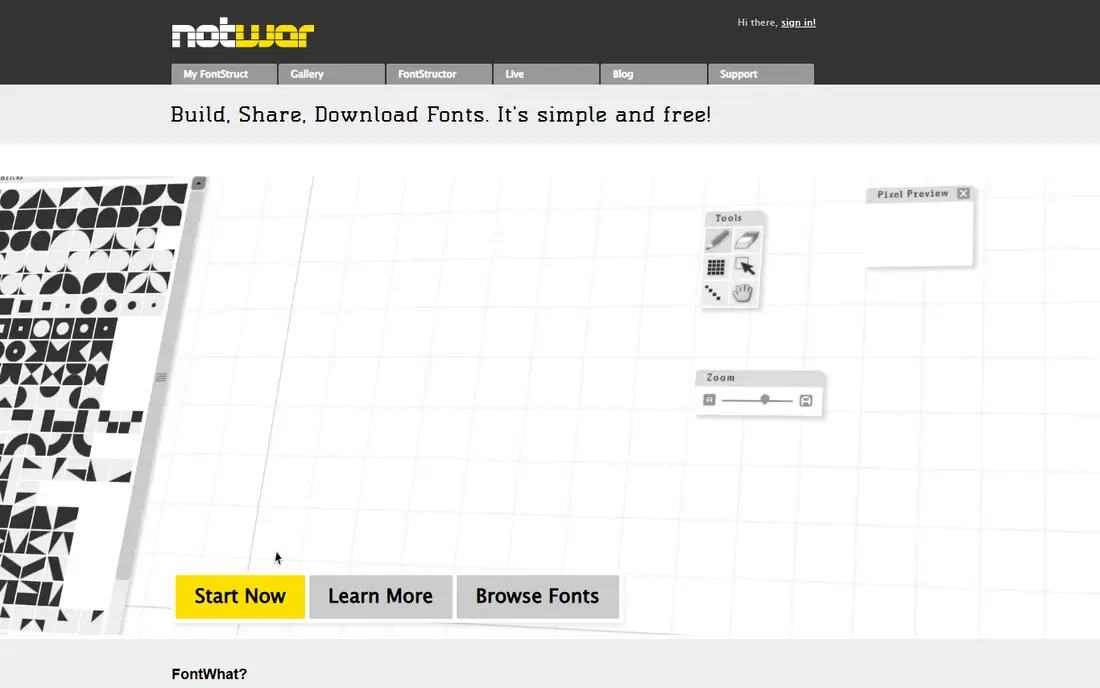
FontStruct is the friendliest first step for a complete beginner. You build letters from blocks on a grid in your browser, which removes the hardest part of font design: drawing smooth curves by hand. That constraint is also a strength, because it forces consistent letter shapes and it suits pixel fonts, block fonts, and geometric display fonts very well. You can share your work with the community and learn from other fonts built the same way.
The limit is style. FontStruct will not give you a flowing script font or a refined serif text font, because the grid shapes every letter. If you want those styles, you will need to move to a curve editor later. For a first font, a logo font, or a fun display font, FontStruct lets you finish something usable in one sitting, which is the best way to learn whether you enjoy type design.
- Free and browser based, no install needed
- Grid system makes first fonts easy
- Community sharing and inspiration
- Grid limits smooth, organic letter shapes
- Advanced typography features are limited

Calligraphr is the fastest route to a personal font. You print a template sheet, fill in each letter by hand, scan or photograph the sheet, and the site builds a font from your writing. That process needs no curve drawing and no design background, which is why it works so well for invitations, notes, planners, and personal branding. A usable handwriting font can be ready in an afternoon.
The free plan limits how many characters and fonts you can create, so a full alphabet with numbers and punctuation may need a paid upgrade or careful planning. The result also depends on how evenly you write on the template, since shaky or uneven letters will show up in the font. For a personal handwriting font, Calligraphr is unmatched for speed. For a polished commercial typeface, a full editor will give more control.
- Print a template, write by hand, scan it back
- Very fast first result
- No drawing skill needed
- Free plan limits characters and fonts
- Handwriting quality sets the result quality
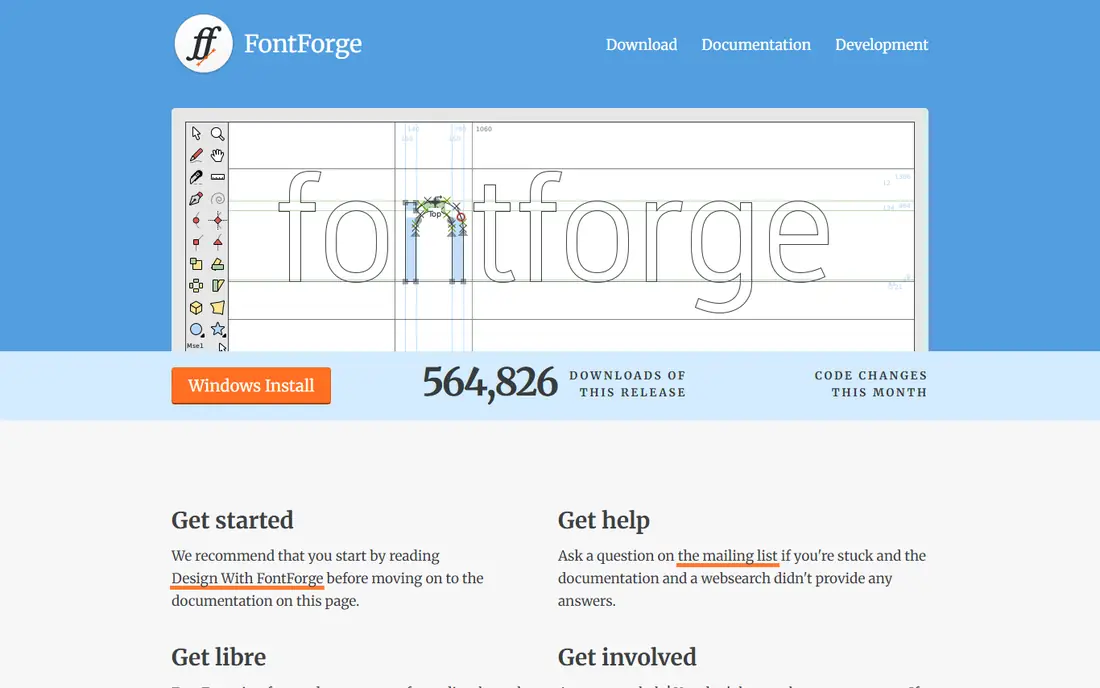
FontForge is the most capable free font editor in this list, and it costs nothing. You can draw glyphs, adjust spacing and kerning, import SVG artwork, and export in TrueType, OpenType, and other formats. It also includes scripting with Python, which helps when you need to repeat a task across many glyphs, and validation tools that catch errors before export. For a serious free project, FontForge has no equal.
The drawback is the interface. It looks older than modern design apps, and the number of panels and options can overwhelm a first-time user. A free guide, Design with FontForge, helps a lot, and starting with a small alphabet rather than a full character set keeps the project manageable. Choose FontForge when you want full control and you are willing to learn. Start with FontStruct or Calligraphr if you want a finished font today.
- Open source and fully free
- Supports TrueType, OpenType, and other formats
- Scripting and validation tools
- Interface looks dated and can confuse beginners
- Learning curve is steeper than browser tools
Birdfont sits between the browser toys and FontForge. It is a desktop editor with a clearer layout, tabbed tools, and straightforward glyph drawing, which makes it easier for a beginner to find the right panel. You can draw on a grid, import SVG icons to make an icon font, or trace a scanned sketch as a background guide. That flexibility helps when you already have letter sketches on paper or in a vector app.
Birdfont is free to download, but commercial use terms have varied over time, so check the current licence on the official site before selling a font made with it. Advanced features such as complex OpenType work are also thinner than in FontForge. For a beginner who wants a desktop editor without FontForge complexity, Birdfont is a sensible middle step.
- Simpler interface than FontForge
- Imports SVG drawings
- Exports TrueType, OpenType, and SVG fonts
- Some advanced features are thinner than FontForge
- Commercial use may need a paid licence, check current terms
Glyphr Studio is the browser editor for readers who have outgrown FontStruct grids but are not ready for FontForge. It runs in your browser, it is free, and it gives you Bezier curve control, which means you can draw smooth, organic letter shapes instead of block shapes. That step matters, because most text and script fonts depend on curves, not grids. The interface is cleaner than FontForge, with panels that focus on one glyph at a time.
It is not a full professional foundry tool. Advanced spacing, kerning, and OpenType features are thinner, and a very large character set can feel slower in a browser than on desktop. For a beginner moving from a first grid font to a first curved font, Glyphr Studio is the natural next tool. It teaches curve drawing without asking you to install and learn a large desktop app.
- Free and browser based
- Bezier curves for smooth letters
- Good step up from FontStruct
- Fewer professional features than desktop editors
- Large projects can feel slower in a browser
Prototypo takes a different approach: instead of drawing every letter, you adjust parameters such as thickness, width, contrast, and serif shape, and the whole font updates. That parametric method lets a beginner test many font ideas quickly and learn how one change affects every letter. It is a good teaching tool, because you see the system behind a typeface, not just one letter at a time.
Direct drawing control is weaker than in Birdfont or FontForge, so a highly custom letter shape will be harder to achieve. Some advanced features may also sit behind paid plans, so check the current free scope before starting a large project. Prototypo fits readers who want to explore type design, build a custom font for a brand, or learn how parameters shape a typeface, without drawing hundreds of glyphs from scratch.
- Sliders change weight, width, and other parameters
- Fast way to test font ideas
- Browser based
- Less direct glyph drawing than FontForge or Birdfont
- Full features may need a paid plan, check current terms
FontArk is a browser-based font design tool aimed at beginners who want guidance rather than a blank canvas. It walks you through designing letters in the browser and exporting a usable font, which lowers the fear of starting from nothing. That guided path helps when FontForge feels too open-ended and FontStruct feels too rigid, because FontArk gives structure without forcing a grid on every letter.
The community is smaller than FontForge or FontStruct, so tutorials and shared examples are harder to find. Advanced typography work will also need a move to a desktop editor later. FontArk is a good choice for a first curved or custom font made entirely in a browser, especially for a student or hobbyist who wants a guided start and a finished font file at the end.
- Browser based, no install
- Guided design steps for beginners
- Lets you design and export fonts online
- Smaller community and fewer tutorials than FontForge
- Advanced features are limited
PaintFont is the quickest tool in this list for a simple result. It focuses on getting a font made with minimal steps, which suits a reader who wants a personal font for a project and does not want to learn type design in depth. You can create letter shapes, export a font, and install it for use in documents and design apps without a long tutorial.
Control is limited by design. Spacing, kerning, and complex glyph work are thinner than in Birdfont, Glyphr Studio, or FontForge, so a polished commercial typeface is out of reach here. PaintFont fits a one-off personal font, a classroom project, or a quick test of an idea. If the result sparks a deeper interest, move to Glyphr Studio or FontForge for the next version.
- Very simple workflow
- Good for a quick personal font
- No design background needed
- Less control than full editors
- Best for simple fonts, not complex typefaces
How we picked these
We compared official product pages and current guides for free font design tools in October 2026, and we kept only tools with a genuine free starting point that exports a usable font. We favoured tools that suit beginners, whether through a grid, a handwriting template, guided steps, or a simple interface, and we noted where paid upgrades or licence terms apply. We did not claim hands-on testing, and we did not list paid-only professional tools as free options, even when they offer a trial.
What to check before you buy
Start by deciding what kind of font you want. A handwriting font needs Calligraphr or PaintFont. A geometric display font needs FontStruct. A curved text font needs Glyphr Studio, Birdfont, or FontForge. Picking the wrong category wastes hours, because no tool does every style equally well. Sketch a few letters on paper first, even roughly, so you can see whether curves, blocks, or handwriting drive the design.
Next, check export formats and licence terms. Most tools export TrueType or OpenType fonts that work in Word, Google Docs, and design apps, but commercial use terms differ, especially for Birdfont and for free plans with character limits. Read the licence on the official site before you sell or share a font widely. Also test spacing early: type a full sentence, not just single letters, because spacing problems only show up in real words.
Finally, keep the first project small. Design capital letters, lower case letters, numbers, and basic punctuation, then test the font in a real document. A small, finished font teaches more than a huge, unfinished character set. You can add accents, symbols, and extra glyphs later, once spacing and consistency feel right.
Frequently asked questions
What is the easiest free font design software for a beginner?
FontStruct is easiest for geometric fonts, because the grid guides every letter, while Calligraphr is easiest for a handwriting font, because you write on a template and scan it back. Both run in a browser or with a simple template, and both give a finished font quickly. Choose based on style, not on which tool looks more advanced.
Can I really make a font for free?
Yes, every tool in this list lets you start free and export a font you can install. Free plans may limit characters, fonts, or commercial use, so check the terms for your plan. For personal use, school projects, and many small business projects, the free tier is enough to finish a usable font.
Do I need drawing skills to design a font?
No, you do not need professional drawing skills to start, especially with FontStruct or Calligraphr. Curve editors such as Glyphr Studio, Birdfont, and FontForge need more practice, but you can learn by tracing sketches and adjusting one letter at a time. Consistency across letters matters more than perfect drawing on the first try.
What font format should I export?
Export OpenType or TrueType for most uses, since both work in documents, browsers, and design apps. FontForge, Birdfont, and Glyphr Studio support these formats, and some also export SVG fonts. If a tool offers only one format, test the file in the app where you plan to use it before you design a full alphabet.
How long does it take to make a first font?
A handwriting font with Calligraphr can be ready in an afternoon, and a simple FontStruct font can be ready in a few hours. A full curved alphabet in FontForge or Birdfont takes much longer, often days spread over several sessions, because spacing and consistency need careful checks. Start small, test often, and expand the character set after the core letters work well.
Sources
See where you really rank - block by block
ProMapRanker scans Google Maps across a grid of your service area. Simple monthly plans from $19, white-label on every plan.
Start freeKeep reading
 zscaler alternatives
Best Zscaler Alternatives in 2026
Looking for zscaler alternatives? We compare 9 SASE and zero trust platforms on architecture, data protection, pricing, and fit for your network and team.
Read → zapier alternatives free
Best Zapier Alternatives Free in 2026
Nine automation tools for zapier alternatives free in 2026, all with genuinely free tiers, plus free plan limits, starting prices and upgrade paths explained.
Read → which platform is best for online reputation
Which Platform Is Best for Online Reputation in 2026
Wondering which platform is best for online reputation? We compare 8 review, listing, and response tools for small and multi-location businesses and agencies.
Read →