 ProMapRanker
Best Focus Apps in 2026: 9 Apps Compared

Key takeaways
- Freedom and Opal are the strongest blockers, with Freedom covering many devices and Opal focusing on phones.
- Forest and Focus To-Do suit people who want a timer tied to a task, rather than a hard block.
- Brain.fm suits people who focus better with background sound, while One Sec and ScreenZen add friction instead of full blocks.
- Start free where possible and pay only for the app you still open after two weeks of daily use.
Quick comparison
| Pick | Great for | Pricing starts at | Free tier | |
|---|---|---|---|---|
 Forest | Gamified focus timers | Free | Yes | Visit |
 Freedom | Blocking across devices | $8.99 per month | Yes | Visit |
 Focus To-Do | Pomodoro timer and tasks | Free | Yes | Visit |
 Brain.fm | Focus music | See website | Free trial | Visit |
 Opal | Phone app blocking | $19.99 per month | Yes | Visit |
 One Sec | A pause before distracting apps | $19.99 per year | Yes | Visit |
 Cold Turkey | Strict computer blocking | See website | Yes | Visit |
 ScreenZen | Free friction and limits | Free | Yes | Visit |
 Focusmate | Live accountability sessions | See website | Yes | Visit |
The best focus apps
A good focus app matches the distraction. Some people need sites blocked, others need a timer, and others need a person in the room. These picks cover all three, so you can choose by the problem, not by the prettiest design.
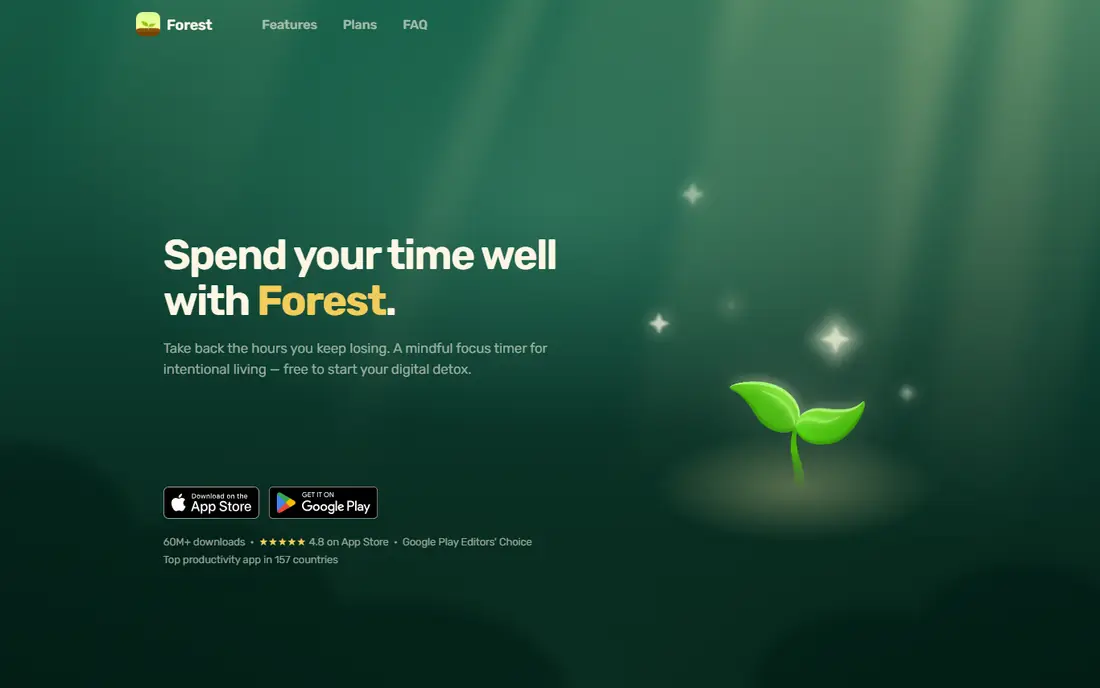
Forest turns a work session into a small commitment. You plant a virtual tree, set a timer and watch it grow while you work. If you leave the app to open a blocked app, the tree dies. That gentle stake works well for students and office workers who lose time to phone checks rather than long browsing sessions.
It is not a strict blocker on every platform, so pair it with Freedom or Opal if you need sites fully closed. Forest shines when the main problem is starting and staying with one task for 25 or 50 minutes. The shared planting mode also helps study groups stay honest without a formal meeting.
- Simple timer with a growing virtual tree
- Friends can plant together
- Works on phones and as a browser extension
- Phone blocking features vary by device and plan
- A timer alone will not stop a determined distraction
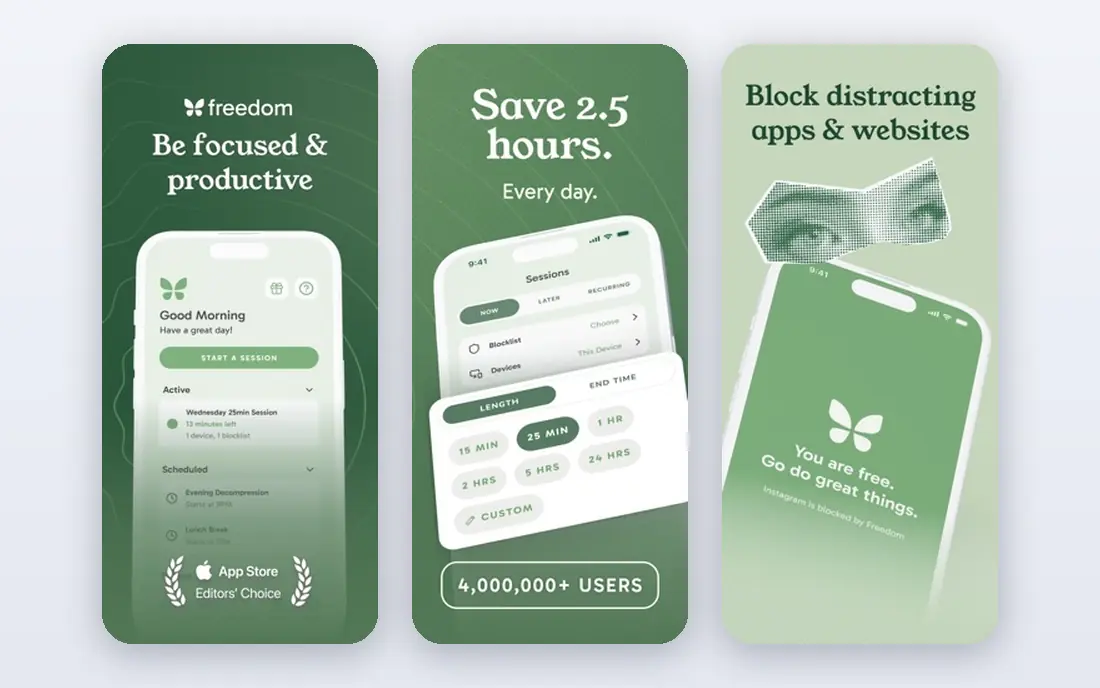
Freedom is our pick for people whose distraction spreads across a phone, laptop and tablet. One session can block the same sites on every device, so you cannot dodge a block by switching screens. You can schedule sessions for work hours, set recurring blocks and, on paid plans, lock a session so you cannot quit early.
The free plan is a useful test, but the paid features are the point for most users. Take time to build blocklists that match your real habits, and leave work tools open. A blocklist that is too broad will frustrate you into turning the whole system off.
- Blocks apps, sites or the whole internet on many devices at once
- Recurring sessions through the week
- Locked mode on paid plans
- Paid plan needed for recurring and locked sessions
- Setup takes care to avoid blocking tools you need
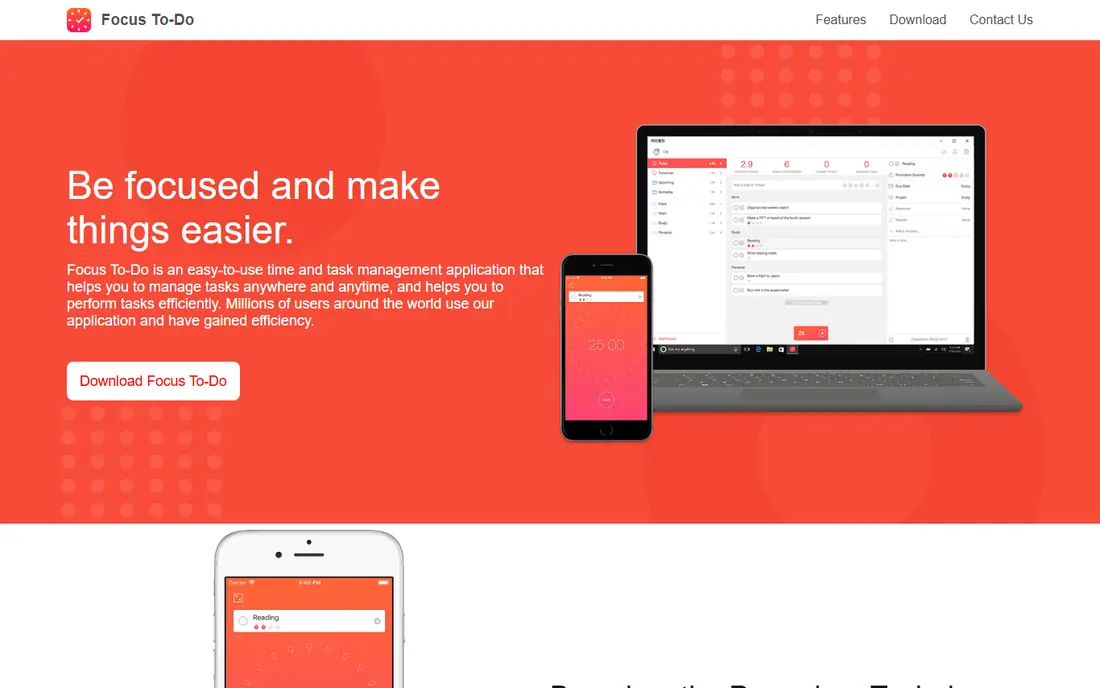
Focus To-Do suits people who want one place for tasks and timed work. Pick a task, start a Pomodoro session, take a short break and repeat. Completed sessions build a record of focused time, which helps you see which tasks take longer than planned. It is a practical choice for freelancers and students with a long task list.
It does not block apps or sites, so it works best alongside a blocker or with the phone in another room. If you need deep blocking, start with Freedom or Opal and use Focus To-Do as the timer. If timers alone keep you on track, this app may be all you need.
- Pomodoro timer linked to a task list
- Works on phones, computers and watches
- Reports show completed sessions
- Sync and some features depend on an account and paid tier
- Interface is plain compared with newer planners
Brain.fm offers generated music meant to support concentration without lyrics or sudden changes. Many users play it during writing, coding or study, where silence feels distracting and normal playlists invite skipping tracks. The app also offers sessions for relaxation and sleep, which makes it useful beyond work hours.
It will not block anything, so it is a complement, not a cure, for heavy distraction. Try the trial during real work, not just once, and judge by whether you finish tasks with fewer breaks. If you already focus well with silence or your own music, paying for this may add little.
- Music designed for focus, relaxation and sleep
- No lyrics to pull attention
- Works on phones and web
- Subscription needed after trial
- Music preference is personal, so results vary
Opal is built for phone-first distraction. Set a rule for social apps, limit opens per day or block apps on a schedule, then watch a daily score that reflects time spent. The paid hard mode is useful for people who know they will try to switch a block off mid-session. For iPhone users, it is one of the most polished options.
The catch is scope. Opal tracks and blocks per device, so a laptop can still pull you away unless you add a computer blocker. Its monthly price is also steep, so the yearly plan makes more sense if you commit. Start with the free single rule and see whether one blocked app changes your day.
- Clear app blocking by schedule, limit or opens
- Screen time score for the day
- Hard mode on paid plans removes the off switch
- Sessions do not sync across devices in the same way as Freedom
- Monthly price is high compared with rivals
One Sec takes a softer approach. When you open a flagged app, it asks you to pause and breathe before continuing. That small delay is often enough to break an automatic habit, especially for apps opened out of boredom. Because it does not fully block, it suits people who still need those apps sometimes but want fewer mindless opens.
If you need a hard wall during exams or deadlines, this alone will not hold. Use it as a daily habit tool and add Freedom or Opal for high-stakes periods. The low yearly price makes it an easy first experiment before paying for a stricter blocker.
- Short breathing pause before flagged apps
- Low yearly price
- Works on phones and computers with extensions
- It slows opening rather than blocking
- Determined users can still proceed after the pause
Cold Turkey is for computer users who want a block that cannot be talked away. You can block sites and apps, schedule blocks and freeze settings so a quick change of mind does not undo the plan. Writers, researchers and students who lose hours on a desktop browser will feel the difference fast.
It is less of a phone solution, so pair it with Opal or One Sec for mobile habits. Set blocks with care, test them on a short session first and keep essential work tools open. A block that is too strict becomes a reason to uninstall the app.
- Strong blocking for websites, apps and the whole computer
- Scheduled blocks and frozen settings
- One-time purchase option on some plans
- Windows and Mac focus, with less phone coverage
- Strict settings can lock you out if set carelessly
ScreenZen offers a free way to add friction to distracting apps. You can set open delays, daily goals and strict blocks by time range or number of opens. An accountability option can lock settings until a chosen time. For users who want to test friction without paying, it is a strong starting point.
The trade-off is polish and scale. Larger apps have wider help pages and more device coverage. ScreenZen still covers the core job well, and its free model means you can try it before committing to a paid blocker. If it changes your habits, you may never need to pay.
- Free core features with open delays and limits
- Strict lock options
- Works on phones
- Smaller team and support than larger rivals
- Some advanced features vary by platform
Focusmate pairs you with another person for a timed work session on video. You state your goal at the start, work quietly and report back at the end. That social pressure helps people who struggle to start, especially with boring admin or study tasks. A few free sessions each week let you test whether body doubling works for you.
It is not private in the same way as a timer app, and it needs a decent internet connection and a space where video is acceptable. Combine it with a blocker for best results: Focusmate gets you started, and the blocker keeps the session honest.
- Live video sessions with another person working
- Short sessions suit hard starts
- Free sessions each week
- Needs a webcam and a quiet space
- Not a blocker, so distractions remain open unless you add one
How we picked these
We compared official pricing pages, app store listings and help pages in October 2026, and favoured tools that address a clear distraction type: blocking, timing, sound or accountability. We did not claim hands-on testing. Where prices conflicted across sources or changed by billing period, we gave the figure we could verify or wrote See website, and readers should confirm the current price before paying.
Choosing a focus system that sticks
One app rarely fixes focus alone. The best setup pairs a habit with a tool, such as a morning block, a timer for the first task and a phone kept out of reach. Test one change at a time so you know what actually helped.
Match the tool to the distraction
Phone scrolling calls for Opal, One Sec or ScreenZen. Cross-device browsing calls for Freedom or Cold Turkey. Trouble starting calls for Focusmate or Forest. Background noise calls for Brain.fm. Naming the distraction first stops you buying a blocker when a timer would do.
Set blocks you can keep
Start with short sessions, such as 25 or 50 minutes, and a small blocklist. Add sites only when you catch yourself drifting to them. Review the blocklist weekly and remove tools you need for work. A system you keep for a month beats a strict system you delete in a week.
Use data without obsessing over it
Screen time scores and session counts help you spot patterns, such as late-night scrolling or mid-afternoon drift. They are not grades. If a score makes you anxious, focus on one habit, such as no phone for the first hour of work, and judge the tool by completed work, not by the score alone.
Frequently asked questions
What is the best focus app?
It depends on the distraction. Freedom is the best all-round blocker, Forest is the best simple timer, and Focusmate is the best choice for people who need another person to start. Pick the problem first, then the app that solves it.
What is the best app for focus and blocking distractions?
Freedom blocks across devices, Opal blocks phones well, and Cold Turkey blocks computers strictly. For a free start, try ScreenZen or the free tier of Forest or Freedom before paying.
Do focus apps really work?
They help when they change the environment, not just willpower. A blocker removes the option, a timer structures time and a live session adds accountability. They work less well if the blocklist is too broad, the sessions are too long or the underlying task is unclear.
Is there a free focus app?
Yes. Forest, Focus To-Do, ScreenZen and the free tiers of Freedom and Opal all let you start without paying. One Sec also offers a free tier for one app. Paid plans mainly add unlimited devices, locked sessions or more rules.
Should I use a timer or a blocker?
Use a timer if you drift but can return to work on your own. Use a blocker if you open distracting apps without thinking. Many people use both: a blocker for work hours and a timer to structure each task inside that window.
Sources
See where you really rank - block by block
ProMapRanker scans Google Maps across a grid of your service area. Simple monthly plans from $19, white-label on every plan.
Start freeKeep reading
 zscaler alternatives
Best Zscaler Alternatives in 2026
Looking for zscaler alternatives? We compare 9 SASE and zero trust platforms on architecture, data protection, pricing, and fit for your network and team.
Read → zapier alternatives free
Best Zapier Alternatives Free in 2026
Nine automation tools for zapier alternatives free in 2026, all with genuinely free tiers, plus free plan limits, starting prices and upgrade paths explained.
Read → which platform is best for online reputation
Which Platform Is Best for Online Reputation in 2026
Wondering which platform is best for online reputation? We compare 8 review, listing, and response tools for small and multi-location businesses and agencies.
Read →