 ProMapRanker
Best Flight Deals Apps for Smartphones in 2026

Key takeaways
- Use one app for search, one for price alerts, and one for curated deals, since no single app covers every fare type best.
- Price predictions are useful guides, not promises, so a predicted drop should not delay a booking you cannot afford to miss.
- Booking directly with the airline often gives easier changes and refunds, even when a search app finds the fare first.
- Check the full fare terms, including bags, seat choice, and change fees, before judging a deal by its headline price alone.
Quick comparison
| Pick | Great for | Pricing starts at | Free tier | |
|---|---|---|---|---|
 Hopper | Price predictions and fare watches | Free | Yes | Visit |
 Skyscanner | Flexible dates and budget airlines | Free | Yes | Visit |
 Kayak | Forecasts plus trip management | Free | Yes | Visit |
 Google Flights | Price history and flexible search | Free | Yes | Visit |
 Going | Curated mistake fares and deals | Free | Yes | Visit |
 Momondo | Lowest fare search | Free | Yes | Visit |
 Kiwi.com | Multi-airline route combinations | Free | Yes | Visit |
 Expedia | Flight plus hotel bundles | Free | Yes | Visit |
 Trip.com | Asia routes and target alerts | Free | Yes | Visit |
The best flight deals apps for smartphones
We compared official app pages, pricing, and public flight app comparisons, and kept apps that still search, track, or surface real fares from a phone. Google Flights has no standalone app, but it works well in a mobile browser and is included for that reason.
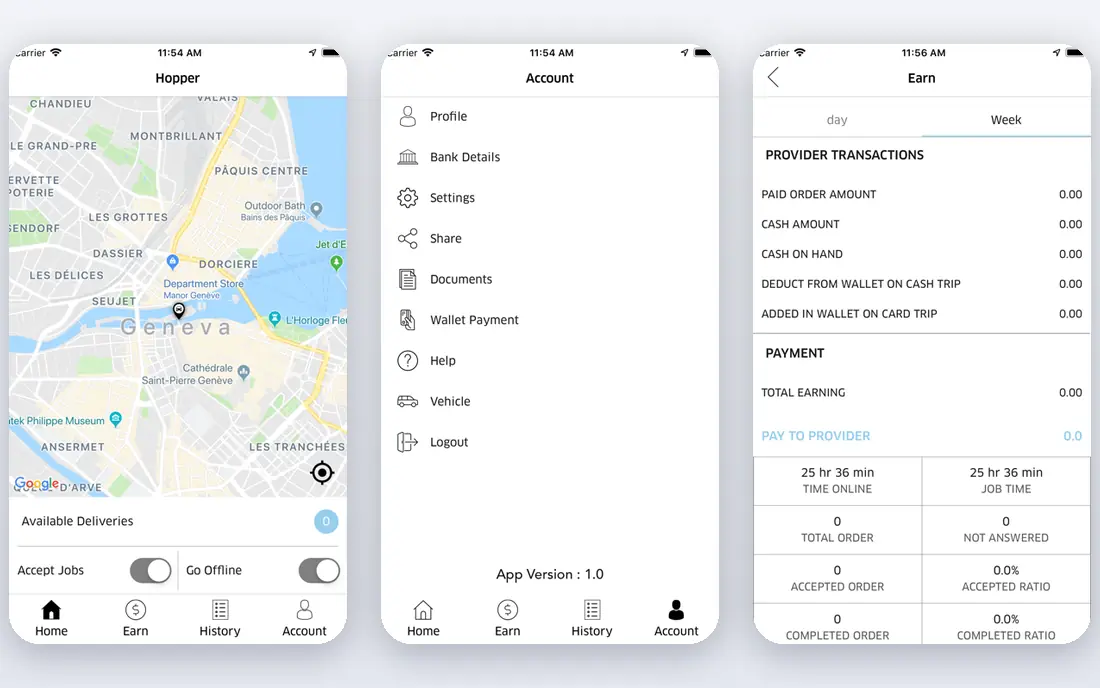
Hopper is the strongest phone-first choice for timing a purchase, since it watches fares and advises whether to book now or wait. Its colour-coded calendar and push alerts make it easy to spot a good day to fly, and its fare freeze option can hold a price while you decide. For travellers who can shift dates by a day or two, that timing help is practical.
The weakness is certainty. Predictions are probabilistic, and a schedule change or fuel price move can break a forecast. Booking through Hopper also adds a middleman between you and the airline, so many travellers use Hopper for the forecast and then book directly with the airline.
- Buy-or-wait predictions
- Fare watches with push alerts
- Colour-coded price calendar
- Predictions are not guarantees
- Booking through a middleman can complicate changes
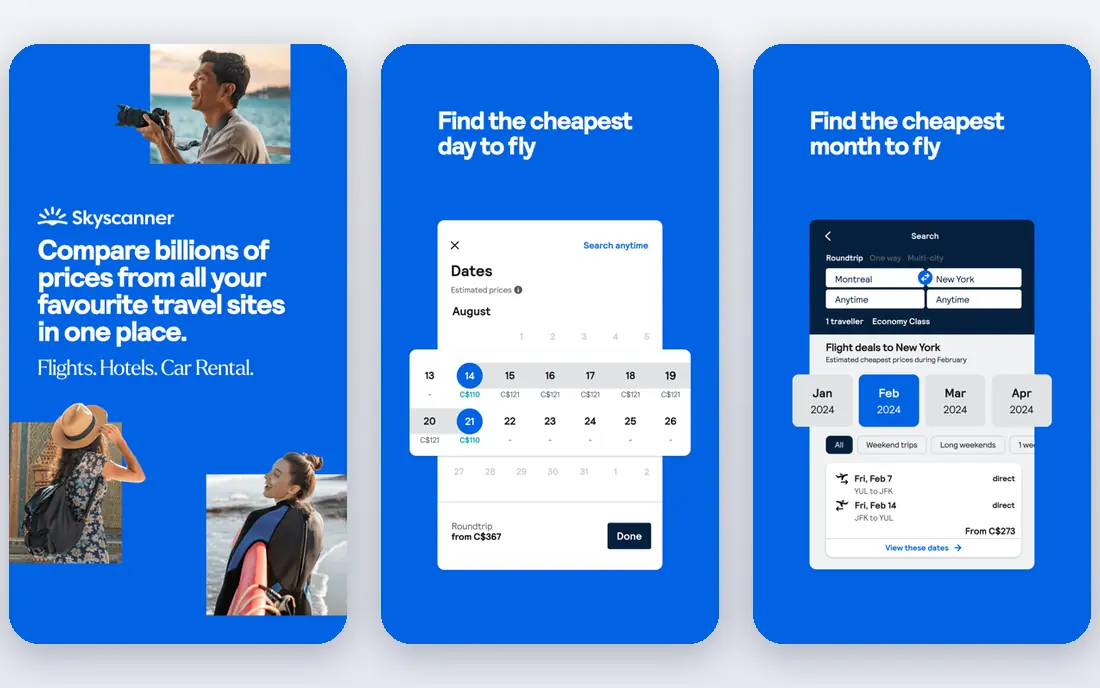
Skyscanner is the best all-round search app for flexible travellers, since it scans many airlines and booking sites, including budget carriers that other tools miss. Its whole-month view helps travellers who can move a trip to a cheaper week, and its price alerts track a route without daily manual checks. That breadth makes it a good cross-check against any single airline site.
The catch is the seller. Some Skyscanner results link to third-party agencies with different change and refund terms, so the cheapest headline fare may not be the cheapest total deal. Check the seller, bag rules, and change fees before booking, and prefer the airline direct when the price gap is small.
- Wide airline and agency coverage
- Flexible date search
- Price alerts
- Some results link to third-party sellers
- Fare terms vary by seller
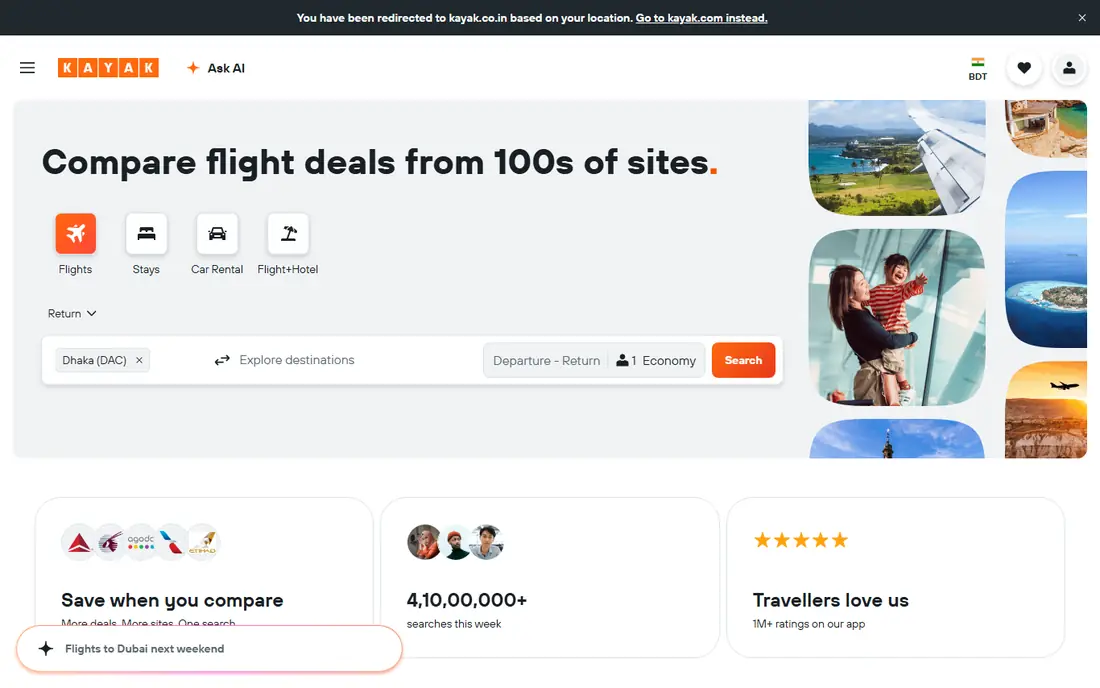
Kayak suits travellers who want search, forecast, and trip management in one app. Its price forecast gives a buy-or-wait view, its filters handle stops, times, airports, and airlines, and its trip tools keep bookings and alerts in one place. For complex trips with several legs, Kayak's search depth is a real advantage.
Kayak shares the agency caveat of other search apps. A low fare may come from a third-party seller with stricter terms, so compare the direct airline price before paying. The forecast also works best as a timing hint, not as a reason to delay a trip with fixed dates.
- Price forecast
- Flexible filters
- Trip tracking and management
- Forecast is a guide, not a guarantee
- Some fares link to agencies
Google Flights is the best free research tool, even though it has no standalone app and runs in a mobile browser. Its price history, flexible date grid, and Explore map help travellers find cheap dates and destinations from a home airport, and its price tracking sends alerts when a tracked fare changes. For a traveller who has not fixed dates or a destination, it is the best starting point.
The limits are mobile form and alerts. A browser tool is less handy than a native app for push alerts, and email alerts may arrive later than a push notification. Use Google Flights for research and tracking, then pair it with a native app such as Hopper or Skyscanner for alerts on the go.
- Price history and tracking
- Flexible date grid
- Explore map for ideas
- No standalone app
- Alerts are mainly by email
Going, formerly Scott's Cheap Flights, suits travellers who want deals found for them rather than searching route by route. Its team surfaces mistake fares and strong deals for chosen home airports, and alerts arrive by email or push. That curation saves time for travellers who are flexible on destination and can book fast when a deal appears.
Going is less useful for a fixed route on fixed dates, since curated deals may not match that trip. Its free tier also covers fewer alerts than paid tiers, and deals focus mainly on US departures. Use Going as a discovery channel alongside a search app, not as a replacement for route search.
- Curated deal alerts
- Mistake fares
- Airport-based alerts
- Deals focus on US departures
- Paid tiers add more alerts
Momondo is a good cross-check for the lowest fare, since it searches smaller booking sites and regional sellers that larger tools may miss. Its price graphs help travellers pick cheaper days, and its flexible views suit travellers who can shift a trip. For international routes, Momondo often finds a fare that a single airline site would not show.
As with Skyscanner and Kayak, agency terms are the catch. A low Momondo fare may come with strict change rules or extra fees, so read the fare terms and compare the airline direct price. Momondo is best as a second search, not as the only source for a booking decision.
- Searches smaller booking sites
- Price graphs
- Flexible date views
- Some results are agency fares
- Terms vary by seller
Kiwi.com suits adventurous travellers who want routes that combine airlines that do not normally partner. Its virtual interlining can create a cheaper or faster path between two cities, and its alerts track those routes over time. For odd routes or multi-city trips, Kiwi.com often shows options that standard search tools miss.
Self-transfer routes carry real risk. If the first flight is delayed, the second airline may treat you as a no-show, and separate tickets mean separate change rules. Kiwi.com offers guarantees on some bookings, but travellers should read those terms closely and allow long connection times before choosing a self-transfer route.
- Finds self-transfer routes
- Virtual interlining
- Price alerts
- Self-transfer routes carry missed-connection risk
- Terms need careful reading
Expedia earns its place when a trip needs a flight plus a hotel, since bundles can save money compared with booking each part alone. Its app covers search, booking, trip management, and rewards, which suits travellers who book full trips in one place. For a simple flight-only trip, Expedia is less distinctive than Skyscanner or Google Flights.
Agency booking is the trade-off. Changes, refunds, and disruption handling go through Expedia rather than directly with the airline, which can slow a fix. Compare the bundle total with the direct airline price plus a separate hotel booking, and book direct when the saving is small.
- Flight search and booking
- Bundles with hotels
- Rewards and trip tools
- Agency booking can complicate changes
- Bundle savings vary by trip
Trip.com is a strong choice for travellers flying in or around Asia, with broad route coverage and target price alerts that notify you when a fare hits a chosen level. Its app handles search, booking, and trip management in one place, which suits frequent regional travellers. It also works well as a cross-check for international fares found elsewhere.
Trip.com is an agency, so fare terms, change rules, and refund handling need a careful read before payment. For a route where the airline direct price is close, booking direct may be simpler. Use Trip.com for coverage and alerts, and compare the direct price before you pay.
- Strong Asia route coverage
- Target price alerts
- App booking and management
- Agency terms vary
- Some fares need careful term checks
How we picked these
We compared official app pages, pricing, and public flight app comparisons, and we kept apps that still search, track, or surface fares from a smartphone. We left out airline-only apps, since they do not compare fares across airlines, and we left out tools that only track points without cash fares. Search coverage, alert quality, and booking terms were treated as core facts, since they decide whether a deal is real.
Using the apps together
Start with Google Flights or Skyscanner for a broad search, then set a Hopper watch or a Skyscanner alert for the route you like. Add Going if you are flexible and want curated deals, and use Kiwi.com only when a standard route is too costly or too slow. That mix gives you search, timing, and discovery without relying on one app's forecast alone.
Booking direct and reading fare terms
When an app finds a fare, open the airline's own site and compare the total price, including bags, seat choice, and change fees. Direct bookings usually give faster help during delays and cancellations, and full frequent-flyer credit. Book through an agency only when the saving is clear and you accept the agency's change and refund terms.
Frequently asked questions
Which flight deals app is best for smartphones?
Hopper is best for price predictions, Skyscanner is best for flexible search, and Google Flights is best for price history in a mobile browser. Most travellers do best with two apps, one for search and one for alerts, rather than a single app.
Should I book through the app or directly with the airline?
Book directly with the airline when the price gap is small, since direct bookings usually give easier changes, refunds, and disruption help. Use an agency or search app booking only when the saving is clear and you have read its terms.
Do flight price predictions really work?
Predictions are useful guides based on past fare patterns, but they are not guarantees. Use them to time a flexible trip, and book promptly when the fare fits your budget and your dates are fixed.
What is a mistake fare?
A mistake fare is a fare published at a far lower price than intended, often due to a pricing error. Curated deal services such as Going surface these fares, but they can be corrected or cancelled, so book fast and confirm the ticket before making other plans.
Are self-transfer flights safe?
Self-transfer routes can save money, but they carry missed-connection risk because separate tickets have separate rules. Allow long connection times, read the guarantee terms, and avoid self-transfers for tight connections or important trips.
How far in advance should I book a flight?
There is no single best window, since fares vary by route, season, and demand. Set price alerts early, watch the fare trend, and book when the price fits your budget rather than waiting for a predicted low that may never arrive.
Sources
See where you really rank - block by block
ProMapRanker scans Google Maps across a grid of your service area. Simple monthly plans from $19, white-label on every plan.
Start freeKeep reading
 worlds best local seo company
8 Worlds Best Local SEO Companies for Map Pack Growth in 2026
Compare the worlds best local seo company options for Google Business Profile work, citations, reviews, and multi-location rankings and reporting in 2026.
Read → world's best web hosting company
World's Best Web Hosting Company in 2026
Searching for the world's best web hosting company? We compared 10 hosts on price, renewal rates, speed, and support to help you choose well today in 2026.
Read → who's got the best nanny tax services
Who's Got the Best Nanny Tax Services in 2026
We answer who's got the best nanny tax services, comparing full filing, back taxes, software, and pricing so families can handle nanny taxes correctly.
Read →