 ProMapRanker
Best Fire Protection Software for Contractors


Fire inspection firms with NFPA reporting · Pricing starts at: quote only
Key takeaways
- Inspect Point, ServiceTrade, Uptick and BuildingReports are built for fire and life safety work, with NFPA inspection forms and deficiency tracking at the core.
- KomplyOS is the only fire-specific platform here with a published starting price, at $249 per month for the Starter plan with 5 users and 15 buildings.
- Housecall Pro at $59 per month and Jobber at $29 per month suit small teams, but neither ships built-in NFPA inspection forms.
- AutoSPRINK covers sprinkler design and hydraulic calculations, not inspections, so design-build firms often pair it with an inspection platform.
- Ask every quote-only vendor for the price per technician, the minimum team size, onboarding fees and data export terms in writing before you sign.
Quick comparison
| Pick | Great for | Pricing starts at | Free tier | |
|---|---|---|---|---|
| Inspect Point | Fire inspection firms with NFPA reporting | quote only | No | Visit |
 ServiceTrade | Commercial fire service contractors | quote only | No | Visit |
 Uptick | Growing fire inspection teams, 3 to 50 techs | quote only | No | Visit |
 BuildingReports | Device-level barcode inspections | quote only | No | Visit |
 KomplyOS | Compliance-focused inspection firms | $249 per month | Free trial (14 days) | Visit |
 Housecall Pro | Solo operators and small service teams | $59 per month (billed annually) | Free trial (14 days) | Visit |
 Jobber | Small contractors who need scheduling and invoicing | $29 per month (billed annually) | Free trial (14 days) | Visit |
 AutoSPRINK | Sprinkler design and fabrication | quote only | No | Visit |
Best Fire Protection Software
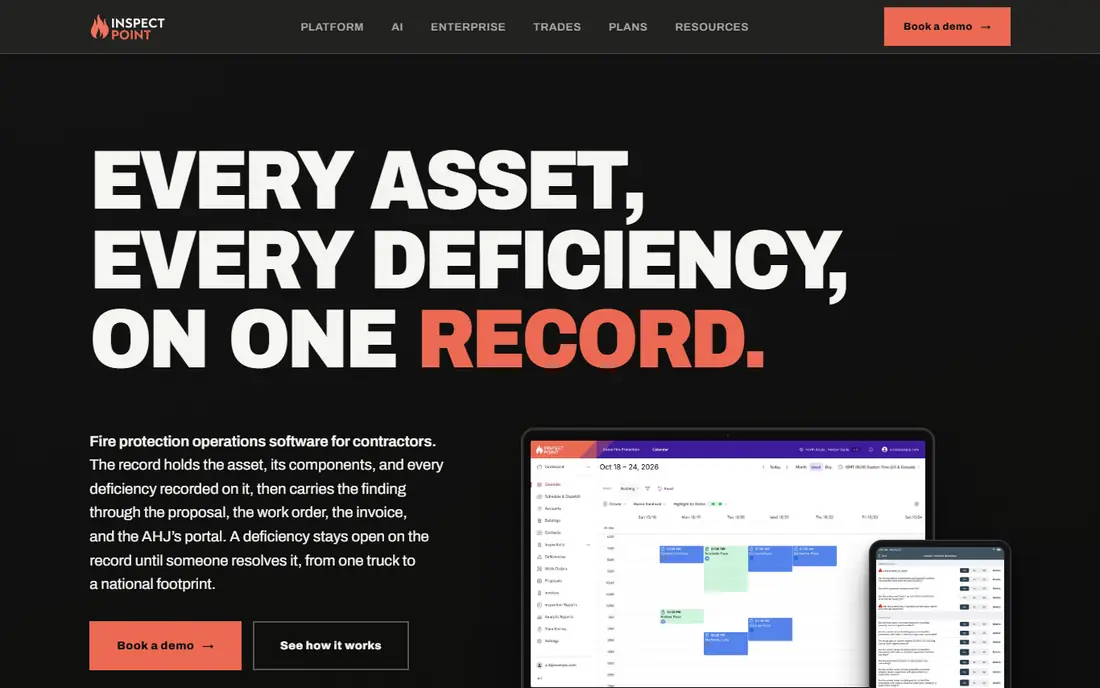
Inspect Point is inspection software built for fire protection contractors, from the technicians on the truck to the owners who sign the reports. The form library covers NFPA, ULC, Joint Commission, DNV and California Title 19 forms at no extra cost, with NFPA 25 question sets selectable by code year and adjustable per building, so the report matches the code year and the local authority, not a generic checklist.
The platform keeps the inspection, the deficiency, the proposal and the invoice on one building record. Silver covers inspections and deficiency management, Gold adds proposals built from deficiencies, and Platinum adds service work orders, phone support and API access. Plans start at three technicians, or one or two technicians running 400 or more inspections a year. Pricing is quoted to team size and trades, so get the quote in writing, with renewal terms included.
- Built only for fire and life safety
- Form library covers NFPA, ULC and Joint Commission standards
- No public dollar price
- Field app runs only on Apple devices
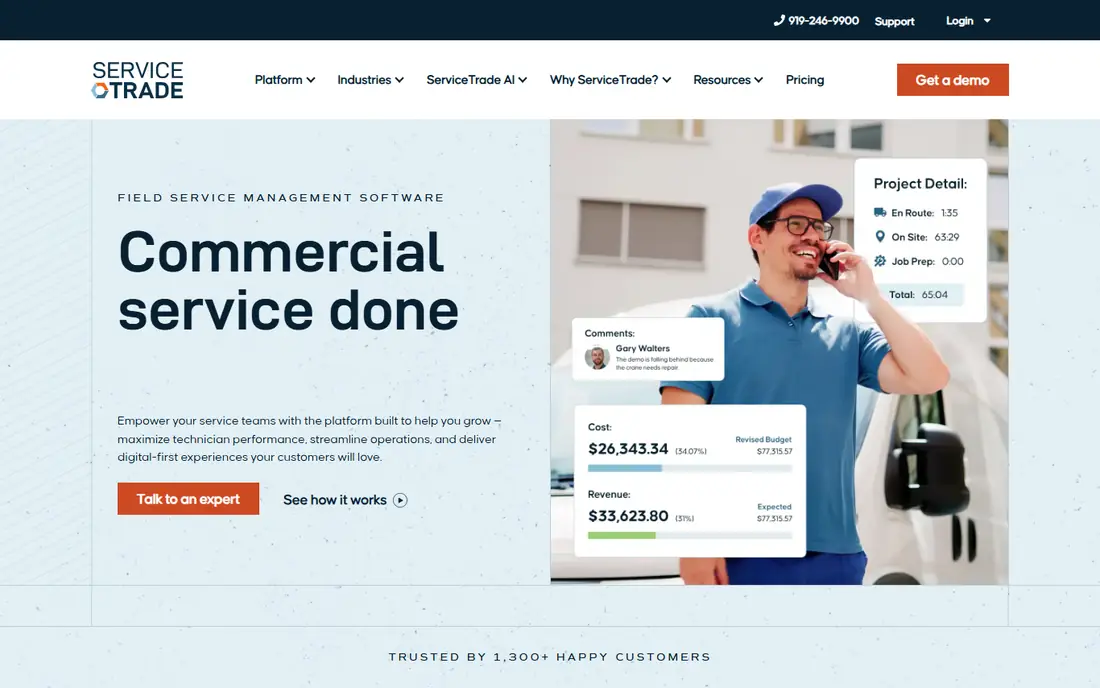
ServiceTrade is field service software built for commercial service contractors, with fire protection and life safety as its flagship vertical alongside mechanical, HVAC, electrical and refrigeration work. The data model runs customer to site to asset to service to report, which maps closely to fire work, where each building holds many devices with their own history. Built-in forms support photo and video documentation, and deficiencies turn into online quotes that customers approve in the portal.
The platform sells three suites, Select, Premium and Enterprise, priced mainly by technician count, with unlimited office users. Select includes the technician mobile app, dispatch board, equipment history, deficiency capture, online quotes and QuickBooks integration. Premium adds AI features, job tasking, project management and a customer portal. Enterprise adds capacity planning, multi-brand operations and parts management. Integrations with The Compliance Engine and Brycer exist for jurisdictions that require electronic report filing. The main limit is price transparency: no suite price is published, so compare quotes on the same technician count and ask which modules are included.
- Fire is the flagship vertical, with deep inspection and deficiency workflows
- Customer portal for facility managers
- No published suite price
- Every suite requires a quote
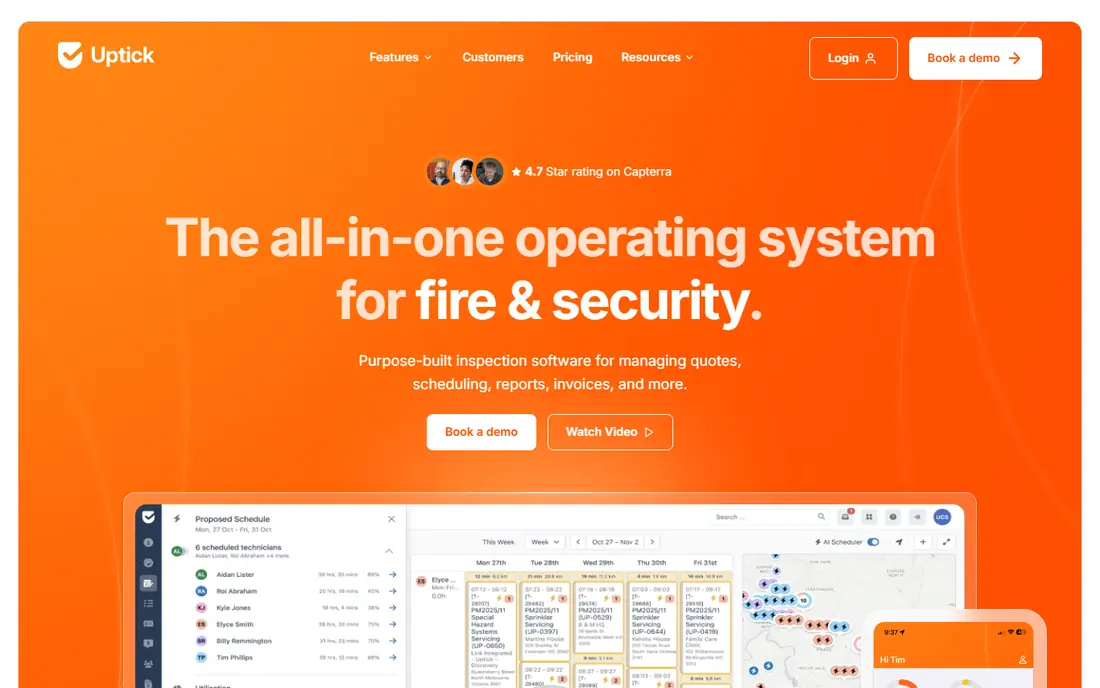
Uptick is a cloud-based platform built for fire inspection, testing and maintenance businesses, designed for teams of 3 to 50 field technicians managing recurring compliance work. Technicians complete digital forms on site from a library of hundreds of templates built around local standards, including NFPA and Australian standards, and the compliance database updates when code requirements change. Asset lists, defect quoting, scheduling, billing and invoicing sit in the same system, with more than 20 live dashboards.
The mobile app runs on iOS and Android and includes offline mode, so inspections and reports can continue without signal. A customer portal gives building owners direct access to compliance reports, deficiency lists and asset information, which cuts the back and forth after each visit. Uptick charges a per-user monthly fee for each desk and field user, while customer and sub-contractor licences are unlimited and free. It integrates with Xero, QuickBooks, MYOB and Sage. The limit to weigh is cost clarity: the vendor states the per-user model but publishes no dollar figure, so the monthly total only becomes clear on a sales call.
- Synchronised NFPA 25, NFPA 10 and NFPA 72 compliance engine
- Client portal for building owners
- No published dollar price
- Cost grows with each desk and field user
BuildingReports is a web-based inspection and reporting platform for fire protection contractors, inspection service companies and facility teams. Its ScanSeries suite uses barcode scanning to identify each device on site, so a technician scans a sprinkler head, a smoke detector or a backflow assembly and records the result against that exact asset. FireScan covers fire alarm and signaling systems, SprinklerScan covers sprinkler systems, and the suite also covers suppression equipment and other life safety assets.
BRForms distributes digital forms in NFPA, state, federal and custom formats, which removes paper from the inspection round. ManagerSeries handles scheduling, dispatching and tracking of inspections and service work through calendar views. FireScan lets inspectors test results against manufacturer sensitivity ranges with a smoke sensitivity database, which matters on large alarm systems with hundreds of devices. The limit is pricing: BuildingReports does not publish a price list, and ScanSeries applications are licensed one at a time or as a suite, so price the exact set of apps you need rather than assuming one fee covers everything.
- Barcode-based ScanSeries suite for device-level reporting
- Smoke sensitivity database for fire alarm testing
- No published price
- ScanSeries apps are licensed per application, so the full suite adds up
KomplyOS is a purpose-built compliance and inspection platform for fire protection contractors and building compliance firms, focused on the tri-state area of New York, New Jersey and Connecticut. It ships NFPA templates and tracks inspection deadlines, alarm replacement dates and filing requirements across every building on one dashboard. That focus suits firms whose work is concentrated in those states, where rules vary by city and building type.
Pricing is published and flat-rate, which is rare in this category. Starter costs $249 per month for 5 users and 15 buildings, Professional costs $699 per month for 15 users and 50 buildings, and Business costs $1,299 per month for 40 users and 150 buildings. Enterprise pricing is custom. The vendor charges no setup fee and offers self-service onboarding with guided setup wizards, plus a 14-day free trial with no credit card required. The limit is scope: the Starter tier caps at 5 users and 15 buildings, so a firm with a larger book moves to Professional quickly, and the regulatory tracking is built around tri-state rules first.
- Published flat-rate pricing with no per-user fees
- Purpose-built NFPA templates and tri-state regulatory tracking
- Regulatory tracking is strongest in New York, New Jersey and Connecticut
- Starter caps at 5 users and 15 buildings
Housecall Pro is field service software for home service trades, and small fire protection and extinguisher service firms use it to run scheduling, dispatch, estimates, invoicing and payments from one system. Basic costs $59 per month billed annually, or $79 billed monthly, for one user, and includes online booking, scheduling, dispatch, estimates, invoicing, payments, a price book and job costing. Essentials costs $149 per month billed annually for up to 5 users and adds routes, GPS tracking, commissions and QuickBooks Online sync. Max costs $299 per month billed annually for up to 8 users and adds the sales proposal tool, recurring service plans and open API access.
The platform suits a solo operator or a small crew that needs the office side of the business to run cleanly, with a mobile app for the field and live phone and chat support. The 14-day free trial covers the Max plan with no credit card required. The limit is fit: Housecall Pro is a generalist tool, so it has no built-in NFPA inspection forms, deficiency tracking or device-level asset history. A fire contractor who buys it still needs a separate way to record inspections to code, and the Basic plan holds only one user, so a crew of three starts on Essentials.
- Published prices and a 14-day free trial
- Online booking, scheduling, dispatch, estimates and invoicing in one place
- Basic covers 1 user and has no QuickBooks sync or GPS tracking
- No built-in NFPA inspection forms
Jobber is an all-in-one field service platform for small contractors, and it fits fire protection firms that want scheduling connected to quoting, invoicing, payments and customer communication without a large contract. Core starts at $29 per month billed annually, Connect starts at $99 per month, and Grow starts at $149 per month, with prices in US dollars and sales tax excluded where it applies. Core covers online booking, job scheduling, customised quotes and invoices, online payment processing and reporting. Higher tiers add automation, marketing features and more users, plus GPS time tracking and a client portal.
Jobber offers a 14-day free trial, and it integrates with QuickBooks Online, Xero, CompanyCam and Docusign. The platform is built for teams from solo operators to crews of around 30 people, and tiered pricing lets a small firm start low and move up as headcount grows. The limit is the same as with any generalist tool: Jobber has no built-in NFPA inspection forms, device-level asset records or deficiency-to-repair workflow, so a fire contractor must build those processes with custom forms or pair Jobber with a fire-specific inspection tool.
- Lowest published starting price here
- Quoting, scheduling, invoicing and payments in one system
- No built-in NFPA inspection forms or deficiency workflow
- Price rises as users and features are added
AutoSPRINK by M.E.P.CAD is a dedicated, standalone 3D CAD application for fire protection design, and it is the standard for sprinkler designers who work outside the AutoCAD ecosystem. Designers draw sprinkler systems in three-dimensional space with proper elevation and slope, and hydraulic calculations update in real time as components are drawn. The model produces AHJ-submittable drawings plus fabrication cut lists and a bill of materials, so installers hang pipe instead of cutting it on site.
Automatic clash detection keeps coordination inside the drawing, and the stock listing feeds the fabrication shop directly, which cuts rework on design-build install work. Because AutoSPRINK is standalone, it needs no underlying AutoCAD licence. The limit is scope: AutoSPRINK designs systems, it does not inspect, dispatch or invoice them, so a contractor still needs an inspection platform for the service side. Pricing is quote-based, so request a quote per seat and confirm annual maintenance and training costs before budgeting.
- Standalone 3D sprinkler design with live hydraulic calculations
- Fabrication cut lists and bill of materials included
- Quote only, with no published price
- Design only, with no inspection, dispatch or invoicing features
How we chose
We compared vendor pricing pages, product pages and documentation for each tool, and we checked the prices listed here on 2026-11-13. We picked tools that fire protection contractors actually evaluate: fire-specific inspection platforms, a compliance platform, general field service tools used by small fire firms, and a sprinkler design tool. We listed quote-only tools as quote only rather than repeating third-party estimates as vendor prices. We did not test any product hands-on. Prices change, so confirm the live figure on the vendor pricing page before you buy.
What to check before you buy
Start with the inspection standard you work to. Confirm the tool ships forms for the NFPA code year your jurisdiction uses, and ask how form updates are delivered when the code changes. Ask the local authority what it accepts: some accept a PDF report, others require electronic filing through a system such as The Compliance Engine or Brycer, and not every platform connects to both. Check device-level history next: a tool that records results per device, with photos and prior deficiencies attached, saves hours on the next visit.
Check the deficiency workflow end to end. A finding in the field should become a priced quote, an approved repair and a scheduled job without retyping. Ask whether quotes are built from the deficiency record, whether the customer approves online, and whether the repair links back to the original inspection. Check offline mobile work, because basements and plant rooms often have no signal, and confirm which devices the field app supports: Inspect Point runs on Apple devices only, while Uptick and BuildingReports support iOS and Android. Check data export and contract terms, including the minimum team size, the price per added technician and onboarding fees.
| Team size | Best starting point | Budget signal | | Solo operator, 1 tech | Jobber or Housecall Pro | $29 to $59 per month on annual billing | | Small team, 2 to 5 techs | KomplyOS Starter or Housecall Pro Essentials | $149 to $249 per month | | Growing team, 6 to 15 techs | KomplyOS Professional, Inspect Point or Uptick | $699 per month, or a quote per technician | | Large team, 15 or more techs | Inspect Point enterprise, ServiceTrade or BuildOps style quotes | Custom quote, compare on the same technician count | | Design-build sprinkler firm | AutoSPRINK plus an inspection platform | Quote per design seat, plus inspection software |
Frequently asked questions
What is the best fire protection software for small contractors?
Jobber at $29 per month and Housecall Pro at $59 per month suit small teams that need scheduling, quoting and invoicing at a published price. KomplyOS at $249 per month suits small firms that want NFPA forms and compliance tracking built in. The right pick depends on whether inspections or office work is the bigger gap, so list the jobs the software must do first.
Does fire protection software include NFPA inspection forms?
Fire-specific platforms such as Inspect Point, Uptick, BuildingReports and KomplyOS ship NFPA inspection forms, with NFPA 25 for sprinkler systems, NFPA 72 for fire alarms and NFPA 10 for extinguishers covered across the group. General field service tools such as Jobber and Housecall Pro do not ship NFPA forms, so a contractor using one of those needs a separate way to record inspections to code.
How much does fire protection software cost?
Published starting prices here run from $29 per month for Jobber to $249 per month for KomplyOS Starter, all on annual billing. Most fire-specific platforms, including Inspect Point, ServiceTrade, Uptick and BuildingReports, publish no dollar price and quote per technician or per team. AutoSPRINK is also quote-based. Compare quotes on the same technician count and ask about onboarding and renewal fees.
Can general field service software handle fire inspections?
General tools can schedule visits, dispatch technicians, send estimates and collect payments, which covers the office side of a small fire firm. They do not record device-level inspection results, track deficiencies to code, or produce NFPA reports, so they fall short on compliance. A firm that runs recurring inspections should use a fire-specific platform for the inspection record, even if a general tool handles billing.
What is the difference between inspection software and sprinkler design software?
Inspection software records the condition of installed systems, tracks deficiencies and schedules retests, with tools such as Inspect Point and BuildingReports built for that job. Sprinkler design software such as AutoSPRINK draws new systems in 3D, runs hydraulic calculations and produces fabrication output and AHJ-submittable drawings. Design-build firms often need both.
Sources
See where you really rank - block by block
ProMapRanker scans Google Maps across a grid of your service area. Simple monthly plans from $19, white-label on every plan.
Start freeKeep reading
 best invoicing software for roofers
Best Invoicing Software for Roofers
The best invoicing software for roofers compared on price, card fees, and job billing, so a roofing company can send invoices fast and collect money sooner.
Read → best invoicing software for auto repair shops
Best Invoicing Software for Auto Repair Shops
Compare the best invoicing software for auto repair shops, with real starting prices, repair-ready templates, and payment links that get invoices settled fast.
Read → best insulation contractor software
Best Insulation Contractor Software 2026
Compare the best insulation contractor software for spray foam, fiberglass and cellulose crews in 2026. See prices, trials and the right fit for your team size.
Read →