 ProMapRanker
Best Financial Planning Software for Individuals in 2026


Free net worth and investment tracking · Pricing starts at: Free
Key takeaways
- Empower Personal Dashboard and Fidelity Full View offer the strongest free starting points for net worth and account tracking.
- Monarch Money is the best all-round household dashboard for budgeting, net worth, and investments in one place.
- Boldin and ProjectionLab lead for retirement modeling, with scenario testing, tax projections, and Social Security planning.
- YNAB suits people who want a strict budgeting method, while Simplifi suits people who want a low-cost, hands-off spending plan.
- This article is general information only, not financial advice, and projections are estimates, not guarantees of future results.
Quick comparison
| Pick | Great for | Pricing starts at | Free tier | |
|---|---|---|---|---|
| Empower Personal Dashboard | Free net worth and investment tracking | Free | Yes | Visit |
 Monarch Money | Household budgeting, net worth, and investments | $14.99 per month | Free trial | Visit |
 Quicken Simplifi | Low-cost, hands-off spending plan | $5.99 per month | Free trial | Visit |
 YNAB | Strict zero-based budgeting | $14.99 per month | Free trial | Visit |
 PocketSmith | Cash-flow forecasting over months and years | See website | Free trial | Visit |
 Tiller Money | Spreadsheet-based financial planning | $79 per year | Free trial | Visit |
 ProjectionLab | Hands-on retirement modeling | $129 per year | Yes | Visit |
 Boldin | Detailed retirement and life planning | $168 per year | Yes | Visit |
 Fidelity Full View | Free account aggregation and planning calculators | Free | Yes | Visit |
The best financial planning software for individuals
Financial planning software for individuals pulls accounts together, tracks spending and net worth, and projects whether savings, retirement, and goals stay on track. This article is general information only, not financial advice. Investment and retirement projections depend on assumptions that will change, so treat them as planning aids, not promises.
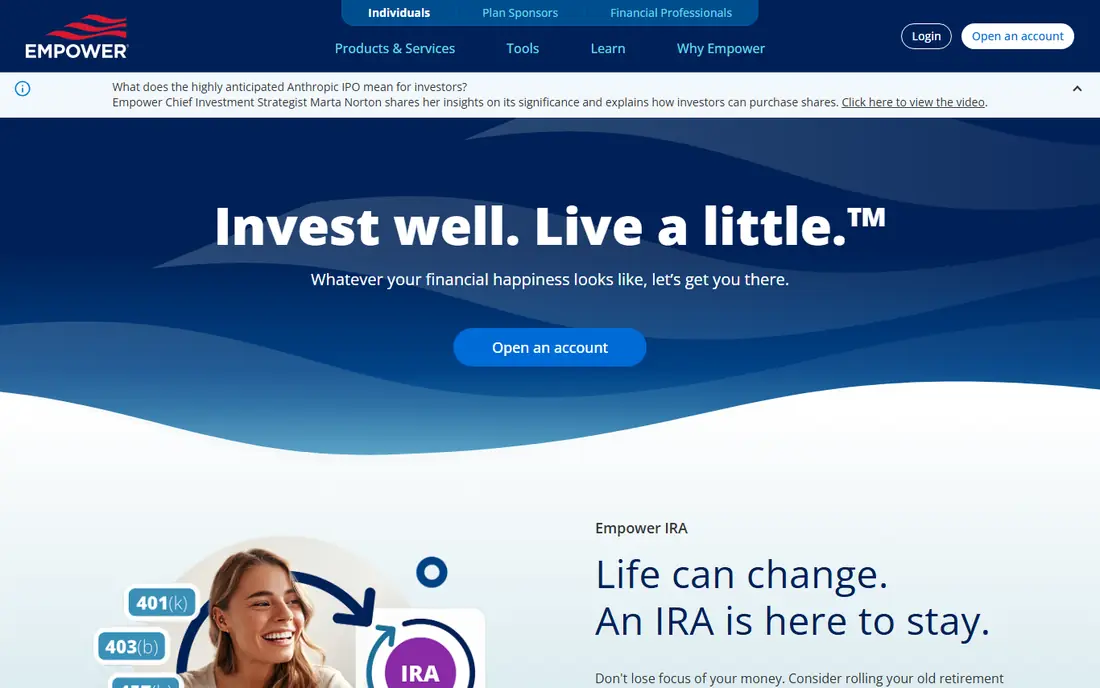
Empower Personal Dashboard is the best free starting point for most individuals. It connects bank, card, loan, and investment accounts, shows net worth and cash flow, and offers retirement planning tools and portfolio analysis at no cost for the dashboard itself. That breadth is unmatched at a price of zero.
The trade is the business model. Empower also sells wealth management, so dashboard users may receive advisor outreach. The free planner also skips some deeper features, such as withdrawal order and Roth conversion modeling, that specialist retirement tools cover. Use Empower for a free, full picture, and add a specialist tool when retirement decisions need deeper modeling.
- Free dashboard and planning tools
- Account aggregation and fee analysis
- Retirement modeling
- Wealth management upsell prompts
- Planning tools are lighter than Boldin or ProjectionLab

Monarch Money is our pick for households that want budgeting, net worth, and investments in one polished place. It supports shared access for household members, flexible budgets, and a full view of accounts, which suits couples and families managing money together. The Core plan costs $14.99 per month or $99.99 per year, with a 7-day trial.
There is no permanent free tier, so a user who will not pay for a budgeting app should start with Empower or a free calculator instead. Monarch also offers a higher Plus tier for retirement and estate features, but most households should start with Core and only upgrade if those features prove useful.
- Clean household dashboard
- Budgeting plus investments and net worth
- Collaboration for household members
- No free plan beyond a trial
- Higher cost than Simplifi for basic tracking

Quicken Simplifi is the budget pick among paid all-rounders. It syncs accounts, categorizes spending, and builds a personalized spending plan with projected bills and cash-flow forecasting, so a user can see where money is heading, not just where it went. The plan is listed at $5.99 per month on annual billing, with a free trial.
Simplifi is more of a dashboard than a budgeting method. People who want strict, assign-every-dollar discipline may prefer YNAB, while people who want a clear overview at low cost will like Simplifi. Check promo versus renewal pricing at signup, since first-year offers can differ from the renewal rate.
- Low annual cost
- Spending plan and cash-flow forecasting
- Investment dashboard
- No permanent free tier
- Less budgeting method depth than YNAB
YNAB, short for You Need A Budget, is built around a method: give every dollar a job, fund categories for true expenses, and adjust when plans change. That discipline changes spending behavior for people who stick with it, and the app supports targets, scheduled transactions, and sharing with up to six people. The plan costs $14.99 per month or $109 per year, with a 34-day trial.
The catch is effort. YNAB only pays off if you review transactions regularly and learn the method, which takes a few weeks to feel natural. A passive tracker who wants a weekly glance should pick Simplifi or Empower instead. For a household ready to change habits, YNAB remains the standard.
- Proven budgeting method
- Targets and shared access
- Strong learning resources
- Real learning curve
- Overkill for passive trackers
- No free plan beyond a trial
PocketSmith stands out for forecasting. Its calendar view projects account balances forward based on scheduled income, bills, and budgets, so a user can see a future shortfall weeks or months ahead. Scenario tools let you test a job change, a large purchase, or a savings goal against that forecast.
Forecast quality depends on complete and accurate inputs, so setup takes more care than a simple dashboard. Bank feed coverage varies by region, and pricing should be confirmed on the vendor page before budgeting. PocketSmith fits planners who think in cash flow over time, rather than only in monthly spending totals.
- Strong forecast calendar and scenarios
- Multi-currency support
- Bank feeds in many regions
- Pricing needs a vendor check
- Setup takes care for accurate forecasts
Tiller Money is for people who love spreadsheets and want bank feeds flowing into Google Sheets or Excel automatically. You get transaction and balance data in your own workbook, plus templates for budgeting, net worth, and debt payoff, and you can build any calculation you want on top. The plan costs $79 per year after a 30-day trial.
Tiller gives control, not guidance. There is no built-in planning coach or retirement model as deep as Boldin, and a user must build or choose templates. For a spreadsheet user, that control is the appeal. For a user who wants a ready dashboard, Monarch or Simplifi will feel easier.
- Bank feeds into Google Sheets or Excel
- Full control over calculations
- Templates for budgets and net worth
- Still a spreadsheet, with no hand-holding
- No free plan after the trial
ProjectionLab is a hands-on retirement modeling sandbox. The Basic plan is listed as free and includes Monte Carlo simulations and historical backtesting, while Premium costs $129 per year and adds fuller features, including tax estimation. Users can model income, spending, taxes, Social Security, and account withdrawals across scenarios.
The free Basic tier is a strong way to test whether detailed modeling suits you, but check saving and feature limits on the current pricing page, since published reviews note limits on the free tier. ProjectionLab suits a DIY planner who enjoys adjusting assumptions and comparing outcomes, rather than a user who wants a simple readiness score.
- Free Basic plan with Monte Carlo simulations
- Detailed scenario modeling
- Tax estimation on Premium
- Basic plan limits saving in some reviews
- Learning curve for detailed inputs
Boldin, formerly NewRetirement, is purpose-built for retirement planning. The free Basic tier covers a personalized plan and what-if scenarios, while PlannerPlus, listed at $168 per year in recent vendor comparisons, adds account linking, side-by-side scenarios, state and federal tax projections, a Roth conversion explorer, and Social Security comparisons.
Boldin is less of a daily spending tracker than Monarch or Simplifi, since its budgeting features serve retirement projections. It fits a user nearing retirement, or planning for it seriously, who needs to compare claiming ages, tax strategies, and withdrawal plans in one model. Remember that all projections are estimates, and major decisions still merit advice from a qualified professional.
- Free Basic tier for a personal plan
- PlannerPlus adds tax, Roth, and Social Security tools
- Scenario comparisons
- PlannerPlus price has risen over time
- Budgeting is retirement-focused, not a daily tracker
Fidelity Full View aggregates outside accounts alongside Fidelity accounts, giving a free net worth and spending view for individuals. Fidelity also offers free calculators, including Social Security and retirement readiness tools, that work without a brokerage account for many users. That makes it a strong free companion to a specialist planner.
Full View is not a full budgeting method like YNAB, and its deepest planning features tie to a Fidelity relationship. Use it for a free, broad picture and for quick calculator checks, and use Boldin or ProjectionLab when you need detailed, saved retirement scenarios. As with all tools here, calculator results are estimates, not financial advice.
- Free account aggregation
- Strong free calculators for Social Security and retirement
- No brokerage account needed for some tools
- Full planning depth needs a Fidelity relationship for some features
- Interface is broad
How we picked these
We compared official feature and pricing pages and public documentation for financial planning tools available to individuals in the United States in October 2026. We kept tools that an individual can sign up for directly, track accounts or budgets, and project goals or retirement, and we excluded advisor-only platforms such as eMoney and MoneyGuidePro, which individuals reach only through an advisor. Prices are starting list prices where published, and marked as See website where a vendor does not publish a simple starting price. This article is general information only, not financial advice.
How to choose financial planning software
Start with the question you need answered, then pick the tool that answers it with the least friction. A tracker, a budget, and a retirement model are different jobs, and many people use two tools together.
If you need a free overview
Start with Empower Personal Dashboard or Fidelity Full View. Connect accounts, check net worth and cash flow, and review investment fees and allocation. That free picture often reveals the next step, such as high fees, low savings, or a missing emergency fund, without any subscription.
If you need budgeting and household control
Pick Monarch Money for a shared household dashboard, Simplifi for a low-cost hands-off plan, or YNAB for strict method-based budgeting. Test each on a trial with real accounts, and keep the one you actually open weekly. A budget tool you ignore is worse than a simple spreadsheet you use.
If you need retirement planning
Pick Boldin or ProjectionLab for detailed scenarios, tax, and Social Security modeling, and use Empower or Fidelity calculators for quick checks. Enter accurate balances, income, and spending, and test low-return, high-inflation, and early-retirement scenarios. Do not base a retirement date on a single optimistic projection.
Check security and data use
Use strong passwords and two-factor authentication, review which accounts you link, and check each vendor's privacy policy for data retention and sharing. Keep a separate record of key balances and plan assumptions outside any single app, so a sync outage or a closed account does not erase your plan.
Frequently asked questions
What is the best financial planning software for individuals?
Empower Personal Dashboard is the best free start, Monarch Money is the best all-round household dashboard, and Boldin and ProjectionLab lead for retirement modeling. YNAB leads for strict budgeting, while Simplifi leads for low-cost tracking. The best pick depends on whether your main job is tracking, budgeting, or retirement planning.
What are the best online financial planning tools?
The best online financial planning tools include Empower, Fidelity Full View, Monarch Money, Simplifi, YNAB, Tiller, ProjectionLab, and Boldin. Free tools cover tracking and quick calculators, while paid tools add budgeting depth and detailed retirement scenarios. Most individuals need one tracker plus one planner, not every tool on this list.
What is the best free financial planning software?
Empower Personal Dashboard and Fidelity Full View offer the strongest free account tracking and planning tools, while ProjectionLab Basic and Boldin Basic offer free retirement modeling tiers. Free tiers have limits, such as fewer features or saving restrictions, so check what you need before relying on a free plan alone.
Is financial planning software worth paying for?
Yes, when it changes a decision, such as a savings rate, a retirement date, or a tax strategy, by more than its annual cost. A $99 to $168 yearly subscription is small next to a retirement or tax decision, but it is wasted if you never open the tool. Start free, prove you use it weekly, and only then pay.
Does this article give financial advice?
No. This article is general information only, not financial advice, and projections are estimates based on assumptions that will change. Investment values can fall as well as rise, tax rules change, and personal circumstances differ. For major decisions, such as retirement timing, Roth conversions, or large investments, speak with a qualified financial professional.
Sources
See where you really rank - block by block
ProMapRanker scans Google Maps across a grid of your service area. Simple monthly plans from $19, white-label on every plan.
Start freeKeep reading
 zscaler alternatives
Best Zscaler Alternatives in 2026
Looking for zscaler alternatives? We compare 9 SASE and zero trust platforms on architecture, data protection, pricing, and fit for your network and team.
Read → zapier alternatives free
Best Zapier Alternatives Free in 2026
Nine automation tools for zapier alternatives free in 2026, all with genuinely free tiers, plus free plan limits, starting prices and upgrade paths explained.
Read → which platform is best for online reputation
Which Platform Is Best for Online Reputation in 2026
Wondering which platform is best for online reputation? We compare 8 review, listing, and response tools for small and multi-location businesses and agencies.
Read →