 ProMapRanker
Best Files Apps in 2026: 8 Apps Compared


Everyday Android cleanup and sharing · Pricing starts at: Free
Key takeaways
- The best starting point is usually the file app already on the phone, since Files by Google, Apple Files and Samsung My Files cover everyday tasks for free.
- Power users who need network drives, cloud accounts and dual-pane copying should look at Solid Explorer, Total Commander or File Commander.
- Desktop file management still matters, since phone apps handle local and cloud files but rarely replace a full computer file manager.
- Check archive support, cloud connections and privacy permissions before choosing, since those three details separate simple apps from capable ones.
Quick comparison
| Pick | Great for | Pricing starts at | Free tier | |
|---|---|---|---|---|
| Files by Google | Everyday Android cleanup and sharing | Free | Yes | Visit |
 Apple Files | iPhone, iPad and Mac file browsing | Free | Yes | Visit |
 Samsung My Files | Samsung phone storage | Free | Yes | Visit |
 Solid Explorer | Dual-pane power file management | See website | Free trial | Visit |
 Total Commander | Free desktop-style file management | Free | Yes | Visit |
 File Commander | Cloud and local files together | Free | Yes | Visit |
 Documents by Readdle | iPhone and iPad file hub | Free | Yes | Visit |
 CX File Explorer | Clean all-round Android manager | Free | Yes | Visit |
The best files apps
We compared official store listings, developer feature pages and public comparisons of file manager apps available in October 2026. We included apps for Android and iOS, plus desktop-style options that also run on phones, and we focused on browsing, searching, cloud access, archive handling and sharing. Where a price could not be verified for every platform, we wrote See website.
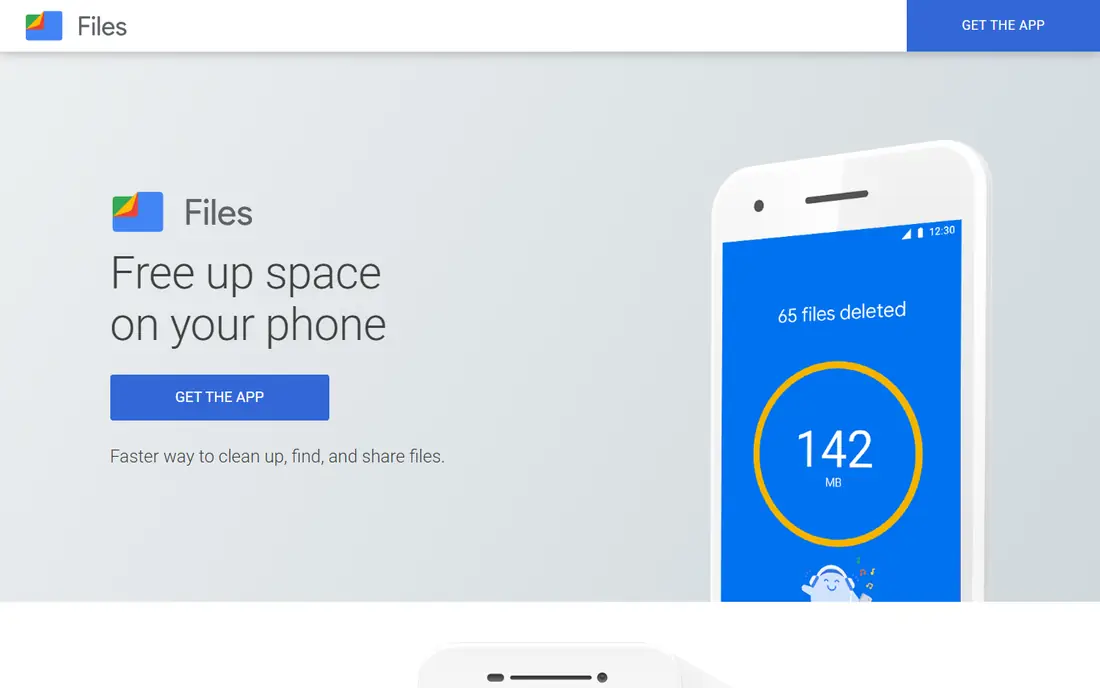
Files by Google is the default that most Android users already have, and it earns that place with a clean interface and genuinely useful cleanup tools. Storage breakdowns show what is using space, duplicate detection frees room quickly, and the Safe Folder locks private files behind a PIN or biometric check. Offline sharing to nearby Android devices and Chromebooks is fast and encrypted.
The limits appear for power users. There is no dual-pane copying, no SMB or FTP browsing, and archive handling is limited. For everyday phone use, those limits rarely matter. For network storage or heavy organizing, a power app from this list is a better fit.
- Free with no ads
- Smart cleanup suggestions for junk and duplicates
- Safe Folder for private files and fast offline sharing
- No dual-pane view
- No network drive browsing
- Archive support stops at ZIP
Apple Files is the file hub for iPhone and iPad users, with iCloud Drive built in and folders from other cloud providers available alongside local files. Tags, favorites and search make it easy to find a document without remembering which app saved it. On iPad and Mac, the same files appear with a fuller file management view, which keeps work consistent across devices.
The weakness is depth. Batch renaming, archive handling and network drive work are thinner than on dedicated power managers, and some tasks are easier on a Mac than on a phone. For Apple users who mainly browse, share and organize documents, Files is enough. For heavy file work, pair it with Documents by Readdle or a desktop manager.
- Built into iOS, iPadOS and macOS
- ICloud Drive and third-party cloud folders in one place
- Tags and search across devices
- Less powerful than desktop file managers for batch work
- Some advanced features need a Mac
- Cloud provider support varies
Samsung My Files covers the everyday job on Samsung phones without a download, with categories for images, videos, audio and documents, plus a storage view that shows what is taking space. The recycle bin is a practical safety net, since deleted files can be recovered for a limited time. It also handles SD card storage, which still matters on Samsung models that support it.
The app is not a power manager, with basic cloud and network support and limited customization. Samsung users who only need browsing, cleanup and sharing will find it sufficient. Users who need dual-pane work or many cloud accounts should add a third-party app from this list.
- Preinstalled on Samsung phones
- Clear storage analysis
- Recycle bin for accidental deletions
- Samsung devices only as a preinstalled app
- Cloud and network features are basic
- Design is functional rather than flexible
Solid Explorer is the power pick for Android users who manage files across a phone, a NAS and several cloud accounts. Two folders side by side make copying and moving fast, and drag and drop between panels feels natural after a short learning period. Cloud support covers major providers, while network protocols cover home servers and work storage.
The cost and complexity are the trade-offs. The full version requires payment after a trial, and the many settings can overwhelm a first-time user. For users who organize large libraries or move files between cloud and local storage often, Solid Explorer justifies both.
- Dual-pane drag and drop
- Cloud and network support including SMB, SFTP and FTP
- AES encryption for private folders
- Full version requires payment after trial
- Interface has many options for new users
- Some cloud features vary by provider
Total Commander brings a desktop-style two-panel manager to Android, with a long history on Windows that gives it a loyal power-user base. Plugins extend it to FTP, LAN and cloud storage, and archive support covers more formats than the built-in apps on most phones. It is free, which makes it an easy trial for anyone curious about a two-panel workflow.
The classic design is the honest catch, since the interface looks dated next to modern file apps and takes time to learn. Users who value function over polish will adapt quickly. Users who want a simple, pretty browser should start with Files by Google or CX File Explorer instead.
- Free on Android and Windows
- Two-panel layout
- Plugins and archive support for many formats
- Classic interface looks dated
- Learning curve for new users
- Mobile version differs from the desktop version
File Commander suits users who want local storage, cloud accounts and network locations in a single app without jumping between services. Category browsing sorts files by type, which helps when a document could be in downloads, a cloud folder or a local folder. The vault feature adds a private area for sensitive files, similar to a safe folder.
Premium features are the limit, since some tools sit behind a paid plan and the free version includes upsells. That is common in this category, and the free tier still covers core browsing and copying. Check which vault, converter and cloud features are included in the free tier before relying on them.
- Local, cloud and network files in one app
- Clean category browsing
- Converter and vault features on some plans
- Some features require a premium plan
- Ads or upsells appear in the free version
- Vault and converter details vary by plan
Documents by Readdle is the closest thing to a full file manager for iPhone and iPad, combining file browsing with a browser, media player and document reader. Cloud connections bring files from major providers into one place, and built-in actions cover renaming, moving, zipping and annotating without switching apps. For iPad users who work with documents on the go, it fills gaps left by Apple Files.
The platform limit is clear, since Documents is for iOS and iPadOS, not Android or Windows. Some advanced features also require payment, so check the plan before depending on a specific tool. For Apple mobile users, it is the most capable third-party file hub available.
- Strong iOS file hub with browser, player and reader built in
- Cloud connections to major providers
- Annotation and file actions in one app
- IOS and iPadOS only
- Some advanced features require a paid plan
- Desktop users need a separate manager
CX File Explorer offers a clean middle ground between a simple built-in app and a full power manager. The interface is easy to read, storage analysis shows what is using space, and network access covers NAS and FTP alongside cloud accounts. App management adds a useful extra, letting users see and handle installed apps from the same place.
The trade-offs are platform and scale. CX File Explorer is Android only, and its smaller footprint means fewer support resources than a Google or Samsung app. For Android users who want more than Files by Google without the complexity of Solid Explorer, CX File Explorer is a balanced choice.
- Clean interface
- NAS, FTP and cloud access
- Storage analysis and app management in one app
- Smaller developer footprint than Google or Samsung
- Some features vary by Android version
- No iOS version
How we picked these
We compared official store listings, developer feature pages and public comparisons of file manager apps in October 2026. We favored apps that are still maintained, work on current Android or iOS versions, and cover browsing, search and sharing without misleading claims. We excluded abandoned file managers and apps whose main purpose is cleaning or antivirus rather than file management.
Phone, desktop or both
Phone file apps excel at browsing, sharing and light organizing, but a desktop manager still wins for batch renaming, large moves and complex folder work. Many users need both, with a phone app for daily files and a desktop app such as Total Commander on Windows or Finder on Mac for heavy jobs. Cloud folders bridge the two, so a file saved on the phone appears on the computer without manual transfer.
Permissions and privacy
File apps request broad storage access by design, so check what else an app asks for, such as location, contacts or network access, and deny permissions that do not match the job. Avoid file apps that bundle aggressive cleaning, ads or data collection, and prefer apps from known developers with clear privacy policies. For sensitive files, use an encrypted folder or vault, and back up important files before deleting or moving large folders.
Archives, clouds and networks
Check archive support before choosing, since built-in apps often handle only ZIP while power apps handle RAR and other formats. Check cloud support too, since some apps browse only one provider well and treat others as an afterthought. Network support matters most for home server users, where SMB, FTP or WebDAV access turns a phone into a useful remote file browser.
Frequently asked questions
What is the best free files app for Android?
Files by Google is the best free starting point for most Android users, with cleanup, sharing and a Safe Folder at no cost. CX File Explorer and Total Commander add network and dual-pane features for users who need more.
What is the best files app for iPhone?
Apple Files is built in and covers most needs, while Documents by Readdle adds a stronger file hub with a browser, player and reader. Use Apple Files for simple browsing and Documents when working with many file types on iPad.
Can a files app replace a desktop file manager?
For everyday browsing and sharing, yes, but desktop managers still win for batch work, large transfers and complex folder tasks. Most users benefit from a phone app for daily files and a desktop manager for heavy organizing.
Are third-party file managers safe?
Reputable file managers from known developers are safe when downloaded from official stores, but they request broad storage access. Check permissions, read the privacy policy, and avoid apps that bundle aggressive ads or unrelated features.
Do files apps work with cloud storage?
Many do, including Solid Explorer, File Commander, Documents by Readdle and CX File Explorer, which connect to major cloud providers. Built-in apps vary, with Apple Files supporting iCloud Drive and third-party folders, and Files by Google focusing mainly on local storage and Drive.
Sources
- https://files.google.com
- https://www.apple.com
- https://www.samsung.com
- https://www.solidexplorer.com
- https://www.ghisler.com
- https://www.filecommander.com
- https://readdle.com
- https://cxfileexplorer.com
- https://bestforandroid.com/file-manager-apps/
- https://www.ireashare.com/android-manager/best-file-manager-for-android.html
See where you really rank - block by block
ProMapRanker scans Google Maps across a grid of your service area. Simple monthly plans from $19, white-label on every plan.
Start freeKeep reading
 zyte alternatives
Best Zyte Alternatives in 2026
These zyte alternatives cover managed scraping APIs, proxy networks and no code tools for lawful collection from your own or consented sources only in 2026.
Read → zerto alternatives
Best Zerto Alternatives in 2026
Compare the best zerto alternatives for disaster recovery and replication, with recovery targets, cloud options and honest trade-offs for teams in 2026.
Read → zerofox alternatives
Best ZeroFox Alternatives in 2026
We compared 9 zerofox alternatives for brand protection, phishing takedowns, dark web monitoring, and social impersonation, with clear coverage notes.
Read →