 ProMapRanker
Best Family Tracker App in 2026

Key takeaways
- Life360 is the most complete family location app, but its best safety features sit in paid tiers.
- Apple Find My and Google Find Hub are strong free starting points when a family already uses one platform.
- Glympse suits temporary sharing for a single trip, while FamiSafe and Find My Kids suit parents managing younger children.
- Agree on sharing rules as a family first, and never use these apps to track an adult without clear consent.
Quick comparison
| Pick | Great for | Pricing starts at | Free tier | |
|---|---|---|---|---|
 Life360 | Complete family safety | $7.99 per month | Yes | Visit |
 Apple Find My | Apple families | Free | Yes | Visit |
 Google Find Hub | Android families | Free | Yes | Visit |
 Glympse | Temporary trip sharing | Free | Yes | Visit |
 iSharing | Check-ins and alerts | See website | Yes | Visit |
 FamiSafe | Parental controls plus location | See website | No | Visit |
 Find My Kids | Younger children | See website | Yes | Visit |
 HeyPolo | Privacy-focused families | See website | No | Visit |
 GeoZilla | Family check-ins | See website | Yes | Visit |
The best family tracker apps
We compared official app listings, product pages, and help pages for apps that share location within a family. This list covers consent-based family sharing only. Location sharing should be agreed openly, with clear controls for pausing, leaving a group, and deleting history where the app allows it. Our pick for most families is Life360 for breadth, with Apple Find My or Google Find Hub as free platform defaults.
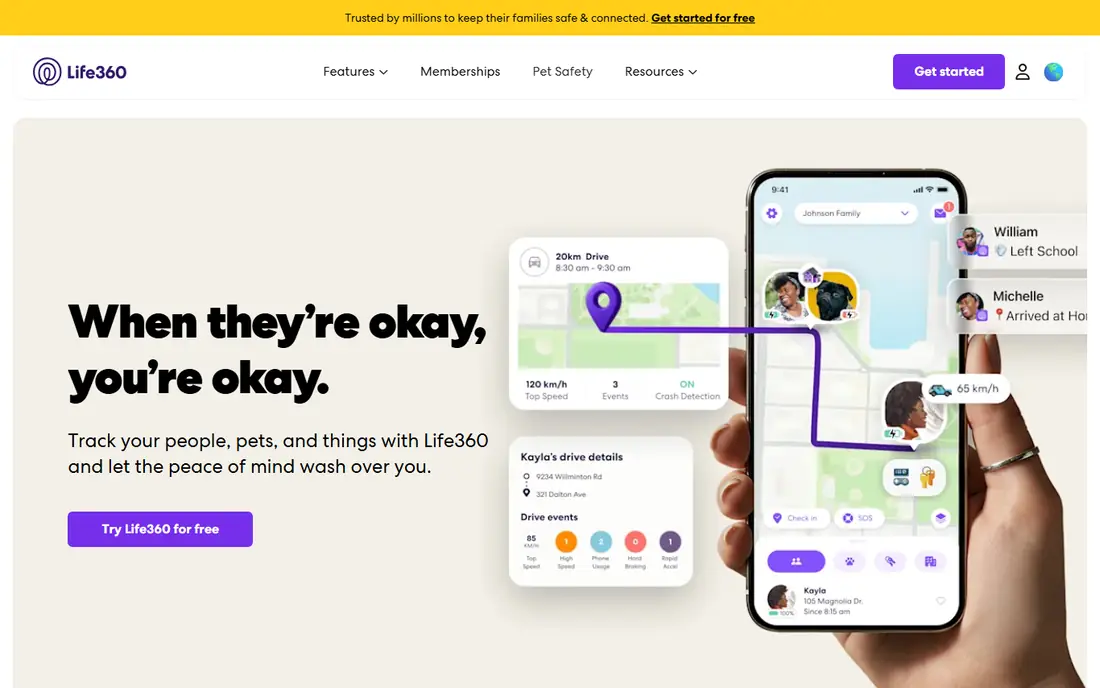
Life360 is the most complete family tracker in this list because it combines location, place alerts, driving insights, and safety alerts in one app. Families create a private Circle, see members on one map, and receive alerts when someone arrives at or leaves home, school, or work. Paid tiers add longer location history, more place alerts, crash detection with emergency dispatch, and roadside help, with Silver starting at $7.99 per month in recent pricing pages.
The honest limits are cost and battery use. The free plan covers basic location and a small number of place alerts, while the full safety bundle costs more each month. Always-on GPS also uses more battery than temporary sharing. Families should also read the current privacy policy together, since Life360 has faced past scrutiny over location data use. Used with open agreement, it is a strong all-in-one choice.
- Real-time location in private Circles
- Place alerts and driving reports
- Crash detection on paid tiers
- Best features require payment
- Always-on location can drain battery
Apple Find My is the simplest pick for families that all use iPhones, iPads, or Macs. It is built into the system, needs no extra subscription, and lets family members share location with each other through Family Sharing. Parents can also locate a child's device, see a last known location when a device goes offline, and manage sharing settings in one place. Because it is part of the operating system, it tends to use battery efficiently.
The limit is platform. An Android phone cannot join the same Find My family map, so mixed-device families need a cross-platform app instead. Find My also lacks the driving reports, crash dispatch, and roadside help that Life360 bundles into paid tiers. For an Apple-only family that wants free, low-friction location sharing, Find My is hard to beat.
- Free and built into Apple devices
- Family sharing controls
- Works for people and devices
- Apple devices only
- No driving reports or crash dispatch bundle
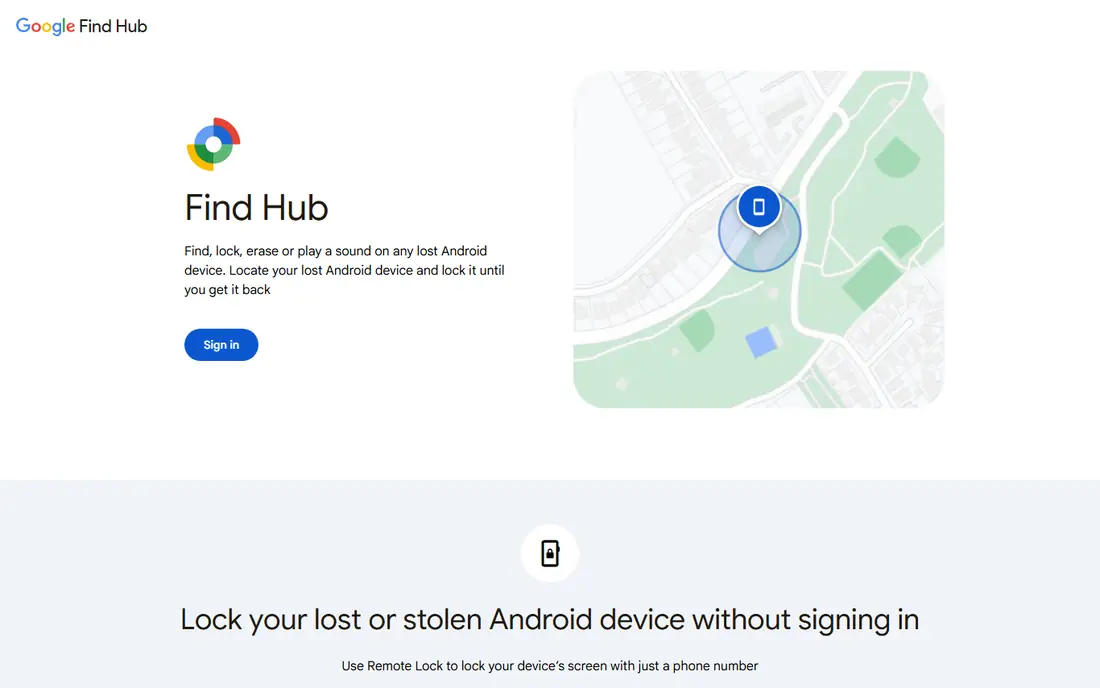
Google Find Hub, the current name for Google's device and location finding service, suits Android families that already use Google accounts. It helps locate phones and other devices, and location sharing through Google services lets family members see each other on a map. Setup is straightforward for people who already sign in with Google, and there is no subscription for basic finding and sharing.
It is not a dedicated family safety app. There are no driving reports, crash dispatch, or family Circle tools comparable to Life360, and the exact sharing options can vary by device, app version, and account type. For an Android family that mainly needs to find devices and share location in a simple way, Find Hub is a good free starting point. Add a dedicated app only if you need safety alerts and driving tools.
- Free for Android users
- Location sharing through Google accounts
- Device finding included
- Features vary by device and account setup
- No dedicated family safety bundle
Glympse is different from most apps here, and that difference is its strength. Instead of always-on tracking, you share your location for a chosen period, such as a drive home, a school pickup, or a road trip. Viewers open a link and see your live position and estimated arrival, without installing an app or joining a permanent group. When the timer ends, sharing stops.
That design makes Glympse ideal for one-off coordination and for families who do not want constant tracking. It is not a replacement for a family safety app, since it lacks Circles, long history, and driving reports. For a teen driving home late, a parent on a long trip, or a group meeting at an event, temporary sharing is often the right level of visibility, and Glympse does it with the least setup.
- Share location for a set time only
- No account needed for viewers
- Light on battery during a share
- Not built for always-on family tracking
- History and alerts are limited
iSharing suits families who want location sharing plus quick communication in one app. It shows family members on a map, sends arrival and departure alerts for saved places, and includes messaging tools for fast check-ins. Inactivity alerts, where offered, can notify a family member if someone has not moved for an extended period, which some families value when checking on an older parent who lives alone.
The app can feel busier than simpler tools, with more buttons and options on the main screen. Premium features and pricing also vary, so check the current app store listing before committing. For a mixed Android and iPhone family that wants alerts and messaging together, iSharing is a practical alternative to Life360, especially when cost is a concern.
- Real-time location and place alerts
- Walkie-talkie style messaging
- Inactivity alerts on some plans
- Interface feels busier than Life360
- Premium features vary by plan
FamiSafe is a parental control app with location tracking, rather than a location app alone. Parents can see a child's real-time location, set safe zones with alerts, and manage screen time, app use, and web filtering from one dashboard. That breadth helps parents of younger children and early teens who need both physical safety and device guidance. It works across Android and iOS, which helps mixed-device families.
Families should discuss scope before installing it. Broader monitoring can feel intrusive to an older teen, and trust matters more than any feature list. FamiSafe offers a free trial rather than a free plan, with paid plans varying by device count and billing period, so check current pricing. Use it for younger children with clear rules, and shift toward consent-based location sharing as children grow older.
- Real-time location plus screen time and web controls
- Geofencing and activity reports
- Works on Android and iOS
- No free plan, only a trial
- Broader monitoring needs a family conversation about trust
Find My Kids suits parents of younger children who carry a phone or a GPS watch. It shows live location, sends alerts when a child enters or leaves a saved place, and offers a loud signal to help find a device, even if it is on silent in some setups. School mode can limit distractions during class hours on supported devices, and watch support helps families that do not want to give a young child a full smartphone yet.
Device differences matter. Some features work differently on Android and iOS, and watch features depend on the exact model. Check the current feature list for your child's device before buying a watch or a plan. For younger children, Find My Kids offers a focused, child-centered alternative to a general family tracker, with tools built around school, play, and pickup routines.
- Live GPS plus watch support
- Geofencing and loud alerts
- School mode on supported devices
- Some features depend on device type
- Sound features vary by platform
HeyPolo, from the team behind a well-known privacy company, positions itself as a privacy-first alternative to Life360. It offers real-time location sharing, arrival alerts, crash detection, and SOS tools, with a stated policy of not selling family location data. One plan covers the whole family without per-person fees, which can make budgeting simpler than tiered per-family plans.
The trade-off is scale. HeyPolo is newer and smaller than Life360, so community help, third-party reviews, and long-term track record are thinner. Pricing and trial offers also vary by promotion, so confirm the current plan before signing up. For a family that ranks data privacy first and wants the core safety features without data sale concerns, HeyPolo is worth a close look.
- Real-time location and safety alerts
- Stated no-sale policy for location data
- One plan covers the family
- Smaller user base than Life360
- Pricing and trial terms change with promotions
GeoZilla suits families that want simple location sharing and check-ins without a large safety bundle. Members can see each other on a map, receive alerts for saved places, and check in with a location note, which helps coordinate pickups and daily routines. It works across Android and iOS, so mixed-device families can share one map without platform limits.
GeoZilla does not match Life360 on driving reports, crash dispatch, or roadside help, and its support and review base are smaller. Premium features also vary, so read the current plan details before relying on a specific alert or history limit. For a family that mainly needs to know who is home, who is on the way, and who has arrived safely, GeoZilla is a straightforward option.
- Family location sharing and check-ins
- Place alerts
- Works on Android and iOS
- Smaller support footprint than major rivals
- Premium features vary by plan
How we picked these
We compared official app listings, product pages, and help pages, and we favored apps that exist and work in October 2026, support consent-based family location sharing, and fit a clear family use case. We did not claim hands-on testing. We weighed location accuracy, alerts, platform coverage, privacy controls, and price, and we left out apps built for covert monitoring, employee tracking, or tracking items rather than family members with consent.
Setting up family tracking with consent and care
Start with a family conversation, not an install. Agree on who shares location, when sharing pauses, and what alerts are actually useful. For younger children, parents set the rules and explain them in plain terms. For teens and adults, sharing should be mutual and easy to pause, since a tracker that feels like surveillance will be switched off or resented. Review settings together every few months as routines and trust change.
Privacy controls to check before you choose
Read how long location history is kept, whether history can be deleted, and whether location data is sold or shared with advertisers. Check who can add members, who can see each person, and whether a member can leave a group. Turn off data sharing options where the app allows it, and use strong passwords and two-factor sign-in on the family account. A clear privacy policy is not a guarantee, but a vague one is a reason to choose another app.
A simple setup that works for most families
Use a platform default, Apple Find My or Google Find Hub, if everyone uses the same platform and needs are simple. Add Life360 or HeyPolo when you need driving safety, crash alerts, or cross-platform Circles. Use Glympse for single trips instead of turning on always-on tracking for a short journey. That mix gives safety where it matters without tracking every movement by default.
Frequently asked questions
What is the best family location app?
Life360 is our pick for the most complete family location app, thanks to Circles, place alerts, and driving safety tools. Apple Find My and Google Find Hub are strong free picks when a family uses one platform, and Glympse suits temporary sharing.
What is the best app for tracking family members with consent?
Any app in this list works when sharing is agreed openly. Life360, iSharing, and GeoZilla support cross-platform family maps, while Apple Find My and Google Find Hub suit single-platform families. Agree on pause and leave controls before installing.
Can I locate family members without them knowing?
No, and you should not try. Family tracker apps require the other person's device, account, and consent to share location. Covert tracking of an adult can break trust and may break the law, so use only transparent, agreed sharing.
Is there a free family tracker app?
Yes. Apple Find My and Google Find Hub are free on their platforms, Glympse is free for temporary sharing, and Life360 offers a free basic plan. Paid tiers mainly add history, more alerts, crash detection, and roadside help.
Which family tracker app is best for younger children?
Find My Kids and FamiSafe suit younger children, thanks to watch support, geofencing, and school controls. For a young child, start with the simplest tool that covers school, home, and pickup alerts, and explain the rules in plain terms.
Sources
See where you really rank - block by block
ProMapRanker scans Google Maps across a grid of your service area. Simple monthly plans from $19, white-label on every plan.
Start freeKeep reading
 zscaler alternatives
Best Zscaler Alternatives in 2026
Looking for zscaler alternatives? We compare 9 SASE and zero trust platforms on architecture, data protection, pricing, and fit for your network and team.
Read → zapier alternatives free
Best Zapier Alternatives Free in 2026
Nine automation tools for zapier alternatives free in 2026, all with genuinely free tiers, plus free plan limits, starting prices and upgrade paths explained.
Read → which platform is best for online reputation
Which Platform Is Best for Online Reputation in 2026
Wondering which platform is best for online reputation? We compare 8 review, listing, and response tools for small and multi-location businesses and agencies.
Read →