 ProMapRanker
Best Expense Tracking Software in 2026

Key takeaways
- Expensify and Zoho Expense suit small teams that want receipt scanning and approvals without a card switch.
- Ramp and Brex suit teams happy to run spending on one provider card in return for a free core platform.
- QuickBooks Online, FreshBooks and Xero suit owners who want expenses inside full bookkeeping, not as a separate tool.
- Dext suits firms that receive a high volume of receipts and bills and need them turned into clean bookkeeping data.
- The cheapest headline price is not always the cheapest total cost, because card rules, user counts and add-ons change the bill.
Quick comparison
| Pick | Great for | Pricing starts at | Free tier | |
|---|---|---|---|---|
 Expensify | Receipt scanning and approvals | Free | Yes | Visit |
 Zoho Expense | Low cost small teams | Free | Yes | Visit |
 Ramp | Card based spend control | Free | Yes | Visit |
 Brex | Growing companies on one card | See website | No | Visit |
 QuickBooks Online | Expenses inside full accounting | $38 per month | Free trial | Visit |
 FreshBooks | Service businesses and billing | $23 per month | Free trial | Visit |
 Xero | Accountant friendly bookkeeping | $25 per month | Free trial | Visit |
 Dext | Receipt and bill capture at volume | See website | Free trial | Visit |
The best expense tracking software
We compared tools that capture receipts, sort spending, handle approvals and send clean data to accounting. The best choice depends on how your team spends, not only on price.
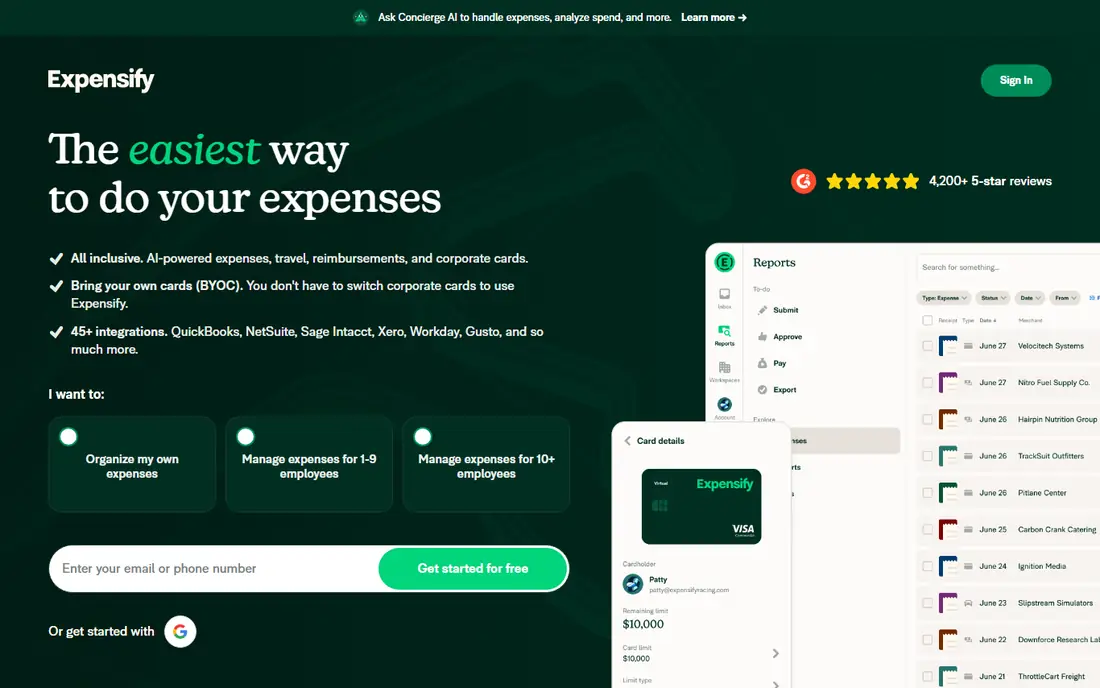
Expensify is a good first pick for a team that wants expense reports to mostly build themselves. A photo of a receipt becomes an expense entry, and managers can approve from a phone or a computer. It also handles mileage, reimbursements and travel booking, so a small team can keep several jobs in one place.
The catch is the pricing shape. The free plan covers individual use, while the Collect plan is listed at $5 per member per month and the Control plan starts at $9 per active member per month in the sources we checked. Control costs more if you do not use the Expensify Card for most spending. That still works well for teams that want to keep their current bank cards, but it is worth checking the exact terms at checkout before you commit.
- Strong receipt scanning
- Works with many existing cards
- Syncs with QuickBooks and Xero
- Higher tiers cost more without the Expensify Card
- Some features sit behind paid plans

Zoho Expense is hard to beat on entry cost. The free plan covers up to 3 users with 20 receipt autoscans per month, mileage tracking and multi-currency expenses. For a very small team, that is often enough to replace a spreadsheet and a folder of paper receipts.
Paid plans add corporate card reconciliation, multi-stage approvals and cash advances. The main limit to know is that bank account feeds are not part of Zoho Expense alone, so owners who want automatic bank imports will also need Zoho Books. If you already use Zoho products, that trade is easy. If you do not, check whether card feeds alone will cover your spending.
- Free plan for up to 3 users
- Low paid pricing
- Strong approval workflows
- Free plan caps receipt autoscans
- Bank feeds need Zoho Books

Ramp takes a different route from report-first tools. Spending happens on Ramp corporate cards, and the platform captures, codes and reconciles transactions as they occur. Employees can submit receipts by photo, text or email, and policy checks run before or soon after a purchase.
For US teams willing to standardise on one card provider, the free core plan is a strong deal. It covers cards, expense management, travel and basic bill pay, with accounting sync to QuickBooks Online and Xero. Ramp Plus, listed at $15 per user per month plus a platform fee, adds deeper ERP links and advanced workflows. Teams that must keep an existing card program should look elsewhere.
- Free core platform for card users
- Automatic coding and receipt matching
- Real time controls
- Requires Ramp cards for the free tier
- Deeper ERP features need Ramp Plus
Brex is built for companies that want finance operations in one place rather than a set of separate tools. Corporate cards, expense management, travel booking and bill pay sit together, and spending controls can be set by team, vendor or category. That structure suits a company that is adding staff and needs consistent rules across departments.
The trade is access. Brex underwrites customers and does not publish a simple per user price for every team, so you will need to talk to sales and confirm eligibility. It is also a card-first system, so it fits best when the company is ready to move spending onto Brex cards. Smaller teams that only need receipt tracking will find simpler and cheaper options above.
- Cards, expenses, travel and bill pay in one platform
- Strong controls and accounting links
- Eligibility and pricing are quote based
- Not a fit for teams that want a simple standalone tracker
QuickBooks Online is the pick when expenses are only one part of the job. Receipt capture, expense categorisation, bank feeds, invoicing and reporting all sit in the same system, so month end work does not require moving data between tools. Accountants in the US know it well, which makes handover at tax time easier.
The starting price we found for Simple Start is $38 per month for one user plus accountant access. That is more than a standalone tracker, and promotional discounts can hide the renewal price, so budget on the list price. Teams that need several users, inventory or project profitability will move to Essentials or Plus and should price that step before they start.
- Full double entry accounting
- Wide accountant support
- Bank feeds and reporting
- Simple Start covers one user
- Prices rise sharply on higher tiers
FreshBooks suits a service business where expenses usually belong to a client or a project. You can track time, log an expense, add it to an invoice and follow payment in one flow. That link between work done and money billed is the reason many freelancers and small agencies choose it over a pure expense tool.
The Lite plan is listed at $23 per month and covers a limited number of billable clients, so growing firms should check the Plus plan at $43 per month. FreshBooks is not a full double entry system in the same way as QuickBooks, and very complex accounting needs may outgrow it. For straightforward service billing, the simplicity is a strength, not a gap.
- Clean invoicing and time tracking
- Expenses link to clients and projects
- Easy to learn
- Client limits on lower plans
- Less deep accounting than QuickBooks or Xero
Xero is a strong middle ground between a simple tracker and a heavy accounting suite. Expenses, bank reconciliation, invoicing and reporting are included, and every plan allows unlimited users, which helps teams that share bookkeeping work. The interface is clean, and many accountants work in Xero daily.
The Early plan is listed at $25 per month with limits of 20 invoices and 5 bills per month, so a busy business may need the Growing plan instead. Payroll in the US runs through a partner add-on rather than being built in. If your accountant already uses Xero, that familiarity alone can save time at month end.
- Unlimited users on plans
- Strong bank reconciliation
- Large app ecosystem
- Entry plan limits invoices and bills
- Payroll needs an add-on in the US
Dext, formerly Receipt Bank, focuses on one job and does it well. It extracts data from receipts, invoices and bank statements and sends the results to accounting software such as QuickBooks, Xero and Sage. Firms that handle hundreds of documents a month use it to cut manual entry and keep client books current.
Dext is not a replacement for accounting software. You still need a ledger to receive the data, and you should confirm current pricing with the vendor, since plans are sold by document volume and user needs. For a business drowning in paper, that focused capture can be worth more than another general expense app.
- Fast receipt and bill extraction
- Publishes data to accounting tools
- Good for firms with many documents
- Pricing is not published as a simple list price
- It is a capture tool, not full accounting
How we picked these
We compared official pricing pages, plan limits, app store listings and public reviews, and we kept only tools that exist and work in October 2026 and truly handle expense tracking for US small businesses. We favoured a mix of report-first tools, card-first platforms and full accounting systems, because those are genuinely different answers to the same problem. We did not claim hands-on testing, and where a vendor did not publish a price we wrote See website rather than guessing.
What to check before you pay
Start with how money actually leaves your business. If most spending runs through employee cards you already have, a report-first tool such as Expensify or Zoho Expense will fit with less change. If you are willing to issue new company cards, Ramp or Brex can remove much of the report work, but only if the whole team adopts the card.
Count the real users and documents
Check who counts as a paid user, including accountants and approvers, and check receipt scan limits. A free plan with 20 scans a month is fine for a solo owner and too small for a team that travels weekly. Also check whether mileage, per diem, multi-currency and project tracking are included or gated behind a higher tier.
Test the accounting link
Run a small batch of real expenses through to your accounting system before you pay for a year. Confirm that categories, tax codes and vendor names arrive correctly, and that duplicate entries do not appear. A tool that looks fast on a phone but creates clean-up work in the ledger is not saving time.
Read the card and fee terms
Card-first platforms can be free at the core and still carry platform fees, foreign transaction terms or eligibility checks. Report-first tools can cost more when you keep outside cards. Ask for the renewal price after any introductory discount, and confirm what happens to your data if you cancel.
Frequently asked questions
What is the best expense tracking software for small business?
For most small teams, Expensify or Zoho Expense is the safest start, because both handle receipt scanning and approvals without forcing a card change. Ramp is a strong pick if you are happy to use its cards, while QuickBooks Online or Xero fits better when you also need full bookkeeping.
What is the best software for tracking expenses as a freelancer?
A free plan from Expensify or Zoho Expense, or a simple plan in FreshBooks or Wave-style bookkeeping, often covers a freelancer. Choose based on whether you bill clients for expenses, because FreshBooks links expenses to invoices more directly than a pure tracker does.
What is the best software to track expenses without changing bank cards?
Expensify is built for that case, since it imports feeds from many banks and card providers. Zoho Expense also works with corporate card feeds, though full bank feeds need Zoho Books. Card-first tools such as Ramp and Brex require their own cards for the core offer.
Do I need separate expense software if I use QuickBooks or Xero?
Not always. Both handle receipt capture and categorisation, and many small businesses never need a second tool. A separate tracker earns its place when you need stronger approvals, policy checks, per diem handling or high volume receipt capture that your ledger does not provide.
Is a free expense tracker enough?
For a solo owner or a team of three with few receipts, yes, especially on Zoho Expense or Expensify free plans. Larger teams usually hit scan limits, approval limits or reporting limits and need a paid plan. Count monthly receipts first, then compare that number with the plan limit.
How do card-first tools differ from report-first tools?
Report-first tools collect receipts after spending and build reports for approval and reimbursement. Card-first tools issue company cards, set limits in advance and code transactions as they happen, which can cut report work but requires moving spending to that provider.
Sources
See where you really rank - block by block
ProMapRanker scans Google Maps across a grid of your service area. Simple monthly plans from $19, white-label on every plan.
Start freeKeep reading
 zscaler alternatives
Best Zscaler Alternatives in 2026
Looking for zscaler alternatives? We compare 9 SASE and zero trust platforms on architecture, data protection, pricing, and fit for your network and team.
Read → zapier alternatives free
Best Zapier Alternatives Free in 2026
Nine automation tools for zapier alternatives free in 2026, all with genuinely free tiers, plus free plan limits, starting prices and upgrade paths explained.
Read → which platform is best for online reputation
Which Platform Is Best for Online Reputation in 2026
Wondering which platform is best for online reputation? We compare 8 review, listing, and response tools for small and multi-location businesses and agencies.
Read →