 ProMapRanker
Best Expense Tracking App Free in 2026

Key takeaways
- Expensify and Zoho Expense offer the most useful free tiers for receipt scanning and expense reports.
- PocketGuard and NerdWallet suit personal budgets, while Splitwise suits shared costs with friends or housemates.
- A genuine free tier means you can track, categorise and export without paying, not just view a demo.
- Free plans have limits on scans, users, bank connections or reports, so check the limit you will hit first.
- This is not financial advice. These tools record spending; they do not replace advice from a qualified professional.
Quick comparison
| Pick | Great for | Pricing starts at | Free tier | |
|---|---|---|---|---|
 Expensify | Free receipt scanning | Free | Yes | Visit |
 Zoho Expense | Small teams, free up to 3 users | Free | Yes | Visit |
 PocketGuard | Personal overspending control | Free | Yes | Visit |
 NerdWallet | Free financial overview | Free | Yes | Visit |
 Splitwise | Shared expenses | Free | Yes | Visit |
 Wallet by BudgetBakers | Manual budgeting | Free | Yes | Visit |
 Spendee | Shared wallets and budgets | Free | Yes | Visit |
 Toshl Finance | Simple expense logging | Free | Yes | Visit |
 Everlance | Mileage and business expenses | Free | Yes | Visit |
The best free expense tracking apps
We compared official pricing pages and app store listings, and kept only tools with a genuine free tier in October 2026. Our pick for most people is Expensify for receipts, with PocketGuard close behind for personal budgets. This is not financial advice; trading and investing carry risk, and spending tools do not change that.
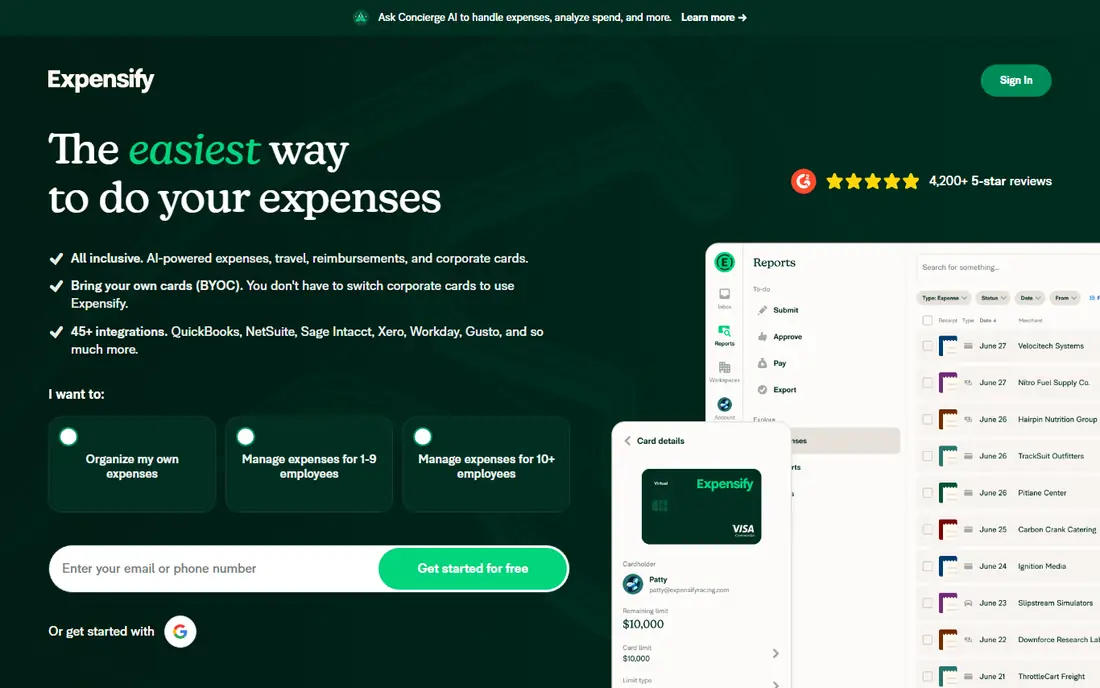
Expensify is the easiest free starting point if receipts pile up in your pocket or inbox. Photograph a receipt and SmartScan pulls out the merchant, amount and date, so you spend less time typing. Mileage tracking and expense reports are included for individual users, which suits freelancers and employees who submit occasional claims.
The free plan stops at capture and basic reports. Paid Collect plans add reimbursements, approvals and accounting integrations such as QuickBooks and Xero. If you only need to record and organise costs, the free plan goes a long way. If your company must pay you back through the same system, check the paid plan before you build a workflow around it.
- Unlimited SmartScan receipt capture on the free plan
- Mileage tracking
- Expense reports
- Reimbursements and accounting integrations need a paid plan
- Categorisation is limited on the free plan

Zoho Expense suits a tiny team that wants proper expense reports without paying at first. The free plan covers up to three users, with receipt scanning, mileage tracking and expense reporting. That is enough for a founder plus two staff, or for a household that treats spending like a small business.
The limit to watch is the monthly scan cap per user on the free plan. Heavy travellers will hit it fast, while occasional submitters will not notice it. Zoho Expense also does not replace bookkeeping software, so pair it with an accounting tool if you need profit, tax and invoicing in one place.
- Free for up to 3 users
- Receipt scanning and mileage
- Approval workflows on paid plans
- Free scans are capped per user each month
- It is an expense tool, not full accounting

PocketGuard answers a simple question: after bills and goals, how much can you spend without regret. It links accounts, tracks bills and categorises spending, then shows a clear safe-to-spend figure. That focus makes it more useful than a long transaction list for people who overspend in a few categories each month.
Bank sync is not perfect for every institution, and some users prefer manual entry for that reason. Paid Plus adds custom categories, unlimited goals and more history. The free tier still gives a useful daily view, and it is a good first step for anyone who wants control without a complex budget system.
- Shows what you can safely spend after bills
- Bill tracking
- Spending categories
- Bank connection depth varies by institution
- Advanced features need the Plus plan
NerdWallet is best known for comparison content, but its free app also tracks accounts, spending and credit score in one place. Linking bank and card accounts gives a broad view of where money goes, and the app groups spending so patterns are easy to spot. For a reader who wants one free dashboard rather than a specialist expense tool, it is a strong choice.
It is less detailed for receipt-level business expenses than Expensify or Zoho Expense. It also focuses on US accounts and products, so readers outside the US should check coverage first. Use it for personal overview, and keep a dedicated expense tool for business claims.
- Free account tracking and credit score view
- Spending insights
- No paid tier needed for basics
- US focused
- Advice content is general, not personal financial advice
Splitwise solves the shared-cost problem that personal budget apps handle badly. Add a group for a trip, a flat or a dinner, log who paid, and Splitwise works out who owes whom. The free plan covers the core splitting, groups and balances that most people need, and it avoids the awkward spreadsheet at the end of a holiday.
It is not designed to track your full personal budget or to scan business receipts. Treat it as a companion to a budget app: Splitwise for shared costs, another tool for your own spending. Paid Pro adds receipt scanning, currency conversion and deeper search, but most groups will not need it.
- Free group expense splitting
- Clear balances
- Works for trips, rent and housemates
- Not a full budget app
- Payment settlement depends on linked payment services
Wallet by BudgetBakers appeals to readers who like control over every entry. You can log spending manually, set budgets by category and watch progress through the month. Shared wallets help couples or families track joint spending without merging all accounts. Reports show trends over time, which helps spot a category that creeps up quietly.
Bank sync is stronger in some countries than others, so check your bank before relying on automatic import. Paid plans add unlimited bank connections and more history. The free tier still works well for manual budgeting, and manual entry often makes spending feel more real than automatic sync alone.
- Manual entry plus bank sync in some regions
- Budgets and reports
- Shared wallets
- Bank sync coverage varies by country
- Some reports need a paid plan
Spendee combines personal tracking with shared wallets, so a couple can track joint costs while keeping personal spending separate. Budgets are set by category, and the app shows progress with simple charts rather than long tables. That visual style suits readers who check spending once a week rather than daily.
The free plan covers core tracking, but unlimited wallets, bank sync and some reports sit in paid plans. If you need automatic bank import, confirm that your bank is supported in your country. For manual or shared-wallet tracking, the free version is a practical place to start.
- Shared wallets
- Budgets by category
- Clear visual reports
- Bank sync varies by region
- Premium features include unlimited wallets and bank sync
Toshl Finance keeps expense logging fast. Enter an amount, pick a category and move on, which matters when you log costs on the go. Budgets, bill reminders and monthly summaries help you see the month as a whole without building a complex system. The app runs on web and mobile, so entries sync across devices.
Automatic bank import is not the focus of the free plan, and some users will miss the deeper reports in paid tools. That simplicity is also the appeal: Toshl does not try to be a bank, an investment app and a budget tool at once. It logs spending well, and that is enough for many readers.
- Fast manual entry
- Budgets and reminders
- Works on web and mobile
- Bank sync is limited on the free plan
- Interface is simpler than some rivals
Everlance is built for people who drive for work. It tracks trips automatically, so mileage claims do not depend on remembering every journey at the end of the month. Receipt capture and expense reports sit alongside mileage, which suits delivery drivers, sales staff and freelancers who claim travel costs.
The free plan limits automatic trips, so heavy drivers will need the paid plan or must log trips manually. Check the current free limit before you rely on it for a full month of driving. For occasional business travel, though, Everlance gives a clear, tax-friendly record without paying at first.
- Automatic mileage tracking
- Expense and receipt capture
- Business reports
- Free mileage trips are limited
- Full features need a paid plan
How we picked these
We compared official pricing pages and app store listings in October 2026 and kept only apps with a genuine free tier that lets you track real expenses, not a short trial. We favoured tools that cover personal budgets, business receipts or shared costs, and we noted free limits honestly, including scan caps, user caps and bank sync limits. Apps without a free tier were left out, even when they are strong paid tools.
How to choose a free expense tracker
Start with the kind of spending you track most. Business receipts point to Expensify or Zoho Expense. Personal overspending points to PocketGuard or NerdWallet. Shared costs point to Splitwise or Spendee. Mileage points to Everlance. A tool that fits your main use will get used; a tool with every feature but a poor fit will sit unused after two weeks.
Next, test the free limit. Scan ten receipts, add a month of manual entries, and try to export or share a report. If you hit a cap in week one, that free plan is not really free for you. Also check bank sync in your country, since coverage varies widely, and manual entry may be more reliable than a half-working sync.
Watch the upgrade path
Many free apps upsell paid plans with better reports, bank sync or integrations. That is fine if the paid price is clear. Avoid apps that hide export behind a paywall, since your own spending data should stay portable. Set a reminder before any trial ends, and cancel if the paid features do not earn their price.
Keep your data safe
Expense apps hold sensitive financial data. Use a strong unique password, turn on two-factor authentication where offered, and review which accounts you link. Disconnect accounts you no longer use, and download an export each month as a backup.
Frequently asked questions
What is the best free expense tracking app?
Expensify is our pick for receipts, PocketGuard for personal budgets, and Splitwise for shared costs. The best free app for tracking expenses depends on whether your costs are personal, business or shared. Start with the tool that matches your main use, then test its free limit for a full month.
Is there a best free app for tracking expenses with bank sync?
NerdWallet and PocketGuard offer free account tracking in the US, while Wallet and Spendee offer bank sync in some regions on paid or limited plans. Bank coverage varies by country and institution, so test sync with your own bank before you depend on it.
What is the best free expense tracking software for a small team?
Zoho Expense is the strongest free option for a small team, with a free plan for up to three users. Expensify also works for individuals who submit reports to a company. Larger teams usually need a paid plan for approvals, reimbursements and accounting integrations.
Can I track expenses for free without linking my bank?
Yes. Wallet, Toshl Finance and Spendee all support manual entry on their free plans, and Expensify supports manual receipt capture. Manual entry takes a minute longer, but it avoids bank sync problems and gives you full control over categories.
Do free expense apps sell my data?
Policies differ, so read the privacy policy for any app you link to a bank account. Reputable apps explain what data they collect and how they use it, and let you delete your account and data. If a policy is vague, choose a different app or use manual entry only.
Sources
See where you really rank - block by block
ProMapRanker scans Google Maps across a grid of your service area. Simple monthly plans from $19, white-label on every plan.
Start freeKeep reading
 zscaler alternatives
Best Zscaler Alternatives in 2026
Looking for zscaler alternatives? We compare 9 SASE and zero trust platforms on architecture, data protection, pricing, and fit for your network and team.
Read → zapier alternatives free
Best Zapier Alternatives Free in 2026
Nine automation tools for zapier alternatives free in 2026, all with genuinely free tiers, plus free plan limits, starting prices and upgrade paths explained.
Read → which platform is best for online reputation
Which Platform Is Best for Online Reputation in 2026
Wondering which platform is best for online reputation? We compare 8 review, listing, and response tools for small and multi-location businesses and agencies.
Read →