 ProMapRanker
Best Event Check In App in 2026

Key takeaways
- Eventbrite suits simple public events, with free check-in for free events and a well-known organizer app.
- Whova and Bizzabo suit conferences, with attendee apps, session check-in, and networking alongside entry scanning.
- Cvent suits enterprise programs with complex registration, venue, and onsite needs.
- RegFox and Ticket Tailor suit budget-conscious organizers who want low per-ticket costs.
- Offline check-in matters, so test scanning with weak signal before event day, not during the first queue.
Quick comparison
| Pick | Great for | Pricing starts at | Free tier | |
|---|---|---|---|---|
 Eventbrite | Simple public events | Free | Yes | Visit |
 Whova | Conferences and associations | See website | No | Visit |
 Bizzabo | Corporate marketing events | See website | No | Visit |
 Cvent | Enterprise event programs | See website | No | Visit |
 Swapcard | Trade shows and exhibitors | See website | No | Visit |
 RegFox | Low-cost registration and check-in | See website | No | Visit |
 EventMobi | Customizable event apps | See website | No | Visit |
 Splash | Branded corporate events | See website | No | Visit |
 Ticket Tailor | Low-fee ticketing and check-in | See website | Yes | Visit |
The best event check in app
Check-in is the first moment an attendee judges your event, and a slow queue sets the tone for the day. The apps below cover that moment in different ways, from simple ticket scanning to badge printing, session tracking, and full attendee apps. Pick by event size, ticket type, and how much of the event beyond entry you need the app to handle.

Eventbrite is the simplest safe pick for public events, because organizers and attendees already know it. You create an event, sell or give away tickets, and check attendees in with the organizer app by scanning QR codes. For free events, check-in costs nothing beyond your time, which makes it ideal for community events, workshops, and small conferences.
Paid events carry per-ticket service and payment fees, so compare the total cost for your ticket price and volume. Custom branding and advanced onsite features are also limited compared with conference platforms. If your event is simple and public, though, Eventbrite keeps entry fast with little setup.
- Free for free events
- Well-known organizer app for scanning
- Built-in event discovery
- Paid event fees apply per ticket
- Customization is limited
- Advanced onsite tools need higher plans
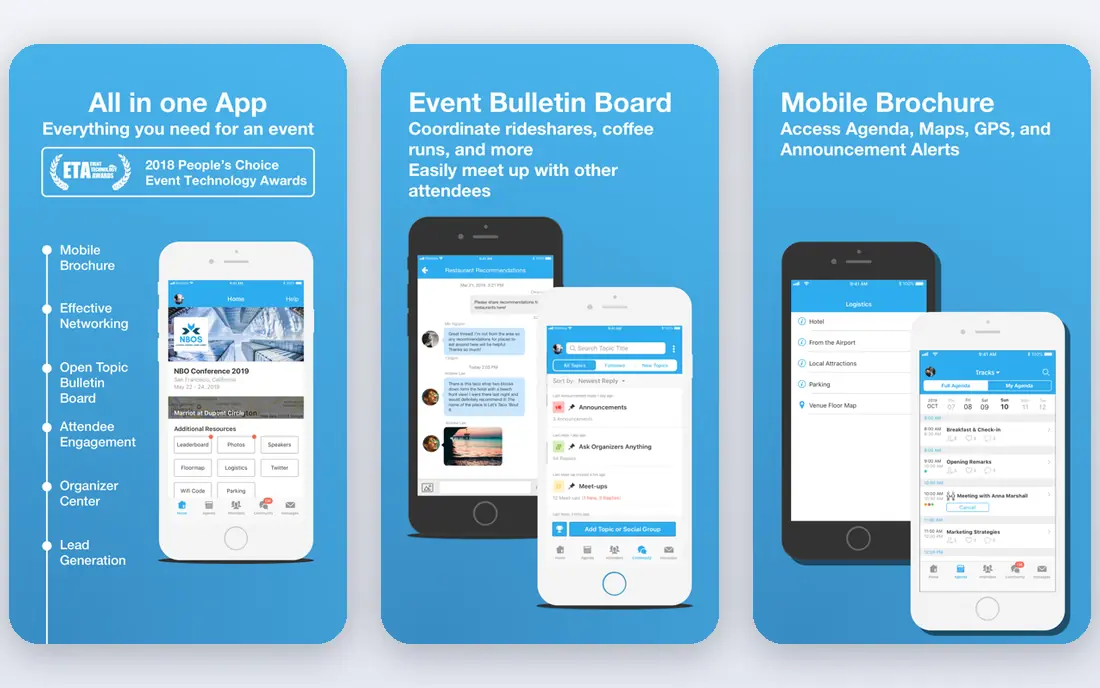
Whova suits conferences and association events, where check-in is only the start. Attendees use one app for agendas, session check-in, networking, and announcements, while organizers scan entry codes at the door. That mix reduces separate tools for entry, program, and messaging, and it suits multi-day events with many sessions.
Pricing is quote-based, so small events may find the cost hard to justify. The app also works best when attendees actually install it, so plan promotion before the event, not at the door. For a conference with sessions and networking, Whova is a strong all-in-one pick.
- Attendee app with agendas and networking
- QR code check-in
- Session tracking
- Quote-based pricing
- Setup takes time for large agendas
- Some features need attendee app adoption
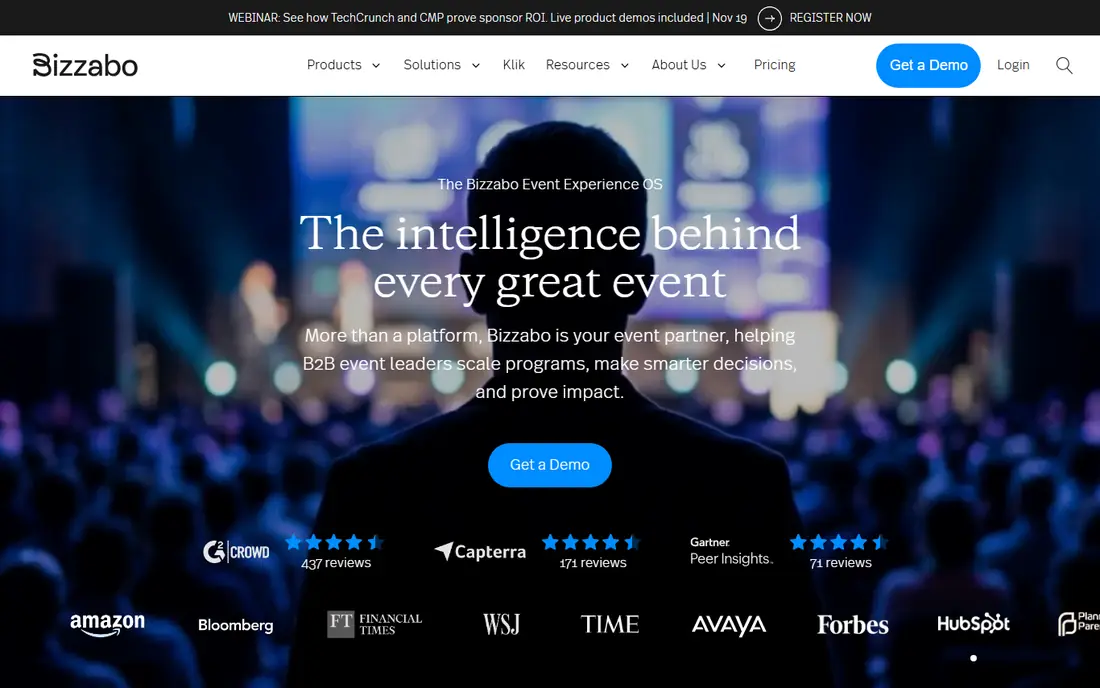
Bizzabo suits corporate marketing teams running branded events, with registration, check-in, and attendee apps under one system. Smart badge options speed entry at larger events, and integrations with CRM and marketing tools help teams follow up after the event. The polished, branded experience is the main draw for corporate events.
Pricing is enterprise-level and often annual, so small or one-off events should look at Eventbrite or RegFox instead. For a company running a regular event program, though, the branding, reporting, and integration depth can justify the cost.
- Branded registration and check-in
- Smart badge options
- CRM and marketing integrations
- Enterprise pricing
- Annual contracts in many cases
- Overkill for small events
Cvent is the broadest platform on this list, covering registration, venue sourcing, attendee management, onsite check-in, and reporting. Badge printing, session scanning, and lead capture sit in one system, which suits large conferences, trade shows, and companies running many events a year. Reporting across events is also a strength for enterprise teams.
That breadth comes with enterprise pricing and a longer setup, so simple events should not start here. Planners new to Cvent should allow time for training and template setup. For a large, complex program, Cvent is the safe enterprise choice.
- Full registration, venue, and onsite suite
- Badge printing
- Strong reporting
- Enterprise pricing and setup
- Learning curve for new planners
- Overkill for simple events
Swapcard suits trade shows and B2B events, where check-in, exhibitor lead capture, and attendee networking all matter. Attendees check in, browse exhibitors, book meetings, and scan badges, while exhibitors capture leads in the same app. That mix suits events where business meetings are as important as entry itself.
Simple events without exhibitors may find Swapcard more than they need, and exhibitor onboarding takes planning. For a trade show or B2B expo, though, the combination of entry, networking, and lead capture is hard to match with a ticketing-only tool.
- Exhibitor lead capture
- Attendee networking
- Session and entry check-in
- Trade show focus may not suit simple events
- Pricing varies by plan
- Setup needs exhibitor onboarding
RegFox suits organizers who want low costs without a monthly subscription. Registration fees are per registration, with a cap on some plans, and the check-in app scans tickets at the door. Custom forms handle conditional questions, discounts, and group registrations, which suits conferences and camps with complex sign-up needs.
Design and branding options are simpler than at Bizzabo or Cvent, and card processing fees sit on top of registration fees. For budget-conscious organizers who care more about cost and form logic than polished branding, RegFox is a strong value pick.
- Low per-registration fees
- Customizable registration forms
- Check-in app
- No monthly free plan for paid events
- Design options are simpler
- Card processing fees apply on top
EventMobi suits organizers who want a tailored attendee app, with check-in, agendas, session tracking, and networking in a branded package. Customization templates help teams match the app to event branding without building from scratch, and registration tools connect entry to the attendee record. Association conferences and multi-day events benefit most.
Setup takes design and content time, and pricing is quote-based, so allow weeks, not days, for a large event. Smaller events with a simple door list should use Eventbrite or Ticket Tailor instead. For a branded conference app, EventMobi is a flexible choice.
- Highly customizable attendee app
- Check-in and session tracking
- Registration options
- Quote-based pricing
- Setup takes design time
- Smaller events may not need the depth
Splash suits corporate teams that care about branded event pages and guest experience, from invitation through check-in. Event pages look polished, guest lists are easy to manage, and check-in tools handle entry at the door. Marketing integrations help teams track RSVPs and follow up after the event.
Splash is less of a full conference platform than Cvent or Whova, with less depth on sessions, exhibitors, and multi-day agendas. For a branded corporate event, product launch, or dinner, that focus is fine. For a large conference, pair Splash with a session tool or choose a conference platform instead.
- Strong branded event pages
- Guest list and check-in tools
- Marketing integrations
- Quote-based pricing
- Less of a full conference platform
- Enterprise focus in many plans
Ticket Tailor suits organizers who want low, predictable ticketing costs. Flat fees replace the per-ticket percentage model used by some rivals, which helps for higher-priced tickets, and a free plan covers small events. The check-in app scans tickets at the door, and the booking page is simple for attendees.
Event discovery is weaker than Eventbrite, since Ticket Tailor does not have the same public marketplace, so organizers must drive their own traffic. Advanced onsite tools like badge printing are also more basic. For an organizer with an existing audience and a tight budget, Ticket Tailor is a smart pick.
- Low flat fees rather than per-ticket percentages
- Free plan for small events
- Check-in app
- Discovery is limited compared with Eventbrite
- Customization is simpler
- Advanced onsite tools are basic
How we picked these
We compared official feature pages, pricing pages, and current event platform roundups, and we kept tools that are live in October 2026 with a real check-in app or onsite scanning feature. Tools that only handle registration without onsite check-in, or that had closed, were left out. We did not claim hands-on testing, and we did not invent prices. Where pricing is quote-based or varies by event, we wrote See website.
What to look for when you choose a check-in app
Test the whole entry flow before event day, with real tickets, real phones, and weak signal. Check offline scanning, badge printing, session check-in, and how fast staff can find a guest by name when a code fails. Confirm who owns attendee data, how it exports after the event, and whether the app handles refunds and transfers. Finally, staff the door with one more scanner than you think you need, since queues form faster than any app demo suggests.
Frequently asked questions
What is the best event check in app?
Eventbrite is the best simple pick for public events, while Whova suits conferences and Cvent suits enterprise programs. RegFox and Ticket Tailor suit budget-conscious organizers. The best app follows your event size, ticket type, and whether you need an attendee app beyond entry.
What is the best event check in software?
Check-in software and check-in apps are the same category in practice, with a web dashboard for organizers and a mobile app for door staff. Eventbrite, Whova, Bizzabo, and Cvent all offer that pair. Choose by registration complexity and onsite needs, not by whether the vendor calls it software or an app.
What are the best free event check-in apps?
Eventbrite is free for free events, and Ticket Tailor offers a free plan for small events. Free options cover basic ticket scanning, while badge printing, session tracking, and branded apps usually need a paid plan. Test the free plan with a real event before relying on it for a large crowd.
How does event check-in work?
Attendees receive a ticket with a QR code, and door staff scan that code with an app to mark the ticket as used. Staff can also search by name when a code fails or a phone battery dies. Good systems work offline and sync later, so a weak venue signal does not stop entry.
Can event check-in apps print badges?
Yes, several apps on this list support badge printing, including Cvent, Bizzabo, and Whova, subject to plan and hardware. Simple ticketing apps may only support scanning, not printing. Confirm badge printer compatibility and test a full print run before event day if badges matter to your event.
What if the venue has no internet at the door?
Use an app with offline check-in, download the guest list before the event, and test scanning in airplane mode. Eventbrite, Whova, and other major apps support offline modes, but the exact steps vary, so test with your own event data. Keep a printed guest list as a backup for any system failure.
Sources
See where you really rank - block by block
ProMapRanker scans Google Maps across a grid of your service area. Simple monthly plans from $19, white-label on every plan.
Start freeKeep reading
 zscaler alternatives
Best Zscaler Alternatives in 2026
Looking for zscaler alternatives? We compare 9 SASE and zero trust platforms on architecture, data protection, pricing, and fit for your network and team.
Read → zapier alternatives free
Best Zapier Alternatives Free in 2026
Nine automation tools for zapier alternatives free in 2026, all with genuinely free tiers, plus free plan limits, starting prices and upgrade paths explained.
Read → which platform is best for online reputation
Which Platform Is Best for Online Reputation in 2026
Wondering which platform is best for online reputation? We compare 8 review, listing, and response tools for small and multi-location businesses and agencies.
Read →