 ProMapRanker
Best Entertainment Apps in 2026

Key takeaways
- Netflix remains our pick for the widest mix of series and films, with an ad-supported tier that lowers the entry price.
- Spotify is the best all-round music and podcast app, with a free tier for casual listening and a paid tier for offline play without ads.
- YouTube and Tubi cover a large amount of free, legal entertainment, and they are the best starting point for a zero-cost setup.
- Disney+ suits families, Hulu suits current TV, and Max suits prestige drama, so the best second app depends on what you watch most.
- Most households only need two or three paid services at a time, and rotating the rest can save money without missing much.
Quick comparison
| Pick | Great for | Pricing starts at | Free tier | |
|---|---|---|---|---|
 Netflix | Series and films | $7.99 per month | No | Visit |
 Spotify | Music and podcasts | Free | Yes | Visit |
 YouTube | Free video | Free | Yes | Visit |
 Disney+ | Families and franchises | See website | No | Visit |
 Hulu | Current TV shows | See website | No | Visit |
 Max | Prestige drama and films | See website | No | Visit |
 Prime Video | Prime members | See website | No | Visit |
 Apple TV+ | Curated originals | See website | No | Visit |
 Peacock | Live sports and NBC shows | See website | No | Visit |
 Tubi | Free films and TV | Free | Yes | Visit |
The best entertainment apps
Entertainment apps now cover video, music, podcasts, and live TV, and no single app covers everything well. The best setup for most people is one anchor video service, one music service, and one or two free services for variety. We compared official app and pricing pages and current 2026 streaming guides, and we listed only legal, licensed services. Prices change often, so we use See website where a figure was not clearly current, and we note free tiers where they are a real option.
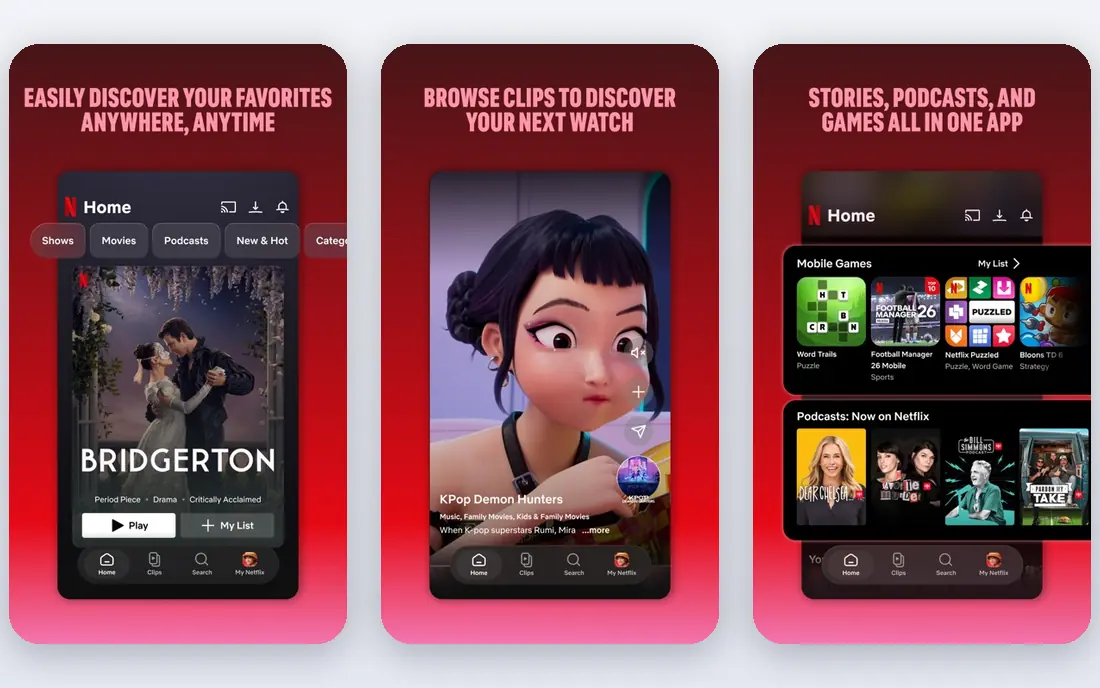
Netflix remains the anchor video service for most households because of volume and variety. Its original series and films span drama, comedy, documentaries, reality, and international titles, and the catalog is large enough that most viewers can find something without searching for long. The ad-supported tier, listed at $7.99 per month in recent guides, makes Netflix cheaper to try than the ad-free tiers, though ads interrupt viewing. Downloads on supported plans help for travel and for homes with slow connections.
The downsides are familiar: there is no free tier, prices rise over time, and licensed titles rotate out as deals expire. If you watch mainly one genre, a specialist service may give you more of what you like for less. For a general household that wants one service everyone can use, Netflix is still the safest first pick.
- Largest mix of original series and films in guides
- Ad-supported tier lowers entry price
- Downloads for offline viewing on paid plans
- No free tier
- Prices have risen over time
- Some titles leave as licenses change
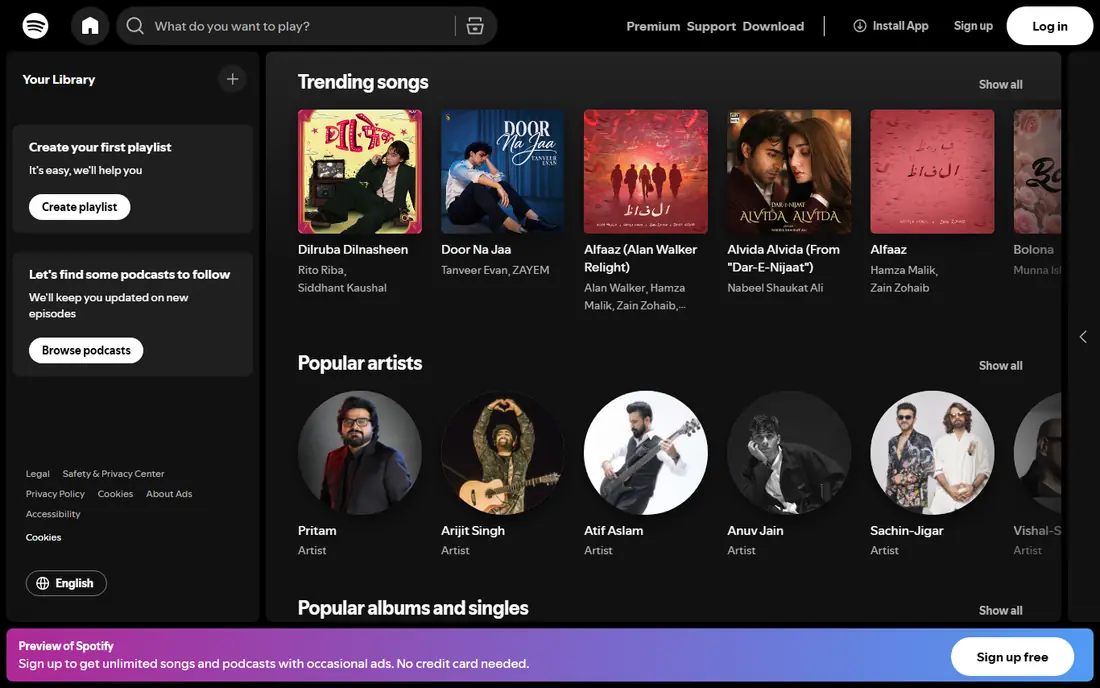
Spotify is the best all-round music app because it covers music, podcasts, and audiobooks in one place, with playlists and recommendations that learn from what you play. The free tier works for casual listening on desktop and for shuffled play on mobile, though ads interrupt and offline play is not included. Paid plans remove ads, allow offline downloads, and give full on-demand control on mobile. Family and student plans, where available, lower the per-person cost.
If you mainly listen on a phone and want full control, the free tier will feel limited, and a paid plan makes more sense. If you listen at a desk or want to try the service, the free tier is a fair test. For most listeners, Spotify is the music app to keep, with other video services added around it.
- Huge music catalog plus podcasts and audiobooks in one app
- Strong playlists and recommendations
- Free tier for casual listening
- Free tier has ads and shuffle limits on mobile
- Offline play needs a paid plan
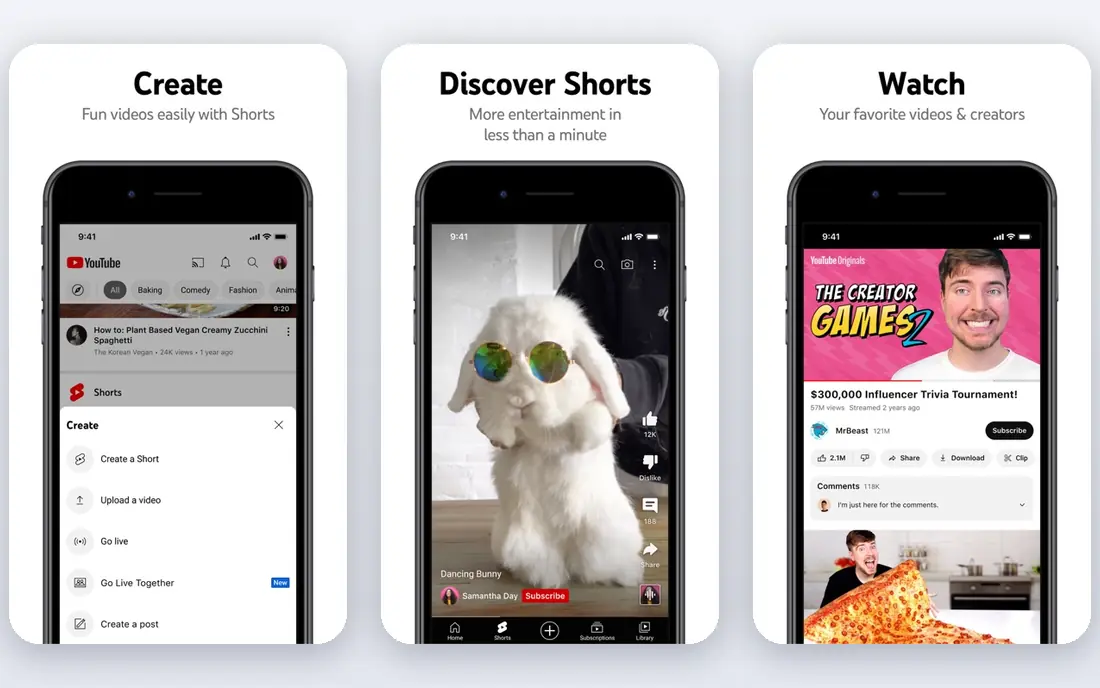
YouTube is the free backbone of many entertainment setups. It covers music videos, creator channels, live streams, how-to guides, news clips, and full shows from licensed partners, all without a subscription. The search and recommendation system makes it easy to find niche topics that paid services do not cover, from local history to repair guides. It works on phones, TVs, game consoles, and browsers, so there is almost no device barrier.
Ads are the main cost of the free tier, and quality varies, since anyone can upload. YouTube Premium removes ads and adds background play and YouTube Music, but it is an extra subscription. For a zero-cost setup, YouTube plus a free service such as Tubi covers a surprising amount. For ad-free viewing, Premium is worth considering only if you watch YouTube daily.
- Free, legal video across almost every topic
- Creators, music, live streams, and learning content
- Works on nearly every device
- Ads on the free tier
- Quality varies by creator
- Paid Premium needed for ad-free and background play
Disney+ is the family pick in this list, and it is hard to beat if your household watches Disney, Pixar, Marvel, or Star Wars. Kids profiles, parental controls, and a large back catalog of animated films make it easy for children to browse safely. National Geographic documentaries add variety for adults, and new original series keep the service fresh. Video quality is strong, with 4K available on many titles and supported devices.
Adults without children may find the catalog narrow compared with Netflix or Max, since franchise titles dominate. There is no free tier, so Disney+ is a paid add-on, not a free backup. For families, it is often the second service after Netflix. For solo adults, it makes sense mainly if you follow one of its franchises closely.
- Disney, Pixar, Marvel, Star Wars, and National Geographic in one place
- Strong kids profiles and parental controls
- 4K on many titles
- No free tier
- Catalog is franchise-heavy, so adults without kids may use it less
Hulu suits viewers who want to keep up with current TV without cable. Many broadcast shows appear the next day, and Hulu originals add drama, comedy, and documentaries that are not on other services. The base tier includes ads, while an ad-free tier removes most ads, though some titles still show promos. An optional live TV add-on covers sports and news, but it raises the price to cable-like levels.
If you mainly watch prestige drama or films, Max or Netflix may fit better. If you want to follow current-season shows and talk about them the next day, Hulu is the strongest pick. Check which shows are included in your plan, since availability changes with licensing deals.
- Next-day episodes for many broadcast shows
- Strong original series
- Optional live TV add-on
- Ads on the base tier
- Catalog varies by plan
- Live TV add-on raises the price a lot
Max is the quality-over-quantity pick, built around HBO originals and Warner Bros. films. Its drama, limited series, and documentaries are consistently strong, and the film catalog includes recent theatrical releases and classics. For viewers who prefer a smaller set of excellent shows over endless browsing, Max feels focused. Streaming quality is high on supported devices, with 4K available on higher tiers.
The catalog is smaller than Netflix, so heavy viewers may run through new titles faster. There is no free tier, and the ad-free and 4K tiers cost more than the base tier. Max works best as a second service for drama lovers, or as a rotating service you subscribe to for a few months when a new season arrives.
- HBO originals plus Warner Bros. films
- Strong drama and documentary catalog
- High-quality streaming on supported devices
- Smaller catalog than Netflix
- No free tier
- Price varies by ad and quality tier
Prime Video is the best value video service for people who already pay for Amazon Prime, since it is included with that membership. Original series and films cover drama, comedy, and genre titles, and the licensed catalog adds films and older TV shows. Thursday Night Football and other live sports, where available, add value for sports fans. You can also rent or buy new releases that are not included with Prime.
The interface is the main complaint, since included titles, rentals, and channel add-ons sit together and can confuse browsing. A standalone Prime Video subscription is also available for non-Prime members, though the price should be checked on the official page. If you already have Prime for shipping, use Prime Video first before paying for another service.
- Included with Amazon Prime membership
- Strong originals plus licensed films
- Rent and buy options for new releases
- Interface can feel cluttered
- Some titles need extra rental or channel subscriptions
Apple TV+ takes a different approach: a smaller, curated catalog of original series and films, with no ads and strong production quality. Its drama, comedy, and documentary originals have won attention, and the service works well on Apple devices and many TVs. For viewers who want a few excellent shows rather than endless choice, Apple TV+ is appealing, and it is easy to rotate in for a month or two.
The small catalog is the limit. Heavy viewers will finish new titles quickly, and there is no large licensed back catalog to fall back on. Apple TV+ works best as a rotating second service, or as part of an Apple bundle if you already use other Apple services. Check the current price on the official page, since bundle pricing changes the value.
- High-quality original series and films
- No ads on the service
- Strong 4K and audio quality
- Smaller catalog than larger rivals
- No large back catalog of licensed shows
Peacock suits viewers who watch NBC shows, Bravo reality, and live sports. Sunday Night Football, Premier League matches, and other live events, where available, make Peacock a sports add-on as well as a TV service. The catalog includes classic NBC comedies, current shows, and originals, though it is narrower than Netflix or Hulu. Lower tiers keep the entry price down, with ads.
Ads on lower tiers and tier limits on sports are the main downsides. If you do not watch live sports or NBC shows, Peacock may not earn a permanent slot. If you do, it is a useful seasonal service, especially during football season, and it can be rotated out when the season ends.
- NBC shows, Bravo, and live sports including NFL and Premier League where available
- News and reality catalog
- Lower entry tiers
- Ads on lower tiers
- Catalog is narrower than Netflix
- Some sports need higher tiers
Tubi is the best free film and TV app in this list, with a large licensed catalog that costs nothing beyond watching ads. It covers older films, classic TV, documentaries, and a growing set of originals, all legally licensed. The app works on most smart TVs, phones, and streaming devices, so it is easy to add to any setup. For a household trying to cut paid subscriptions, Tubi plus YouTube covers a lot of viewing time.
Ads are the trade-off, and newer theatrical releases are limited, since Tubi focuses on catalog titles. The catalog also rotates, so a film you plan to watch may leave. Still, as a free service, Tubi is hard to fault. Keep it installed even if you pay for Netflix or Disney+, since it fills gaps without adding to your bill.
- Completely free and legal
- Large catalog of films and TV shows
- Works on many TVs and devices
- Ads interrupt viewing
- Newer releases are limited
- Catalog rotates
How we picked these
We compared official app and pricing pages and current 2026 streaming guides, favoring legal, licensed services that work in the US in October 2026. We included paid anchors, family and sports options, and free services, so readers can build a setup at different budgets. We did not list piracy tools or unlicensed streaming sites, and we did not invent catalog sizes or prices. Check the official page for your plan, since prices, ads, and title availability change often.
How to build a setup without overspending
Start with one anchor video service and one music service, then add free services for variety. Netflix covers the most general ground, Spotify covers music and podcasts, and YouTube and Tubi add free video without a bill. Add a second paid video service only if you watch its specific content weekly, such as Disney+ for kids, Hulu for current TV, or Max for prestige drama.
Rotate the rest. Services with smaller catalogs, such as Apple TV+ and Peacock, work well for a month or two at a time: subscribe, watch what you want, cancel, and switch to another service. Check your subscriptions every few months and cancel any service you have not opened in the past month. That habit saves more money than chasing a bundle that includes services you do not use.
Frequently asked questions
What are the best entertainment apps right now?
Netflix, Spotify, and YouTube cover the most ground right now, with Netflix for series and films, Spotify for music and podcasts, and YouTube for free video. Disney+ suits families, Hulu suits current TV, and Max suits prestige drama. Tubi is the best free film and TV app. The best mix depends on whether you watch mainly video, music, or both.
What is the best entertainment app for free?
YouTube is the best free entertainment app overall, thanks to its range of creators, music, and learning content. Tubi is the best free app for films and TV shows, with a large licensed catalog supported by ads. Spotify Free also works for casual music listening, though ads and mobile limits apply.
What is the best app for entertainment on a TV?
Netflix, Disney+, Hulu, Max, Prime Video, Peacock, YouTube, and Tubi all offer TV apps on most smart TVs and streaming devices. Spotify also offers a TV app for music and podcasts. Pick the service whose catalog you watch most, since TV app quality is similar across the major services, and check that your TV model supports the app you want.
Can I replace cable with entertainment apps?
Yes, for many viewers, a mix of on-demand services plus a live TV option can replace cable. Hulu with live TV, YouTube TV, and Peacock cover live sports and news for many households, though live TV add-ons cost more than on-demand plans alone. Check which channels and sports you actually watch before you cancel cable, since live rights vary.
How many entertainment apps should I pay for?
Most households only need two or three paid services at a time. Keep one anchor video service and one music service year-round, and rotate other video services for a month or two when new seasons arrive. Cancel any paid app you have not used in the past month, and use free apps such as YouTube and Tubi to fill gaps.
Sources
See where you really rank - block by block
ProMapRanker scans Google Maps across a grid of your service area. Simple monthly plans from $19, white-label on every plan.
Start freeKeep reading
 who has the best home internet service
Who Has the Best Home Internet Service in 2026
Who has the best home internet service in 2026? Compare fiber, cable, and 5G providers on speed, price, data caps, and availability at your address today.
Read → visio alternatives
Best Visio Alternatives in 2026
Compare 9 Visio alternatives for flowcharts, org charts, and network diagrams, with free plans, pricing, and the best pick for teams and solo users in 2026.
Read → top 10 logistics software
Top 10 Logistics Software in 2026
We compared the top 10 logistics software tools for transport, warehousing, visibility and shipping, for shippers, carriers and 3PL teams in 2026 today.
Read →