 ProMapRanker
2026 Guide to the Best Enterprise Browser Platforms

Zero-day threat prevention and secure access · Pricing starts at: See website
Direct answer
Menlo Security Secure Enterprise Browser is the first pick on this list for zero-day threat prevention and secure access. Listed starting prices: Chrome Enterprise from $6 per user monthly and BrowserStack from $29 a month. Firefox Enterprise is the stronger choice for open-source browser with enterprise customization, while Citrix Enterprise Browser suits Citrix environments needing secure app access. The full list of 6 tools follows, with prices and free plan facts.
ProMapRanker compared 6 enterprise browser platforms. The goal is a practical shortlist: published prices, free plan facts, best-fit use cases and honest limits for every entry.
Key takeaways
- This list starts with Menlo Security Secure Enterprise Browser, which is built for zero-day threat prevention and secure access.
- Citrix Enterprise Browser comes with a trade-off: most useful for existing Citrix customers.
- Chrome Enterprise has the lowest monthly starting price in this list: $6 per user monthly.
- Chrome Enterprise stands alone as the one tool in this list with a free plan.
Quick comparison
| Pick | Great for | Pricing starts at | Free tier | |
|---|---|---|---|---|
| Menlo Security Secure Enterprise Browser | Zero-day threat prevention and secure access | See website | Not stated | Visit |
 Firefox Enterprise | Open-source browser with enterprise customization | See website | Not stated | Visit |
 Citrix Enterprise Browser | Citrix environments needing secure app access | See website | Not stated | Visit |
 Chrome Enterprise | Firms using Google's ecosystem | $6 per user monthly | Yes | Visit |
 Island | Thorough control plane for human and AI workers | See website | Not stated | Visit |
 BrowserStack | Cross-browser testing on real devices | $29 a month | Free trial | Visit |
Enterprise Browser Platforms compared in detail
Menlo Security Secure Enterprise Browser
Great for: Zero-day threat prevention and secure access
For zero-day threat prevention and secure access, Menlo Security Secure Enterprise Browser is a natural candidate. Verify deployment requirements on the vendor site. It is aimed at organizations prioritizing solid threat defense and secure access to applications.
Organizations seeking a more standard browser with management features might prefer Chrome Enterprise or Edge for Business. Menlo's solution may involve changes to network architecture and could be complicated to integrate. Menlo Security Secure Enterprise Browser shows no starting price here, so confirm the cost on the vendor site. Free access: Not stated.
Trade-offs to know: Centred on security instead of general browsing features.
- Zero-day threat prevention
- Unified product for data security
- May need network changes
Choose Firefox Enterprise for open-source browser with enterprise customization. It is built on open-source principles and emphasizes privacy, making it a fit for firms that value these aspects.
Honest limits: May lack some advanced enterprise features.
Check the vendor site for Firefox Enterprise pricing; none is listed in this comparison. Trial and free access: Not stated.
- Privacy-focused
- Configurable for enterprise needs
- Less integrated with typical enterprise ecosystems
Citrix Enterprise Browser was built for Citrix environments needing secure app access. Consider Island or Chrome Enterprise for broader enterprise browser needs. Beyond that, Citrix Enterprise Browser is part of the enhanced Citrix system, which centres on secure, scalable, and high-performing IT options.
It supports Zero Trust frameworks and application delivery, making it a fit for organizations already using Citrix for virtual apps and desktops. For organizations not using Citrix, the browser may offer restricted benefits compared with standalone choices. It may also need Citrix infrastructure to function completely. Citrix Enterprise Browser does not show a starting price in this comparison, so check the vendor site for current pricing. Free plan details: Not stated.
Where it falls short: Most useful for existing Citrix customers.
- Integrates with Citrix system
- Supports Zero Trust frameworks
- May need Citrix infrastructure
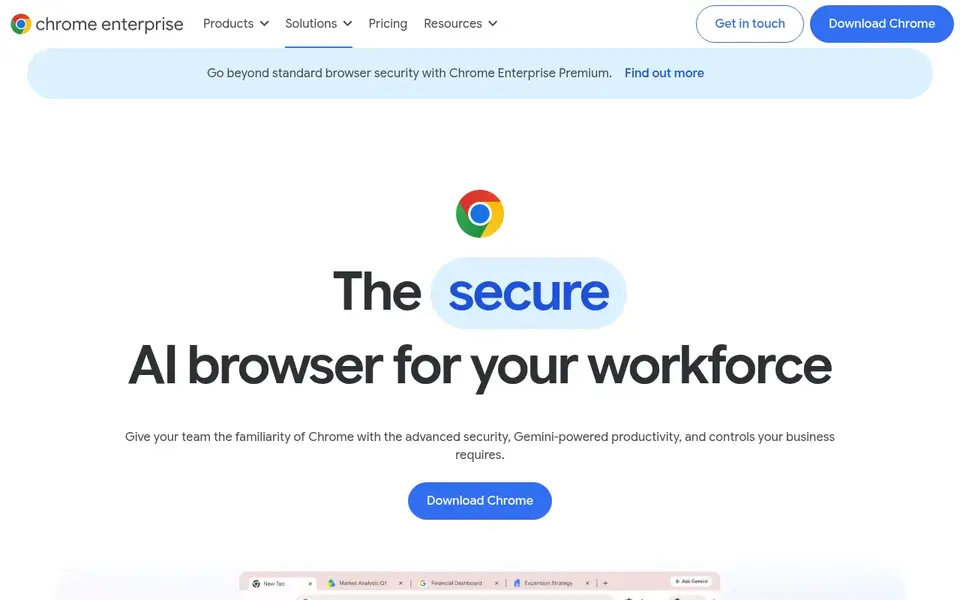
Chrome Enterprise targets companies using Google's ecosystem. Chrome Enterprise is presented as a trusted enterprise browser that adapts to your business, enables your workforce, and protects corporate data.
Trade-offs to know: Advanced features may need extra setup.
If your organization relies heavily on Microsoft services, Edge for Business might integrate more smoothly. In daily use, confirm compatibility with your existing tools on the vendor site. Chrome Enterprise pricing: $6 per user monthly. A free plan is available with Chrome Enterprise.
- Guards corporate data
- Trusted enterprise browser
- May be less right for non-Google environments
Island was built for full control plane for human and AI workers. Island Platform is described as the frontier control plane for human and AI workers. It makes it possible for, governs, and guards work across endpoint, network, data, and identity.
This makes it a fit for organizations seeking a unified approach to secure and handle diverse work environments, particularly those integrating AI tools. In practice, Island may be complicated to deploy and could be overkill for smaller firms. On top of that, verify integration requirements and support for your existing infrastructure on the vendor site. This comparison lists no price for Island; ask the vendor. Free options: Not stated.
Limits to weigh: May need significant configuration.
- Frontier control plane approach
- Makes it possible for and protects work for human and AI workers
- Concentrated on enterprise-scale deployments
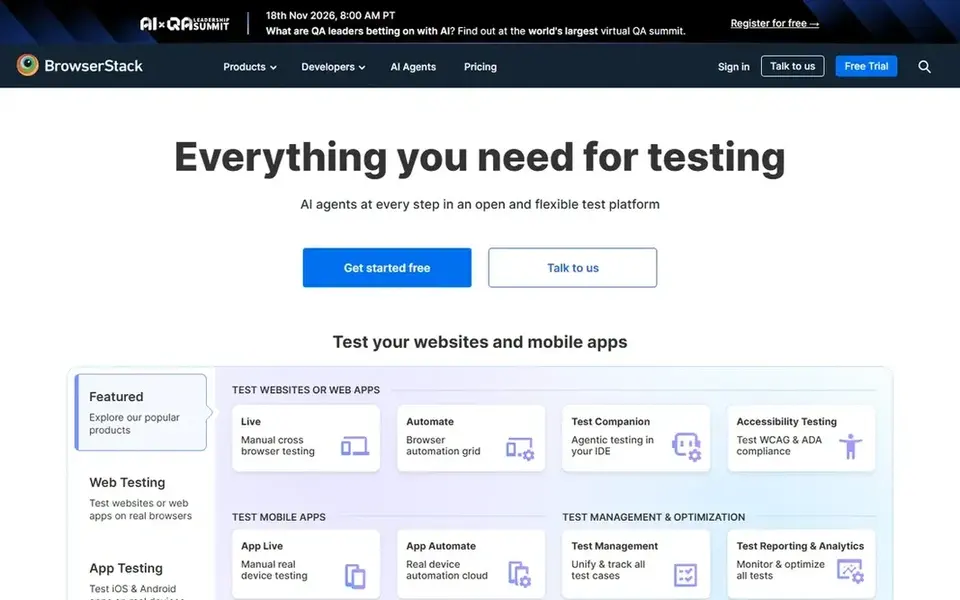
Think of BrowserStack for cross-browser testing on real devices. BrowserStack is a steady app and cross-browser testing product that gives you instant access to a large number of browsers and real iOS and Android devices. It is used by developers to test websites and apps for compatibility, not as a browser for general enterprise work.
Use BrowserStack for testing purposes only. BrowserStack is not meant to replace an enterprise browser for security and management. BrowserStack cost at the entry level: $29 per month. As for free access: Free trial.
Trade-offs to know: Concentrated on testing instead of secure browsing.
- Instant testing
- Access to many different browsers and devices
- Not an enterprise browser for daily use
How the list was put together
The comparison looks at four things: starting price, free access, how well the feature set matches enterprise browser platforms, and the main limit of each tool. Plan names, prices and limits change often. Treat the figures here as a starting point and verify them with the vendor. Position on the page reflects fit for a typical buyer first, with price clarity and free access breaking ties. Treat it as a guide, not a ruling.
Things to verify first
- Confirm the entry price on the vendor page. For Menlo Security Secure Enterprise Browser, Firefox Enterprise, Citrix Enterprise Browser and Island that means a quote rather than a fixed price.
- Test the free plan from Chrome Enterprise against your real workload before relying on it.
- Use real work to test the free trial from BrowserStack, rather than a demo project.
- Read the limits listed for Menlo Security Secure Enterprise Browser first: may need network changes.
- Find out what support Chrome Enterprise includes on your plan, and whether onboarding help costs extra.
- Ask whether Menlo Security Secure Enterprise Browser integrates with your current software, and whether that comes standard or as an add-on.
Frequently asked questions
How do I choose the best enterprise browser for my company?
This list starts with Menlo Security Secure Enterprise Browser, which fits zero-day threat prevention and secure access. For other needs, Firefox Enterprise is aimed at open-source browser with enterprise customization, and Citrix Enterprise Browser at Citrix environments needing secure app access. Check each tool's price and main limit first.
Are enterprise browsers compatible with all web applications?
Most enterprise browsers are built on typical engines like Chromium or Gecko and aim for wide compatibility. That said, some specialized applications may need specific configurations.
Can enterprise browsers replace traditional security tools?
Enterprise browsers can offer significant security controls, like data loss prevention and threat protection, but they may not replace all traditional security tools. They are frequently part of a layered security strategy.
Can I try these options before paying?
Often, yes. Chrome Enterprise has a free plan and BrowserStack offers a free trial. Use your own data and a real task during the test, and check what the free tier or trial limits before you rely on it.
Is Menlo Security Secure Enterprise Browser the right pick for everyone comparing enterprise browser platforms?
No single tool suits every team. Menlo Security Secure Enterprise Browser comes first because it fits zero-day threat prevention and secure access, while Firefox Enterprise suits open-source browser with enterprise customization and Citrix Enterprise Browser suits Citrix environments needing secure app access. Match the tool to your own size, budget and workflow before deciding.
What is the cheapest option for enterprise browser platforms in this list?
On published monthly entry prices, Chrome Enterprise is the lowest here at $6 per user monthly. Entry price is only part of the cost, because seats, add-ons and billing terms can change the total.
Sources
See where you really rank - block by block
ProMapRanker scans Google Maps across a grid of your service area. Simple monthly plans from $19, white-label on every plan.
Start freeBrowse all guides
← 2026 Guide to the Best E-Learning Platform for Trade Schools
 best digital learning platforms
2026 Guide to the Best Digital Learning Platforms
Searching for the best digital learning platforms? Here are 5 options with prices and free plans. Fit, price and catches for every tool. Read before you buy.
Read → best serverless cloud platform
Best Serverless Cloud platform: 2026 Prices and Picks
7 products for the best serverless cloud platform, ranked by fit, with starting costs and free tiers. Short, factual notes on every option. Jump to the table.
Read → best platforms for usability testing analysis
Best Platforms for Usability Testing Analysis (2026)
Best platforms for usability testing analysis in 2026: 6 contenders with entry costs and free tiers. Each pick lists its main limit. Budget notes included.
Read → free broken link checker
Free Broken Link Checker: A Complete Guide
Everything you need to know about free broken link checker: what it is, why it matters for local SEO, and exactly how to act on it.
Read → best antivirus software in india
Antivirus Software in India Buyer's Guide
Best antivirus software in india, compared. 6 tools with published prices, free plans and limits. Verdicts stay brief and factual. Updated November 2026.
Read → meta title checker
Meta Title Checker: A Complete Guide
Everything you need to know about meta title checker: what it is, why it matters for local SEO, and exactly how to act on it.
Read →More in Developer Tools · All guides A to Z by date · Latest guides