 ProMapRanker
Best Employee Tracking App in 2026

Key takeaways
- Hubstaff gives the lowest published starting price on this list for small remote teams, at $4.99 per user per month billed annually.
- ActivTrak is the clearest free starting point, with a free plan for up to 3 users, while most rivals offer a trial only.
- Teramind sits at the strict end of the list, with security controls and a 5-seat minimum that suit regulated teams more than tiny ones.
- Clockify works best when you want time tracking without screen monitoring, and it keeps a genuinely free plan for unlimited users.
- Tell staff what is tracked before you switch anything on, and check local law, because consent and notice rules vary by place.
Quick comparison
| Pick | Great for | Pricing starts at | Free tier | |
|---|---|---|---|---|
 Hubstaff | Remote and field teams | $4.99 per user per month | Free trial (14 days) | Visit |
 Time Doctor | Remote teams needing payroll links | $6.67 per user per month | Free trial (14 days) | Visit |
 ActivTrak | Workforce analytics for small teams | Free | Yes | Visit |
 Teramind | Security and insider risk control | $14 per seat per month | Free trial (7 days) | Visit |
 Insightful | Transparent workforce analytics | See website | Free trial (7 days) | Visit |
 DeskTime | Automatic time tracking | $6.42 per user per month | Free trial (14 days) | Visit |
 Monitask | Small remote teams and freelancers | $6.49 per user per month | Free trial (10 days) | Visit |
 Clockify | Simple time tracking without monitoring | Free | Yes | Visit |
 WorkTime | Privacy-conscious attendance tracking | $6.99 per user per month | Yes | Visit |
The best employee tracking apps
We compared tools that record time, activity, or both, and we kept only tools that are still sold and supported in October 2026. The right pick depends less on the longest feature list and more on how much monitoring your team will accept.
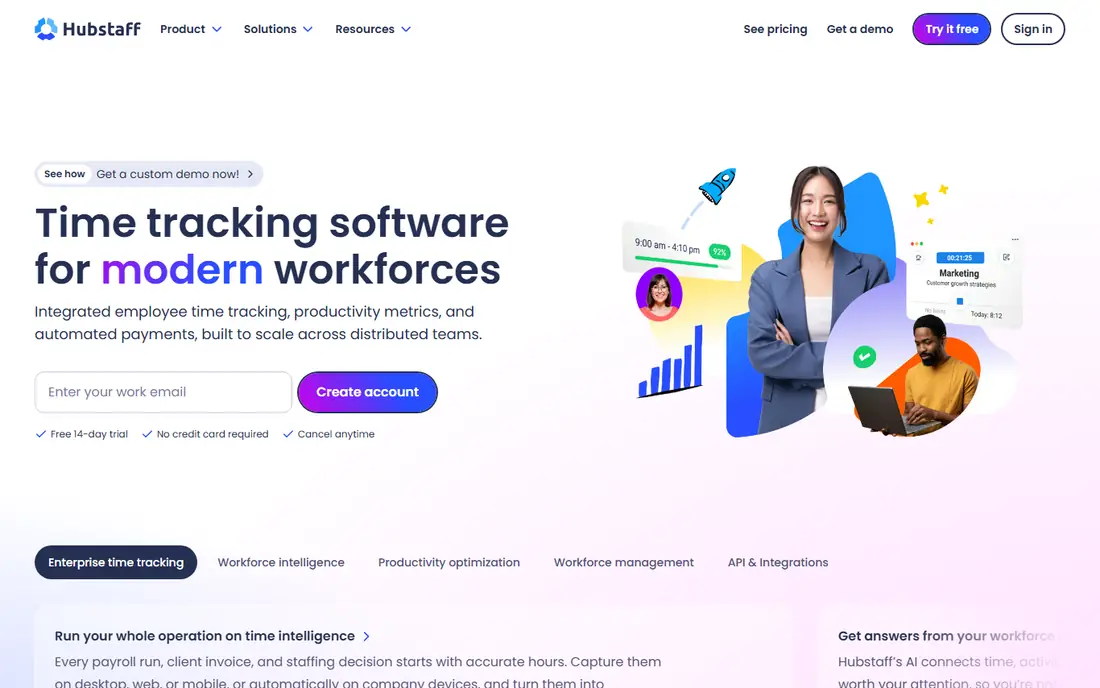
Hubstaff fits teams that split time between desks and job sites. Managers get timers, activity levels, GPS routes, and timesheets in one place, and payroll can draw on the same hours instead of a separate spreadsheet. That link between time and pay is the main reason small agencies and contractors pick it first.
The catch is discipline. Turn on every monitoring option at once and you will spend more time explaining the tool than using it. Start with time, GPS, and project tracking, then add screenshots only for roles where clients or contracts require proof of work. A written policy shared before rollout makes that conversation much easier.
- GPS tracking for field staff
- Payroll and invoicing links
- Optional screenshots with clear settings
- Advanced features sit on higher plans
- Screenshot tools can feel intrusive if used without notice
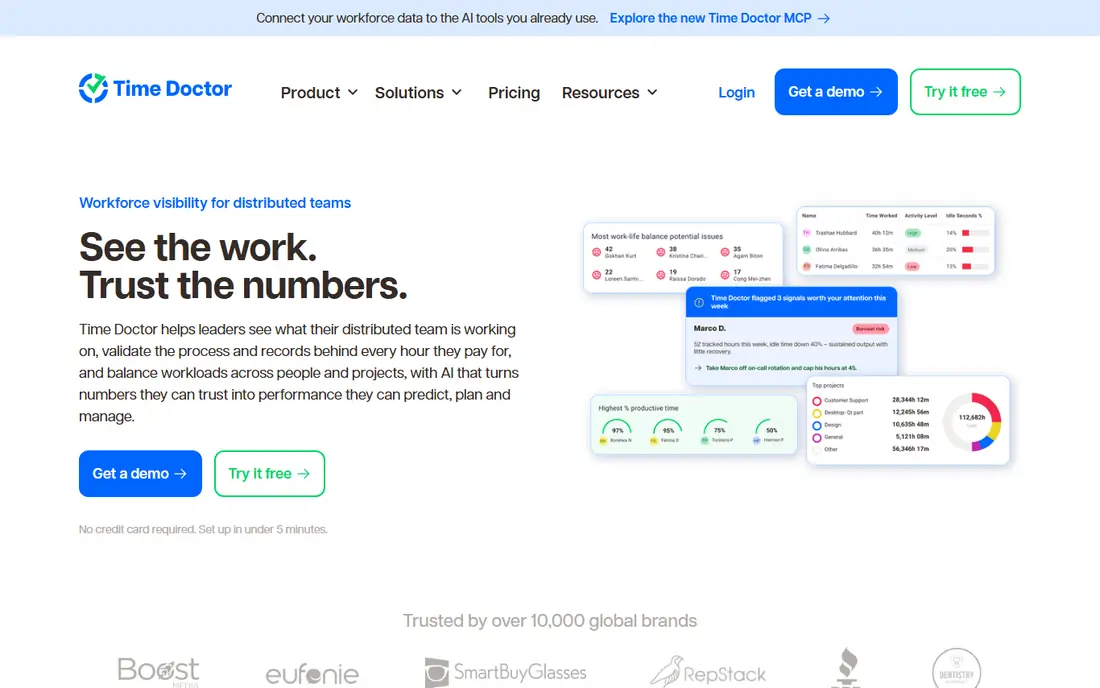
Time Doctor suits remote teams that need clean, auditable hours. Staff start a timer, the tool records app and website use, and managers see where the day went without chasing timesheets on Friday afternoon. Payroll features then turn approved hours into payments, which helps teams spread across time zones.
Its strength can also be its weakness. Detailed records are useful for billing, but they can feel like surveillance when a manager checks them daily for individuals rather than weekly for patterns. We suggest reviewing team trends first and keeping individual checks for billing questions or agreed performance reviews.
- Detailed time and payroll reports
- Distraction alerts
- Integrations with common project tools
- No free plan
- Monitoring depth needs careful setup to avoid staff pushback

ActivTrak takes a different angle from classic monitoring tools. It leans toward workforce analytics, showing which apps and sites take up the day and where workloads look uneven across a team. For a manager trying to fix overload or spot a bottleneck, that view is more useful than a pile of screenshots.
The free plan makes a pilot easy, but read the paid tiers before you grow. Essentials starts at $10 per user per month billed annually, and extras such as screen details, API access, and longer history add monthly cost per user. Pilot with the free tier, list the add-ons you truly need, and price the full setup before you commit.
- Free plan for up to 3 users
- Team-level productivity trends
- No keystroke focus in its main pitch
- Paid plans are billed annually with a 5-user minimum
- Screenshots and add-ons raise the real cost
Teramind is the tool on this list for teams where data protection matters more than simple timekeeping. Banks, health providers, outsourcing firms, and other regulated teams use its rules to flag risky behaviour, block defined actions, and keep a record when something goes wrong. It is built for investigations, not just timesheets.
That power comes with responsibility and cost. The starter plan starts at $14 per seat per month billed annually with a 5-seat minimum, and a short trial means you should test rules on a small group first. If your main need is hours and invoices, this is more tool than you need, and a lighter tracker will cost less and cause less friction.
- Behaviour rules and alerts
- Data loss prevention controls
- Detailed session records for investigations
- 5-seat minimum on the starter plan
- Heavier setup and admin time than lighter trackers
Insightful, formerly known under the Workpuls name, positions itself as a transparent option for remote and hybrid teams. It combines time tracking with app and website activity, attendance, and productivity reporting, so managers do not need a separate timer and a separate monitor. Teams that want one dashboard tend to settle here quickly.
Transparency is the point to test in a trial. Show staff exactly which reports managers see, agree what will not be tracked, and keep the settings visible after rollout. The 7-day trial is short, so plan the test in advance: pick two teams, run a normal week, and judge the reports on decisions they helped you make.
- Employee monitoring plus time tracking in one tool
- Clear activity and productivity reports
- Remote team focus
- Pricing varies by plan and billing term, so confirm the current page
- No long free tier
DeskTime appeals to people who forget timers. It records app and document use automatically, sorts time into productive, unproductive, and neutral categories, and builds timesheets from that record. For an office team that wants less admin, that automatic approach removes the main daily chore of time tracking.
The trade-off is control. Automatic categories need tuning, because a research site or a client portal can land in the wrong bucket on day one. Spend the first week correcting categories and checking the reports with the team. Once the categories match real work, the tool mostly runs itself.
- Automatic tracking with no timer to press
- Absence and shift views
- Simple reports for small teams
- Screenshot options are limited compared with dedicated monitors
- Annual billing gives the lowest price
Monitask keeps the pitch simple: track time, see screenshots, check activity, and pay freelancers from the same record. Small remote teams and agencies that hire contractors by the hour often want exactly that, without an enterprise rollout. Setup is quick, and the dashboard stays readable even when several projects run at once.
It is not built for large compliance programmes. If you need deep data loss controls, detailed policy rules, or long audit trails, look at Teramind or ActivTrak instead. For a team of a handful of people who need honest hours and visible work, Monitask covers the job at a fair starting price.
- Straightforward screenshots and activity tracking
- Freelancer and contractor friendly
- Simple pricing tiers
- Shorter trial than some rivals
- Fewer enterprise controls than Teramind or ActivTrak
Clockify belongs on this list for a different reason: many teams ask for employee tracking when they really need time tracking. If the goal is billable hours, project costs, and attendance, Clockify does that without recording screens or keystrokes. Staff accept it faster, and managers still get the numbers they need for payroll and quotes.
The honest limit is clear. You will not get app monitoring, screenshots, or behaviour alerts here, so it cannot prove what someone did minute by minute. Pair it with clear deliverables and regular check-ins instead. For trust-based teams, that combination often works better than a monitor nobody likes.
- Free plan for unlimited users
- Timer, timesheet, and calendar views
- Easy project and client tracking
- No built-in employee monitoring features such as screenshots
- Paid features focus on admin and reporting
WorkTime markets itself as a less invasive monitor, and that framing matters in workplaces with unions, works councils, or staff who push back on surveillance. It tracks attendance, login and logout times, active and idle time, and app use at a summary level, rather than building a detailed record of screen content. Managers still see who worked, when, and on what kind of task.
The limit follows from that choice. Teams that need forensic detail after a security incident will find WorkTime too light, and should look at Teramind. Teams that want fair attendance records without reading staff screens will find the balance about right, and the free option lets you test that balance before paying.
- Focus on attendance and active time rather than content capture
- Straightforward reports
- Free option to test
- Less detail for teams that need deep monitoring
- Feature depth varies by plan
How we picked these
We compared official pricing pages, feature pages, and app store listings for tools that are still sold in October 2026, and we favoured tools with published prices and a clear monitoring approach. We kept a mix of light time trackers, workforce analytics tools, and strict security monitors, because one level of monitoring does not fit every workplace. Where pricing varied by billing term or add-on, we used the published starting figure and noted the catch in the write-up.
What to decide before you buy
Start with the problem, not the tool. A team that bills by the hour needs accurate timers and payroll links. A team worried about data leaks needs rules, alerts, and audit records. A team that mostly needs to know who is working needs attendance and project hours. Buying a strict monitor for a billing problem creates friction, and buying a light timer for a security problem leaves a gap.
Privacy and consent note: tell staff in plain language what is tracked, what is not tracked, who can see the reports, and how long records are kept. Follow local law in every place your staff work, because notice and consent rules differ by state and country, and secret monitoring is unlawful in many places. Put the policy in writing, share it before installation, and review the settings together after the first month.
Test with a small group first, and judge the tool on decisions, not dashboards. Good questions for a trial are simple: did billing get faster, did managers spot overload sooner, and did staff understand what was recorded. If the answer is no after two normal weeks, the tool is wrong for that team, even if the price looked right. Check contract terms too, including minimum seats, annual billing, and how cancellation works.
Frequently asked questions
What is the best employee tracking app for a small team?
For most small teams, Hubstaff or ActivTrak make the best starting points, for different reasons. Hubstaff links time to payroll and field work at a low starting price, while ActivTrak offers a free plan for up to 3 users and team-level analytics. Pick Hubstaff for billing and field teams, and ActivTrak for office analytics.
What is the best employee monitoring software in India?
The same shortlist applies, but check data rules, support hours, and payment options for India before you buy. Hubstaff, Time Doctor, and DeskTime all serve distributed teams and publish per-user pricing, which suits agencies and remote teams in India. Confirm local privacy law and employee notice requirements with local advice, since rules differ from US practice.
Which employee tracking software has the best reviews?
We did not rank by a single review score, because scores change and review sites weight features differently. ActivTrak, Hubstaff, and Time Doctor are the most widely reviewed names on this list, and each suits a different need. Read recent reviews for your team size and use case, and run a trial, because a tool that suits a 200-person firm may frustrate a 5-person team.
Is employee tracking software legal?
It can be lawful when staff are told what is tracked, the tracking fits a real business need, and local law is followed. Rules vary by country and by US state, and some places require consent or notice before monitoring. Tell staff in writing, avoid tracking personal accounts or private devices without clear legal advice, and keep records only as long as needed.
Does the best employee tracking software include screenshots?
Some tools do and some do not, and that choice matters more than price. Hubstaff, Time Doctor, Teramind, and Monitask offer screenshot options, while Clockify and WorkTime focus on time and attendance. Use screenshots only where a client, contract, or security need justifies them, and tell staff that setting is on.
Sources
See where you really rank - block by block
ProMapRanker scans Google Maps across a grid of your service area. Simple monthly plans from $19, white-label on every plan.
Start freeKeep reading
 zscaler alternatives
Best Zscaler Alternatives in 2026
Looking for zscaler alternatives? We compare 9 SASE and zero trust platforms on architecture, data protection, pricing, and fit for your network and team.
Read → zapier alternatives free
Best Zapier Alternatives Free in 2026
Nine automation tools for zapier alternatives free in 2026, all with genuinely free tiers, plus free plan limits, starting prices and upgrade paths explained.
Read → which platform is best for online reputation
Which Platform Is Best for Online Reputation in 2026
Wondering which platform is best for online reputation? We compare 8 review, listing, and response tools for small and multi-location businesses and agencies.
Read →